alexpechkarev/larbac
Composer 安装命令:
composer require alexpechkarev/larbac
包简介
Role based access control for Laravel 5
关键字:
README 文档
README
Role based access control package for Laravel 5.
Intentions of this package is to apply RBAC abstraction level to promote secure user administration. Access decisions are based on the roles and permissions individual users have as part of organization. The basic concept is that users obtain permissions by being member of role, where permissions are assigned to roles and roles assigned to users. User-role and permission-role have many-to-many relation, allowing single role have many users and single user have many roles, same applies to permissions.
This package includes frontend interface that allows:
- create, edit and delete permissions
- create, edit and delete roles
- assign permissions to roles
- assign roles to users
By default frontend option is set to true, if you wish to create roles and assign permissions in your own way simply turn this option off in configuration file.
Requirements
- [Laravel 5] (http://laravel.com/)
- [illuminate/html] (https://github.com/illuminate/html)
Frontend dependency
Installation
Install package issuing Composer command in terminal:
$ composer require alexpechkarev/larbac:dev-master
Update provider and aliases arrays in config/app.php with:
'providers' => [
    ...
    'Illuminate\Html\HtmlServiceProvider',
    'Larbac\Provider\LarbacServiceProvider',


'aliases' =>[
    ...
    'Form'      => 'Illuminate\Html\FormFacade',
    'HTML'      => 'Illuminate\Html\HtmlFacade'
Publish package assets:
php artisan vendor:publish
Package extends default Laravel User Model by defining extra relations and validation methods.
Tell Laravel to use package User model instead of default Eloquent User model in config/auth.php:
    #'model' => 'App\User',
    'model'  => 'Larbac\Models\User',
Register package middleware with HTTP kernel route array
protected $routeMiddleware = [
         ...
        'larbac'  => 'Larbac\Middleware\LarbacMiddleware',
];
Create database tables
Before running migrations please review table names in migration folder vendor/alexpechkarev/larbac/src/Migration
If you plan using frontend interface open config/larbac.php:
- specify role name that will grant you access to the frontend interface
- specify user ID to which above role will be assigned
/*
|--------------------------------------------------------------------------
| User
|--------------------------------------------------------------------------
|
| Specify a user id from users table to which you would like assigning Admin role
| This is required in order to obtain access to frontend interface
| Can be changed to any other user
|
*/

'user' => 1,


/*
|--------------------------------------------------------------------------
| Admin role
|--------------------------------------------------------------------------
|
| Role that required in order to obtain access to frontend interface
|
*/

'role' => 'Admin',
Four additional tables required to store roles and permissions data along with their relations data.
By default following tables will be created [ tbl_permissions, tbl_roles, tbl_role_user, tbl_permission_role ]
Table names and table prefix can be specified in configuration file config/larbac.php
php artisan migrate
Configuration
After publishing package assets configuration file can be found in config/larbac.php
By default frontend interface turned on, to turn this option off see configuration file.
Forntend interface URL's shown below, defined in configuration file and can be modified at any time.
Access to these routes are protected by role, which assigned to user, see config/larbac.php
/*
|--------------------------------------------------------------------------
| Routes
|--------------------------------------------------------------------------
|
| Setting default routes
|
|   User interface can be accessed via          - http://yourdomain.net/user
|   Permission interface can be accessed via    - http://yourdomain.net/permission
|   Roles interface can be accessed via         - http://yourdomain.net/role
|
*/

'routes' => [

    'routeUser'       => 'user',
    'routePermission' => 'permission',
    'routeRoles'      => 'role'
],
Frontend interface
Frontend templates depend on additional resources such as Bootstrap, jQuery and Dual List. To add this resource into templates please ensure that default layout template [in this case - resources/views/app.blade.php ] have following section: @section('footer-js') ... @show .
        @section('footer-js')
	<!-- Scripts -->
	<script src="//cdnjs.cloudflare.com/ajax/libs/jquery/2.1.3/jquery.min.js"></script>
	<script src="//cdnjs.cloudflare.com/ajax/libs/twitter-bootstrap/3.3.1/js/bootstrap.min.js"></script>
        @show
Package templates will be using @section('footer-js') adding required javascript files.
@section('footer-js')
@parent
    // template required resources
@stop
Error messages
In cases when user do not have sufficient permissions to access requested resource LaRBAC Middleware will use withErrors() method to flash errors. To show error messages create new view larbac-error.blade.php and include code below. Than include this view in your templates @include('larbac-error'). Error messages can be specified in the configuration file.
@if($errors->has("error"))
<div class="alert alert-warning alert-dismissible" role="alert">
<button type="button" class="close" data-dismiss="alert">
<span aria-hidden="true">×</span><span class="sr-only">Close</span>
</button>
{{$errors->first("error")}}
</div>
@endif
Use
After creating your permissions / roles, establishing relations between them and assigning roles to user, access restrictions can be set within your controller.
use Illuminate\Support\Facades\Request;

...
	public function __construct()
	{
                // Setting role based access
                $permissions = ['role'=>['Admin']  ];


                if( is_object(Request::route()) ) {

                    Request::route()->setParameter('larbac', $permissions);
                    $this->middleware('larbac');
                }
	}
Varies restriction rules can be set by specifying array of roles, array of permissions or both.
Validating more than one role:
- user must be assigned to one of the given roles
    $permissions = ['role'=>['Admin', 'Staff']  ];
    ....
Validating more than one role along with permission:
- user must be assigned to one of the given roles
- at least one role must have given permission
    $permissions = ['role'=>['Admin', 'Staff'], 'permissions' => ['view']  ];
    ....
Validating more than one role along with permission:
- user must be assigned to one of the given roles
- at least one role must have all given permissions
    $permissions = ['role'=>['Admin', 'Staff'], 'permissions' => ['view', 'edit']  ];
    ....
Permission based validation only:
- user must have given permission
    $permissions = ['permissions' => ['edit']  ];
    ....
Assigning access control in routes files:
    Route::get('/post',
                        [
                            'middleware' => 'larbac',
                            'larbac' => [
                                            'role'=>['Admin'],
                                            'permissions' => ['can_save']
                                        ],
        function(){

           return view('welcome');

    }]);
Frontend screen shots
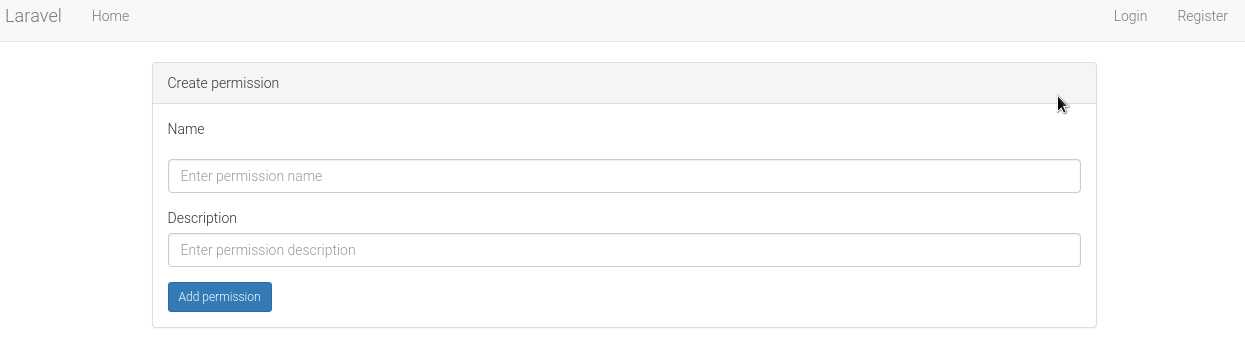
Permissions
Creating new permission: /permission/create
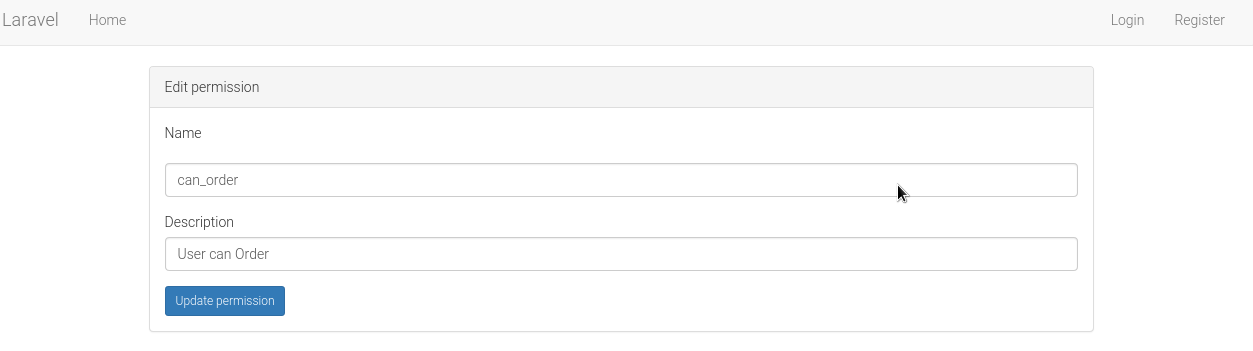
View permissions: /permission

Edit permission: /permission/1/edit/
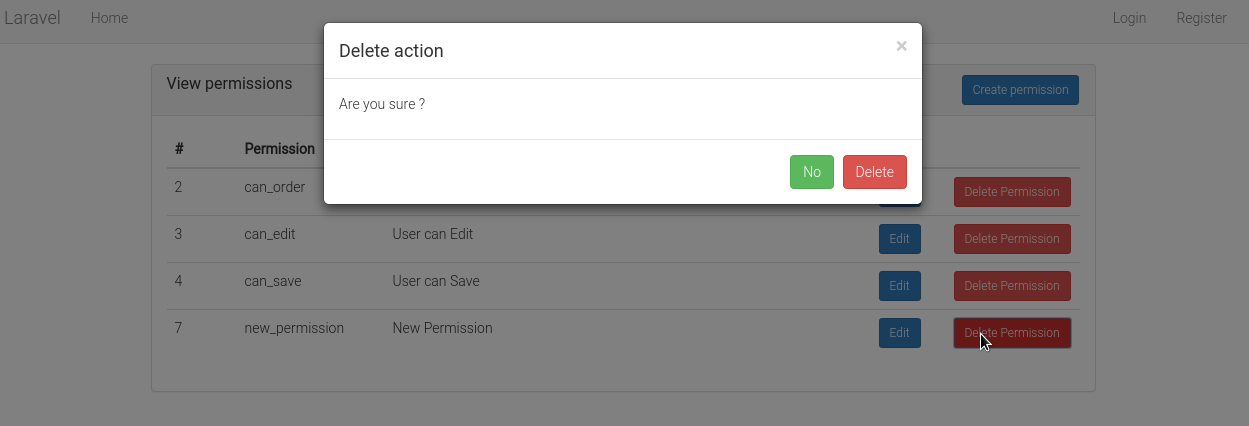
Delet permission:
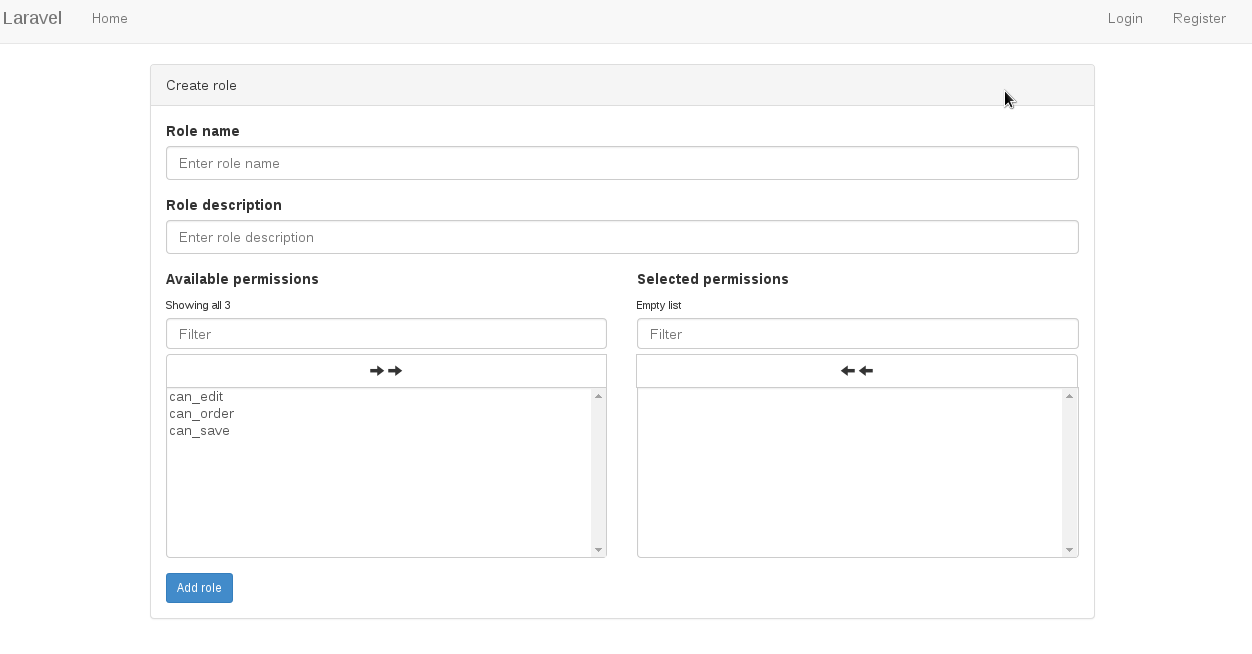
Roles
Creating new role and assigning permission(s) to this role: /role/create
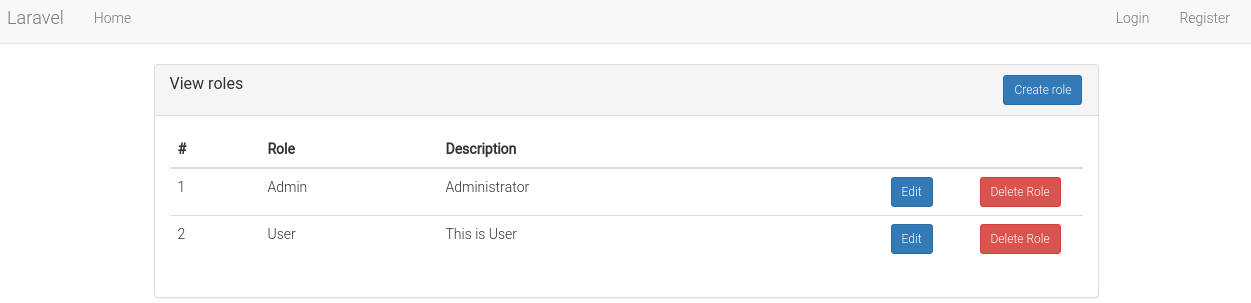
View roles: /role
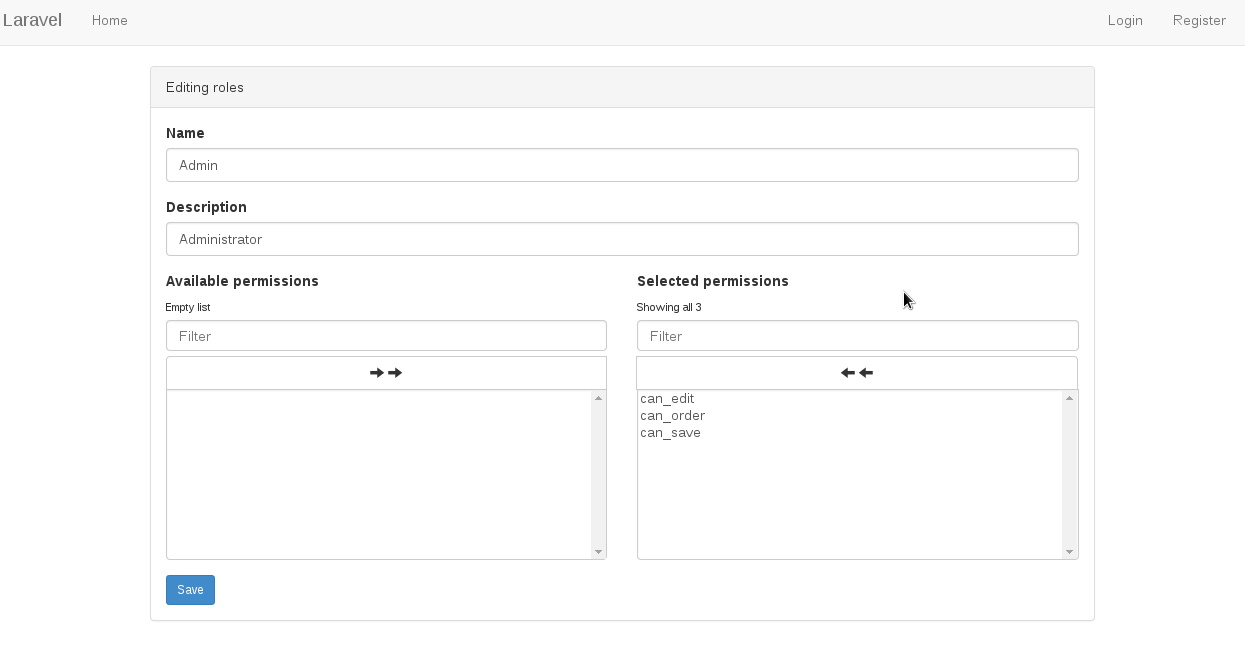
Edit role: /role/1/edit/
Users
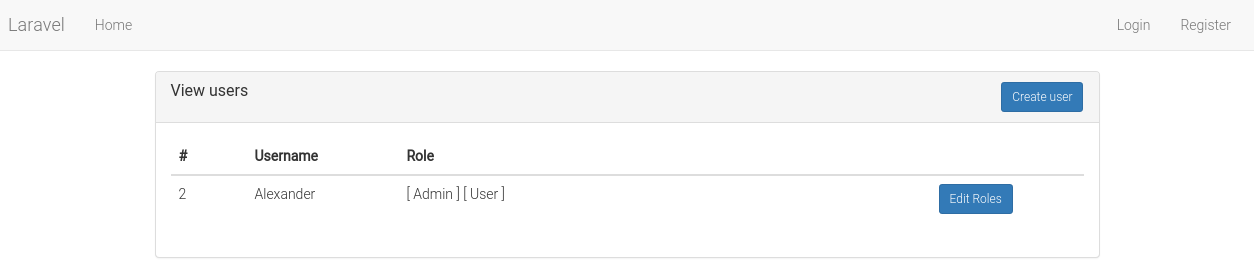
View users: /user
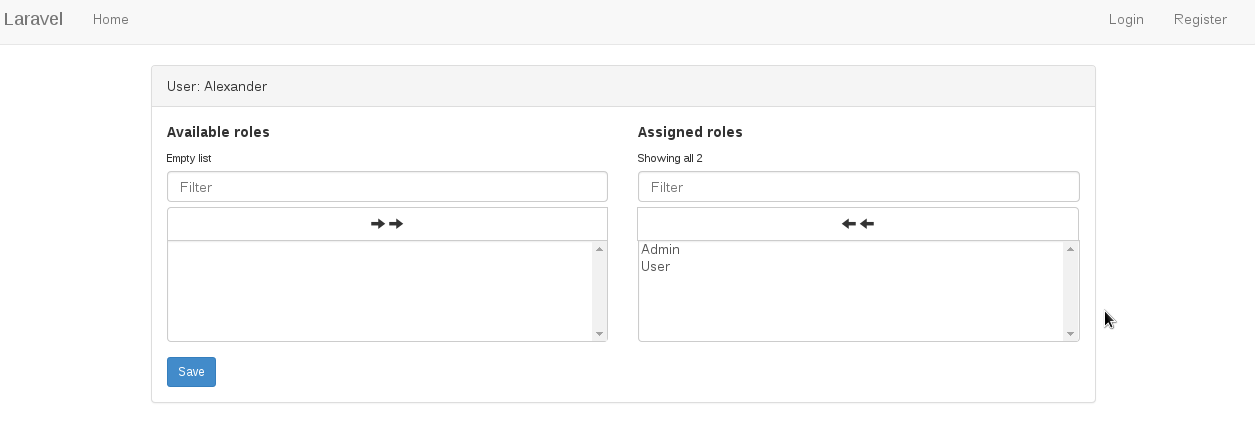
Assign role to user: /user/1/edit/
Using without frontend
Out of box Laravel comes with model and controllers that handles user registration and authentication process. Here we will create roles and permissions that can be applied to users. First create roles and permissions:
    /**
    * Creating role
    */
    $role = Larbac\Models\Role::create(['name' => 'Admin']); // assuming role id will be 5

    // with optional role description
    $role = Larbac\Models\Role::create(['name' => 'Admin', 'description' => 'App administrator']);

    /**
    * Creating permission
    */
    $permission = Larbac\Models\Permission::create(['name' => 'can_save']); // assuming permission id will be 12

    // with optional permission description
    $permission = Larbac\Models\Role::create(['name' => 'can_save', 'description' => 'Allow save changes']);
Next assign permission(s) to a Role:
    /*
    * Assigning permission(s) to a role
    * 'Admin' role id = 5
    * 'can_save' permission id = 12
    */
    $role = Larbac\Models\Role::find(5); // find Admin role by id - 5
    $role->permissions()->sync([12]); // Assign 'can_save',using permission id - 12
Multiply permissions can also be assigned to a Role by supplying array of permission id's.
To keep in mind that sync( [12,13,14] ) will remove any other permissions that have been granted before and not specified in the given array.
    /**
     * Assigning multiply permissions to a Role
     *
     * 'Admin' role id = 5
     *
     * 'can_save' id = 12
     * 'can_view' id = 13
     * 'can_edit' id = 14
     */
    $role = Larbac\Models\Role::find(1);
    $role->permissions()->sync([12,13,14]);


    ...

    /**
     * Will revoke 'can_view' id = 13 and only grant given permissions
     *
     * 'Admin' role id = 5
     *
     * 'can_save' id = 12
     * 'can_edit' id = 14
     */
    $role->permissions()->sync( [12,14] );
Next assign a Role to an User:
    /*
    * Assigning role to an user
    */
    $user = Larbac\Models\User::find(20); // assuming user id is 20
    $user->roles()->sync([5]); // Assigning user [id = 20] an Admin role [id = 5]
##Support
Discovered an error or would like to suggest an improvement ? Please do email me or open an issue on GitHub
##License
LaRBAC for Laravel 5 is released under the MIT License. See the bundled LICENSE file for details.
alexpechkarev/larbac 适用场景与选型建议
alexpechkarev/larbac 是一款 基于 PHP 开发的 Composer 扩展包,目前已累计 277 次下载、GitHub Stars 达 4, 最近一次更新时间为 2015 年 02 月 28 日, 在 PHP 生态内属于活跃度较高的组件。
它主要适用于以下技术方向: 「Role Based Access Control」 「access controll」 「role permission」 「rbac for laravel」 「rbac with interface」 等业务场景。在实际项目中,围绕这些方向常见需要落地的问题包括:接口对接、性能调优、并发安全、与既有框架(Laravel / ThinkPHP / Yii / Webman 等)的兼容适配,以及生产环境的日志埋点与稳定性保障。
我们在过去多个企业项目中使用过 alexpechkarev/larbac 或与其功能相近的方案,如果你在选型或落地过程中遇到问题,例如 版本兼容、二次改造、私有化封装、与内部系统对接、生产 BUG 排查,欢迎联系我们协助评估。
基于 alexpechkarev/larbac 在你已有业务上做功能扩展、字段裁剪、UI 适配、与内部账号 / 权限 / 日志系统的深度对接。
线上偶发问题、内存泄漏、慢查询、并发异常等排查修复;针对高流量场景做缓存、队列、索引层面的调优。
承接完整的项目从需求 → 设计 → 开发 → 上线 → 长期运维;也可按月提供技术保姆服务。
与 alexpechkarev/larbac 相关的其它包
同方向 / 同关键字的高下载量 PHP Composer 包推荐,方便对比选型:
Dibi is Database Abstraction Library for PHP
Provide a way to secure accesses to all routes of an symfony application.
The library provides a flexible way to add role-based access control management to CakePHP 3.x
Core Library For SICOPE Model Project
Supports the setup and management of custom page types.
Flow-based programming for PHP
统计信息
- 总下载量: 277
- 月度下载量: 0
- 日度下载量: 0
- 收藏数: 4
- 点击次数: 20
- 依赖项目数: 0
- 推荐数: 0
其他信息
- 授权协议: MIT
- 更新时间: 2015-02-28