andersundsehr/sentry_cron_monitor
Composer 安装命令:
composer require andersundsehr/sentry_cron_monitor
包简介
Creates sentry cron monitor for all tasks
README 文档
README
What does this extension do?
When a scheduler task runs:
- It will create a monitor and an alert in Sentry for the given scheduler task if there is none yet.
- It will send a check-in status to Sentry to indicate whether the task was successful or not.
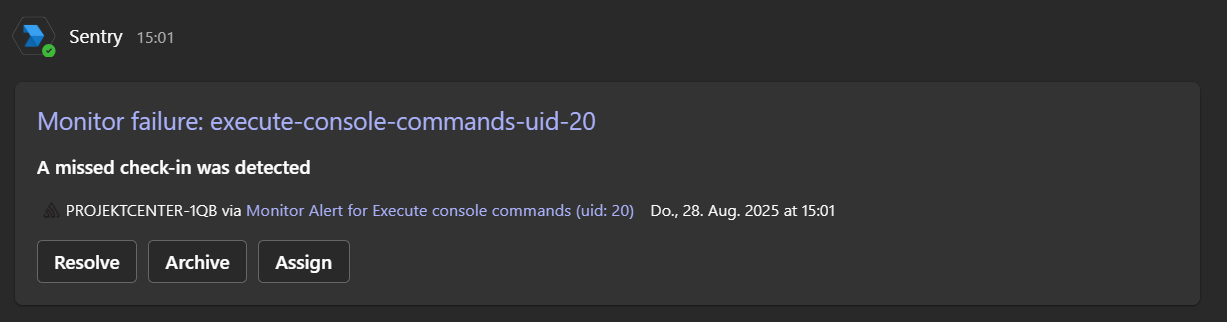
- If the task fails, it will send a status error to Sentry, and the alert (only in Production) from the cron monitor will send a notification to the configured Microsoft Teams channel. Example:

Requirements:
- Microsoft Teams Integration in Sentry + add App to (standard) Channel to get $integrationIdMsTeams in Sentry: https://develop.sentry.dev/integrations/msteams/
- Successful Integration in Channel:
- ⚠️ The first channel must always be named 'General'; otherwise, it will not work! All other channels created after the first one can be given any name.
Extension Configuration:
- Integration ID for Microsoft Teams in Sentry:
$integrationIdMsTeams- You can get this from the URL of the Microsoft Teams Integration in Sentry when you hover over "Configure."
- Organization Name in Sentry:
$orgName - Name of the Microsoft Teams channel for notifications:
$teamsChannelName - Authorization token for the Sentry API:
$authToken- You can create this token in the User Auth Tokens in Sentry.
- Make sure to grant read and write permissions to alerts.
- Timezone for cron monitors:
$timezone- Example:
Europe/Berlin
- Example:
Tip:
- If a cron monitor is triggering too many false positives, increase the failure tolerance in Sentry.
统计信息
- 总下载量: 609
- 月度下载量: 0
- 日度下载量: 0
- 收藏数: 0
- 点击次数: 0
- 依赖项目数: 0
- 推荐数: 0
其他信息
- 授权协议: GPL-2.0-or-later
- 更新时间: 2025-09-01