automattic/rewrite-rules-inspector
Composer 安装命令:
composer require automattic/rewrite-rules-inspector
包简介
WordPress plugin to inspect your rewrite rules.
README 文档
README
Stable tag: 1.6.0
Requires at least: 6.4
Tested up to: 6.9
Requires PHP: 7.4
License: GPLv2 or later
Tags: rewrite rules, tools
Contributors: danielbachhuber, automattic, tmoorewp, garyj
A simple admin tool for inspecting rewrite rules.
Description
A simple WordPress admin tool for inspecting rewrite rules. View a listing of all your rewrite rules, see which rewrite rules match a given URL (and the priorities they match in), or filter by different sources of rewrite rules. Perform a soft flush of your rewrite rules to regenerate them.
Developed on GitHub — pull requests are always welcome. Please leave feedback, questions, bug reports, and feature requests in the GitHub issues.
Where to find it
Go to Tools → Rewrite Rules in the WordPress admin.
URL Tester
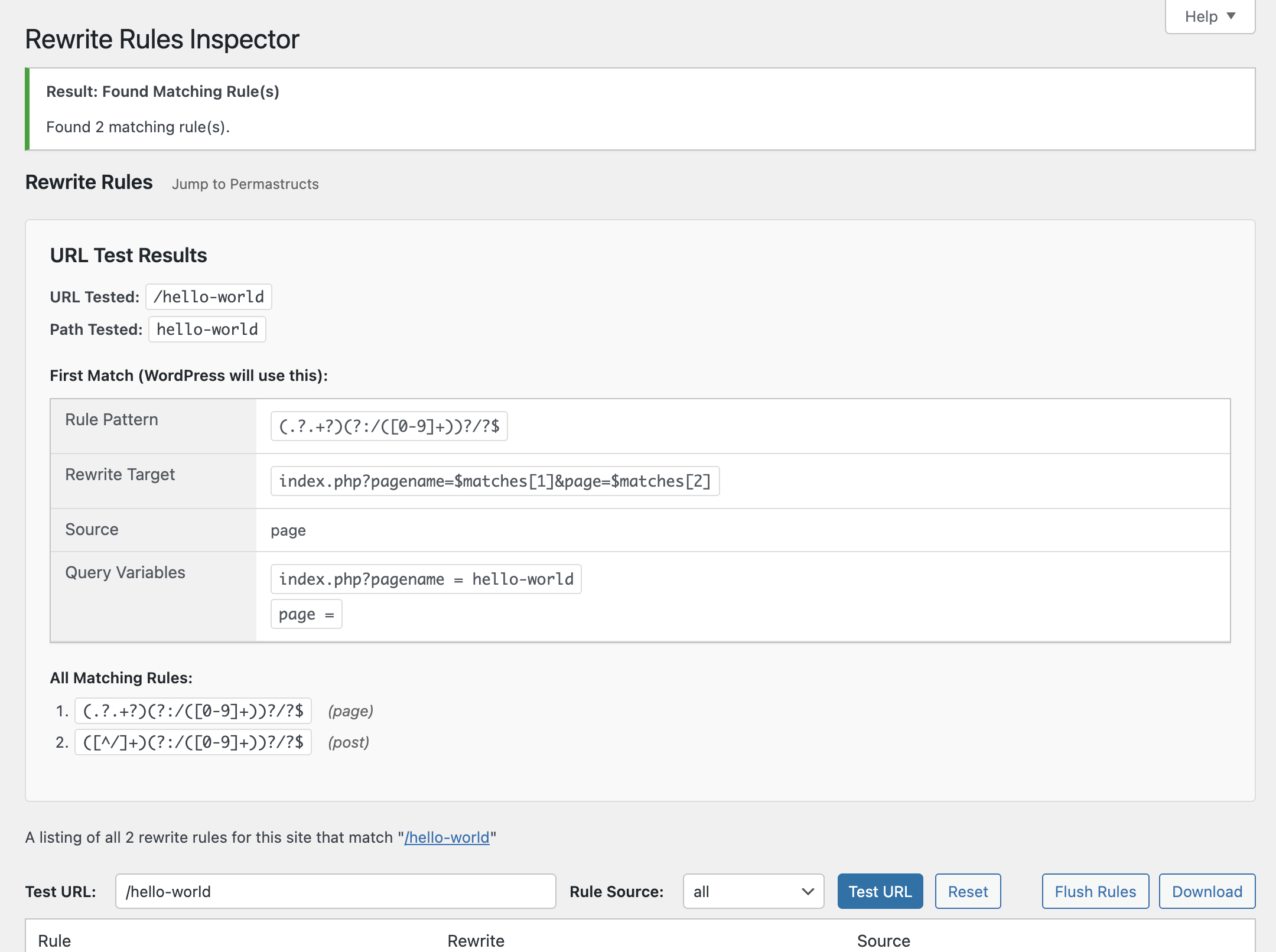
Quickly test any URL (or path) against your site's rewrite rules:
- See whether the URL would be a 404 or which rule would match first (the one WordPress uses).
- View the list of all matching rules, in match priority order.
- Inspect the query variables extracted from the match and the resulting final query WordPress would run.
Works with full URLs or paths and automatically handles sites installed in a subdirectory.
Permastructs
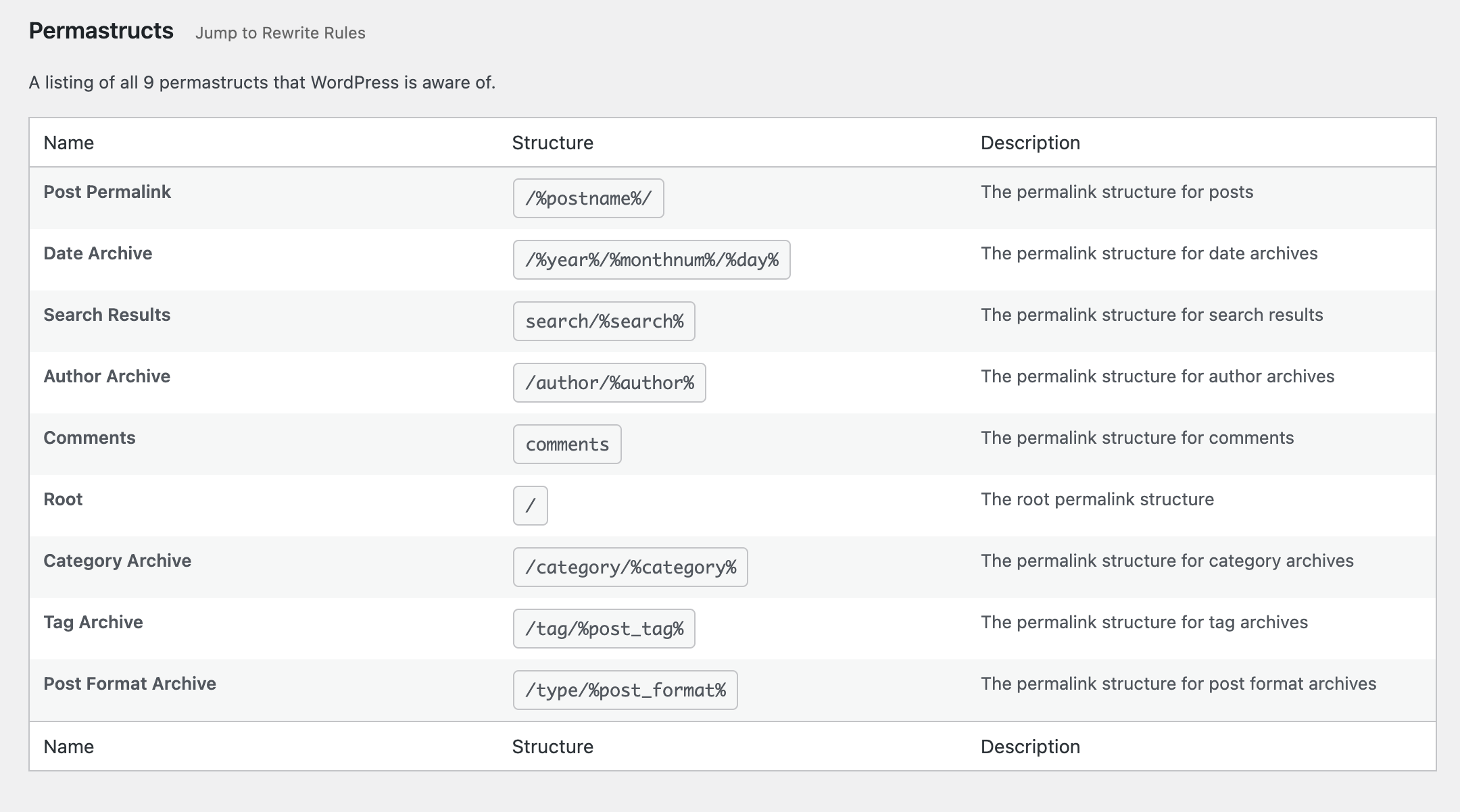
Browse a table of all permastructs that WordPress is aware of, including:
- Name — the permastruct key (e.g. for posts, taxonomies, authors).
- Structure — the permalink structure pattern used to generate rules.
- Description — a human-friendly summary of what the permastruct controls.
Flush Rules
The "Flush Rules" button allows you to regenerate your site's rewrite rules. Here's exactly what happens when you click it:
What the Flush Rules Button Does
When you click the "Flush Rules" button, the following sequence occurs:
-
Security Check: The system verifies you have the proper permissions (
manage_optionscapability) and validates the security nonce to prevent unauthorized access. -
Cache Clearing: WordPress deletes the cached rewrite rules from the options cache using
wp_cache_delete('rewrite_rules', 'options'). -
Rule Regeneration: WordPress calls
flush_rewrite_rules(false)to regenerate all rewrite rules based on:- Current permalink structure settings
- Custom post types and taxonomies
- Any custom rewrite rules added by themes or plugins
-
Hook Execution: The
rri_flush_rulesaction hook is fired, allowing other plugins to perform additional cleanup or actions after the flush. -
Success Feedback: You're redirected back to the Rewrite Rules Inspector page with a success message confirming the rules have been flushed.
When to Use Flush Rules
Use the "Flush Rules" button when:
- Missing Rules: You see rules marked as "missing" (red background) in the inspector
- Custom URLs Not Working: Your custom permalinks or post type URLs aren't working properly
- After Plugin Changes: You've activated/deactivated plugins that register custom rewrite rules
- Permalink Structure Changes: You've modified your site's permalink structure
- Custom Post Type Issues: New custom post types or taxonomies aren't generating proper URLs
Important Notes
- Soft Flush: This performs a "soft" flush (using
flush_rewrite_rules(false)), which is safer than a hard flush as it doesn't force regeneration of all rules unnecessarily. - Permissions Required: Only users with
manage_optionscapability can flush rules. - No Data Loss: Flushing rules doesn't delete any content or settings, it only regenerates the URL routing rules.
- Immediate Effect: Changes take effect immediately after flushing.
Installation
Install the plugin from within WordPress
- Visit the Plugins page from your WordPress dashboard and click "Add New" at the top of the page.
- Search for "rewrite-rules-inspector" using the search bar on the right side.
- Click "Install Now" to install the plugin.
- After it's installed, click "Activate" to activate the plugin on your site.
Install the plugin manually
- Download the plugin from WordPress.org or get the latest release from our GitHub Releases page.
- Unzip the downloaded archive.
- Upload the entire
rewrite-rules-inspectorfolder to your/wp-content/pluginsdirectory. - Visit the Plugins page from your WordPress dashboard and look for the newly installed plugin.
- Click "Activate" to activate the plugin on your site.
Screenshots
-
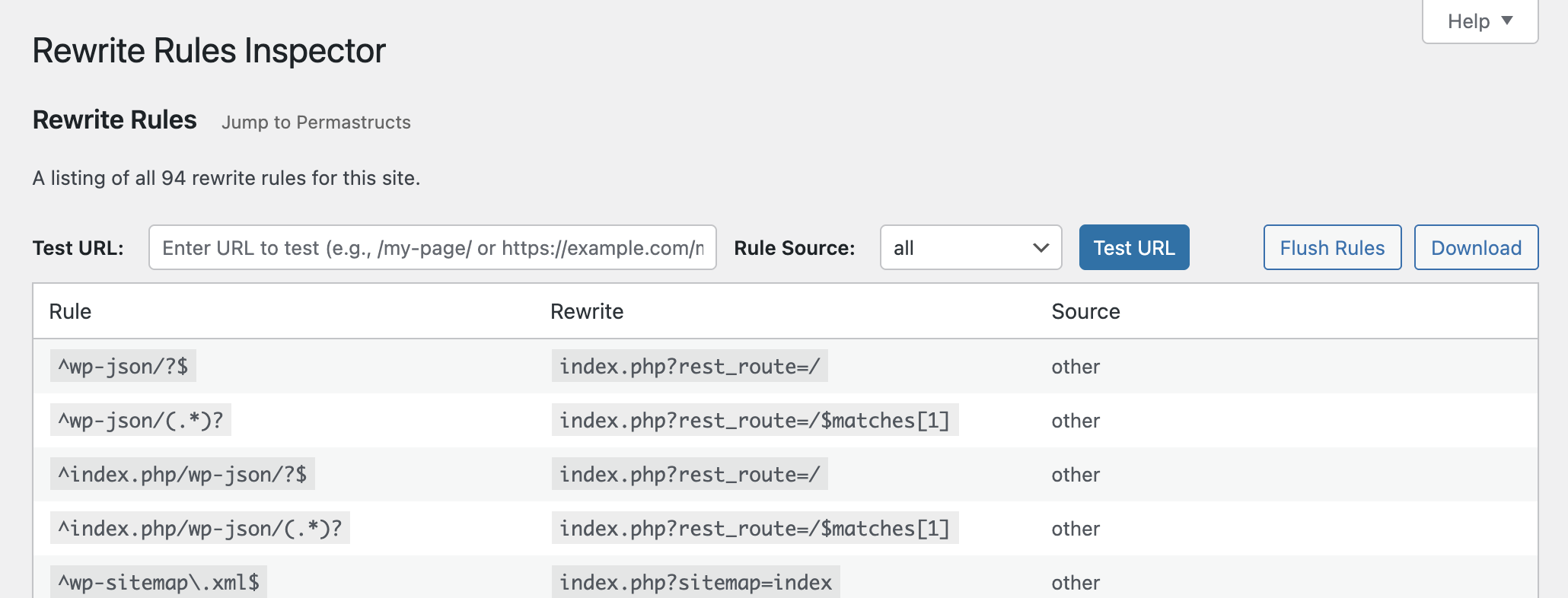
See all of the rewrite rules and flush them or download them.
-
Test a URL against the rules to see which one(s) would match, and the priority they would match in.
-
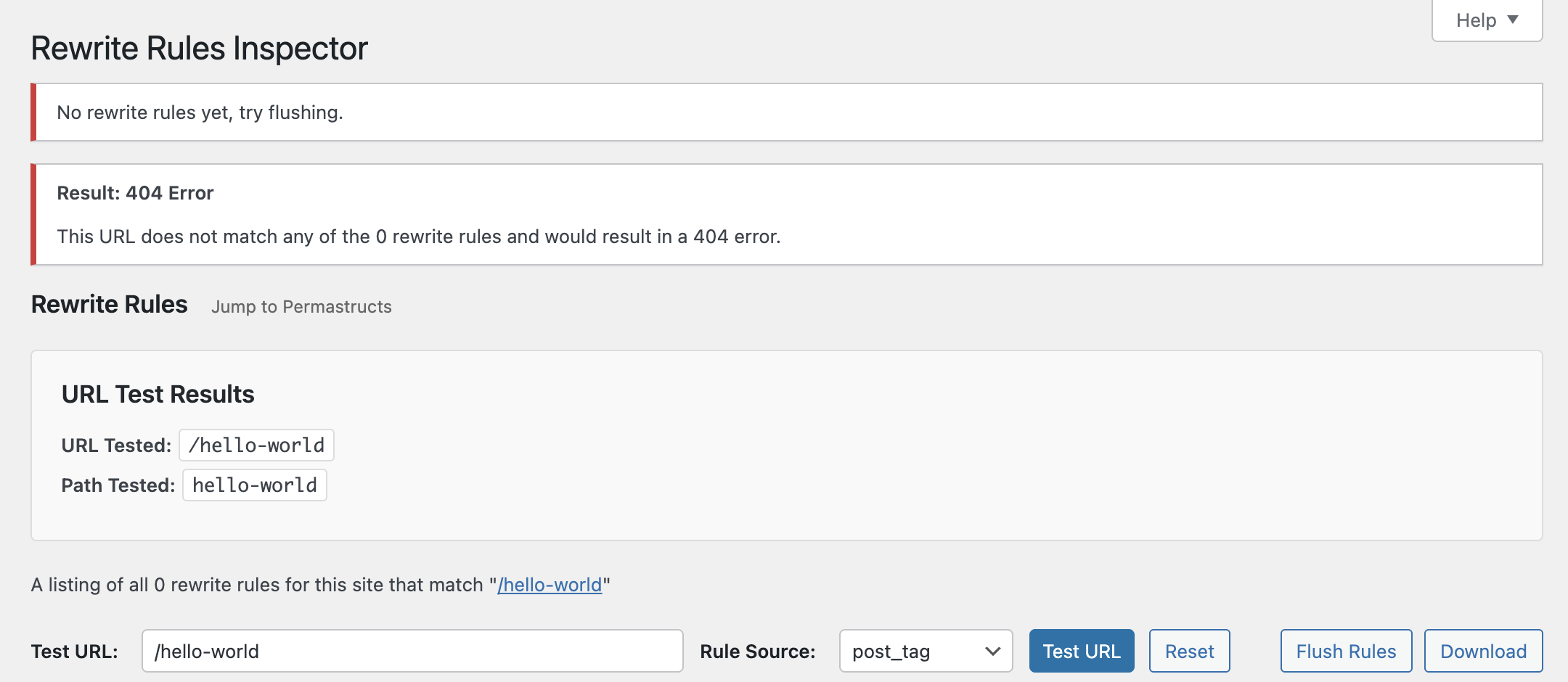
Limit rules and URL testing results down to specificrule sources.
-
See which permastructs WordPress knows about.


Changelog
See the change log.
automattic/rewrite-rules-inspector 适用场景与选型建议
automattic/rewrite-rules-inspector 是一款 基于 PHP 开发的 Composer 扩展包,目前已累计 466 次下载、GitHub Stars 达 135, 最近一次更新时间为 2025 年 10 月 20 日, 在 PHP 生态内属于活跃度较高的组件。
我们在过去多个企业项目中使用过 automattic/rewrite-rules-inspector 或与其功能相近的方案,如果你在选型或落地过程中遇到问题,例如 版本兼容、二次改造、私有化封装、与内部系统对接、生产 BUG 排查,欢迎联系我们协助评估。
基于 automattic/rewrite-rules-inspector 在你已有业务上做功能扩展、字段裁剪、UI 适配、与内部账号 / 权限 / 日志系统的深度对接。
线上偶发问题、内存泄漏、慢查询、并发异常等排查修复;针对高流量场景做缓存、队列、索引层面的调优。
承接完整的项目从需求 → 设计 → 开发 → 上线 → 长期运维;也可按月提供技术保姆服务。
统计信息
- 总下载量: 466
- 月度下载量: 0
- 日度下载量: 0
- 收藏数: 135
- 点击次数: 27
- 依赖项目数: 0
- 推荐数: 0
其他信息
- 授权协议: GPL-2.0-or-later
- 更新时间: 2025-10-20