coderius/yii2-pell-widget
Composer 安装命令:
composer require coderius/yii2-pell-widget
包简介
Pell content editor widget for Yii2.
README 文档
README
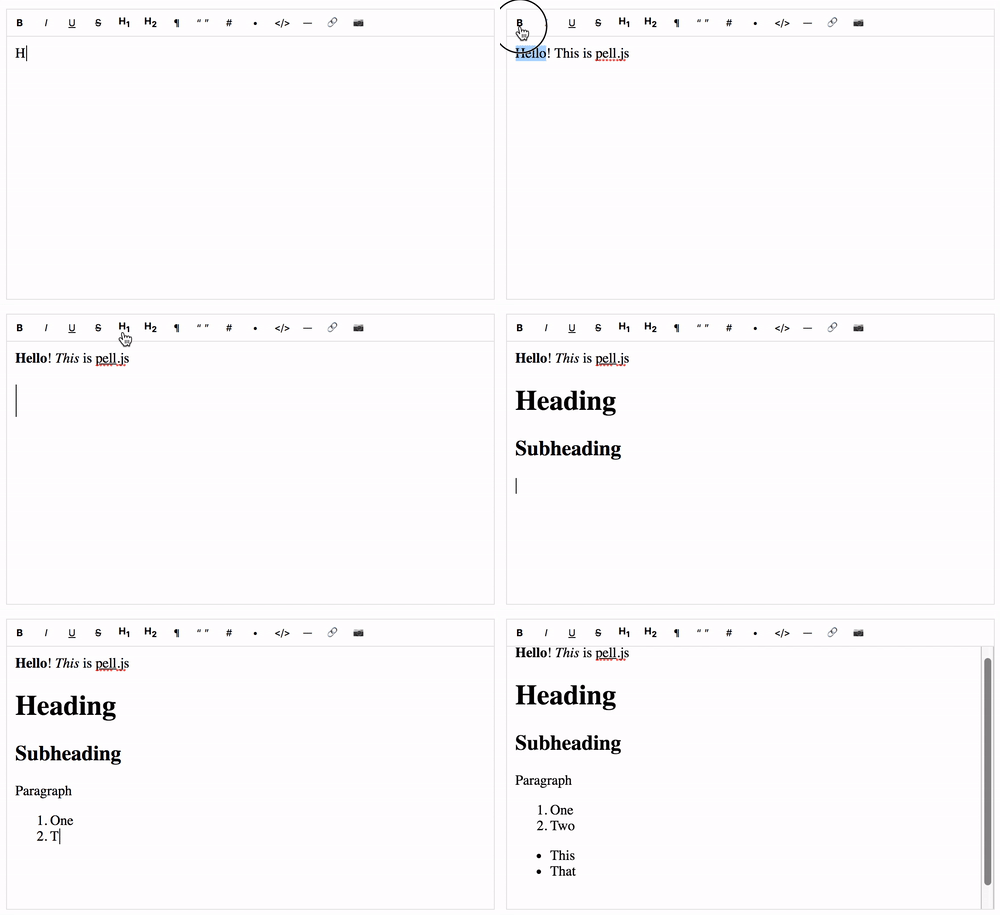
Renders a Pell WYSIWYG text editor plugin widget.
Installation
The preferred way to install this extension is through composer.
Either run
composer require coderius/yii2-pell-widget:"~1.0"
or add
"coderius/yii2-pell-widget" : "~1.0"
to the require section of your application's composer.json file.
Usage
For example to use the pell editor with a [[\yii\base\Model|model]]:
echo Pell::widget([
   'model' => $model,
   'attribute' => 'text',
]);
Inside form without model:
$value = 'textarea some content';

echo \coderius\pell\Pell::widget([
   'name' => 'textarea-name',
   'value'  => $value,
   'clientOptions' =>[]
]);
The following example will used not as an element of form:
echo Pell::widget([
  'asFormPart'  => false,
  'value'  => $value,
  'clientOptions' =>[
      'onChange' => new JsExpression(
          "html => {
              console.log(html);
          },"
      )
  ]
]);
You can also use this widget in an [[\yii\widgets\ActiveForm|ActiveForm]] using the [[\yii\widgets\ActiveField::widget()|widget()]] method, for example like this:
use coderius\pell\Pell;

<?= $form->field($model, 'text')->widget(Pell::className(), []);?>
About ClientOptions
Please, remember that if you are required to add javascript to the configuration of the js plugin and is required to be
plain JS, make use of JsExpression. That class was made by Yii for that specific purpose. For example:
// Having the following scenario
<script>
    function jsFunctionToBeCalled() {
        // ...
    }
</script>

<?= $form->field($model, 'content')->widget(Pell::className(), [
        'clientOptions' => [
            'defaultParagraphSeparato' => 'div',

            // ...

            'actions' => [
                'bold',
                'italic',
                'underline',
                'strikethrough',
                'heading1',
                'heading2',
                'paragraph',
                'quote',
                'olist',
                'ulist',
                'code',
                'line',
                'link',
                'image',
                [
                    'name'   => 'backColor',
                    'icon'   => '<div style="background-color:pink;">A</div>',
                    'title'  => 'Highlight Color',
                    // this will render the function name without quotes on the configuration options of the plugin
                    'result' => new JsExpression('jsFunctionToBeCalled')
                ],
            ],

            // ...
        ]

    ]
]); ?>
Examples widget usage
Please see Examples usage in yii2 view files for more examples.
Testing
$ phpunit
Further Information
Please, check the Pell plugin github documentation for further information about its configuration options.
Contributing
Please see CONTRIBUTING for details.
Credits
License
The MIT License (MIT). Please see License File for more information.
Web development has never been so fun!
coderius.biz.ua
统计信息
- 总下载量: 10.15k
- 月度下载量: 0
- 日度下载量: 0
- 收藏数: 3
- 点击次数: 1
- 依赖项目数: 0
- 推荐数: 0
其他信息
- 授权协议: MIT
- 更新时间: 2019-11-06