coderius/yii2-swiper-slider
Composer 安装命令:
composer require coderius/yii2-swiper-slider
包简介
yii2 swiper slider
README 文档
README
About
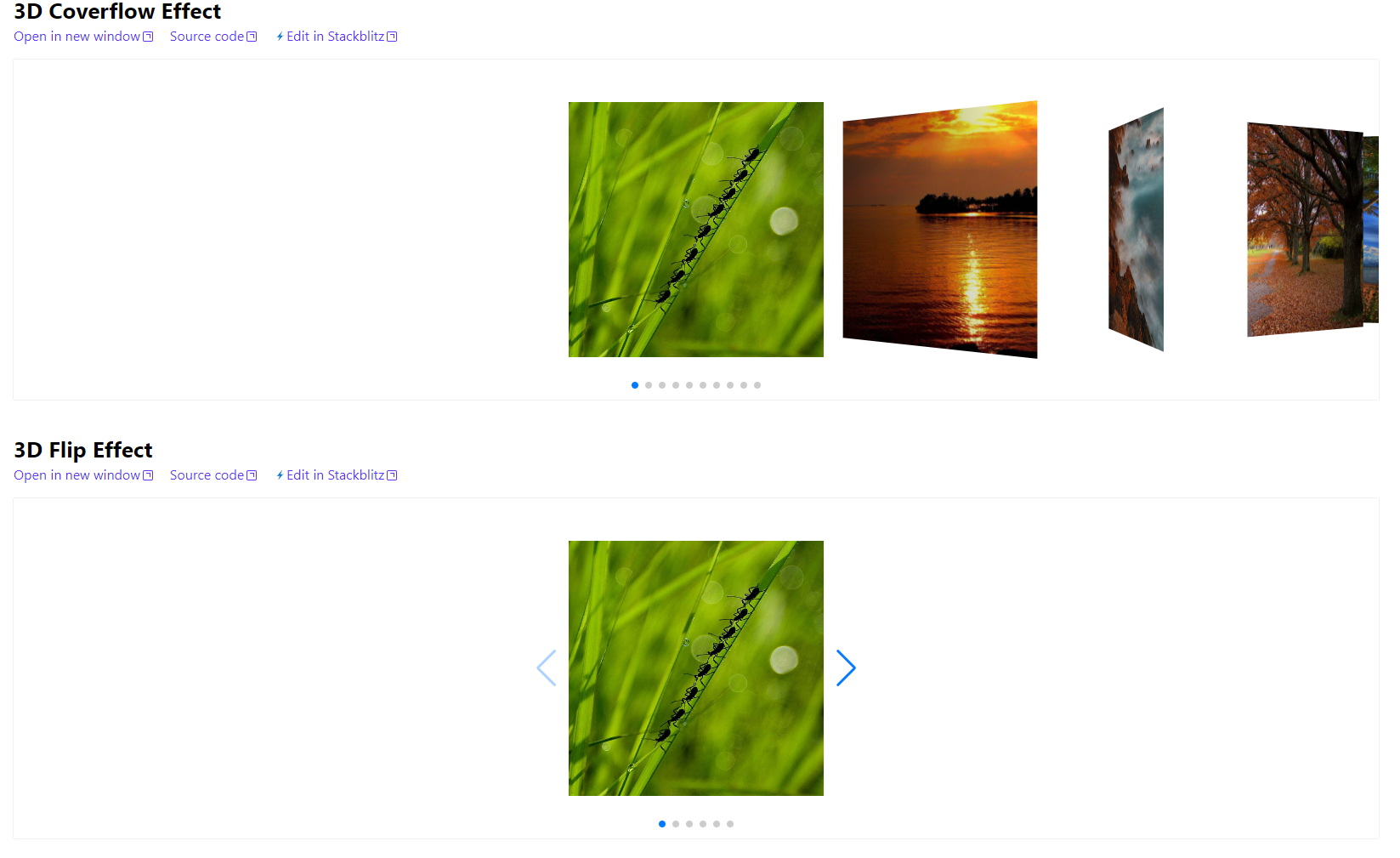
This is yii2 extention widget renders js slider Swiper. This widget allows render slider in web page simply. Created for Yii2 framework.

Installation
The preferred way to install this extension is through composer.
First download extention. Run the command in the terminal:
composer require coderius/yii2-swiper-slider:^1.0
or add in composer.json
"coderius/yii2-swiper-slider": "^1.0"
and run composer update
Usage
Widger with minimum options
You can only specify content for slides. This parameter is required.
In all files with widget put namespace to use class like:
<?php
namespace yournamespace

use coderius\swiperslider\SwiperSlider;

//Code ...
In view file render widget:
<?php
    echo \coderius\swiperslider\SwiperSlider::widget([
        'slides' => [
            'one',
            'two',
            'three',
            '<img src="https://swiperjs.com/demos/images/nature-1.jpg">',
            '<img src="https://swiperjs.com/demos/images/nature-2.jpg">'
        ],
    ]);
?>
Widget with more options:
You can customize the parameters of the widget
In view file render widget:
<?php
    echo \coderius\swiperslider\SwiperSlider::widget([
        // 'on ' . \coderius\swiperslider\SwiperSlider::EVENT_AFTER_REGISTER_DEFAULT_ASSET => function(){
        //     CustomAsset::register($view);
        // },
        'showScrollbar' => true,
        'slides' => [
            [
                'value' => 'ggg',
                'options' => [
                    'style' => ["background-image" => "url(https://swiperjs.com/demos/images/nature-1.jpg)"]
                ]
            ],
            '<img src="https://swiperjs.com/demos/images/nature-2.jpg">',
            'one',
            'two',
            'three',
            'fore',
            'five'
        ],
        // 'assetFromCdn' => true,
        'clientOptions' => [
            'slidesPerView' => 4,
            'spaceBetween'=> 30,
            'centeredSlides'=> true,
            'pagination' => [
                'clickable' => true,
                'renderBullet' => new \yii\web\JsExpression("function (index, className) {
                        return '<span class=\"' + className + '\">' + (index + 1) + '</span>';
                    },
                "),
                ],
                "scrollbar" => [
                    "el" => \coderius\swiperslider\SwiperSlider::getItemCssClass(SwiperSlider::SCROLLBAR),
                    "hide" => true,
                ],
        ],

        //Global styles to elements. If create styles for all slides
        'options' => [
            'styles' => [
                \coderius\swiperslider\SwiperSlider::CONTAINER => ["height" => "100px"],
                \coderius\swiperslider\SwiperSlider::SLIDE => ["text-align" => "center"],
            ],
        ],

    ]);
?>
Widget options
Events:
- EVENT_BEFORE_REGISTER_DEFAULT_ASSET
- EVENT_AFTER_REGISTER_DEFAULT_ASSET
Usage in widget:
echo \coderius\swiperslider\SwiperSlider::widget([
    ...
'on ' . \coderius\swiperslider\SwiperSlider::EVENT_AFTER_REGISTER_DEFAULT_ASSET => function(){
        CustomAsset::register($view);
},
showScrollbar: true | false. Default is false
showPagination: true | false. Default is true
slides: string | array | . Contents slides content like or any string. Or array with keys: value, options. value maybe like
string or Closure (function($tag, $index, $self){}). Example:
'slides' => [
        [
            'value' => 'ggg',
            'options' => [
                'style' => ["background-image" => "url(https://swiperjs.com/demos/images/nature-1.jpg)"]
            ]
        ],
        [
            'value' => function($tag, $index, $self){
                return "some value {$index}";
            },
            'options' => [
                'style' => ["color" => "green"]
            ]
        ],
...
clientOptions: array. This options is pasted when initialize Swiper js (new Swiper('options here')).
Please, remember that if you are required to add javascript to the configuration of the js plugin and is required to be
plain JS, make use of JsExpression. That class was made by Yii for that specific purpose. For example:
'clientOptions' => [
    'slidesPerView' => 4,
    'spaceBetween'=> 30,
    'centeredSlides'=> true,
    'pagination' => [
        'clickable' => true,
        'renderBullet' => new \yii\web\JsExpression("function (index, className) {
                return '<span class=\"' + className + '\">' + (index + 1) + '</span>';
            },
        "),
        ],
        "scrollbar" => [
            "el" => \coderius\swiperslider\SwiperSlider::getItemCssClass(SwiperSlider::SCROLLBAR),
            "hide" => true,
        ],
],
options: array. This options is pasted when rendered dom elements. Various attributes for html elements are set here. This params allowed only for all template items:
//Global styles to elements. If create styles for all slides
'options' => [
    'styles' => [
        \coderius\swiperslider\SwiperSlider::CONTAINER => ["height" => "100px"],
        \coderius\swiperslider\SwiperSlider::SLIDE => ["text-align" => "center"],
    ],
    'class' => [\coderius\swiperslider\SwiperSlider::CONTAINER => ["myClass"],]
],
It is best to use constants to specify template elements:
- CONTAINER = 'container';
- WRAPPER = 'wrapper';
- SLIDE = 'slide';
- PAGINATION = 'pagination';
- BUTTON_PREV = 'button-prev';
- BUTTON_NEXT = 'button-next';
- SCROLLBAR = 'scrollbar';
Testing
Run tests in extention folder.
$ ./vendor/bin/phpunit
Note! For running all tests needed upload all dependencies by composer. If tested single extention, then run command from root directory where located extention:
composer update
When all dependencies downloaded run all tests in terminal from root folder:
./vendor/bin/phpunit tests
Or for only unit:
./vendor/bin/phpunit --testsuite Unit
If extention tested in app, then set correct path to phpunit and run some commands.
Credits
License
The MIT License (MIT). Please see License File for more information.
coderius/yii2-swiper-slider 适用场景与选型建议
coderius/yii2-swiper-slider 是一款 基于 PHP 开发的 Composer 扩展包,目前已累计 3.11k 次下载、GitHub Stars 达 0, 最近一次更新时间为 2020 年 11 月 04 日, 在 PHP 生态内属于活跃度较高的组件。
它主要适用于以下技术方向: 「slider」 「yii2」 「Yii2 Extension」 「swiper」 「yii2 slider」 「yii2 modules」 等业务场景。在实际项目中,围绕这些方向常见需要落地的问题包括:接口对接、性能调优、并发安全、与既有框架(Laravel / ThinkPHP / Yii / Webman 等)的兼容适配,以及生产环境的日志埋点与稳定性保障。
我们在过去多个企业项目中使用过 coderius/yii2-swiper-slider 或与其功能相近的方案,如果你在选型或落地过程中遇到问题,例如 版本兼容、二次改造、私有化封装、与内部系统对接、生产 BUG 排查,欢迎联系我们协助评估。
基于 coderius/yii2-swiper-slider 在你已有业务上做功能扩展、字段裁剪、UI 适配、与内部账号 / 权限 / 日志系统的深度对接。
线上偶发问题、内存泄漏、慢查询、并发异常等排查修复;针对高流量场景做缓存、队列、索引层面的调优。
承接完整的项目从需求 → 设计 → 开发 → 上线 → 长期运维;也可按月提供技术保姆服务。
与 coderius/yii2-swiper-slider 相关的其它包
同方向 / 同关键字的高下载量 PHP Composer 包推荐,方便对比选型:
Display a FlexSlider on pages of your website
A custom URL rule class for Yii 2 which allows to create translated URL rules
The Yii2 extension uses jQuery jquery.carousel-1.1.min.js and makes image carousel from php array of structure defined.
Slick slider element Silverstripe
TYPO3 CMS extension to create gallery content element with preset crop ratios and pagination
UI Kit 3 Extension for Yii2
统计信息
- 总下载量: 3.11k
- 月度下载量: 0
- 日度下载量: 0
- 收藏数: 0
- 点击次数: 3
- 依赖项目数: 0
- 推荐数: 0
其他信息
- 授权协议: MIT
- 更新时间: 2020-11-04