codicastudio/server-metrics
Composer 安装命令:
composer require codicastudio/server-metrics
包简介
A random Codica Studio package.
README 文档
README
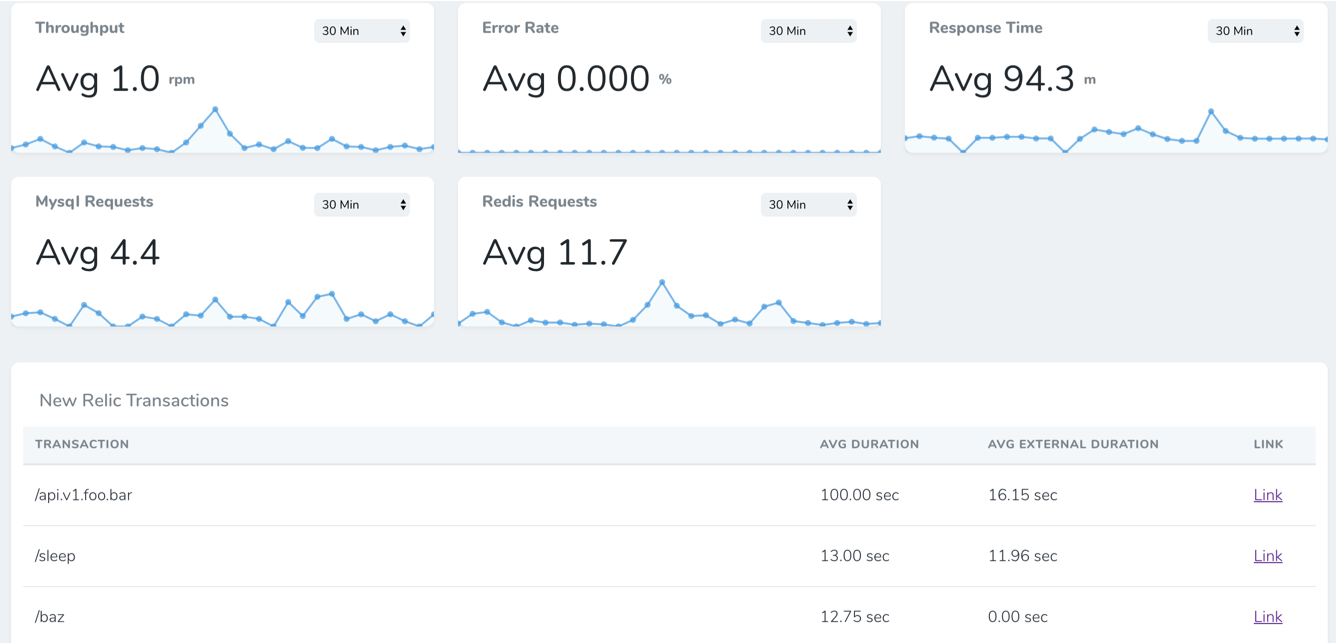
Add Error Rate, Throughput and Response Time metrics to your Laravel Nova Dashboard.
Install
You need to run the following command:
composer require napp/nova-new-relic-metrics
Add Credentials
add the following to config/services.php
'newrelic' => [
    'api_key' => env('NEW_RELIC_API_KEY'),
    'insights_api_key' => env('NEW_RELIC_INSIGHTS_API_KEY'),
    'account_id' => env('NEW_RELIC_ACCOUNT_ID'),
    'app_id' => env('NEW_RELIC_APP_ID'),
]
Add cards to a dashboard
add to NovaServiceProvider.php
public function cards()
{
    return [
        new \Napp\NewRelicMetrics\Metrics\Throughput,
        new \Napp\NewRelicMetrics\Metrics\ErrorRate,
        new \Napp\NewRelicMetrics\Metrics\ResponseTime,
        new \Napp\NewRelicMetrics\Metrics\MysqlRequests,
        new \Napp\NewRelicMetrics\Metrics\RedisRequests,
        new \Napp\NewRelicMetrics\TransactionsCard,
    ];
}
统计信息
- 总下载量: 3
- 月度下载量: 0
- 日度下载量: 0
- 收藏数: 0
- 点击次数: 0
- 依赖项目数: 0
- 推荐数: 0
其他信息
- 授权协议: MIT
- 更新时间: 2020-09-25