drkmode/laravel-knock-knock
Composer 安装命令:
composer require drkmode/laravel-knock-knock
包简介
Protect your site with a simple password form
README 文档
README
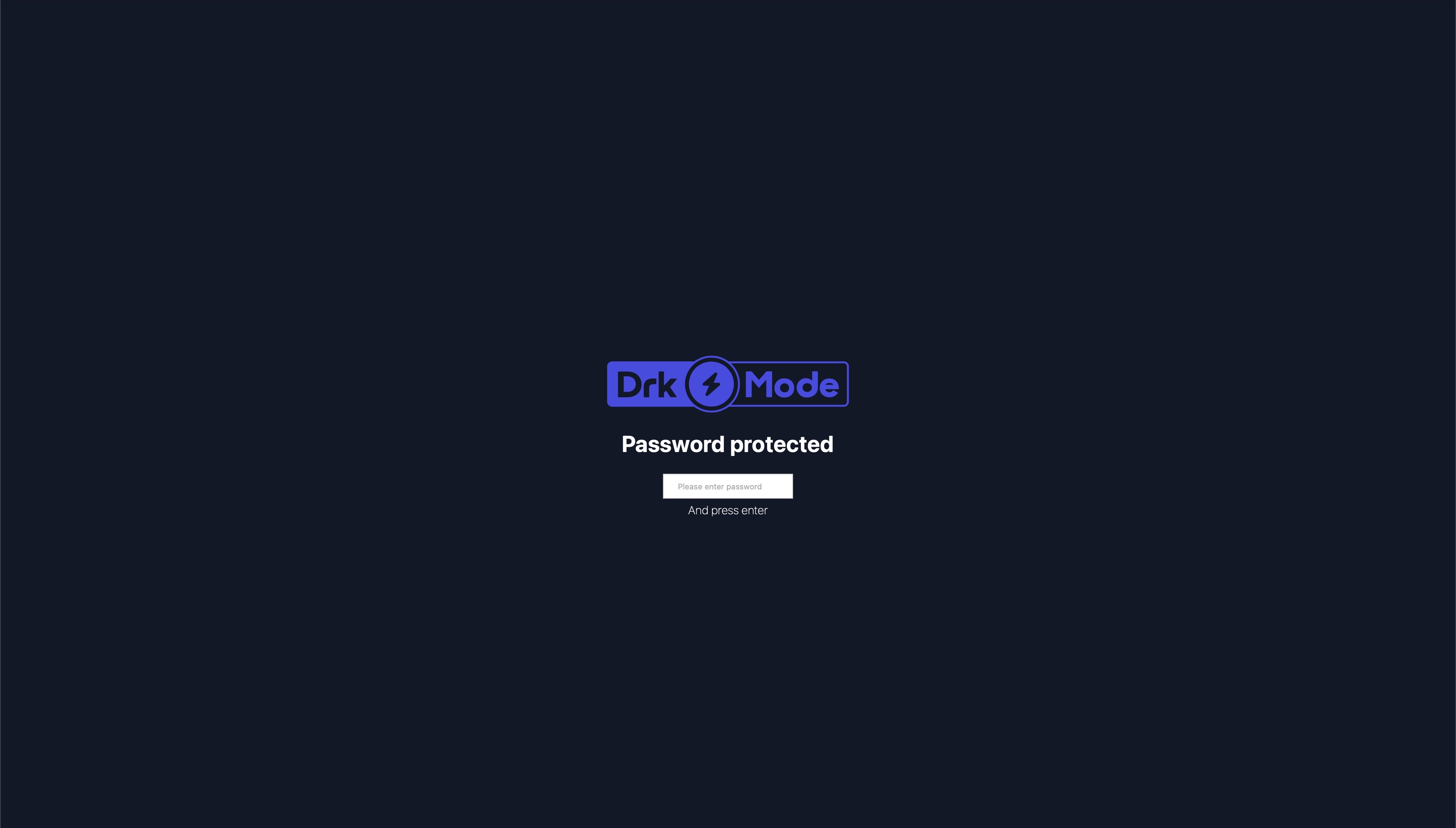
This will add a simple password form in front of your application to protected it from any access. The password is
specified using the .env file to protect your sites, commonly used for DEV or STAGE sites. You can use multiple
passwords for different user groups. Once the password is removed, the access is revoked.
You can use multiple passwords for different user groups. Once the password is removed, the access is revoked.
This does not protect any assets files like css or images.
Looks like
Installation
composer require drkmode/laravel-knock-knock
Laravel >= 5.2
This package requires at least the Laravel Framework of version 5.2.
Add ServiceProvider to the providers array in app/config/app.php.
DrkMode\SiteProtection\SiteProtectionServiceProvider::class,
Laravel >= 5.5
You don't need to add this package to your app/config/app.php since it supports auto discovery.
Add Middleware
Add Middleware to app/Http/Kernel.php or specific routes you want to protect.
protected $middlewareGroups = [
    'web' => [
        ...
        \DrkMode\SiteProtection\Http\Middleware\SiteProtection::class,
    ],
    ...
];
Laravel >= 11
Add Middleware
Add Middleware to bootstrap/app.php or specific routes you want to protect.
->withMiddleware(function (Middleware $middleware) {
        $middleware->web(append: [
            ...
            \DrkMode\SiteProtection\Http\Middleware\SiteProtection::class,
        ]);
    })
Configuration
Most configuration can be done using ENV variables by adding the following keys
to your .env file.
Adjusting the passwords
You can use multiple passwords separated by comma.
SITE_PROTECTION_PASSWORDS=password1,password2
To revoke access to your site simply change the password. This requires every user using the old password to re-enter a password.
Exclude certain paths from protection
You can exclude specific paths from protection. Add a comma seperated list of paths to your
.env file. You can use the * to exclude a group of paths.
SITE_PROTECTION_EXCEPT_PATHS=path1,path2,login*
Protect only specific paths
You can protect only some paths. Add a comma seperated list of paths to your
.env file. You can use the * to protect a a group of paths.
SITE_PROTECTION_PROTECTED_ONLY_PATHS=path1,path2,admin*
Set a CSS file uri
You can change the look and feel of the password protection page by adding an uri to your main css file. The css file is appened to the existing css styles to keep basic alignments.
SITE_PROTECTION_CSS_FILE_URI=/assets/app.css
Set a Logo file path
You can add your own company or project logo by setting this .env variable to the path of the image.
SITE_PROTECTION_LOGO_PATH=/assets/logo.png
Customization
In case you really need to. You can modify the view that handles password entry by publishing the views to your resource folder. This is not recommended and might cause problems on future updates. Try using the uri to a css file first.
Run the following command:
php artisan vendor:publish --provider="DrkMode\SiteProtection\SiteProtectionServiceProvider" --tag=views
You can now make the changes in resources/vendor/views/site-protection/site-protection-form.blade.php.
drkmode/laravel-knock-knock 适用场景与选型建议
drkmode/laravel-knock-knock 是一款 基于 PHP 开发的 Composer 扩展包,目前已累计 210 次下载、GitHub Stars 达 2, 最近一次更新时间为 2022 年 10 月 21 日, 在 PHP 生态内属于活跃度较高的组件。
我们在过去多个企业项目中使用过 drkmode/laravel-knock-knock 或与其功能相近的方案,如果你在选型或落地过程中遇到问题,例如 版本兼容、二次改造、私有化封装、与内部系统对接、生产 BUG 排查,欢迎联系我们协助评估。
基于 drkmode/laravel-knock-knock 在你已有业务上做功能扩展、字段裁剪、UI 适配、与内部账号 / 权限 / 日志系统的深度对接。
线上偶发问题、内存泄漏、慢查询、并发异常等排查修复;针对高流量场景做缓存、队列、索引层面的调优。
承接完整的项目从需求 → 设计 → 开发 → 上线 → 长期运维;也可按月提供技术保姆服务。
统计信息
- 总下载量: 210
- 月度下载量: 0
- 日度下载量: 0
- 收藏数: 2
- 点击次数: 7
- 依赖项目数: 0
- 推荐数: 0
其他信息
- 授权协议: MIT
- 更新时间: 2022-10-21