froala/wysiwyg-editor
Composer 安装命令:
composer require froala/wysiwyg-editor
包简介
A beautiful jQuery WYSIWYG HTML rich text editor. High performance and modern design make it easy to use for developers and loved by users.
关键字:
README 文档
README
Froala WYSIWYG HTML Editor is one of the most powerful JavaScript rich text editors ever.
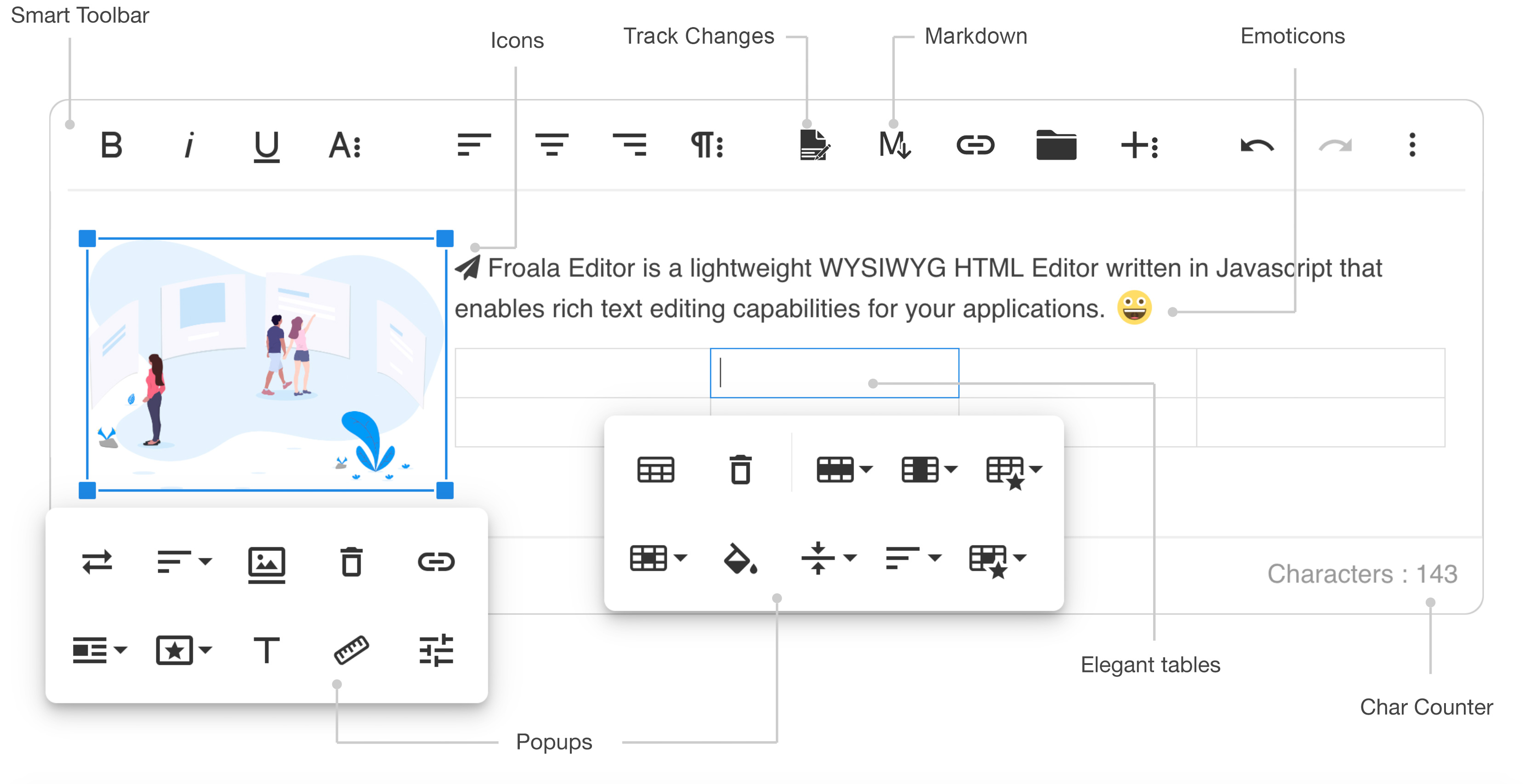
- Slim - only add the plugins that you need (30+ official plugins)
- Client frameworks integrations
- Server side SDKs for PHP, Node.JS, .NET, Java, and Python
- Code is well commented
- Online documentation up to date
- Simple to extend - the plugins are all well commented and simple to use as a basis for your own plugins
- Well maintained - frequent releases
- Great support - Help Center
- Awesome new features
Demos
- Basic demo: https://www.froala.com/wysiwyg-editor
- Inline demo: https://www.froala.com/wysiwyg-editor/inline
- Full list: https://www.froala.com/wysiwyg-editor/examples
Download and Install Froala Editor
Install from npm
npm install froala-editor
Install from bower
bower install froala-wysiwyg-editor
Load from CDN
Using Froala Editor from CDN is the easiest way to install it and we recommend using the jsDeliver CDN as it mirrors the NPM package.
<!-- Include Editor style. -->
<link href="https://cdn.jsdelivr.net/npm/froala-editor@latest/css/froala_editor.pkgd.min.css" rel="stylesheet" type="text/css" />

<!-- Create a tag that we will use as the editable area. -->
<!-- You can use a div tag as well. -->
<textarea></textarea>

<!-- Include Editor JS files. -->
<script type="text/javascript" src="https://cdn.jsdelivr.net/npm/froala-editor@latest/js/froala_editor.pkgd.min.js"></script>

<!-- Initialize the editor. -->
<script>
  new FroalaEditor('textarea');
</script>
Load from CDN as an AMD module
Froala Editor is compatible with AMD module loaders such as RequireJS. The following example shows how to load it along with the Algin plugin from CDN using RequireJS.
<html>
<head>
  <!-- Load CSS files. -->
  <link rel="stylesheet" type="text/css" href="https://cdn.jsdelivr.net/npm/froala-editor@latest/css/froala_editor.css">

  <script src="require.js"></script>
  <script>
    require.config({
      packages: [{
        name: 'froala-editor',
        main: 'js/froala_editor.min'
      }],
      paths: {
        // Change this to your server if you do not wish to use our CDN.
        'froala-editor': 'https://cdn.jsdelivr.net/npm/froala-editor@latest'
      }
    });
  </script>

  <style>
    body {
      text-align: center;
    }
    div#editor {
      width: 81%;
      margin: auto;
      text-align: left;
    }
    .ss {
      background-color: red;
    }
  </style>
</head>

<body>
  <div id="editor">
    <div id='edit' style='margin-top:30px;'>
    </div>
  </div>

  <script>
    require([
      'froala-editor',
      'froala-editor/js/plugins/align.min'
    ], function(FroalaEditor) {
      new FroalaEditor('#edit')
    });
  </script>
</body>

</html>
Load Froala Editor as a CommonJS Module
Froala Editor is using an UMD module pattern, as a result it has support for CommonJS. The following examples presumes you are using npm to install froala-editor, see Download and install FroalaEditor for more details.
var FroalaEditor = require('froala-editor');

// Load a plugin.
require('froala-editor/js/plugins/align.min');

// Initialize editor.
new FroalaEditor('#edit');
Load Froala Editor as a transpiled ES6/UMD module
Since Froala Editor supports ES6 (ESM - ECMAScript modules) and UMD (AMD, CommonJS), it can be also loaded as a module with the use of transpilers. E.g. Babel, Typescript. The following examples presumes you are using npm to install froala-editor, see Download and install FroalaEditor for more details.
import FroalaEditor from 'froala-editor'

// Load a plugin.
import 'froala-editor/js/plugins/align.min.js'

// Initialize editor.
new FroalaEditor('#edit')
For more details on customizing the editor, please check the editor documentation.
Use with your existing framework
- Angular JS: https://github.com/froala/angular-froala
- Angular 2: https://github.com/froala/angular2-froala-wysiwyg
- Aurelia: https://github.com/froala/aurelia-froala-editor
- CakePHP: https://github.com/froala/wysiwyg-cake
- Craft 2 CMS: https://github.com/froala/Craft-Froala-WYSIWYG
- Craft 3 CMS: https://github.com/froala/Craft-3-Froala-WYSIWYG
- Django: https://github.com/froala/django-froala-editor
- Ember: https://github.com/froala/ember-froala-editor
- Knockout: https://github.com/froala/knockout-froala
- Meteor: https://github.com/froala/meteor-froala
- Ruby on Rails: https://github.com/froala/wysiwyg-rails
- React JS: https://github.com/froala/react-froala-wysiwyg/
- Reactive: https://github.com/froala/froala-reactive
- Symfony: https://github.com/froala/KMSFroalaEditorBundle
- Vue JS: https://github.com/froala/vue-froala-wysiwyg/
- Yii2: https://github.com/froala/yii2-froala-editor
- Wordpress: https://github.com/froala/wordpress-froala-wysiwyg
Browser Support
At present, we officially aim to support the last two versions of the following browsers:
- Chrome
- Edge
- Firefox
- Safari
- Opera
- Internet Explorer 11
- Safari iOS
- Chrome, Firefox and Default Browser Android
Resources
- Demo: www.froala.com/wysiwyg-editor
- Download Page: www.froala.com/wysiwyg-editor/download
- Documentation: froala.com/wysiwyg-editor/docs
- License Agreement: www.froala.com/wysiwyg-editor/terms
- Support: wysiwyg-editor.froala.help
- Roadmap & Feature Requests: https://wysiwyg-editor-roadmap.froala.com
- Issues Repo guidelines
Reporting Issues
We use GitHub Issues as the official bug tracker for the Froala WYSIWYG HTML Editor. Here are some advices for our users that want to report an issue:
- Make sure that you are using the latest version of the Froala WYSIWYG Editor. The issue that you are about to report may be already fixed in the latest master branch version: https://github.com/froala/froala-wysiwyg/tree/master/js.
- Providing us reproducible steps for the issue will shorten the time it takes for it to be fixed. A JSFiddle is always welcomed, and you can start from this basic one.
- Some issues may be browser specific, so specifying in what browser you encountered the issue might help.
Technical Support or Questions
If you have questions or need help integrating the editor please contact us instead of opening an issue.
Licensing
All plugins would be restricted for an unlicensed version. To try out the full functionality, you’ll need to register for a trial license here, which is valid for a limited time.
To continue using the Froala Editor beyond the trial period, you’ll need to purchase a commercial license that suits your use case. For more details, visit our pricing plan page.
This software includes open-source components. License information is available in the License file in the root folder.
froala/wysiwyg-editor 适用场景与选型建议
froala/wysiwyg-editor 是一款 基于 CSS 开发的 Composer 扩展包,目前已累计 323.07k 次下载、GitHub Stars 达 4, 最近一次更新时间为 2016 年 09 月 13 日, 在 PHP 生态内属于活跃度较高的组件。
它主要适用于以下技术方向: 「text」 「jquery」 「javascript」 「wysiwyg」 「editor」 「html」 等业务场景。在实际项目中,围绕这些方向常见需要落地的问题包括:接口对接、性能调优、并发安全、与既有框架(Laravel / ThinkPHP / Yii / Webman 等)的兼容适配,以及生产环境的日志埋点与稳定性保障。
我们在过去多个企业项目中使用过 froala/wysiwyg-editor 或与其功能相近的方案,如果你在选型或落地过程中遇到问题,例如 版本兼容、二次改造、私有化封装、与内部系统对接、生产 BUG 排查,欢迎联系我们协助评估。
基于 froala/wysiwyg-editor 在你已有业务上做功能扩展、字段裁剪、UI 适配、与内部账号 / 权限 / 日志系统的深度对接。
线上偶发问题、内存泄漏、慢查询、并发异常等排查修复;针对高流量场景做缓存、队列、索引层面的调优。
承接完整的项目从需求 → 设计 → 开发 → 上线 → 长期运维;也可按月提供技术保姆服务。
与 froala/wysiwyg-editor 相关的其它包
同方向 / 同关键字的高下载量 PHP Composer 包推荐,方便对比选型:
Texy converts plain text in easy to read Texy syntax into structurally valid (X)HTML. It supports adding of images, links, nested lists, tables and has full support for CSS. Texy supports hyphenation of long words (which reflects language rules), clickable emails and URL (emails are obfuscated again
Generates a Blade directive exporting all of your named Laravel routes. Also provides a nice route() helper function in JavaScript.
Caching and compression for Twig assets (JavaScript and CSS).
A pretty nice way to expose your translation messages to your JavaScript.
Yii2 LightBox image galary widget uses Lightbox v2.10.0 by Lokesh Dhakar
Common libraries used by Zimbra Api
统计信息
- 总下载量: 323.07k
- 月度下载量: 0
- 日度下载量: 0
- 收藏数: 11
- 点击次数: 35
- 依赖项目数: 3
- 推荐数: 0
其他信息
- 授权协议: proprietary
- 更新时间: 2016-09-13