ivoglent/yii2-avatar
Composer 安装命令:
composer require ivoglent/yii2-avatar
包简介
基于cropper的一款头像上传yii2组件
关键字:
README 文档
README
基于cropper的一款头像上传yii2组件
@from 代码块中文网 (www.daimakuai.com)
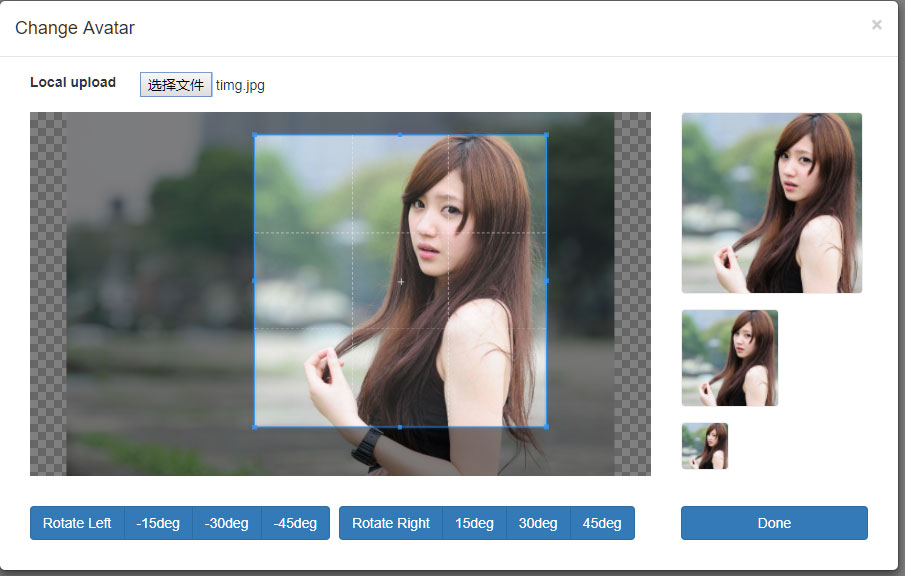
截图
Installation
The preferred way to install this extension is through composer.
Either run
php composer.phar require --prefer-dist daimakuai/yii2-avatar "dev-master"
or add
"daimakuai/yii2-avatar": "dev-master"
to the require section of your composer.json file.
Usage
Once the extension is installed, simply use it in your code by :
//在当前控制器的actions中添加如下配置
public function actions()
{
    return [
        'crop'=>[
            'class' => 'daimakuai\avatar\CropAction',
            'config'=>[
                'bigImageWidth' => '200',     //大图默认宽度
                'bigImageHeight' => '200',    //大图默认高度
                'middleImageWidth'=> '100',   //中图默认宽度
                'middleImageHeight'=> '100',  //中图图默认高度
                'smallImageWidth' => '50',    //小图默认宽度
                'smallImageHeight' => '50',   //小图默认高度

                //头像上传目录(注:目录前不能加"/")
                'uploadPath' => 'uploads/avatar',
            ]
        ]
    ];

}

//调用方式,imageUrl为默认图地址
<?= \daimakuai\avatar\AvatarWidget::widget(['imageUrl'=>'/statics/images/avatar/avatar.jpg']); ?>
在From里可以单独使用
放到Form里

<?= $form->field($model, 'avatar')->widget(\daimakuai\avatar\AvatarViewWidget::className()) ?>


放到Form外
<?php $obj = new \daimakuai\avatar\AvatarUploadWidget(['imageUrl'=>'/statics/images/avatar/avatar.jpg']);echo $obj->setFooter(); ?>
统计信息
- 总下载量: 2
- 月度下载量: 0
- 日度下载量: 0
- 收藏数: 0
- 点击次数: 0
- 依赖项目数: 0
- 推荐数: 0
其他信息
- 授权协议: BSD-4-Clause
- 更新时间: 2019-04-20