jeffersongoncalves/filament-multifactor-passkeys
Composer 安装命令:
composer require jeffersongoncalves/filament-multifactor-passkeys
包简介
Filament 5 multi-factor authentication via WebAuthn passkeys, powered by spatie/laravel-passkeys.
关键字:
README 文档
README
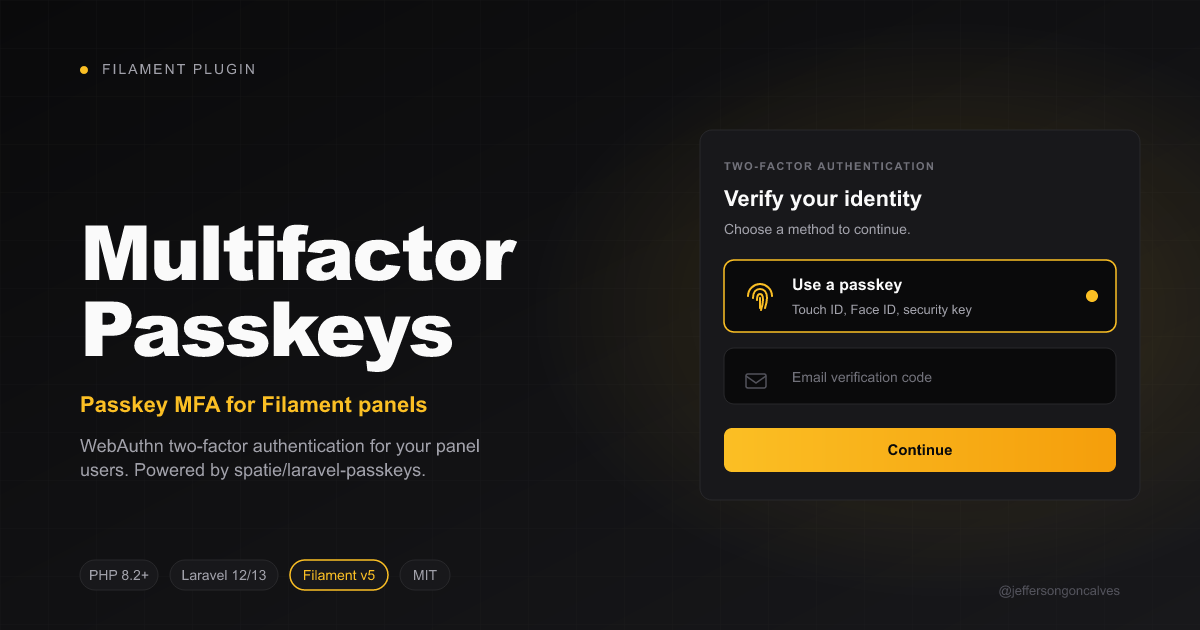
Filament Multifactor Passkeys
Multi-factor authentication for Filament panels using WebAuthn passkeys, powered by spatie/laravel-passkeys.
Compatibility
| Branch | Filament | Laravel | PHP | Tag format |
|---|---|---|---|---|
1.x |
v4 | 11 / 12 | ^8.2 | 1.x.y |
2.x |
v5 | 12 / 13 | ^8.2 | 2.x.y |
Installation
Install the package via composer:
composer require jeffersongoncalves/filament-multifactor-passkeys
Publish and run the migrations from spatie/laravel-passkeys:
php artisan vendor:publish --tag="passkeys-migrations"
php artisan migrate
Publish the spatie/laravel-passkeys config (optional, to tweak relying party, allowed origins, etc.):
php artisan vendor:publish --tag="passkeys-config"
Publish this package's config (optional):
php artisan vendor:publish --tag="filament-multifactor-passkeys-config"
Usage
1. Prepare your User model
Add the Spatie InteractsWithPasskeys trait and implement the package's HasPasskeyAuthentication contract (which extends Spatie's HasPasskeys interface):
use Filament\Models\Contracts\FilamentUser;
use Illuminate\Foundation\Auth\User as Authenticatable;
use JeffersonGoncalves\Filament\MultiFactorPasskeys\Contracts\HasPasskeyAuthentication;
use Spatie\LaravelPasskeys\Models\Concerns\InteractsWithPasskeys;

class User extends Authenticatable implements FilamentUser, HasPasskeyAuthentication
{
    use InteractsWithPasskeys;

    public function hasPasskeyAuthentication(): bool
    {
        return $this->passkeys()->exists();
    }

    // ...
}
2. Register the MFA provider in your panel
In your PanelProvider, register PasskeyAuthentication in the multiFactorAuthentication() array. To also expose a "Sign in with a passkey" button on the login screen, register the plugin as well:
use Filament\Panel;
use JeffersonGoncalves\Filament\MultiFactorPasskeys\MultiFactorPasskeysPlugin;
use JeffersonGoncalves\Filament\MultiFactorPasskeys\PasskeyAuthentication;

public function panel(Panel $panel): Panel
{
    return $panel
        // ...
        ->multiFactorAuthentication([
            PasskeyAuthentication::make(),
        ])
        ->plugin(MultiFactorPasskeysPlugin::make());
}
That's it. The MFA section in the user profile page now shows a "Passkey verification" entry with Set up / Turn off buttons. The plugin also injects a passkey login button after the standard login form, allowing users to authenticate without typing email/password. After registering a passkey, the next login can use it directly.
The package auto-registers Spatie's
Route::passkeys()macro (under thewebmiddleware group) so the login button works out of the box. If you've already registered them yourself, the auto-registration is skipped.
3. Customising the redirect URL
By default, after a successful registration or assertion the user is redirected to the current panel home (Filament::getCurrentPanel()->getUrl()). To override:
PasskeyAuthentication::make()
    ->redirectUrlUsing(fn () => route('dashboard'));
You can also set a static URL via config/filament-multifactor-passkeys.php:
return [
    'redirect' => '/dashboard',
];
How it works
This package is a thin Filament adapter on top of spatie/laravel-passkeys. The WebAuthn ceremony (challenge generation, browser API, attestation/assertion verification, persistence) is fully handled by Spatie's package and its Blade components (<x-create-passkey> and <x-authenticate-passkey>), which are embedded inside Filament modals and the MFA challenge schema.
- Set up opens a Filament modal that renders
<x-create-passkey :redirect="..." /> - Disable removes all of the user's passkeys via
$user->passkeys()->delete() - Login challenge renders
<x-authenticate-passkey :redirect="..." />
Development
# Static analysis
composer analyse

# Code style
composer format

# Tests
composer test
Changelog
Please see CHANGELOG for more information on what has changed recently.
Contributing
Please see CONTRIBUTING for details.
Security Vulnerabilities
Please review our security policy on how to report security vulnerabilities.
Credits
- Jefferson Gonçalves
- Spatie — for the underlying WebAuthn implementation
- All Contributors
License
The MIT License (MIT). Please see License File for more information.
jeffersongoncalves/filament-multifactor-passkeys 适用场景与选型建议
jeffersongoncalves/filament-multifactor-passkeys 是一款 基于 PHP 开发的 Composer 扩展包,目前已累计 48 次下载、GitHub Stars 达 5, 最近一次更新时间为 2026 年 05 月 04 日, 在 PHP 生态内属于活跃度较高的组件。
它主要适用于以下技术方向: 「Authentication」 「two-factor」 「laravel」 「2fa」 「MFA」 「multi-factor」 等业务场景。在实际项目中,围绕这些方向常见需要落地的问题包括:接口对接、性能调优、并发安全、与既有框架(Laravel / ThinkPHP / Yii / Webman 等)的兼容适配,以及生产环境的日志埋点与稳定性保障。
我们在过去多个企业项目中使用过 jeffersongoncalves/filament-multifactor-passkeys 或与其功能相近的方案,如果你在选型或落地过程中遇到问题,例如 版本兼容、二次改造、私有化封装、与内部系统对接、生产 BUG 排查,欢迎联系我们协助评估。
基于 jeffersongoncalves/filament-multifactor-passkeys 在你已有业务上做功能扩展、字段裁剪、UI 适配、与内部账号 / 权限 / 日志系统的深度对接。
线上偶发问题、内存泄漏、慢查询、并发异常等排查修复;针对高流量场景做缓存、队列、索引层面的调优。
承接完整的项目从需求 → 设计 → 开发 → 上线 → 长期运维;也可按月提供技术保姆服务。
与 jeffersongoncalves/filament-multifactor-passkeys 相关的其它包
同方向 / 同关键字的高下载量 PHP Composer 包推荐,方便对比选型:
Filament Two Factor Authentication: Google 2FA + Passkey Authentication
Automatically logs-in users if they are already authenticated by a remote source. (e.g. environment variable REMOTE_USER)
GraphQL authentication for your headless Craft CMS applications.
Novactive eZ 2FA Bundle is an Ibexa bundle that provides two-factor authentication for your Ibexa project
Two-factor Authentication for WordPress
Laravel middleware to restrict a site or specific routes using HTTP basic authentication
统计信息
- 总下载量: 48
- 月度下载量: 0
- 日度下载量: 0
- 收藏数: 6
- 点击次数: 51
- 依赖项目数: 2
- 推荐数: 0
其他信息
- 授权协议: MIT
- 更新时间: 2026-05-04