jeffersongoncalves/git-worktree-cli
Composer 安装命令:
composer create-project jeffersongoncalves/git-worktree-cli
包简介
CLI tool to audit git worktrees and check whether their branches have been merged into the main branch.
README 文档
README
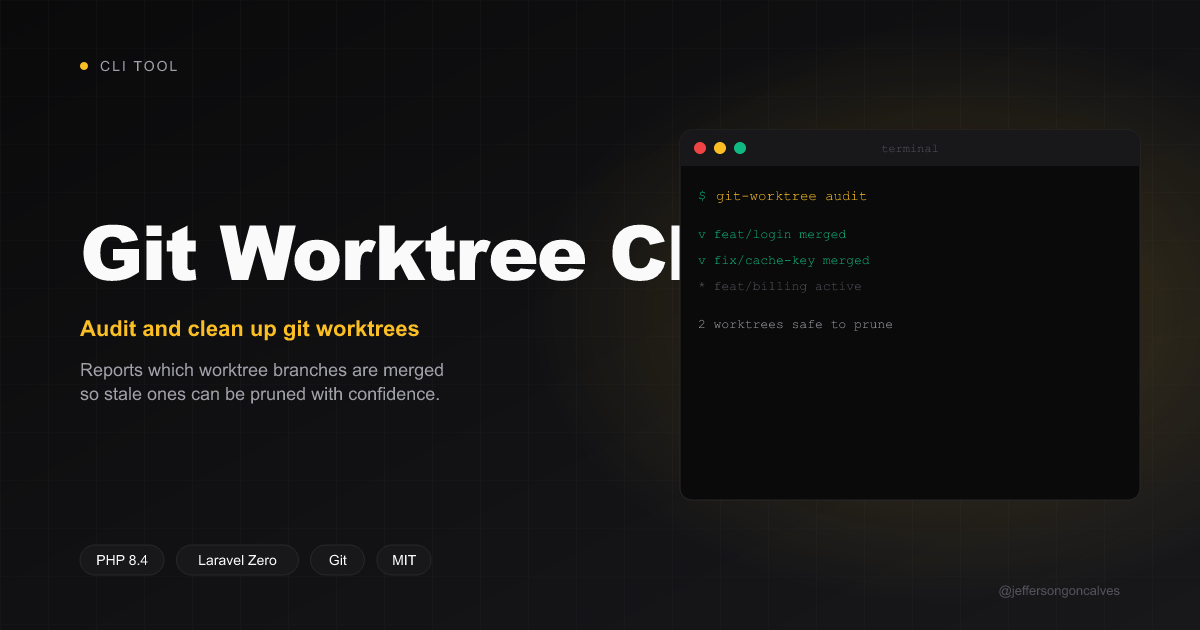
git-worktree-cli
CLI tool to audit git worktrees in a repository and report whether each
worktree's branch has already been merged into the main branch. Includes
a clean command to remove merged worktrees and keep the workspace tidy.
Built with Laravel Zero and modeled on the other CLIs in this monorepo.
Requirements
- PHP
^8.2 gitavailable onPATH- A git repository with at least one linked worktree
Install
Global (recommended)
composer global require jeffersongoncalves/git-worktree-cli
The binary git-worktree will be on your PATH as long as Composer's
global vendor/bin is in it.
From source
git clone https://github.com/jeffersongoncalves/git-worktree-cli.git
cd git-worktree-cli
composer install
Usage
# Audit the current directory (the default command)
git-worktree

# Audit a specific repo
git-worktree check /path/to/repo

# Force a specific main branch (otherwise auto-detected)
git-worktree check --main=develop

# Only show worktree branches that are NOT merged
git-worktree check --only-unmerged
Add a worktree
# Existing local branch — creates <repo-parent>/<repo>-<branch>
git-worktree add feature

# Branch with a slash — uses the suffix after the last "/"
# (feature/foo → <repo-parent>/<repo>-foo)
git-worktree add feature/foo

# Existing remote branch — auto-tracks origin/<branch>
git-worktree add hotfix/login

# Brand-new branch from the auto-detected main (skip prompt)
git-worktree add my-new-feature --yes

# Custom base ref + custom target directory
git-worktree add my-feat --from=develop --target=/tmp/wt-myfeat

# Skip the network check (use only local refs)
git-worktree add my-feat --no-fetch

# Skip recursive submodule init in the new worktree
git-worktree add my-feat --no-submodules

# Copy untracked files (e.g. .env) from the main worktree into the new one
git-worktree add my-feat --copy=.env --copy=auth.json

# Run setup commands inside the new worktree after creation
git-worktree add my-feat --run='composer install' --run='php artisan key:generate'

# Ignore the per-repo add.copy / add.run config for this run
git-worktree add my-feat --no-config
Resolution order: existing local branch → existing remote branch (creates a
tracking branch) → new branch from --from or the auto-detected main.
If the repository declares submodules (a .gitmodules file is present), the new
worktree runs git submodule update --init --recursive automatically. Disable
this with --no-submodules.
--copy and --run make a new worktree usable immediately: copy the local
config a fresh checkout lacks (.env, auth.json, signing keys) and run setup
commands (composer install, …). Both can be made persistent per repo via the
add section of the config file (see Per-repo config):
{
    "add": {
        "copy": [".env", "auth.json"],
        "run": ["composer install"]
    }
}
Clean merged worktrees
# Preview — doesn't touch anything
git-worktree clean --dry-run

# Prompt to confirm, then remove
git-worktree clean

# Skip confirmation + also delete the local branch
git-worktree clean --yes --delete-branch

# Force removal (worktrees with dirty state, branches with -D)
git-worktree clean --yes --delete-branch --force

# Only remove branches directly merged (exclude squash/rebase detection)
git-worktree clean --strict

# Never remove these branches, even if merged (repeatable, globs allowed)
git-worktree clean --protect=develop --protect=release/*

# Ignore the per-repo protected-branches config file for this run
git-worktree clean --no-config
Protected branches
Some branches stay merged but should never be cleaned (long-lived develop,
staging, release/*, …). The main branch is always skipped automatically;
protection is for the extra branches you want to keep.
Two ways to protect, combined as a union on every clean run:
- Per-run flag —
--protect=<branch-or-glob>(repeatable). - Per-repo config file — persistent, managed with
config:*commands.
# Add / remove protected branches (exact names or globs)
git-worktree config:protect develop
git-worktree config:protect 'release/*'
git-worktree config:unprotect develop

# Inspect the resolved config (slug, file path, enabled flag, branch list)
git-worktree config:show

# Turn the file off / on without losing its contents
git-worktree config:disable
git-worktree config:enable
The config lives at ~/.config/git-worktree/<owner>-<repo>.json
(honoring XDG_CONFIG_HOME; the slug is derived from the origin remote,
falling back to the directory name plus a short hash when there is no remote):
{
    "protect": {
        "enabled": true,
        "branches": ["develop", "release/*", "staging"]
    }
}
--no-config ignores the file for a single run; config:disable (or
"enabled": false) turns it off persistently. Either way, --protect flags
still apply.
Remove a single worktree
clean removes merged worktrees in bulk; remove targets one by branch name
or path, regardless of merge status:
# Remove by branch name (prompts; refuses if dirty)
git-worktree remove feature/login

# Skip confirmation and also delete the local branch
git-worktree remove feature/login --yes --delete-branch

# Force removal of a worktree with uncommitted changes
git-worktree remove feature/login --force --yes
List worktrees
# Basic listing
git-worktree list-worktrees

# Include merge status against the main branch and a clean/dirty flag
git-worktree list-worktrees --status
Prune stale records
After a worktree directory is deleted manually, git keeps a stale admin record. Clear them:
git-worktree prune            # remove stale records
git-worktree prune --dry-run  # show what would be pruned
Jump to a worktree (shell integration)
path prints a worktree's absolute path so your shell can cd into it:
cd "$(git-worktree path feature/login)"
Install the gwt helper so gwt cd <branch> changes directory for you:
# bash / zsh — add to ~/.bashrc or ~/.zshrc
eval "$(git-worktree shell-init)"

# fish — add to ~/.config/fish/config.fish
git-worktree shell-init fish | source
Then: gwt cd feature/login. Any other gwt <args> forwards to git-worktree.
Open a worktree in your editor
git-worktree open feature/login                 # uses $VISUAL, $EDITOR, then "code"
git-worktree open feature/login --editor=subl
Keep the CLI up to date
When installed from the released PHAR, self-update from the terminal:
git-worktree self-update          # download and install the latest release
git-worktree self-update --check  # only check, don't install
When installed via Composer, use Composer to update:
composer global update jeffersongoncalves/git-worktree-cli
How the merge check works
For each linked worktree (the main worktree and bare repos are skipped) the tool inspects the branch checked out in that worktree and compares it to the main branch:
- If the worktree is detached or on the main branch itself, it is skipped.
- If branch tip equals main tip → same as main.
- If branch tip is an ancestor of main (direct/fast-forward/merge commit) → merged.
- Otherwise
git cherry main branchis used to detect squash/rebase merges — if every commit on the branch has an equivalent patch on main, the branch is considered merged. - Anything else is reported as not merged.
ahead/behind counts come from git rev-list --left-right --count
between the branch and the main branch.
Main branch detection
In order of priority:
--main=<name>flag if provided and the ref exists- The remote default branch (
origin/HEAD) - Conventional names:
main,master,develop,trunk
Validation
The command fails fast when:
- The target path is not a git repository
- The repository has no linked worktrees (only the main checkout)
- The main branch cannot be resolved
Development
composer install
composer test       # Pest tests + Pint lint
composer lint       # Auto-fix style
composer build      # Build the PHAR into builds/git-worktree
The PHAR is emitted at builds/git-worktree. The build.yml workflow
rebuilds and commits it back to main on every push, using the latest
git tag as the embedded version.
Fresh git repositories used by the test suite are created under
tests/tmp/ (which is gitignored).
Release
- Merge changes to
main— CI builds a freshbuilds/git-worktreeagainst the latest tag and commits it back. - Create a new GitHub release (tag
X.Y.Z, novprefix). - The
publish-phar.ymlworkflow attachesgit-worktree.pharto the release andupdate-changelog.ymlupdatesCHANGELOG.md+version.txt.
The self-update command pulls the PHAR asset from the latest release.
jeffersongoncalves/git-worktree-cli 适用场景与选型建议
jeffersongoncalves/git-worktree-cli 是一款 基于 PHP 开发的 Composer 扩展包,目前已累计 13 次下载、GitHub Stars 达 2, 最近一次更新时间为 2026 年 04 月 16 日, 在 PHP 生态内属于活跃度较高的组件。
它主要适用于以下技术方向: 「cli」 「git」 「merge」 「branches」 「worktree」 等业务场景。在实际项目中,围绕这些方向常见需要落地的问题包括:接口对接、性能调优、并发安全、与既有框架(Laravel / ThinkPHP / Yii / Webman 等)的兼容适配,以及生产环境的日志埋点与稳定性保障。
我们在过去多个企业项目中使用过 jeffersongoncalves/git-worktree-cli 或与其功能相近的方案,如果你在选型或落地过程中遇到问题,例如 版本兼容、二次改造、私有化封装、与内部系统对接、生产 BUG 排查,欢迎联系我们协助评估。
基于 jeffersongoncalves/git-worktree-cli 在你已有业务上做功能扩展、字段裁剪、UI 适配、与内部账号 / 权限 / 日志系统的深度对接。
线上偶发问题、内存泄漏、慢查询、并发异常等排查修复;针对高流量场景做缓存、队列、索引层面的调优。
承接完整的项目从需求 → 设计 → 开发 → 上线 → 长期运维;也可按月提供技术保姆服务。
与 jeffersongoncalves/git-worktree-cli 相关的其它包
同方向 / 同关键字的高下载量 PHP Composer 包推荐,方便对比选型:
PHP PDF Merger
Easily manage git hooks in your composer config
Forked from https://github.com/deltaaskii/lara-pdf-merger. Add condition if(!class_exists('TCPDF')) (depreciated in php 7.2) to foreach.
MediaWiki extension that allows embedding external content, specified by URL, into your wiki pages
Nagios plugin to verify a git repository.
统计信息
- 总下载量: 13
- 月度下载量: 0
- 日度下载量: 0
- 收藏数: 3
- 点击次数: 43
- 依赖项目数: 0
- 推荐数: 0
其他信息
- 授权协议: MIT
- 更新时间: 2026-04-16