jenssegers/imagehash
Composer 安装命令:
composer require jenssegers/imagehash
包简介
Perceptual image hashing for PHP
README 文档
README
A perceptual hash is a fingerprint of a multimedia file derived from various features from its content. Unlike cryptographic hash functions which rely on the avalanche effect of small changes in input leading to drastic changes in the output, perceptual hashes are "close" to one another if the features are similar.
Perceptual hashes are a different concept compared to cryptographic hash functions like MD5 and SHA1. With cryptographic hashes, the hash values are random. The data used to generate the hash acts like a random seed, so the same data will generate the same result, but different data will create different results. Comparing two SHA1 hash values really only tells you two things. If the hashes are different, then the data is different. And if the hashes are the same, then the data is likely the same. In contrast, perceptual hashes can be compared -- giving you a sense of similarity between the two data sets.
This code was inspired/based on:
- https://github.com/kennethrapp/phasher
- http://www.phash.org
- http://blockhash.io
- http://www.hackerfactor.com/blog/?/archives/529-Kind-of-Like-That.html
- http://www.hackerfactor.com/blog/?/archives/432-Looks-Like-It.html
- http://blog.iconfinder.com/detecting-duplicate-images-using-python
Requirements
- PHP 8.1 or higher
- The gd or imagick extension
- Optionally, install the GMP extension for faster fingerprint comparisons
Installation
This package has not reached a stable version yet, backwards compatibility may be broken between 0.x releases. Make sure to lock your version if you intend to use this in production!
Install using composer:
composer require jenssegers/imagehash
Usage
The library comes with 4 built-in hashing implementations:
Jenssegers\ImageHash\Implementations\AverageHash- Hash based the average image colorJenssegers\ImageHash\Implementations\DifferenceHash- Hash based on the previous pixelJenssegers\ImageHash\Implementations\BlockHash- Hash based on blockhash.io Still under developmentJenssegers\ImageHash\Implementations\PerceptualHash- The original pHash Still under development
Choose one of these implementations. If you don't know which one to use, try the DifferenceHash implementation. Some implementations allow some configuration, be sure to check the constructor.
use Jenssegers\ImageHash\ImageHash;
use Jenssegers\ImageHash\Implementations\DifferenceHash;

$hasher = new ImageHash(new DifferenceHash());
$hash = $hasher->hash('path/to/image.jpg');

echo $hash;
// or
echo $hash->toHex();
The resulting Hash object, is a hexadecimal image fingerprint that can be stored in your database once calculated. The hamming distance is used to compare two image fingerprints for similarities. Low distance values will indicate that the images are similar or the same, high distance values indicate that the images are different. Use the following method to detect if images are similar or not:
$distance = $hasher->distance($hash1, $hash2);
// or
$distance = $hash1->distance($hash2);
Equal images will not always have a distance of 0, so you will need to decide at which distance you will evaluate images as equal. For the image set that I tested, a max distance of 5 was acceptable. But this will depend on the implementation, the images and the number of images. For example; when comparing a small set of images, a lower maximum distances should be acceptable as the chances of false positives are quite low. If however you are comparing a large amount of images, 5 might already be too much.
The Hash object can return the internal binary hash in a couple of different format:
echo $hash->toHex(); // 7878787c7c707c3c
echo $hash->toBits(); // 0111100001111000011110000111110001111100011100000111110000111100
echo $hash->toInt(); // 8680820757815655484
echo $hash->toBytes(); // "\x0F\x07ƒƒ\x03\x0F\x07\x00"
Choose your preference for storing your hashes in your database. If you want to reconstruct a Hash object from a previous calculated value, use:
$hash = Hash::fromHex('7878787c7c707c3c');
$hash = Hash::fromBin('0111100001111000011110000111110001111100011100000111110000111100');
$hash = Hash::fromInt('8680820757815655484');
Demo
These images are similar:
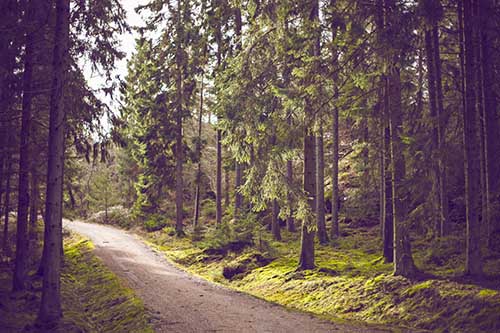

Image 1 hash: 3c3e0e1a3a1e1e1e (0011110000111110000011100001101000111010000111100001111000011110)
Image 2 hash: 3c3e0e3e3e1e1e1e (0011110000111110000011100011111000111110000111100001111000011110)
Hamming distance: 3
These images are different:


Image 1 hash: 69684858535b7575 (0010100010101000101010001010100010101011001010110101011100110111)
Image 2 hash: e1e1e2a7bbaf6faf (0111000011110000111100101101001101011011011101010011010101001111)
Hamming distance: 32
Security contact information
To report a security vulnerability, follow these steps.
jenssegers/imagehash 适用场景与选型建议
jenssegers/imagehash 是一款 基于 PHP 开发的 Composer 扩展包,目前已累计 2.32M 次下载、GitHub Stars 达 2.06k, 最近一次更新时间为 2014 年 12 月 05 日, 在 PHP 生态内属于活跃度较高的组件。
它主要适用于以下技术方向: 「hash」 「imagehash」 「perceptual」 「dhash」 「ahash」 「phash」 等业务场景。在实际项目中,围绕这些方向常见需要落地的问题包括:接口对接、性能调优、并发安全、与既有框架(Laravel / ThinkPHP / Yii / Webman 等)的兼容适配,以及生产环境的日志埋点与稳定性保障。
我们在过去多个企业项目中使用过 jenssegers/imagehash 或与其功能相近的方案,如果你在选型或落地过程中遇到问题,例如 版本兼容、二次改造、私有化封装、与内部系统对接、生产 BUG 排查,欢迎联系我们协助评估。
基于 jenssegers/imagehash 在你已有业务上做功能扩展、字段裁剪、UI 适配、与内部账号 / 权限 / 日志系统的深度对接。
线上偶发问题、内存泄漏、慢查询、并发异常等排查修复;针对高流量场景做缓存、队列、索引层面的调优。
承接完整的项目从需求 → 设计 → 开发 → 上线 → 长期运维;也可按月提供技术保姆服务。
与 jenssegers/imagehash 相关的其它包
同方向 / 同关键字的高下载量 PHP Composer 包推荐,方便对比选型:
Article CSS-ID Frontend Output Optimization
♺ Laravel Nova Hashids card. Convert your ids.
PHP library for perceptual image hashing
Tool for hashing and checking passwords using a required (registered) hashing algorithm. It can handle more (legacy) hashing algorithms.
Library for hashing data, generation of tokens and converting/formatting strings, numbers and arrays.
Simple helper library for hashing and verifying passwords using Blowfish (bcrypt).
统计信息
- 总下载量: 2.32M
- 月度下载量: 0
- 日度下载量: 0
- 收藏数: 2071
- 点击次数: 25
- 依赖项目数: 5
- 推荐数: 1
其他信息
- 授权协议: MIT
- 更新时间: 2014-12-05