jmpatricio/easy-google-analytics
Composer 安装命令:
composer require jmpatricio/easy-google-analytics
包简介
关键字:
README 文档
README
Laravel Package to connect Google Analytics
Changelog
- 1.0.4 | 2015-08-21
- Added new users metric
- Duplicate code removed
- PHP Docs improved
- Code Style fixed
Instalation
-
Run
composer require jmpatricio/easy-google-analytics -
Add
Jmpatricio\EasyGoogleAnalytics\EasyGoogleAnalyticsServiceProviderto your service providers -
Instalation Done.
Configuration
This step is the most important. Let's make it simple:
- Open a terminal and run:
php artisan config:publish "jmpatricio/easy-google-analytics". - Now you have
{$projectRoot}/app/config/packages/jmpatricio/easy-google-analytics/config.phpfile with:
return [
    'client_id'            => 'xxx.apps.googleusercontent.com',
    'service_account_name' => 'xxx@developer.gserviceaccount.com',
    'keyfile'              => storage_path('xxx.p12'),
    'analytics_id'         => 'ga:xxx',
];
-
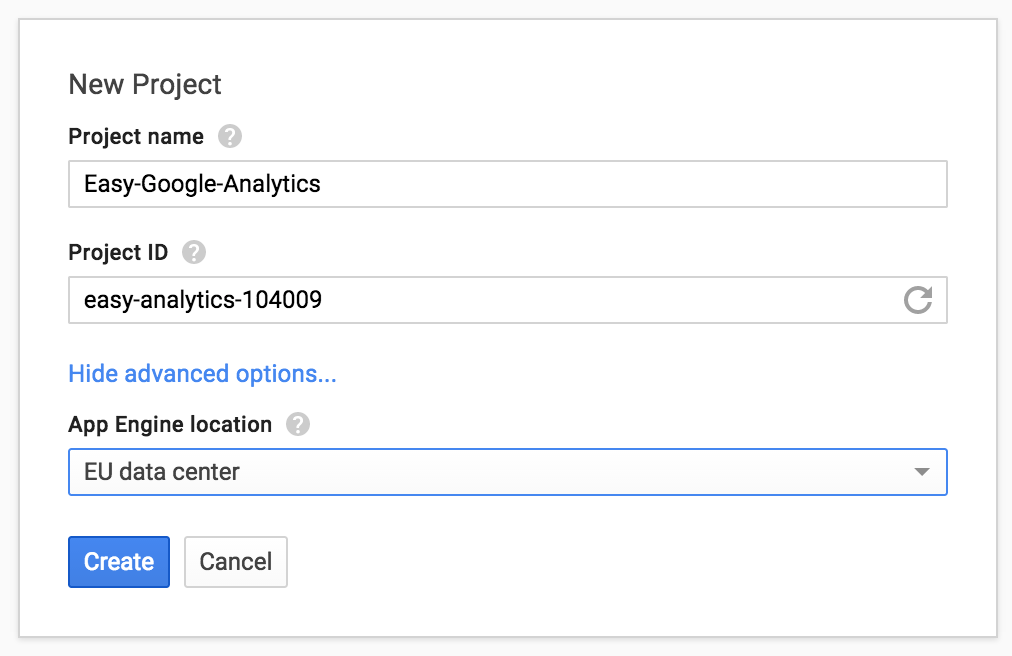
Now you have to go to your googe developer account and configure a new project. (If you already have a project, ignore this step)
-
You need to enable the Analytics API to your project. Inside project, go to APIs & auth and then inside APIs. Enable the analytics
-
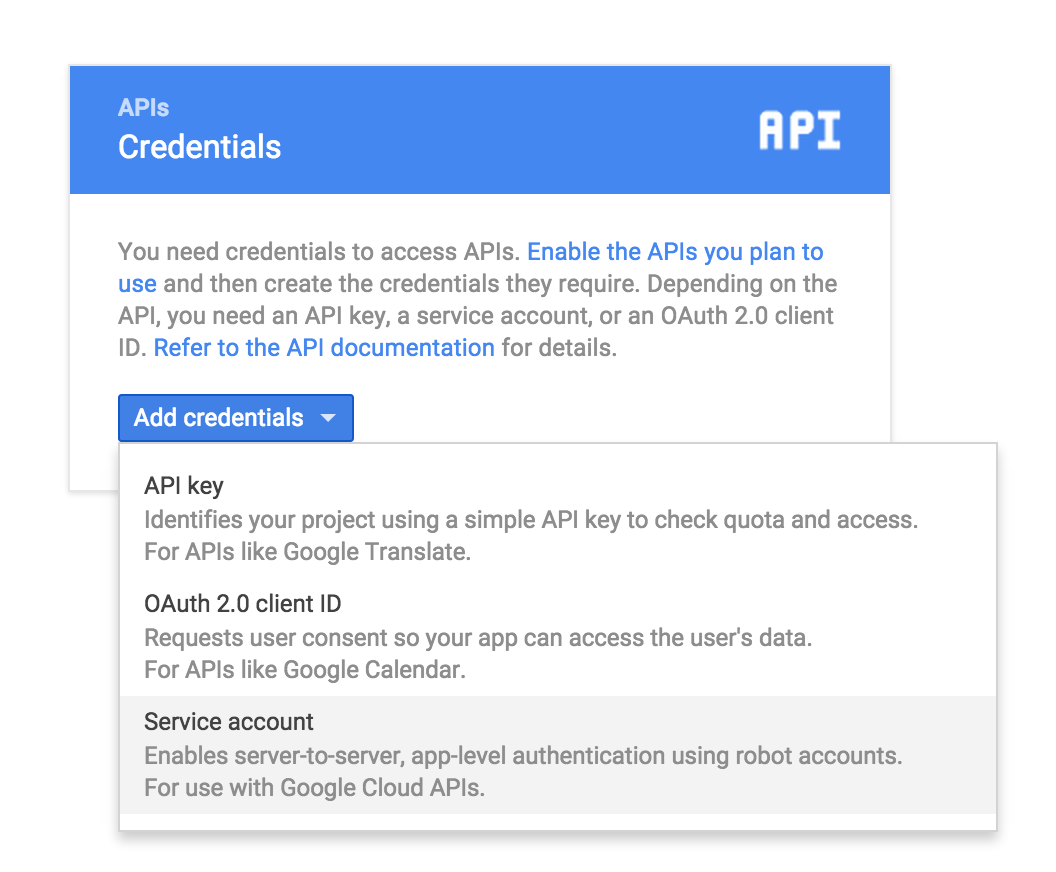
Inside the project, on developers console, go to Credentials inside APIs & auth, create a new Service Account
-
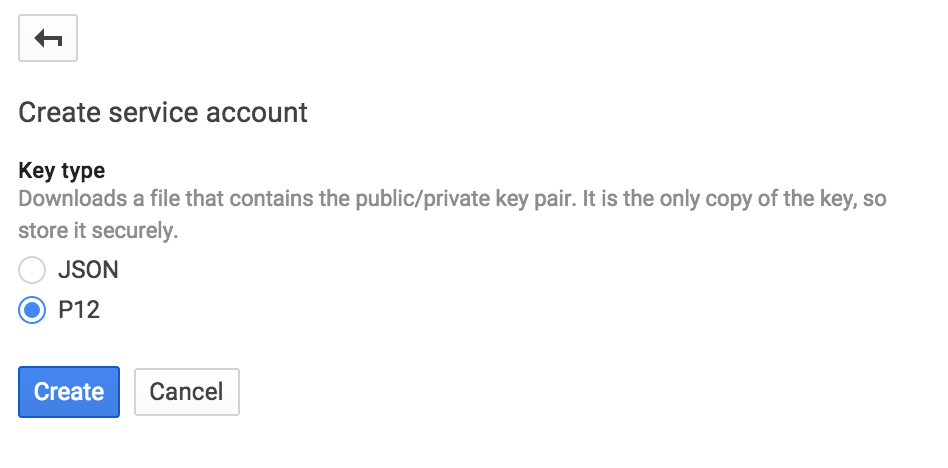
Choose a p12 key
-
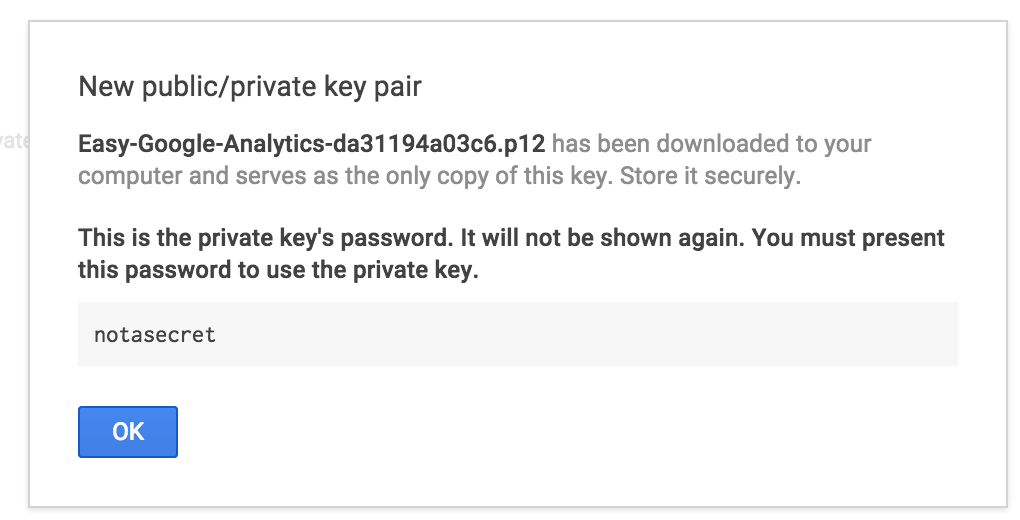
Save your p12 key inside
{$projectRoot}/app/storage.
-
Edit the config file and define the keyfile entry:
'keyfile' => storage_path('Easy-Google-Analytics-da31194a03c6.p12'), -
Now you have the information about the credentials
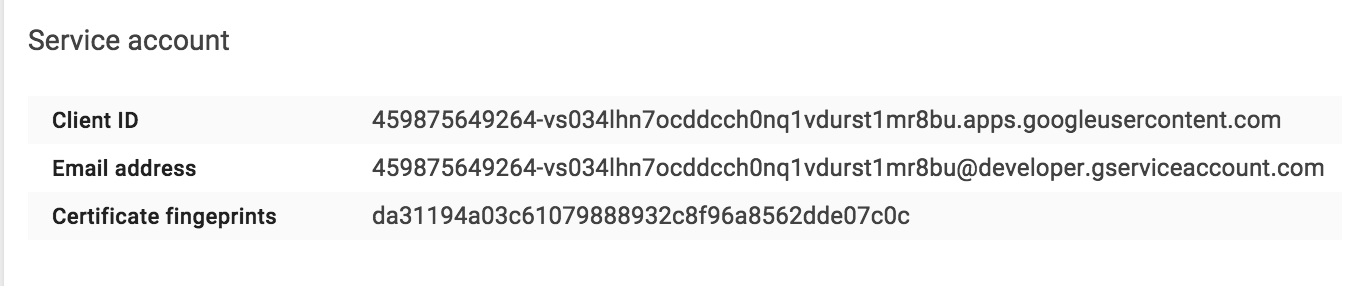
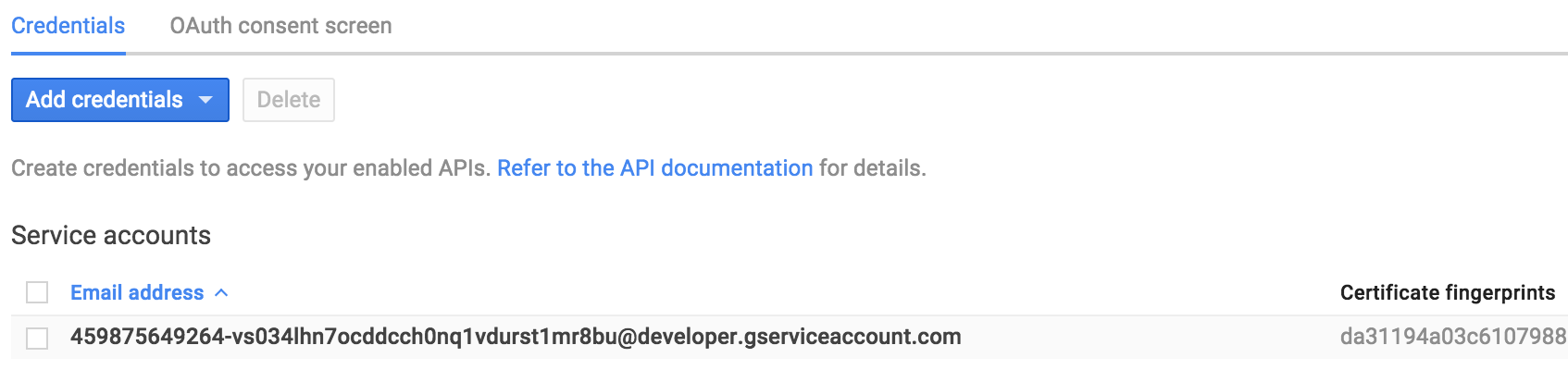 Click on the email, and the following screen shows up:
-
Add the client id and the email address to the config:
return [
	'client_id'            => '459875649264-vs034lhn7ocddcch0nq1vdurst1mr8bu.apps.googleusercontent.com',
	'service_account_name' => '459875649264-vs034lhn7ocddcch0nq1vdurst1mr8bu@developer.gserviceaccount.com',
	'keyfile'              => storage_path('Easy-Google-Analytics-da31194a03c6.p12'),
	'analytics_id'         => 'ga:xxx',
];
- Now the only thing missing is the analytics id
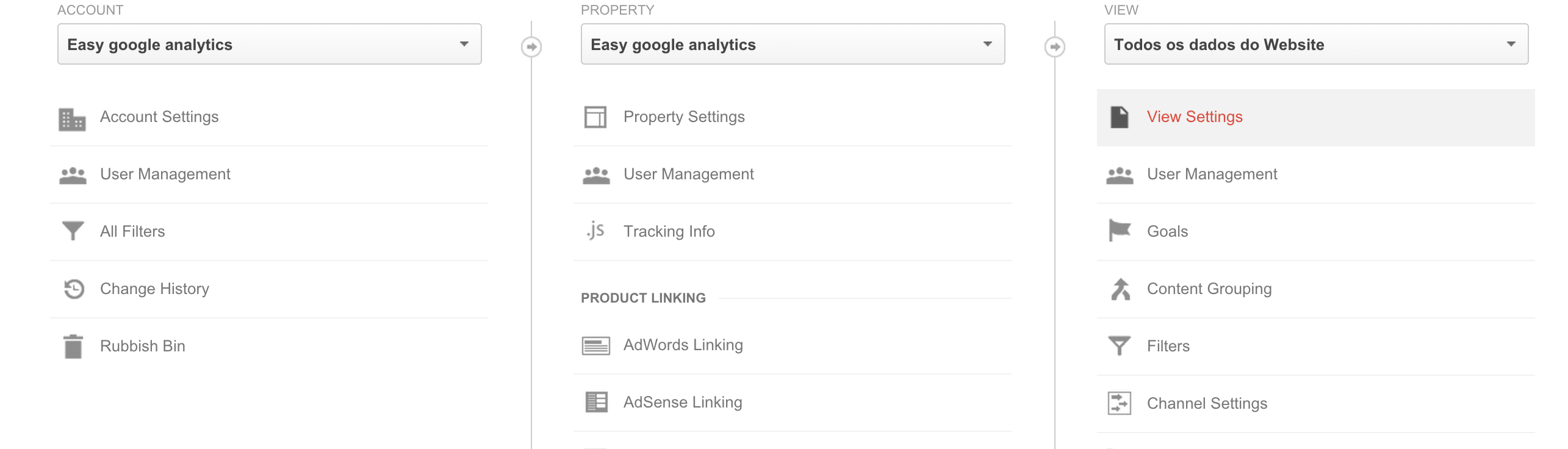
- Go to your analytics dashboard, and inside the admin area select the view settings:
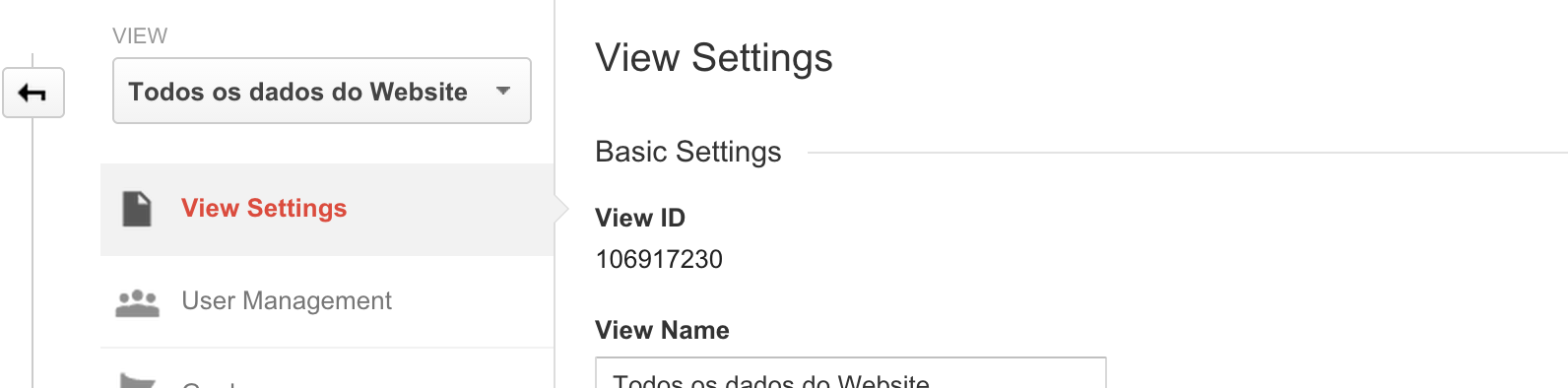
- Copy the view id and add to the config:
The config will be the following:
return [
    'client_id'            => '459875649264-vs034lhn7ocddcch0nq1vdurst1mr8bu.apps.googleusercontent.com',
    'service_account_name' => '459875649264-vs034lhn7ocddcch0nq1vdurst1mr8bu@developer.gserviceaccount.com',
    'keyfile'              => storage_path('Easy-Google-Analytics-da31194a03c6.p12'),
    'analytics_id'         => 'ga:106917230',
];
-
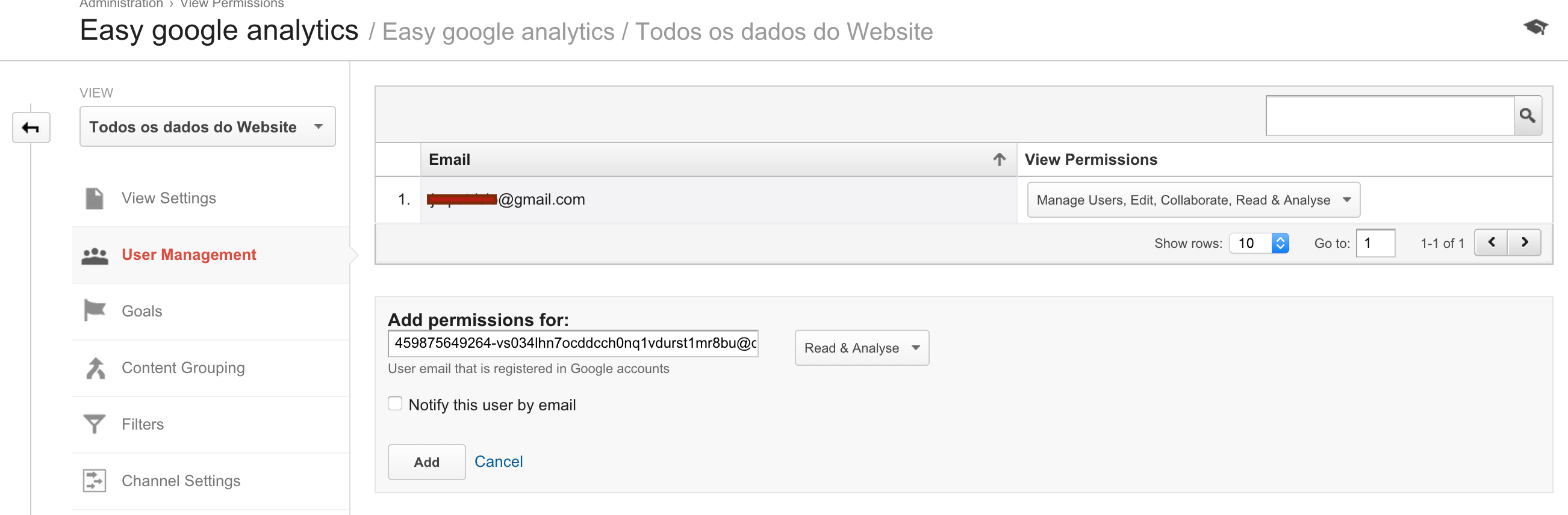
Now we have to add permissions to the service account inside analytics console:
-
Go to the analytics admin console, and add the user with the respective permissions:
-
The configuration is complete!
Basic usage
$connector = new Jmpatricio\EasyGoogleAnalytics\Connector();

// Total visits for today
$totalVisitors = $connector->getTotalVisits();

// Total visits with from-to dates
$totalVisitors = $connector->getTotalVisits(new Carbon\Carbon('2015-08-01'), new Carbon\Carbon('2015-08-05'));

// Active users
$activeUsers = $connector->getActiveUsers();

// Generic API Access

// GA API
$fromDate = new Carbon\Carbon('2015-08-01');
$toDate = new Carbon\Carbon('2015-08-05');
$serviceResponse = $connector->getGA($fromDate,$toDate,'ga:visitors')

// Realtime API
$serviceResponse = $connector->getRT('rt:activeUsers',['dimensions'=>'rt:country']);
jmpatricio/easy-google-analytics 适用场景与选型建议
jmpatricio/easy-google-analytics 是一款 基于 PHP 开发的 Composer 扩展包,目前已累计 77 次下载、GitHub Stars 达 6, 最近一次更新时间为 2015 年 08 月 14 日, 在 PHP 生态内属于活跃度较高的组件。
它主要适用于以下技术方向: 「analytics」 「google」 「laravel」 等业务场景。在实际项目中,围绕这些方向常见需要落地的问题包括:接口对接、性能调优、并发安全、与既有框架(Laravel / ThinkPHP / Yii / Webman 等)的兼容适配,以及生产环境的日志埋点与稳定性保障。
我们在过去多个企业项目中使用过 jmpatricio/easy-google-analytics 或与其功能相近的方案,如果你在选型或落地过程中遇到问题,例如 版本兼容、二次改造、私有化封装、与内部系统对接、生产 BUG 排查,欢迎联系我们协助评估。
基于 jmpatricio/easy-google-analytics 在你已有业务上做功能扩展、字段裁剪、UI 适配、与内部账号 / 权限 / 日志系统的深度对接。
线上偶发问题、内存泄漏、慢查询、并发异常等排查修复;针对高流量场景做缓存、队列、索引层面的调优。
承接完整的项目从需求 → 设计 → 开发 → 上线 → 长期运维;也可按月提供技术保姆服务。
与 jmpatricio/easy-google-analytics 相关的其它包
同方向 / 同关键字的高下载量 PHP Composer 包推荐,方便对比选型:
Analytics chooser extensions for site settings.
A Laravel Nova Card to show Fathom Analytics stats.
Magento 2 Social Login extension is designed for quick login to your Magento 2 store without procesing complex register steps
Client for Google Directions API to add interpolated points to a route consisting of given coordinates.
Alfabank REST API integration
Google Recaptcha Package For PHP front and backend.
统计信息
- 总下载量: 77
- 月度下载量: 0
- 日度下载量: 0
- 收藏数: 6
- 点击次数: 16
- 依赖项目数: 0
- 推荐数: 0
其他信息
- 授权协议: MIT
- 更新时间: 2015-08-14