juampynr/syncdb
Composer 安装命令:
composer require juampynr/syncdb
包简介
Import and export large Drupal databases faster using Drush.
README 文档
README
This project implements two Drush commands to export and import large Drupal 7 or 8 databases faster. It does it by splitting tables into separate files and importing them afterwards in parallel.
Here is a description of each command:
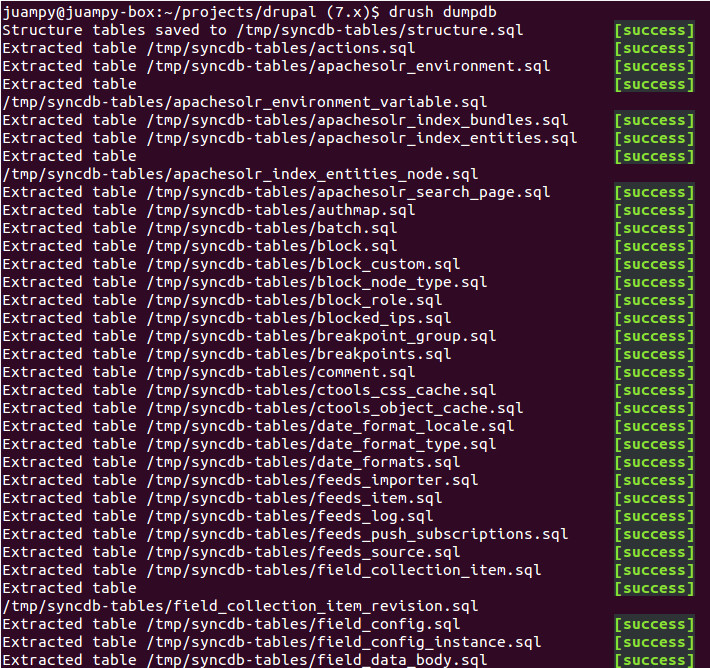
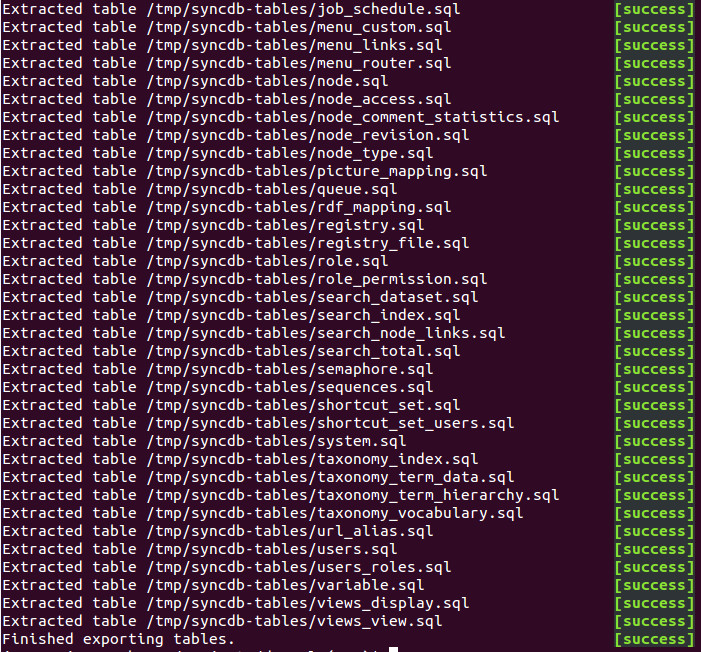
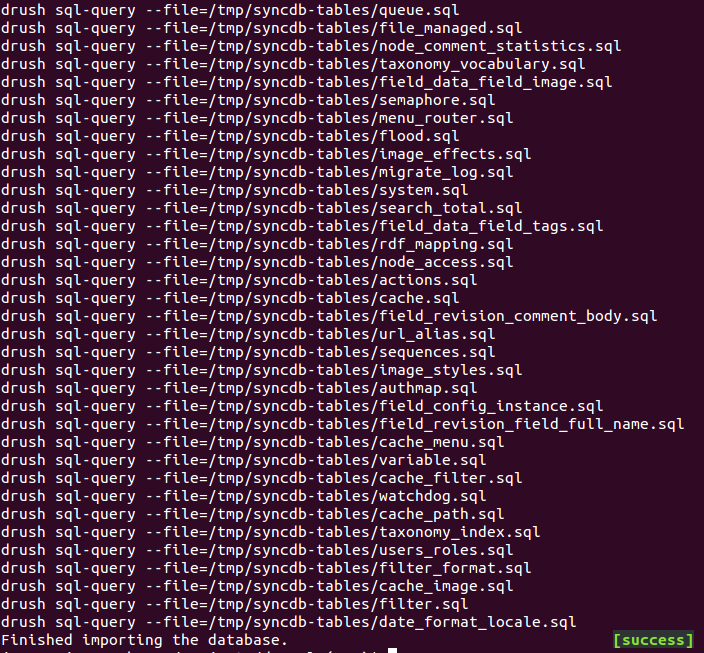
drush dumpdbdumps database tables into the temporary directory of the current environment.drush syncdb @example.devdownloads sql files from@example.devand installs them in the current environment.drush importdb --dump-dir=/foo/barimports all*.sqlfiles from/foo/barusing the same method assyncdb.
There is no .module nor .info files because this is not a module. It is a Drush
command. Drush can find commands in certain directories such as $HOME/.drush/
or sites/all/drush. Run drush topic docs-commands on a terminal to see other
places where this project can be placed so Drush can discover it. Depending on
your needs you may decide to leave this command with or without your project's
versioned code.
Requirements
- Drush: version 6 or higher.
- Drupal 7 or Drupal 8.
- Database: it has been tested just on MySQL.
It highly recommended that you install GNU-parallel
in the machine(s) that contain the data that you want to import. On Ubuntu, run
sudo apt-get install parallel. On Mac, run brew install parallel. This is not
a hard requirement, though. drush syncdb will still be able to import tables
witout GNU-parallel, but it will take longer to complete.
Installation
Go to your project's root directory and run the following command:
composer require juampynr/syncdb
This will normally download the command into /path-to-drush/drush/commands/syncdb.
If you want to move it somewhere within your project so it is under version control,
move it to sites/all/drush or run drush dl --destination=sites/all/drush syncdb.
Next, log into the remote server which will server as the source from which the team will download tables into their local environments. Install the command there.
Usage
You should set up a periodic job that runs drush dumpdb at the remote environment
that is designated as the source. This would normally be the Development
environment. This can be set up through crontab
or Jenkins. Here is how you can set this up in crontab:
drush @example.dev ssh
crontab -e
# Paste the following command at the bottom of the opened file:
30 2 * * * drush --root=/path/to/your/drupalroot --quiet dumpdb --structure-tables-key=common
Once this job is set up, run it once in the remote environment so it will export
tables into, for example, /tmp/syncdb-tables. Now you can import these tables
into your local environment with the following command:
drush syncdb @example.dev
Customizing the command
You can use the --structure-tables-key option in the same way it works for the
sql-sync command. This option will export structure tables into a file
called structure.sql.
If you install parallel, have a look at is options by reading the contents of the
command man parallel. There could be ways for you to optimize the command even
further.
Usage examples
Here are a few screenshots of a terminal session using these two commands:

Acknowledgements
- Andrew Berry (@deviantintegral) for creating MySQL Parallel where I took some of the ideas.
- Mateu Aguiló Bosh (@e0ipso) for showing me how mysql-parallel works.
- Dave Reid @davereid, for writing
Concurrent Queue, from where I
took the
drush_invoke_concurrent()approach when GNU-parallel is not available. - Kris Bulman (@krisbulman), for reminding me every week how slow was to download a large database.
juampynr/syncdb 适用场景与选型建议
juampynr/syncdb 是一款 基于 PHP 开发的 Composer 扩展包,目前已累计 35.07k 次下载、GitHub Stars 达 27, 最近一次更新时间为 2016 年 12 月 23 日, 在 PHP 生态内属于活跃度较高的组件。
我们在过去多个企业项目中使用过 juampynr/syncdb 或与其功能相近的方案,如果你在选型或落地过程中遇到问题,例如 版本兼容、二次改造、私有化封装、与内部系统对接、生产 BUG 排查,欢迎联系我们协助评估。
基于 juampynr/syncdb 在你已有业务上做功能扩展、字段裁剪、UI 适配、与内部账号 / 权限 / 日志系统的深度对接。
线上偶发问题、内存泄漏、慢查询、并发异常等排查修复;针对高流量场景做缓存、队列、索引层面的调优。
承接完整的项目从需求 → 设计 → 开发 → 上线 → 长期运维;也可按月提供技术保姆服务。
统计信息
- 总下载量: 35.07k
- 月度下载量: 0
- 日度下载量: 0
- 收藏数: 28
- 点击次数: 20
- 依赖项目数: 0
- 推荐数: 0
其他信息
- 授权协议: GPL-2.0
- 更新时间: 2016-12-23