leuchtfeuer/aws-tools
Composer 安装命令:
composer require leuchtfeuer/aws-tools
包简介
Amazon Web Services (AWS) Toolbox - This extension connects your TYPO3 instance to Amazon CloudFront. It rewrites all file paths in the frontend to match your CDN domain. You also have the possibility to invalidate Amazon CloudFront entries.
README 文档
README
This extension connects your TYPO3 instance to Amazon CloudFront. It rewrites all file paths in the frontend to match your CDN domain. You also have the possibility (at several places) to invalidate Amazon CloudFront entries. The complete documentation can be found here.
Installation
There are several ways to require and install this extension. We recommend getting this extension via composer.
Via Composer
If your TYPO3 instance is running in composer mode, you can simply require the extension by running:
composer req leuchtfeuer/aws-tools
Via Extension Manager
Open the extension manager module of your TYPO3 instance and select “Get Extensions” in the select menu above the upload button. There you can search for "aws_tools" and simply install the extension. Please make sure you are using the latest version of the extension by updating the extension list before installing the AWS Tools extension.
Via ZIP Archive
You need to download the AWS Tools extension from the TYPO3 Extension Repository (TER) and upload the zip file to the extension manager of your TYPO3 instance and activate the extension afterwards.
Configuration
To activate the Content Delivery Network and to be able to invalidate Amazon CloudFront entries, several settings are necessary, which have to be carried out in different places (TypoScript, Site Configuration, Extension Configuration, ...).
Site Configuration
The Content Delivery Network (CDN) can be enabled and configured (regardless if Amazon CloudFront is used) in the language configuration of the page configuration. The CDN can be enabled or disabled per domain and per language.
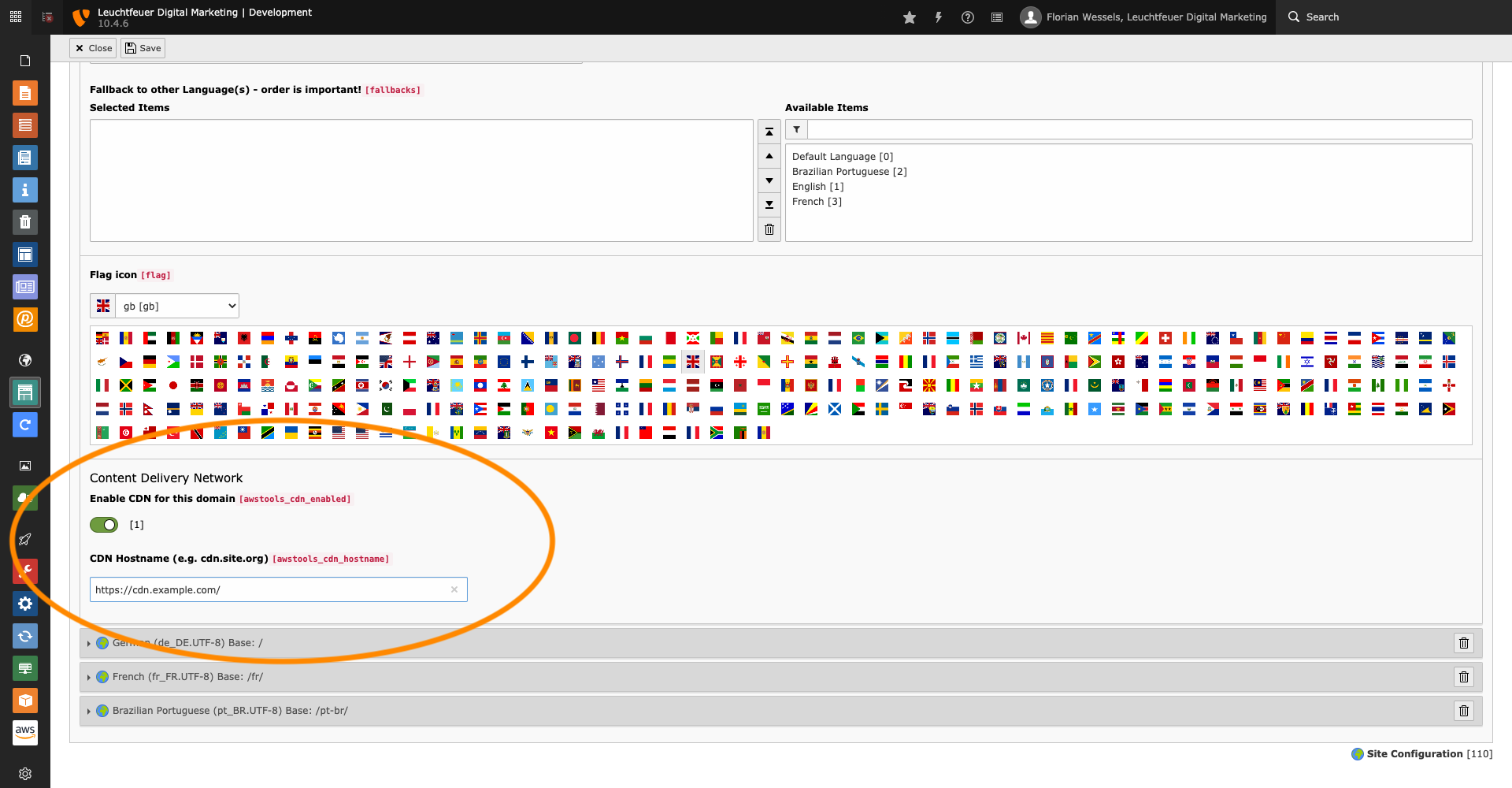
Rewrite File Paths
All paths to assets located in resource stores (fileadmin, etc.) are automatically rewritten by a TYPO3 interface. Since not all files are "fetched" by this mechanism, file paths (e.g. paths to stylesheets or JavaScript and fonts located in a separate site extension) configured in the TypoScript setup are rewritten by a regular expression.
config.tx_awstools {
    enabled = 1

    patterns {
        10 {
            search = "/typo3temp/
            replace = "%s/typo3temp/
        }

        20 {
            search = "/typo3conf/
            replace = "%s/typo3conf/
        }
    }

    replacer {
        eventListener = 1
        middleware = 1
    }
}
The "patterns" option can be extended by any number of additional entries. Each property must have the keys "search" and
"replace". The %s in the replace property will be replaced by the previously configured CDN domain.
Please note the quotation mark in the values of "search" and "replace". The HTML source code of the page is searched for this
pattern, so that it applies to href="/typo3temp/assets/... for example. If the pattern did not include the quotation mark, this
would lead to serious errors, as links like href="https://cdn.example.com/typo3temp/assets/" would be rewritten to
https://cdn.example.comhttps://cdn.example.com/typo3temp/assets/.
Additionally, the value config can be used to deactivate content replacement. This will disable path rewriting in frontend.
There are two replacer mechanisms which can be individually enabled/disabled with the replacer options.
middleware takes care of rewriting URLs within the HTML body which is generated by TYPO3. It only rewrites domains in the HTML code.
If CDN domains for resources are required before rendering the HTML the option eventListener can be used which hooks into the
GeneratePublicUrlForResourceEvent and rewrites domains directly when public URLs of resources are generated.
Extension Configuration
In the extension configuration you enter the access data for your AWS account (Access Key ID and Secret Access Key). In addition, you must select the region over which the requests to the AWS servers to invalidate entries should run. On the CloudFront tab, you can specify a comma-separated list of distributions where your assets are stored.
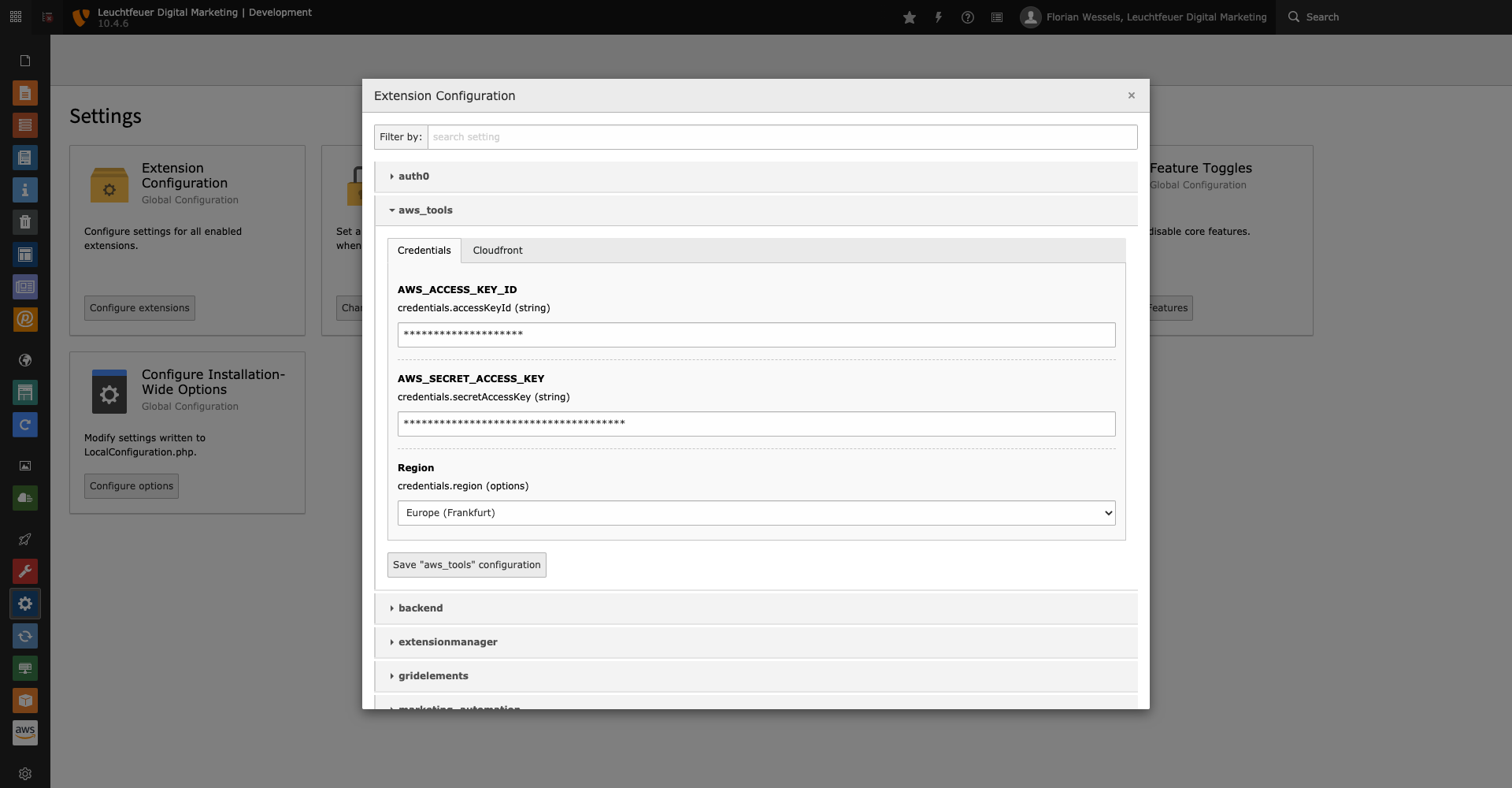
Please note that all entries are always invalidated simultaneously in all configured distributions.
Invalidate Amazon CloudFront Entries
Amazon CloudFront entries are partially invalidated automatically or can be manually declared invalid by the user or command line calls.
Symfony Command (CLI Only)
Amazon CloudFront entries can be invalidated via a CLI call. The command expects one or more paths (to files or folders).
vendor/bin/typo3cms aws:cf:invalidate PATH_1 PATH_2 [...] PATH_X
The command can be executed after a deployment, for example. This command is not available as scheduler task.
File List Module
Amazon CloudFront entries can be invalidated using the File List module. Depending on user permissions (see: below) files or whole paths can be invalidated.
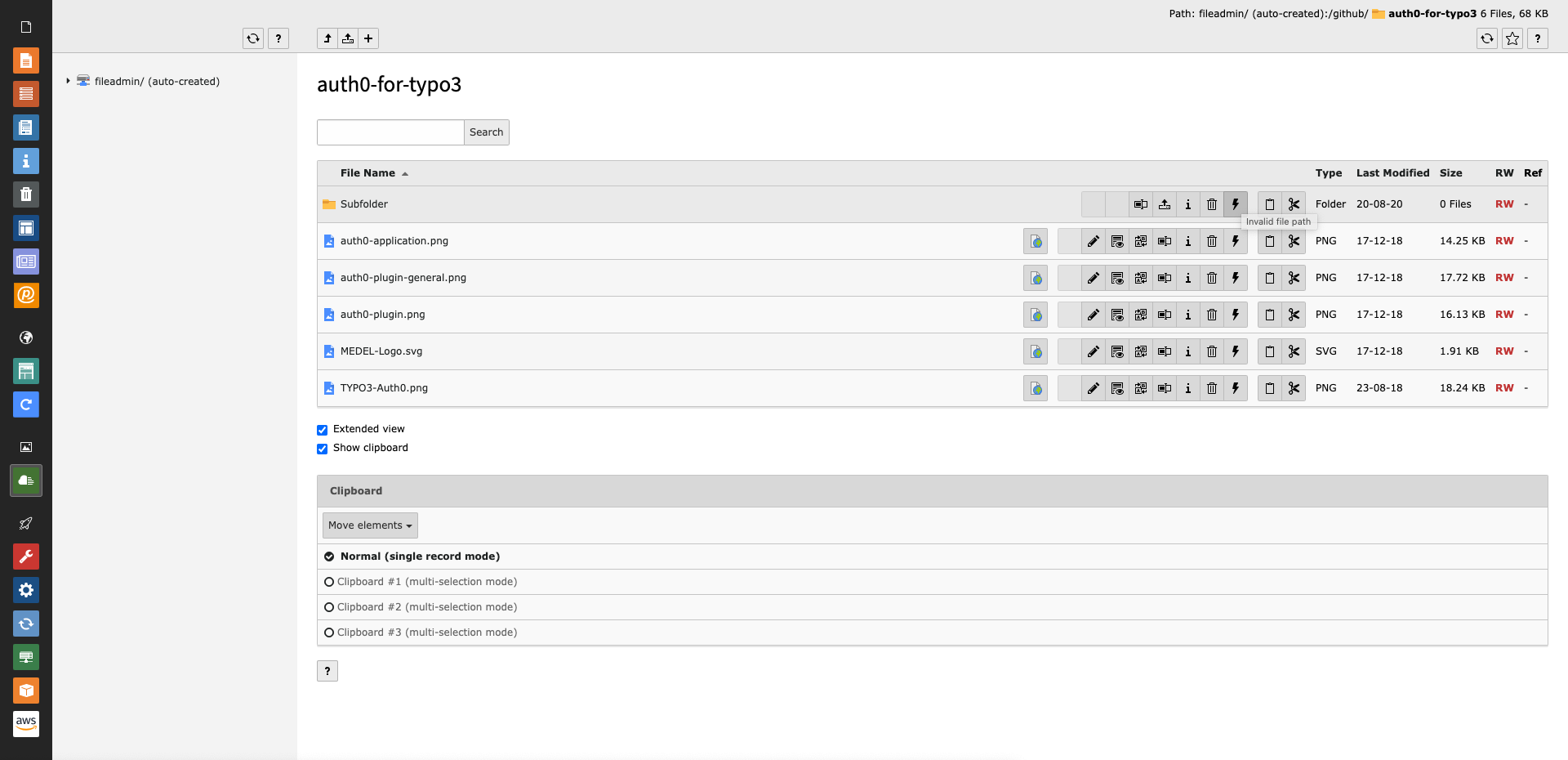
Access Protection
Appropriate permissions are required so that users can invalidate the Amazon CloudFront entries. The permissions can be granted in
the backend group or user data record (invalidateFile or invalidateFolder).
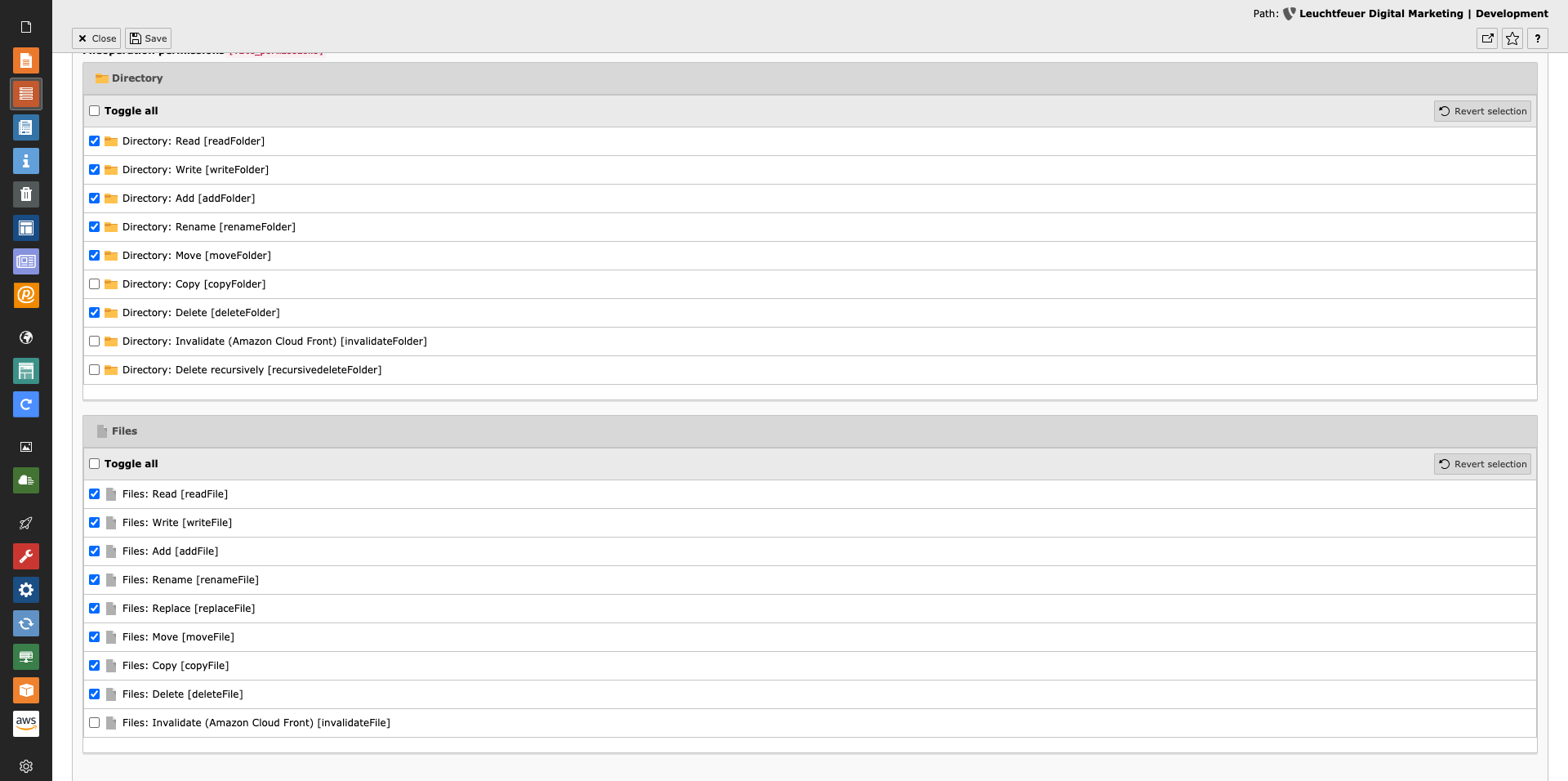
Administrators can invalidate the entries without further permissions.
Automatic Invalidation on Overwriting
Amazon CloudFront entries will be invalidated automatically after overwriting an existing file in the file list module - regardless of the authorizations of the user.
Backend Module
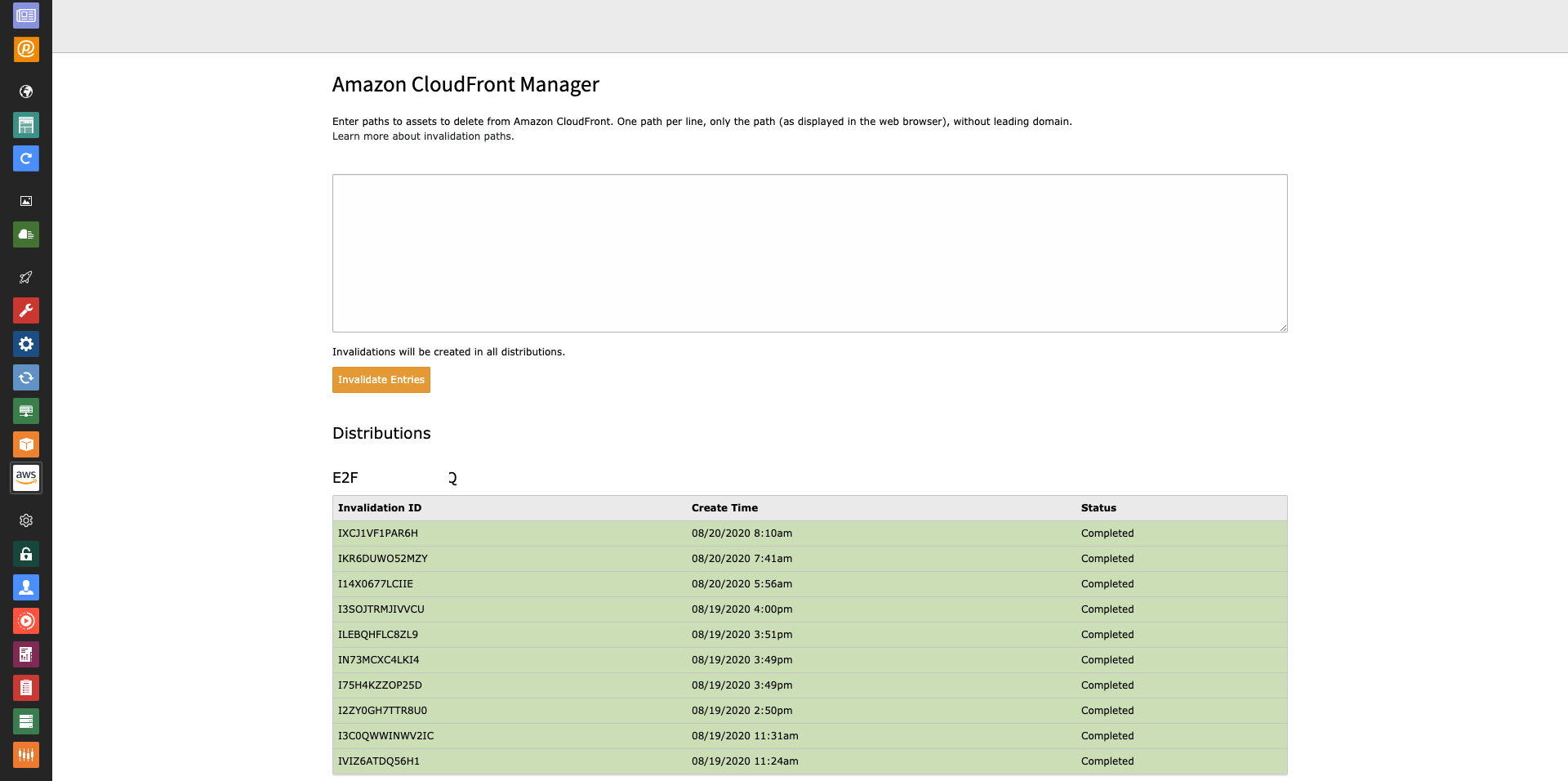
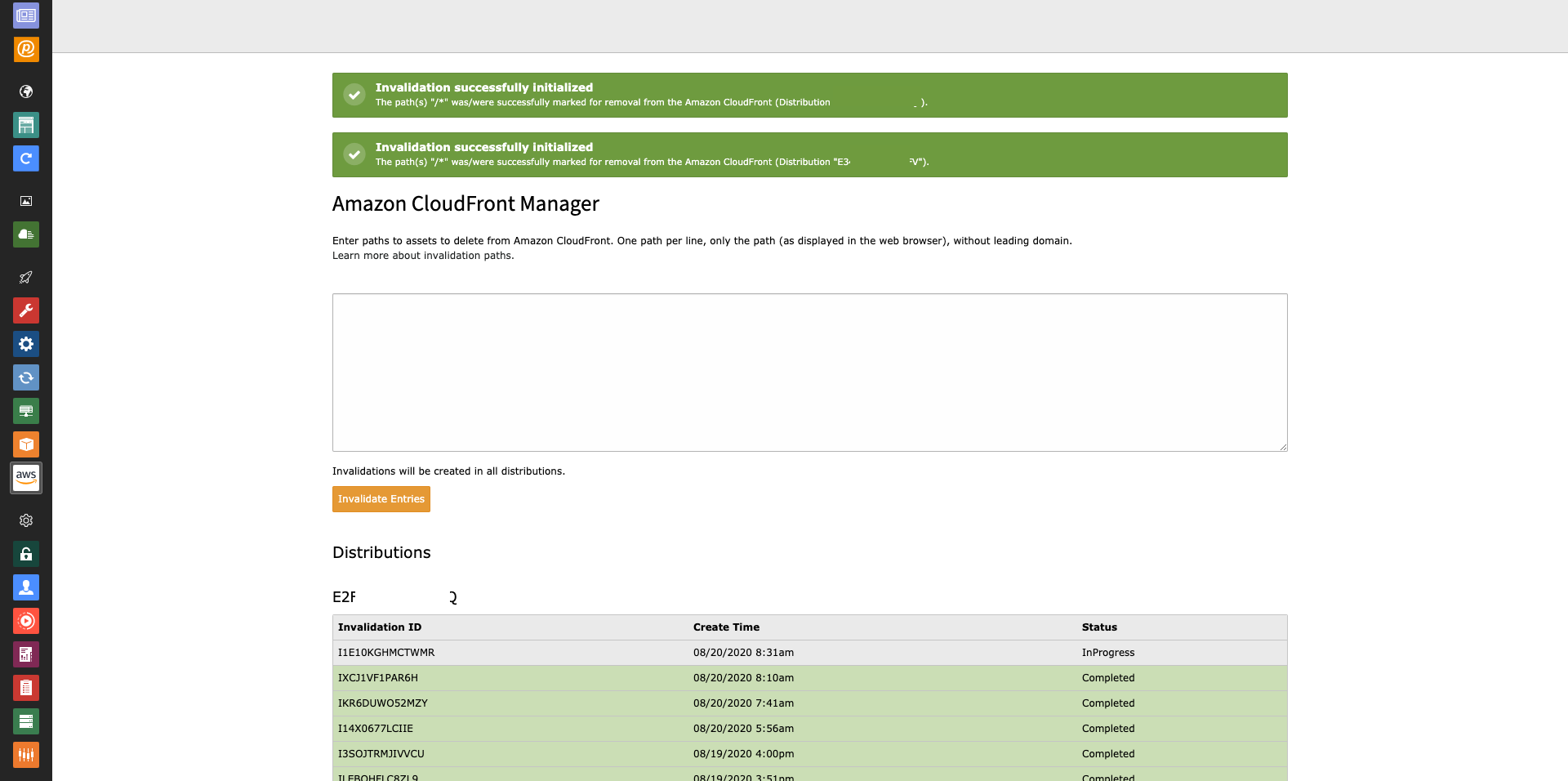
A dedicated backend module (only accessible for administrators) offers another possibility to invalidate Amazon CloudFront entries. The module also lists the last ten requests (per distribution) to the AWS server.
leuchtfeuer/aws-tools 适用场景与选型建议
leuchtfeuer/aws-tools 是一款 基于 PHP 开发的 Composer 扩展包,目前已累计 26.15k 次下载、GitHub Stars 达 2, 最近一次更新时间为 2020 年 08 月 20 日, 在 PHP 生态内属于活跃度较高的组件。
它主要适用于以下技术方向: 「aws」 「cloudfront」 「cdn」 「typo3」 「amazon web services」 等业务场景。在实际项目中,围绕这些方向常见需要落地的问题包括:接口对接、性能调优、并发安全、与既有框架(Laravel / ThinkPHP / Yii / Webman 等)的兼容适配,以及生产环境的日志埋点与稳定性保障。
我们在过去多个企业项目中使用过 leuchtfeuer/aws-tools 或与其功能相近的方案,如果你在选型或落地过程中遇到问题,例如 版本兼容、二次改造、私有化封装、与内部系统对接、生产 BUG 排查,欢迎联系我们协助评估。
基于 leuchtfeuer/aws-tools 在你已有业务上做功能扩展、字段裁剪、UI 适配、与内部账号 / 权限 / 日志系统的深度对接。
线上偶发问题、内存泄漏、慢查询、并发异常等排查修复;针对高流量场景做缓存、队列、索引层面的调优。
承接完整的项目从需求 → 设计 → 开发 → 上线 → 长期运维;也可按月提供技术保姆服务。
与 leuchtfeuer/aws-tools 相关的其它包
同方向 / 同关键字的高下载量 PHP Composer 包推荐,方便对比选型:
CloudFront cache purger for the Blitz plugin.
This package includes a script and fail2ban configuration that allows you to use fail2ban when utilizing AWS elastic load balancer (ELB) and an apache webserver.
Elastic Driver for Laravel Scout
simple api library.
CDN Cache Control and Invalidation
A replica of the AWS Elastic Beanstalk worker SQS daemon (sqsd) in PHP
统计信息
- 总下载量: 26.15k
- 月度下载量: 0
- 日度下载量: 0
- 收藏数: 2
- 点击次数: 9
- 依赖项目数: 0
- 推荐数: 0
其他信息
- 授权协议: GPL-2.0-or-later
- 更新时间: 2020-08-20