mathiasgrimm/glimpse-cli
Composer 安装命令:
composer create-project mathiasgrimm/glimpse-cli
包简介
Convert, optimize, resize, thumbnail and inspect images from your terminal. The first-party CLI for glimpseimg.com, the image API for developers.
关键字:
README 文档
README
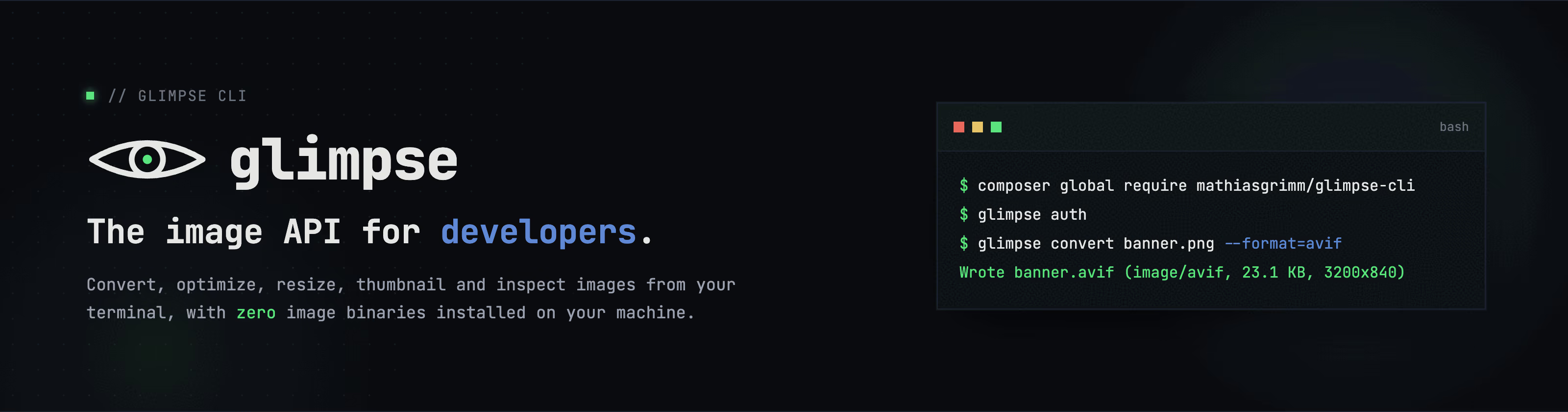
Convert, optimize, resize, thumbnail and inspect images from your terminal.
The first-party CLI for glimpseimg.com, the image API for developers.
Shipping images means wrangling ImageMagick, libvips, mozjpeg, cwebp and avifenc: compiled binaries that differ between your laptop, your teammate's laptop, and CI. glimpse replaces all of them with one command. The heavy lifting happens on the Glimpse API: stateless, nothing stored, your bytes never linger. You install a single CLI and go:
composer global require mathiasgrimm/glimpse-cli
glimpse auth
glimpse convert banner.png --format=avif
Wrote banner.avif (image/avif, 23.1 KB, 3200x840)
That's a real session: banner.png is a frame of the banner at the top of this page, re-encoded from 348.3 KB down to 23.1 KB. The banner you are actually looking at goes one step further; it is a two-frame animated AVIF (watch the green dot blink) that glimpse converted from a GIF, 40.1 KB in total. Want to know what a conversion will buy you before you convert? glimpse estimate predicts the output size for every format without uploading your image:

Why glimpse
- Zero image binaries. No ImageMagick, no libvips, no format-specific encoders to install, pin, or debug across machines. If it runs PHP 8.2, it runs glimpse.
- One command per job.
convert,optimize,resize,thumbnail,estimateandinfoare small, predictable commands that do one thing well. - 5 output formats. JPG, PNG, WebP, GIF and AVIF. Input types are verified from the actual bytes, never a filename.
- Estimate before you convert.
glimpse estimatepredicts per-format savings from metadata and a local sample probe, for a single image or a whole directory tree. The image itself is never uploaded. - Built for pipelines. Reads stdin, writes stdout,
--jsonon every command, and human summaries go to STDERR so your pipes stay clean. - Safe by default. Never overwrites an existing file without
--force; the optimizer never returns a file larger than its input. - Stateless by design. One request in, one image out. Nothing is stored server-side.
- Self-updating binary. The standalone PHAR upgrades itself with
glimpse self-update.
Installation
Composer
composer global require mathiasgrimm/glimpse-cli
Make sure Composer's global bin directory (composer global config bin-dir --absolute) is on your PATH, then run glimpse.
Standalone PHAR
composer global shares one dependency pool across all your global tools, so it can fail if another tool pins an incompatible illuminate/* version. The PHAR bundles its dependencies and sidesteps that entirely:
curl -Lo /usr/local/bin/glimpse https://github.com/mathiasgrimm/glimpse-cli/releases/latest/download/glimpse
chmod +x /usr/local/bin/glimpse
glimpse self-update   # upgrades in place from then on
From source
git clone https://github.com/mathiasgrimm/glimpse-cli.git
cd glimpse-cli
composer install
php glimpse --version
Authentication
Grab a free API key at glimpseimg.com (Settings → API Tokens), then:
glimpse auth
You will be prompted for the token; it is verified against the API and stored in ~/.config/glimpse/config.json (or $XDG_CONFIG_HOME/glimpse/config.json).
glimpse auth:status   # show API URL, masked token, and who you are
glimpse auth:logout   # remove the stored token
Environment variables override the stored config, which is handy for CI:
| Variable | Purpose |
|---|---|
GLIMPSE_TOKEN |
API token (beats the stored token) |
GLIMPSE_API_URL |
API base URL (default https://glimpseimg.com/api) |
Usage
Run glimpse with no arguments to see everything it can do:

All commands accept a file path as input, or - to read from stdin. Output defaults to a file next to the input; pass --output=- (short form -o-) to write the raw image bytes to stdout. Use --json for machine-readable metadata and --force to overwrite an existing output file.
Pass --in-place (short form -i) to write the result over the input file instead of creating a suffixed sibling. When convert changes the format, the input is replaced by a file with the new extension (a.jpg → a.avif); overwriting the input itself never needs --force, but overwriting a different existing file (an already-present a.avif, say) still does.
Convert
glimpse convert photo.png --format=webp                          # writes photo.webp
glimpse convert photo.png -o hero.avif                           # format inferred from the extension
glimpse convert photo.png --format=avif -i                       # replaces photo.png with photo.avif
glimpse convert photo.png --format=webp --optimize               # optimizes the converted image
glimpse convert photo.png --format=webp --optimize --quality=70  # lossy re-encode at quality 70
Supported formats: jpg, png, webp, gif, avif.
--optimize runs the converted image through the optimizer chain (the result is never larger than without it). --quality (1-100, default 85) requires --optimize.
Optimize
glimpse optimize photo.jpg                       # lossless optimizer chain, writes photo.optimized.jpg
glimpse optimize photo.jpg --quality=70          # lossy re-encode at quality 70
glimpse optimize photo.jpg --in-place            # optimizes photo.jpg itself
Resize
Fits the image into a bounding box, preserving aspect ratio and never upscaling.
glimpse resize photo.jpg --width=800                           # writes photo.resized.jpg
glimpse resize photo.jpg --width=800 --height=600
glimpse resize photo.jpg --width=800 -i                        # shrinks photo.jpg itself
glimpse resize photo.jpg --width=800 --optimize --quality=70   # resize, then lossy re-encode
--optimize and --quality work the same as on convert.
Thumbnail
Resize plus lossy re-encode in one pass. API defaults: 300x300 box at quality 60.
glimpse thumbnail photo.jpg                      # writes photo.thumb.jpg
glimpse thumbnail photo.jpg --width=150 --quality=50
glimpse thumbnail photo.jpg -i                   # turns photo.jpg itself into the thumbnail
Estimate
Predicts the converted size for every format so you can pick a target before spending a conversion. Your image is never uploaded. Only its metadata (format, size, dimensions) plus an optional locally computed sample probe are sent.
glimpse estimate banner.png
Source: PNG, 348.3 KB, 3200x840, sampled

+--------+----------------+----------+---------+---------+
| Format | Estimated size | Saved    | Saved % | Quality |
+--------+----------------+----------+---------+---------+
| JPG    | ~135.3 KB      | 213 KB   | 61.2%   | 85      |
| PNG    | ~156.7 KB      | 191.6 KB | 55%     | -       |
| WEBP   | ~75.1 KB       | 273.2 KB | 78.4%   | 85      |
| AVIF   | ~37.6 KB       | 310.7 KB | 89.2%   | 85      |
+--------+----------------+----------+---------+---------+
Estimates are heuristics for picking a target format, not guarantees.
glimpse estimate banner.png --optimize --quality=70   # assume a lossier re-encode
glimpse estimate banner.png --json                    # machine-readable estimates
Point it at a directory and glimpse scans every image in it, recursively, behind a progress bar. Pass --format to see one outcome per file, or omit it to see the format that saves the most for each image. The summary is sorted by bytes saved, color-classified (green saves at least a quarter, yellow saves less than that, red would grow the file), and ends with a totalizer:
glimpse estimate assets/ --format=avif           # what would AVIF buy, file by file
glimpse estimate assets/                         # best format per image

This is a real session against a folder of sample assets: huge wins for the camera photos, a marginal one for an already-lean background, and one file the estimator warns would get bigger as AVIF. Files that fail (unreadable or unrecognized) are skipped and reported; the run keeps going.
Installing ext-imagick (or ext-gd) sharpens the estimates considerably: the CLI trial-encodes a small sample of your image locally to measure its actual complexity (the sampled tag in the output). Without either extension it falls back to size-ratio heuristics.
Info
glimpse info photo.jpg                           # pretty metadata table
glimpse info photo.jpg --json | jq .format       # raw JSON
Piping
Every command speaks stdin/stdout, so glimpse drops straight into shell pipelines. Summaries are printed to STDERR, keeping the pipe clean:
glimpse thumbnail photo.jpg --output=- | imgcat
cat photo.png | glimpse convert - --format=webp -o photo.webp
glimpse convert photo.png --format=avif --json | jq .size
Limits
- Input images are capped at 15 MiB.
- Dimensions are capped at 10000 px.
Development
composer test # Pint (check), PHPStan, and the Pest suite
Releasing
make release VERSION=vX.Y.Z
This runs the test suite, compiles the PHAR, commits builds/glimpse, pushes, and creates the GitHub release with the binary attached, the equivalent of:
php glimpse app:build glimpse --build-version=vX.Y.Z
git add builds/glimpse && git commit -m "Build vX.Y.Z" && git push
gh release create vX.Y.Z builds/glimpse --title vX.Y.Z --generate-notes
self-update discovers versions through Packagist and downloads the glimpse PHAR attached to the GitHub release of the matching tag, so the release must carry the binary as an asset under exactly that name. Committing the fresh build keeps composer global require working (composer's bin points at builds/glimpse) and lets pre-0.1.1 installs, which download builds/glimpse from the tag itself, still update.
The --build-version must be the tag name verbatim, including the v prefix. The updater compares the embedded build version against the Packagist tag as plain strings, so a build stamped 0.1.0 never equals the tag v0.1.0 and self-update would keep re-downloading the release it is already running.
License
glimpse-cli is open-source software licensed under the MIT license.
Every image on this page was converted by glimpse itself, including the animated banner (GIF in, animated AVIF out).
Grab a free API key at glimpseimg.com (Settings → API Tokens).
统计信息
- 总下载量: 0
- 月度下载量: 0
- 日度下载量: 0
- 收藏数: 0
- 点击次数: 2
- 依赖项目数: 0
- 推荐数: 0
其他信息
- 授权协议: MIT
- 更新时间: 2026-07-10