minabeter/analyze-website
Composer 安装命令:
composer require minabeter/analyze-website
包简介
Website analytics package for Laravel and Filament
README 文档
README
Quick Summary
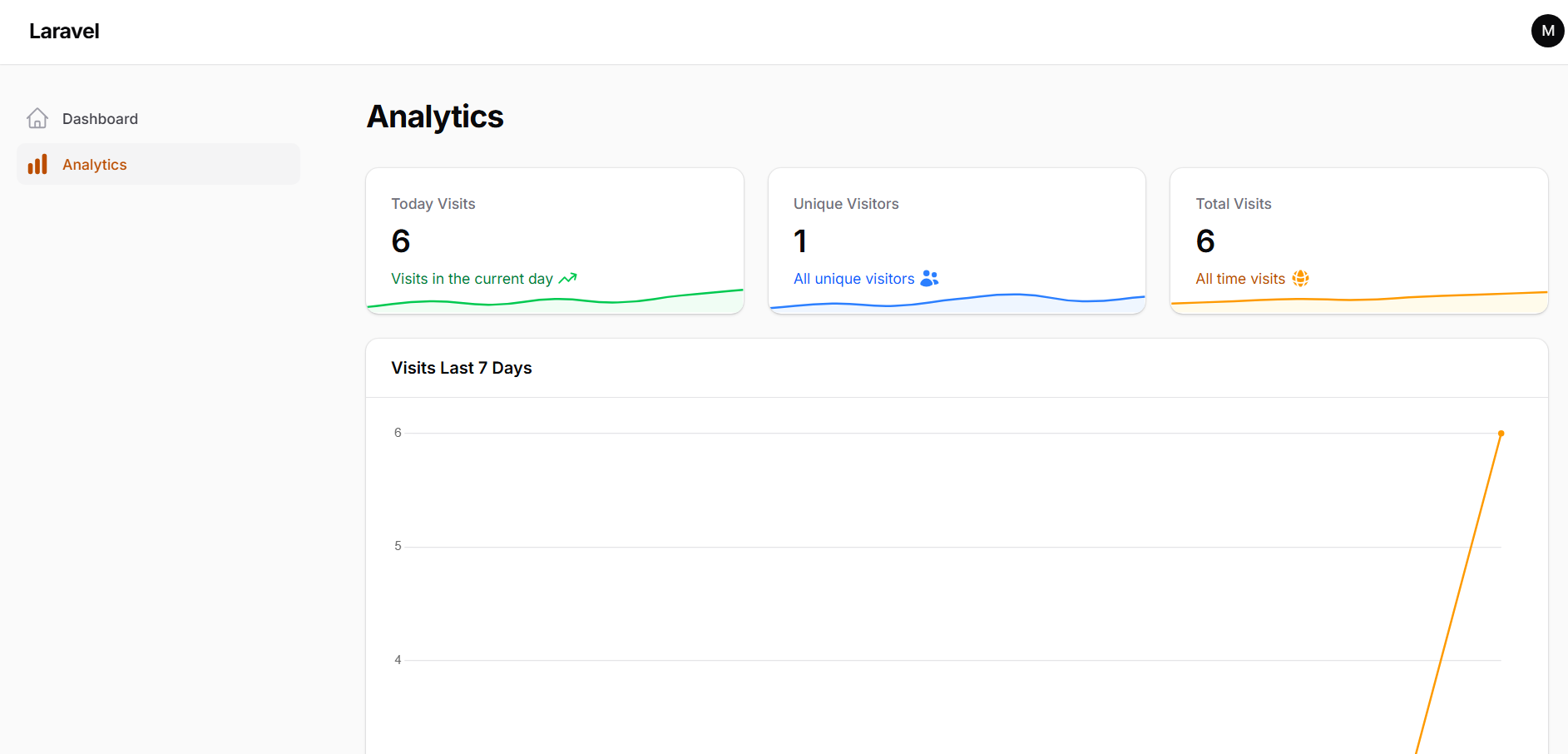
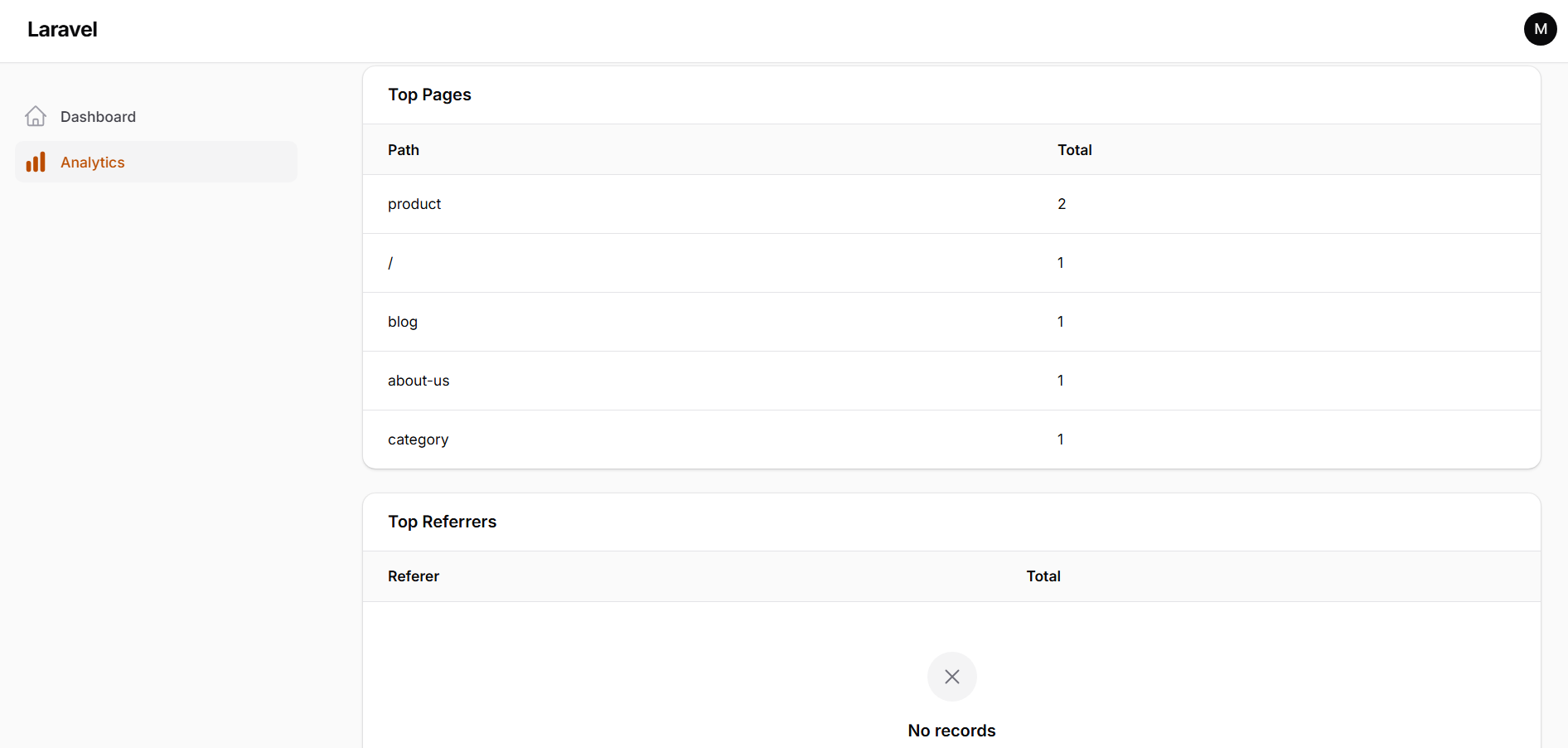
This package helps in tracking and analyzing website visits. It records information about each visit, such as the visited page, visitor information, and the browser used.
Installation
You can install the package via composer:
composer require minabeter/analyze-website
run php artisan migrate
Publish the config file with:
php artisan vendor:publish --tag=analyze-website-config
This will create a config/analyze-website.php file in your project.
Usage
To set up the package correctly, please follow these steps:
-
Add Service Provider: In your
bootstrap/providers.phpfile, add the following line afterAppServiceProvider::class:Mina\AnalyzeWebsite\AnalyzeWebsiteServiceProvider::class,
-
Add Middleware: In your
bootstrap/app.phpfile, within thewebmiddleware group, addTrackVisit::class:->withMiddleware(function (Middleware $middleware): void { $middleware->web(append: [ \Mina\AnalyzeWebsite\Middleware\TrackVisit::class, // ... other middleware ]); })
-
Configure Driver: In your
.envfile, add the following to specify the driver for analytics. You can choose betweendatabase,queue, orredis.ANALYTICS_DRIVER=database
database: (Default) Saves visit data directly to the database.queue: Pushes visit data to a queue for background processing. Make sure your queue worker is running.redis: Caches visit data in Redis for high performance.
-
Redis Driver Setup: If you choose to use the
redisdriver, you need to schedule a command to flush the cached data to the database periodically.In your
app/Console/Kernel.php, add the following to theschedulemethod:$schedule->command('analytics:flush')->everyMinute();
-
Filament Integration: To display the analytics dashboard in your Filament admin panel, you need to add the
AnalyzeWebsitePluginto your panel provider.In your panel provider file (e.g.,
app/Providers/Filament/AdminPanelProvider.php), add the following to thepluginsmethod:->plugins([ \Mina\AnalyzeWebsite\Filament\AnalyzeWebsitePlugin::make() ])
This will add the analytics page to your Filament admin panel, where you can view the collected data.


统计信息
- 总下载量: 0
- 月度下载量: 0
- 日度下载量: 0
- 收藏数: 0
- 点击次数: 4
- 依赖项目数: 0
- 推荐数: 0
其他信息
- 授权协议: MIT
- 更新时间: 2026-06-19