mlocati-concrete5-packages/acme
Composer 安装命令:
composer require mlocati-concrete5-packages/acme
包简介
A package for ConcreteCMS to create and manage HTTPS certificates for your websites
关键字:
README 文档
README
This is a concrete5 package that lets you generate certificates for websites, so that they can use the HTTPS protocol.
The certificates are generated via the ACME (Automated Certificate Management Environment) protocol, which is offered for free for example by Let's Encrypt.
Features
This is a really feature rich package:
- the initial setup is really easy
- multiple ACME servers and accounts are supported
- adding ACME servers and accounts requires just a few clicks
- supports both ACME v1 and ACME v2 (aka RFC8555) protocols
- supports multiple domains, both local and remotes
- supports domain names with international characters
- supports creating HTTPS certificates for multiple domains
- lets you specify actions to be performed upon certificate generations/renewals (for example, it can save the newly generate certificate to a remote server by using SSH, and reload the web server configuration)
- offers a full set of CLI (Command Line Interface) commands so that you can create/edit/modify/delete/control almost everything via a terminal console
- the renewal of the certificates can be automated by adding a single line in your crontab
- you have full control of the revoked certificates
- supports checking if a certificate has been revoked
Demo video
Initial setup
This package can be installed in two ways:
- if you have a composer-based concrete5 installation, just run
composer require mlocati-concrete5-packages/acme - otherwise, you need to:
- download this repository and save it under the
packagesfolder, with aacmedirectory name - download the
composerpkgcommand from here - from inside the downloaded
acmefolder, run this command:composerpkg install
- download this repository and save it under the
Once you did that, just browse to the /dashboard/extend/install dashboard page.
You should see this:
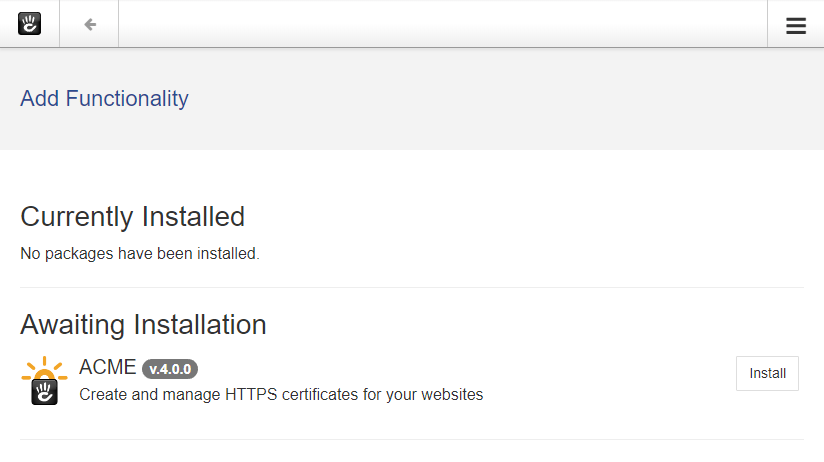
When you click the Install button, the ACME package performs some checks:
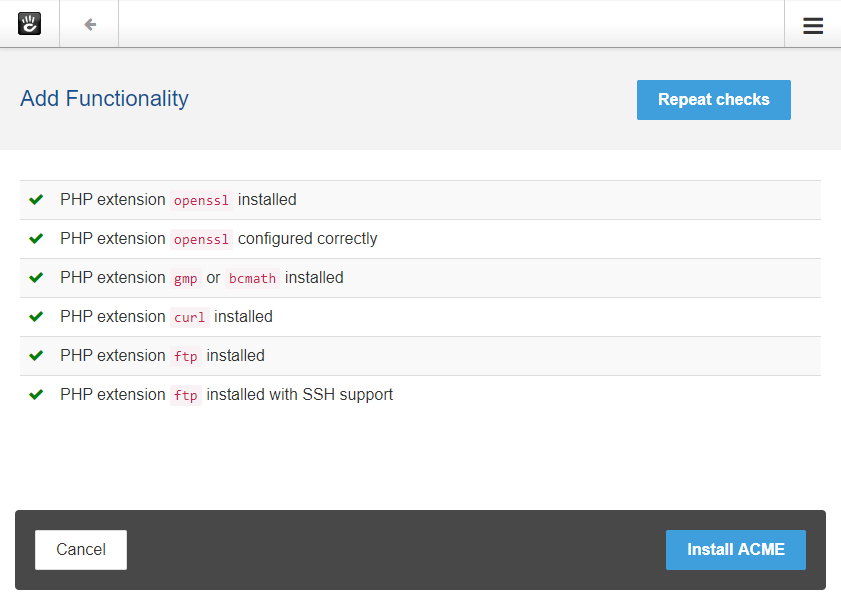
In case of problems, that page will tell you how to fix them.
Once all the tests pass, hit the Install ACME button.
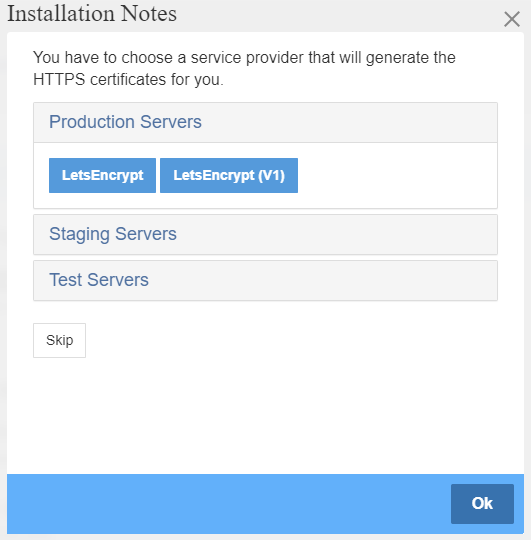
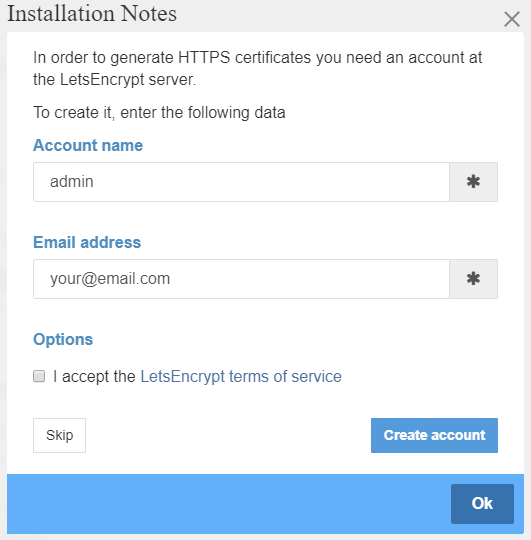
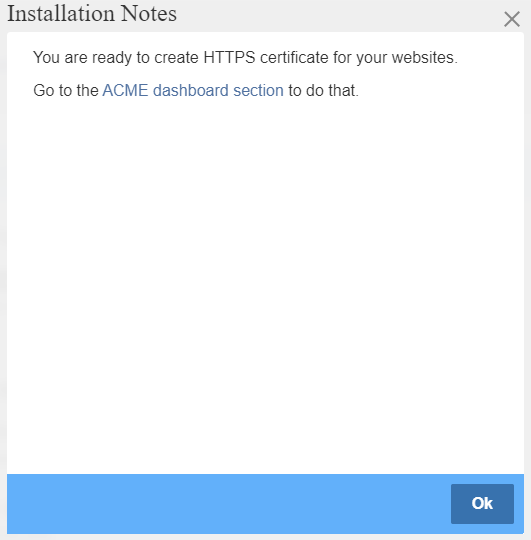
After a while, the package gets installed, and you are asked if you want to easily create the first required data (the ACME server to be used, and an ACME account):
Usage via the web interface
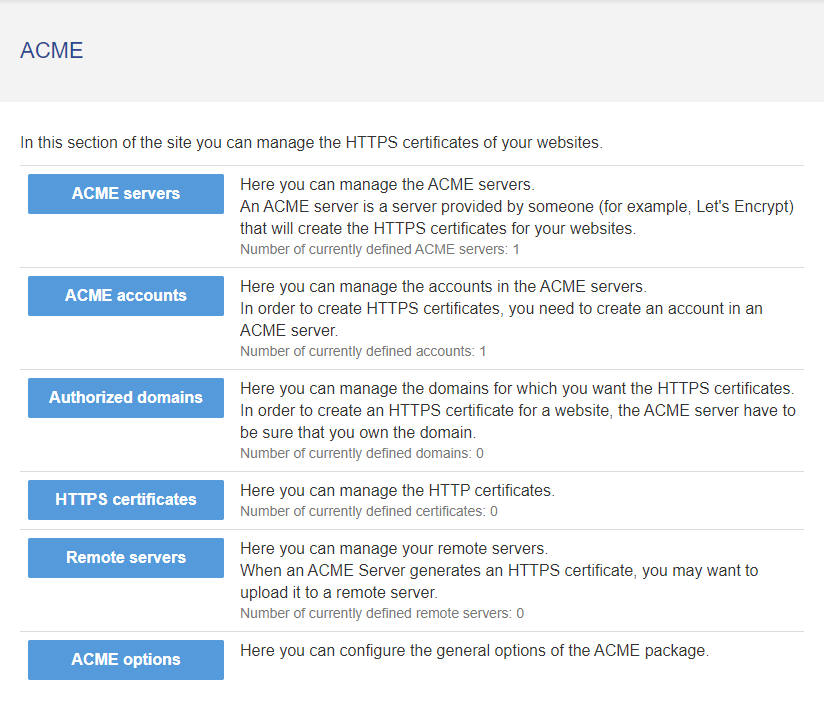
The main page of the ACME package is located in the dashboard, under System & Settings (that is, at the /dashboard/system/acme URL):
ACME Servers and Accounts
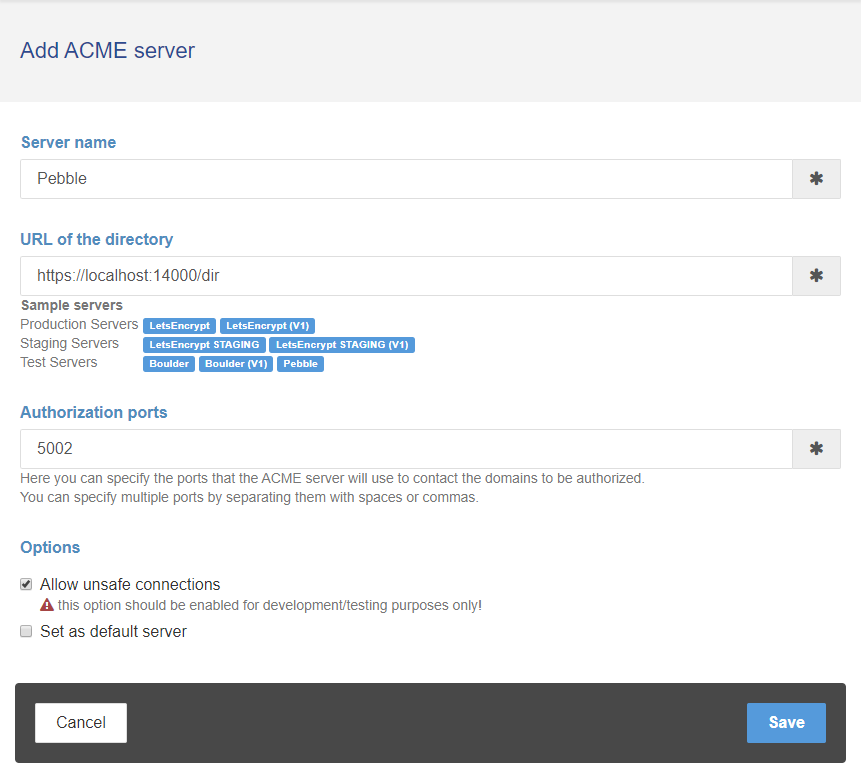
You usually will have just one ACME Server and one ACME Account (the ones eventually configured at install time as described above). Anyway, for testing purpouses you may want to use more.
Here's the interface you can use to add a new ACME Server:
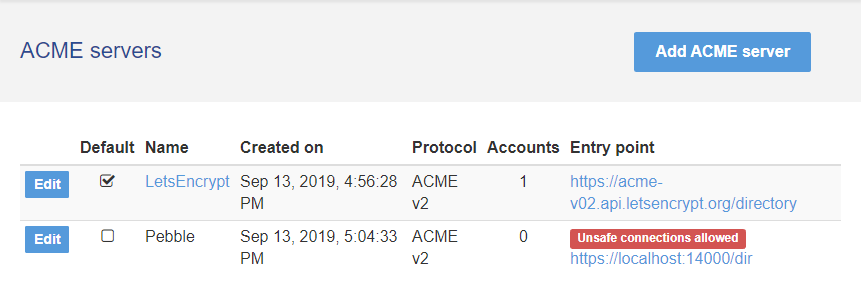
ACME Servers are listed like this:
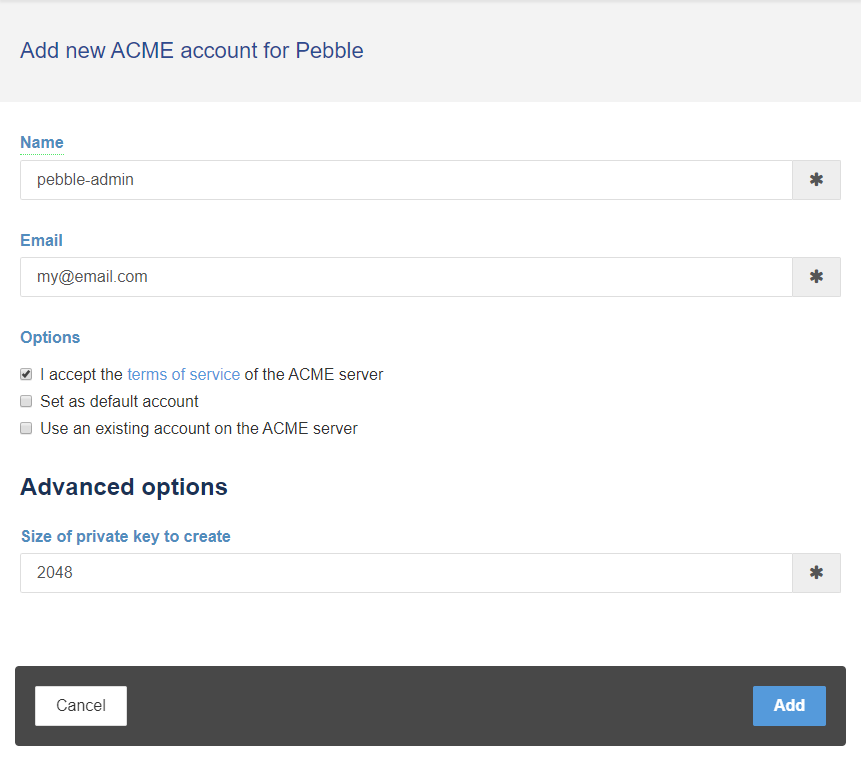
You can add ACME Accounts (both new ones or accounts previously registered at the ACME Server):
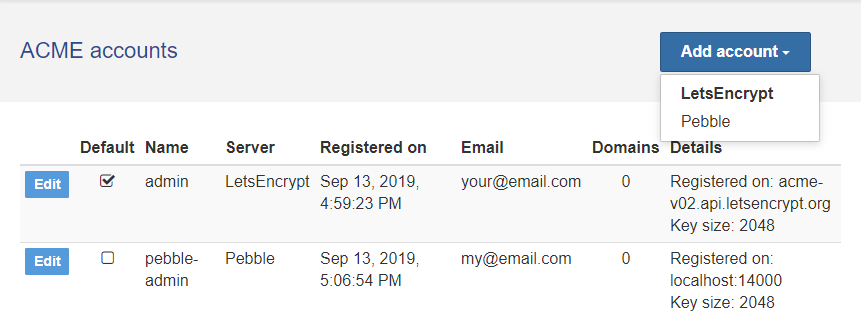
You'll have a nice list of all the defined accounts:
Domains
In order to generate the HTTPS certificates, you need to define the domains they will be valid for, as well as a way to control them when the ACME Server will confirm that you own them.
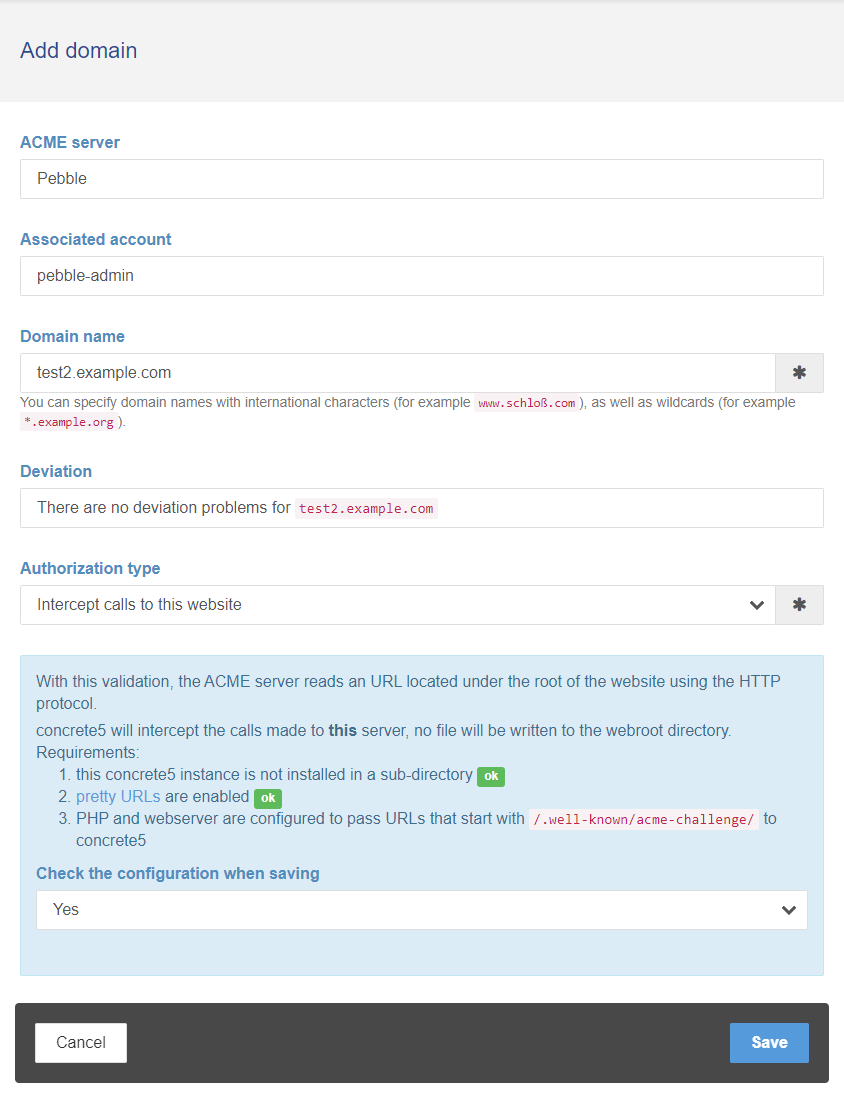
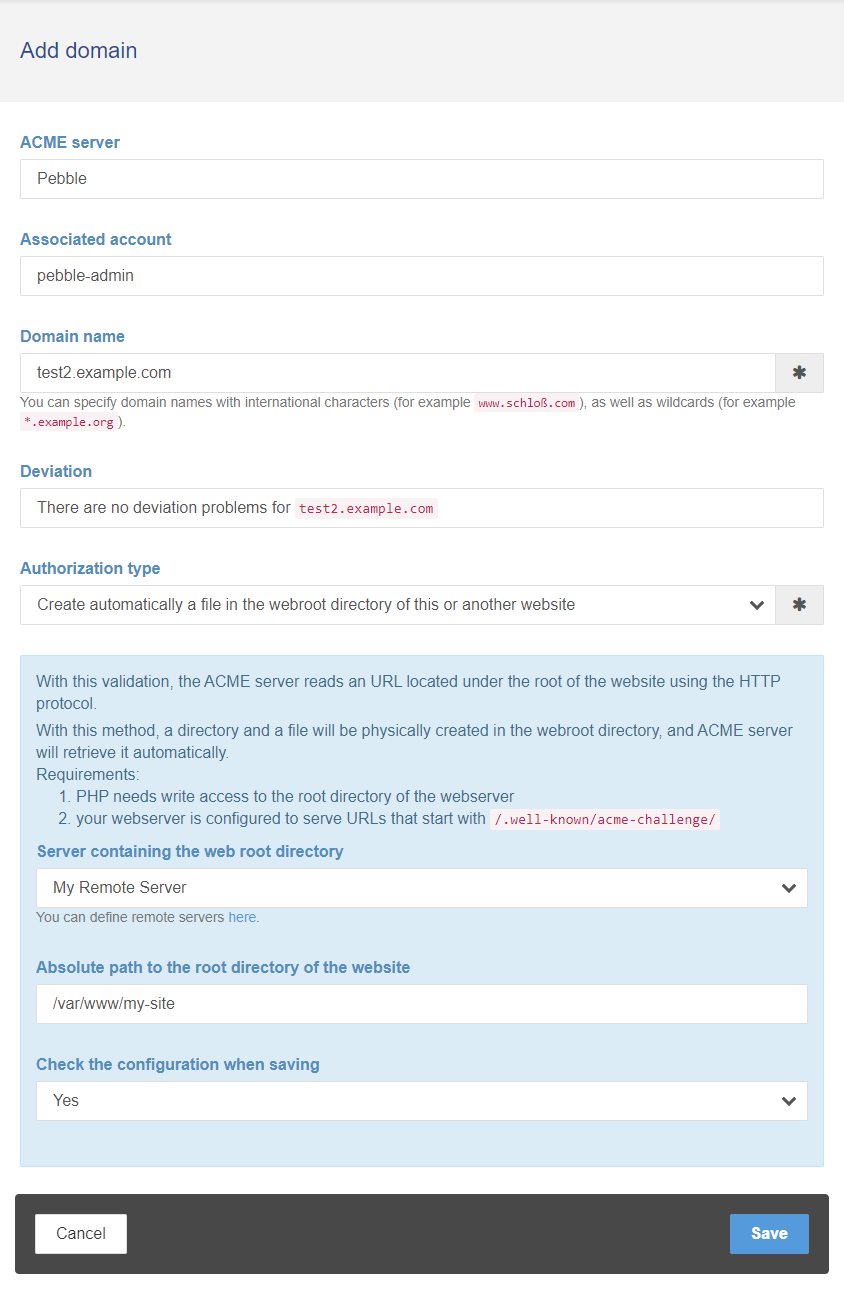
At the moment you have two ways to control the ACME authorization process.
The first way only works for the currently running concrete5 installation:
The second way allows you to control remote web servers (it's not required that they run concrete5, you only need SSH/FTP access to their web root directory):
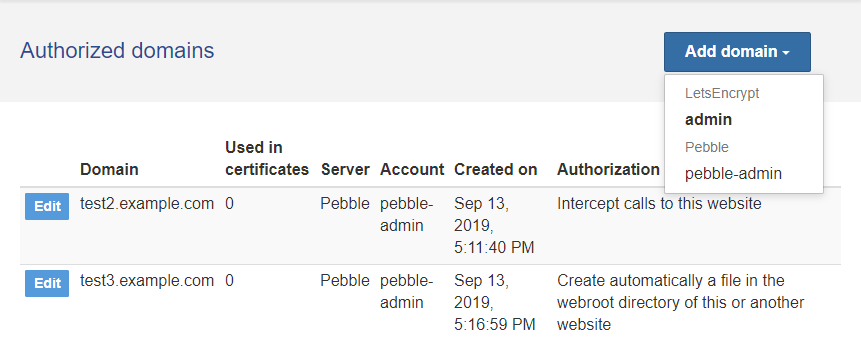
You'll also have a page where all the domains are listed:
Certificates
Once you defined the domain(s) for which you want the HTTPS certificates, you can create a new certificate with an interface like this:
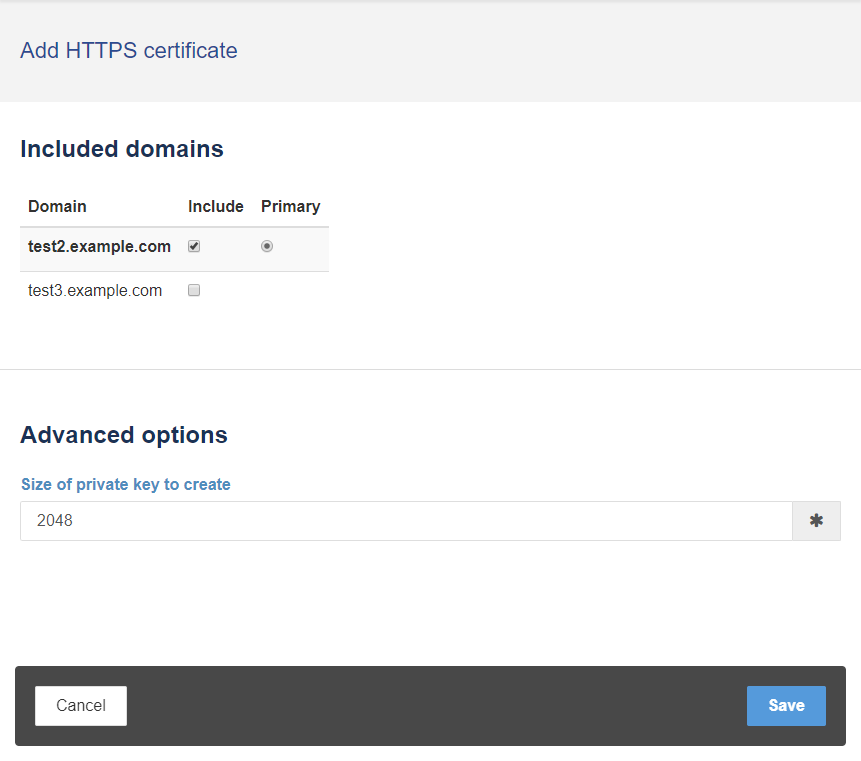
You can include one or more domains in the same certificate, which is very handy if you host more domains on the same server.
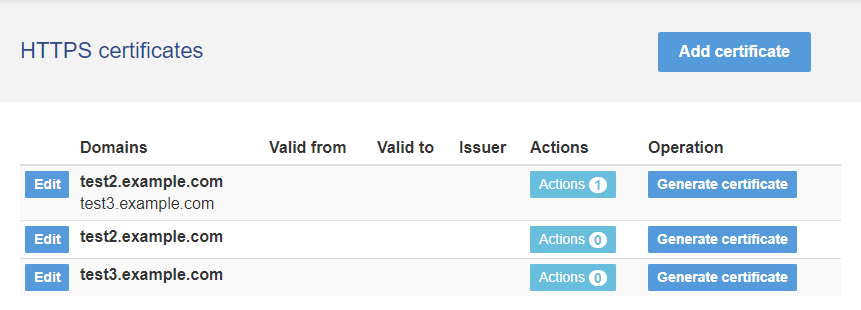
The package provides a page where all the certificates are listed, with the major details about them:
Certificate Actions
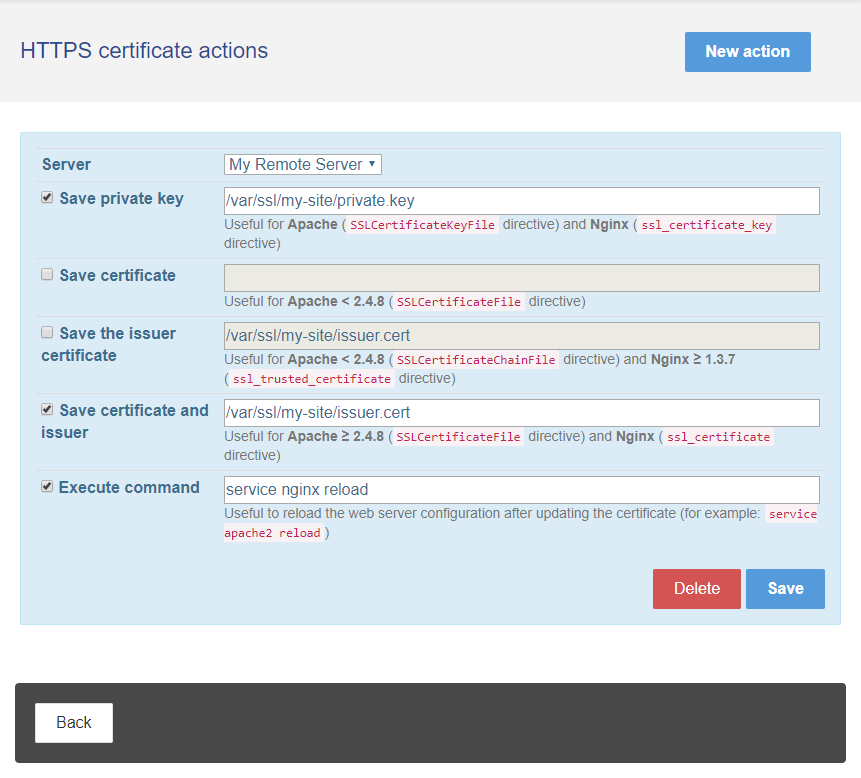
When the HTTPS certificates have been issued by the ACME Server, you need to save them to file, and tell the webserver that it needs to refresh its configuration (so that the new certificates are served to the visitors of your sites).
You can define one or more actions to be performed upon certificate generation/renewal, on the local machine or on a remote machine:
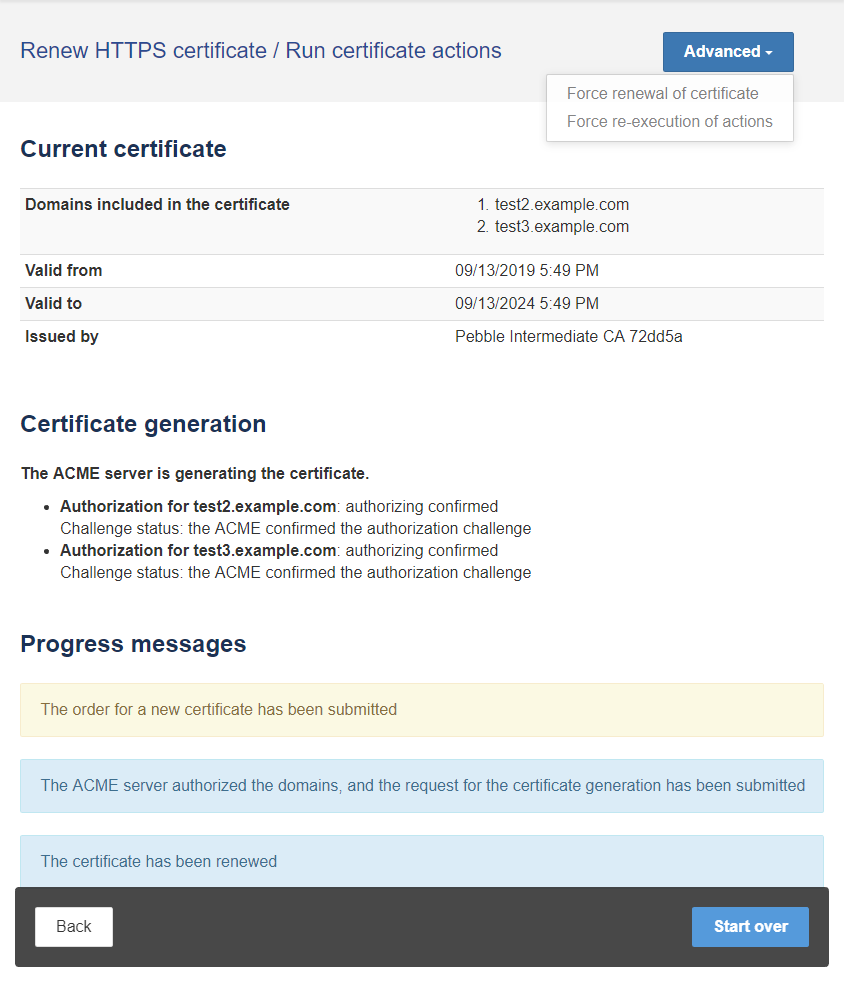
Certificate Generation, Renewal, and Actions Executions
A dashboar page will let you generate the certificates, renew them, and execute the actions (if any):
Remote Servers
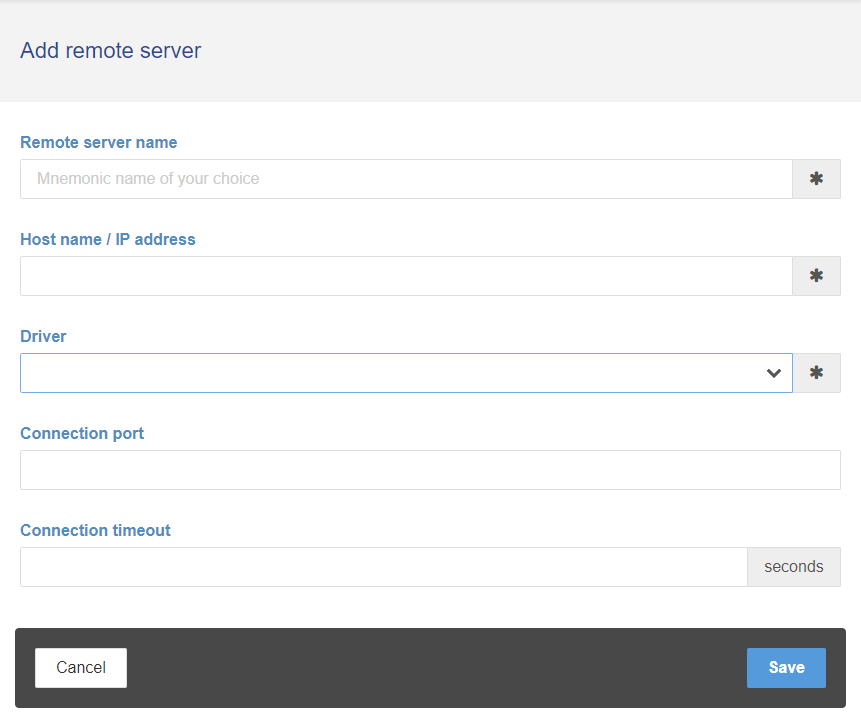
In order to control remote web sites (for the ACME Authorization process, to save the certificate files and to reload the web server configuration), you can define one or more Remote Servers. You have great control about that; at the moment the supported protocols to connect to remote servers are:
- FTP (in Active or Passive mode)
- FTP over SSL (in Active or Passive mode)
- SFTP with username and password
- SFTP with username and a private key
- SFTP with an SSH Agent
(Please remark that the FTP protocol doesn't allow running commands, so you won't be able for example to ask the web server to reload its configuration)
Usage via the Command Line Interface
There's a ton of CLI commands that lets you every operation you can do via the web interface:
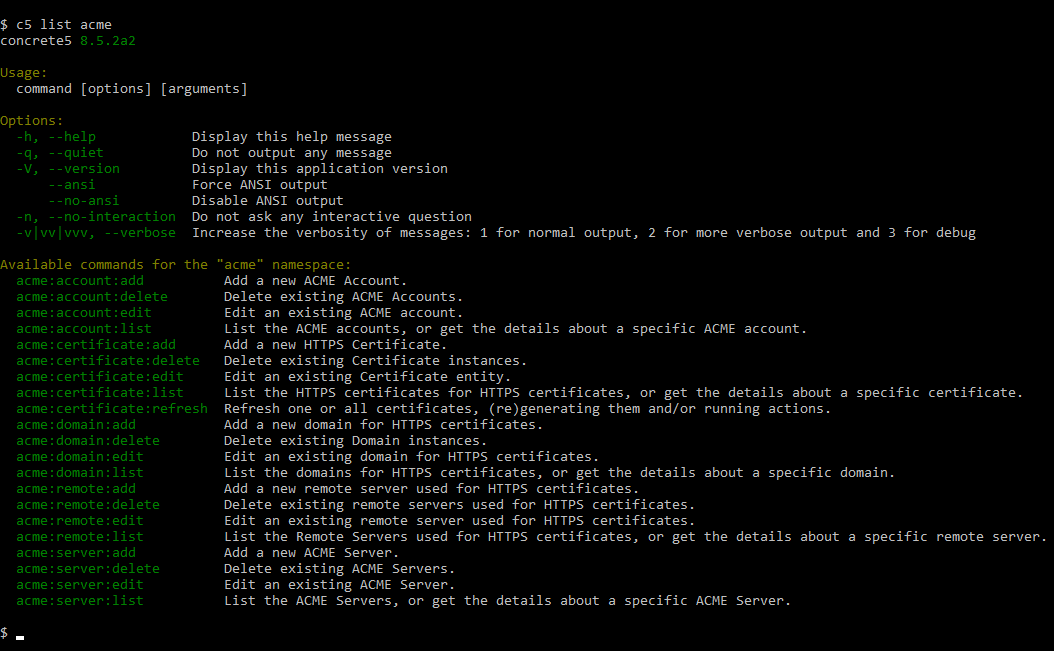
You can type the command name followed by --help to get the list of all the allowed arguments and options.
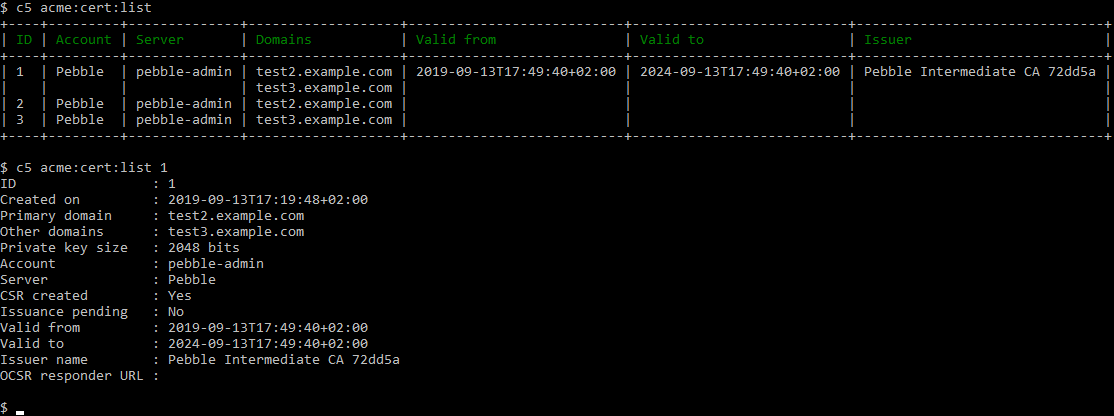
For example, to list the currently defined certificates, and to get the details of a specific certificate, you can use the acme:certificate:list command:
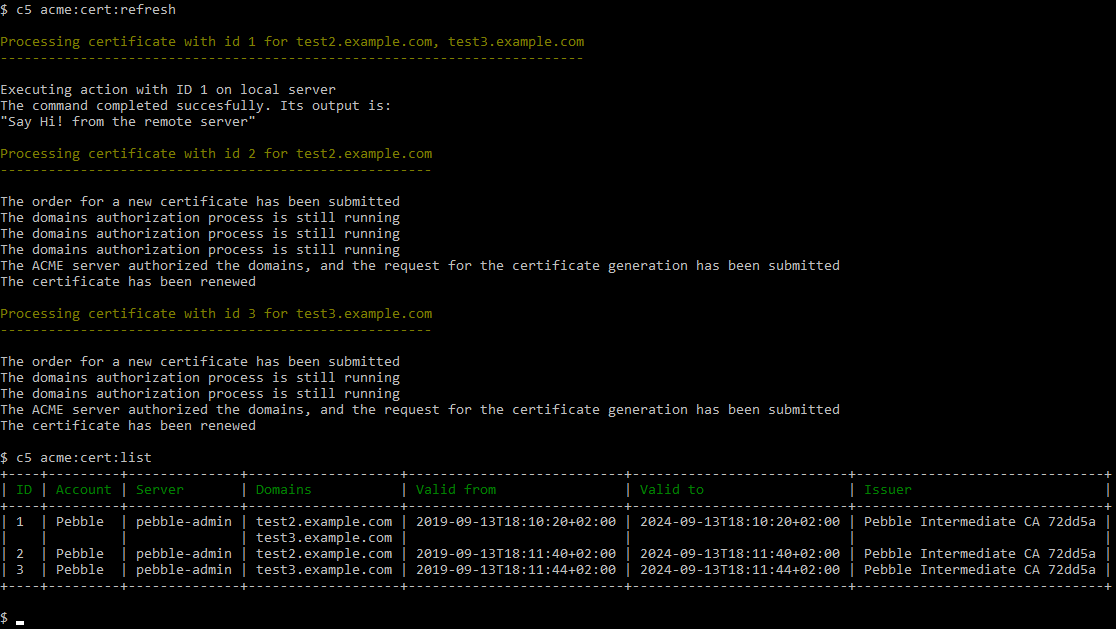
The most important CLI command (the only one that you'll need to run on a daily basis - maybe with crontab), is the acme:certificate:refresh command.
This command will renew the certificates, execute the actions, and send an email to one or more operators in case something goes wrong.
Here's a sample session:
Testing Environments
You can test a local web site using this ACME concrete5 package by following these instructions.
mlocati-concrete5-packages/acme 适用场景与选型建议
mlocati-concrete5-packages/acme 是一款 基于 PHP 开发的 Composer 扩展包,目前已累计 64 次下载、GitHub Stars 达 10, 最近一次更新时间为 2019 年 09 月 13 日, 在 PHP 生态内属于活跃度较高的组件。
它主要适用于以下技术方向: 「package」 「security」 「https」 「ssl」 「tls」 「certificate」 等业务场景。在实际项目中,围绕这些方向常见需要落地的问题包括:接口对接、性能调优、并发安全、与既有框架(Laravel / ThinkPHP / Yii / Webman 等)的兼容适配,以及生产环境的日志埋点与稳定性保障。
我们在过去多个企业项目中使用过 mlocati-concrete5-packages/acme 或与其功能相近的方案,如果你在选型或落地过程中遇到问题,例如 版本兼容、二次改造、私有化封装、与内部系统对接、生产 BUG 排查,欢迎联系我们协助评估。
基于 mlocati-concrete5-packages/acme 在你已有业务上做功能扩展、字段裁剪、UI 适配、与内部账号 / 权限 / 日志系统的深度对接。
线上偶发问题、内存泄漏、慢查询、并发异常等排查修复;针对高流量场景做缓存、队列、索引层面的调优。
承接完整的项目从需求 → 设计 → 开发 → 上线 → 长期运维;也可按月提供技术保姆服务。
与 mlocati-concrete5-packages/acme 相关的其它包
同方向 / 同关键字的高下载量 PHP Composer 包推荐,方便对比选型:
A Laravel artisan based package to create the AWS (SES + SNS) infrastructure to receive email event notifications with Http/Https endpoint.
Provide a way to secure accesses to all routes of an symfony application.
URL routing framework and requests/responses handler for PHP
It's a barebone security class written on PHP
Library implement an Online Certificate Status Protocol (OCSP) responder
Contao CMS integrity check for some files
统计信息
- 总下载量: 64
- 月度下载量: 0
- 日度下载量: 0
- 收藏数: 10
- 点击次数: 16
- 依赖项目数: 0
- 推荐数: 0
其他信息
- 授权协议: MIT
- 更新时间: 2019-09-13