neuron-core/ai-form
Composer 安装命令:
composer require neuron-core/ai-form
包简介
Conversational Data Collection.
README 文档
README
AIForm is a component for collecting structured data through multi-turn natural language conversations. It uses an AI agent to progressively gather information defined by a structured output class, validating each piece of data along the way.
The form maintains conversation history, tracks collected fields, missing fields, and validation errors across multiple turns.
Read the full article here: https://inspector.dev/collecting-data-through-conversation-introducing-aiform-for-neuronai/
Before moving on, support the Neuron AI community giving a GitHub star ⭐️. Thank you!
Creating a Data Class
You can provide the form structure you want to collect defining a data class using PHP attributes in the same way as you would with any other structured output class in Neuron AI.
You can also attach validation rules like #[NotBlank] or #[Email] to fields, to enforce data requirements.
use NeuronAI\StructuredOutput\SchemaProperty;
use NeuronAI\StructuredOutput\Validation\Rules\Email;
use NeuronAI\StructuredOutput\Validation\Rules\NotBlank;

class RegistrationData
{
    #[SchemaProperty(description: 'User full name', required: true)]
    #[NotBlank]
    public string $name;

    #[SchemaProperty(description: 'Email address', required: true)]
    #[Email]
    public string $email;

    #[SchemaProperty(description: 'Phone number')]
    public ?string $phone = null;

    #[SchemaProperty(description: 'Company name')]
    public ?string $company = null;
}
Creating a Custom Form
Extend the AIForm class to create your custom form:
<?php

namespace App\Neuron\Forms;

use NeuronAI\Form\AIForm;
use NeuronAI\Form\Enums\FormStatus;
use NeuronAI\Form\FormState;
use NeuronAI\Providers\Anthropic\Anthropic;

class RegistrationForm extends AIForm
{
    protected string $formDataClass = RegistrationData::class;

    protected function provider(): AIProviderInterface
    {
        return new Anthropic(
            key: 'ANTHROPIC_API_KEY',
            model: 'ANTHROPIC_MODEL',
        );
    }

    /**
     * Handle the submitted form data.
     */
    protected function callback(): mixed
    {
        // $data is an instance of RegistrationData
        // Save to database, send email, call API, etc.
        return function (RegistrationData $data) {
            $this->userService->register($data);
        };
    }
}
Using Form in Application Code
Basic Usage
use App\Forms\RegistrationForm;
use NeuronAI\Chat\Messages\UserMessage;
use NeuronAI\Providers\OpenAI\OpenAI;

// Create form instance with AI provider
$form = RegistrationForm::make();

// Turn 1
$state = $form->process(new UserMessage("Hi, I'd like to register"));
$state = $handler->run();

echo $state->getStatus()->value;        // 'incomplete'
echo $handler->getLastResponse();        // AI asks for name

// Turn 2
$handler = $form->process(new UserMessage("My name is John Doe"));
$state = $handler->run();

// Turn 3
$handler = $form->process(new UserMessage("john@example.com"));
$state = $handler->run();

// Check progress
echo $state->getCompletionPercentage();  // e.g., 75
print_r($state->getMissingFields());     // ['phone', 'company']
Web Application Example (Controller)
In a web application, you need to use a persistent storage for the chat history to retain messages across multiple requests. You can use one of the Neuron AI chat history components to store messages in a database or file system.
use App\Forms\RegistrationForm;
use NeuronAI\Chat\History\FileChatHistory;
use NeuronAI\Chat\Messages\UserMessage;
use NeuronAI\Workflow\Persistence\FilePersistence;

class RegistrationController
{
    public function __invoke(Request $request): Response
    {
        $sessionId = $request->session()->getId();

        // Create form with persistence for multi-request handling
        $form = RegistrationForm::make()
            ->setChatHistory(new FileChatHistory("/tmp/chats/{$sessionId}"));

        // Send the next user message
        $handler = $form->process(
            new UserMessage($request->input('message'))
        );

        $state = $handler->run();

        return response()->json([
            'status' => $state->getStatus()->value,
            'message' => $handler->getLastResponse(),
            'completion' => $state->getCompletionPercentage(),
            'missing_fields' => $state->getMissingFields(),
            'is_complete' => $form->isComplete(),
        ]);
    }
}
Requiring Confirmation
When you need users to review and confirm their data before submission, enable confirmation mode:
class RegistrationForm extends AIForm
{
    protected string $formDataClass = RegistrationData::class;

    protected function provider(): AIProviderInterface
    {
        return new Anthropic('key', 'model');
    }
}

// Enable confirmation in your application code
$form = RegistrationForm::make()->requireConfirmation(true);
Interruption
When confirmation is enabled and all required fields are collected, the form throws a FormInterruptRequest instead of submitting immediately.
This interrupts the workflow and gives you control over the confirmation flow:
use NeuronAI\Form\Interrupt\FormInterruptRequest;

$handler = $form->process(new UserMessage("john@example.com"));
$state = $handler->run();

// Check if the form is waiting for confirmation
if ($handler->getInterrupt() instanceof FormInterruptRequest) {
    $interrupt = $handler->getInterrupt();

    // The interrupt contains the collected data for review
    $data = $interrupt->getData();

    // The AI-generated confirmation message
    echo $handler->getLastResponse();
    // "I've collected the following information:
    //  Name: John Doe
    //  Email: john@example.com
    //  Is this correct?"

    // Store the interrupt (e.g., in session) to resume later
    $_SESSION['form_interrupt'] = serialize($interrupt);
}
Resuming After Confirmation
To resume the form after the user responds to the confirmation prompt, pass the interrupt back to process():
// Retrieve the stored interrupt
$interrupt = unserialize($_SESSION['form_interrupt']);

// User confirms the data
$handler = $form->process(new UserMessage("Yes, that's correct"), $interrupt);
$state = $handler->run();

echo $state->getStatus()->value;  // 'complete'

// If the user wants to make changes
$handler = $form->process(new UserMessage("No, I need to change my email"), $interrupt);
$state = $handler->run();

echo $state->getStatus()->value;  // 'incomplete' - back to collecting data
Confirmation Phrases
The form recognizes these confirmation responses:
- Confirm: "yes", "confirm", "correct", "right", "ok", "okay", "sure", "yep", "yeah"
- Reject: "no", "cancel", "wrong", "incorrect", "change", "edit", "nope"
Handling Cancellation
Users can cancel the form at any time using exit phrases:
$handler = $form->process(new UserMessage("cancel"));
$state = $handler->run();

echo $state->getStatus()->value;  // 'closed'
Accessing Form Data
// Get collected data (available during collection)
$data = $form->getData();
// or
$data = $state->getCollectedData();

// Get submitted data (available after submission)
$submitted = $state->getSubmittedData();

// Get form state details
$missing = $state->getMissingFields();        // ['email', 'phone']
$errors = $state->getValidationErrors();      // ['name' => ['must not be blank']]
$completion = $state->getCompletionPercentage(); // 50
Custom Exit Detection
Override detectExit() for custom cancellation logic:
class SmartForm extends AIForm
{
    protected function detectExit(string $content): bool
    {
        // Add custom exit detection
        if (preg_match('/no\s+thanks|not\s+interested/i', $content)) {
            return true;
        }

        return parent::detectExit($content);
    }
}
Monitoring
Since this component is build on top of Neuron AI Workflow, it natively supports monitoring and debugging using the built-in Inspector integration.
After you sign up, make sure to set the INSPECTOR_INGESTION_KEY variable in the application environment file to start monitoring:
INSPECTOR_INGESTION_KEY=fwe45gtxxxxxxxxxxxxxxxxxxxxxxxxxxxx
After configuring the environment variable, you will see the agent execution timeline in your Inspector dashboard.
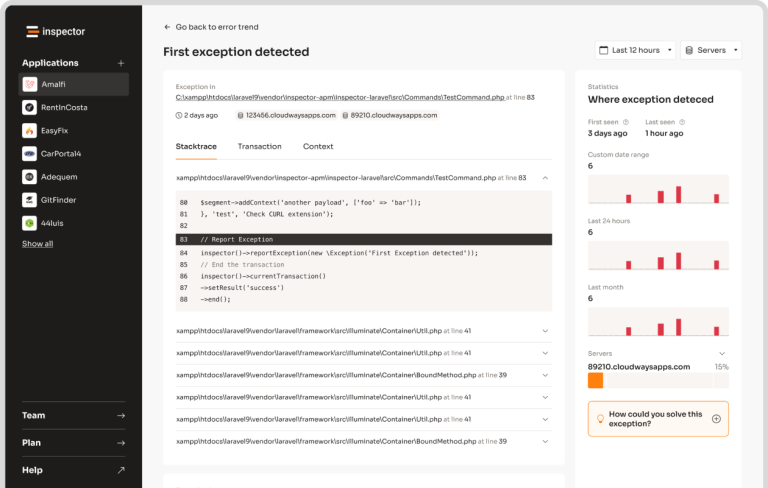
Learn more about Monitoring in the documentation.
Behind the scenes
This package is built on top of the Neuron AI Workflow component, just like the Agent class, but designed toward a specific use case: collecting structured data from the user conversation.
- Neuron AI Workflow: https://docs.neuron-ai.dev/workflow/getting-started
- Neuron AI Agent: https://docs.neuron-ai.dev/agent/agent
- Neuron AI Structured Output: https://docs.neuron-ai.dev/agent/structured-output
Contribution
You are welcome to contribute to this project by submitting pull requests or issues.
neuron-core/ai-form 适用场景与选型建议
neuron-core/ai-form 是一款 基于 PHP 开发的 Composer 扩展包,目前已累计 12 次下载、GitHub Stars 达 13, 最近一次更新时间为 2026 年 04 月 01 日, 在 PHP 生态内属于活跃度较高的组件。
我们在过去多个企业项目中使用过 neuron-core/ai-form 或与其功能相近的方案,如果你在选型或落地过程中遇到问题,例如 版本兼容、二次改造、私有化封装、与内部系统对接、生产 BUG 排查,欢迎联系我们协助评估。
基于 neuron-core/ai-form 在你已有业务上做功能扩展、字段裁剪、UI 适配、与内部账号 / 权限 / 日志系统的深度对接。
线上偶发问题、内存泄漏、慢查询、并发异常等排查修复;针对高流量场景做缓存、队列、索引层面的调优。
承接完整的项目从需求 → 设计 → 开发 → 上线 → 长期运维;也可按月提供技术保姆服务。
统计信息
- 总下载量: 12
- 月度下载量: 0
- 日度下载量: 0
- 收藏数: 13
- 点击次数: 20
- 依赖项目数: 0
- 推荐数: 0
其他信息
- 授权协议: MIT
- 更新时间: 2026-04-01