pragmarx/ci
最新稳定版本:v0.10.0
Composer 安装命令:
composer require --dev pragmarx/ci
包简介
A Self-Hosted TDD Dashboard & Tests Watcher
关键字:
README 文档
README
A Self-Hosted TDD Dashboard & Tests Watcher
What is it?
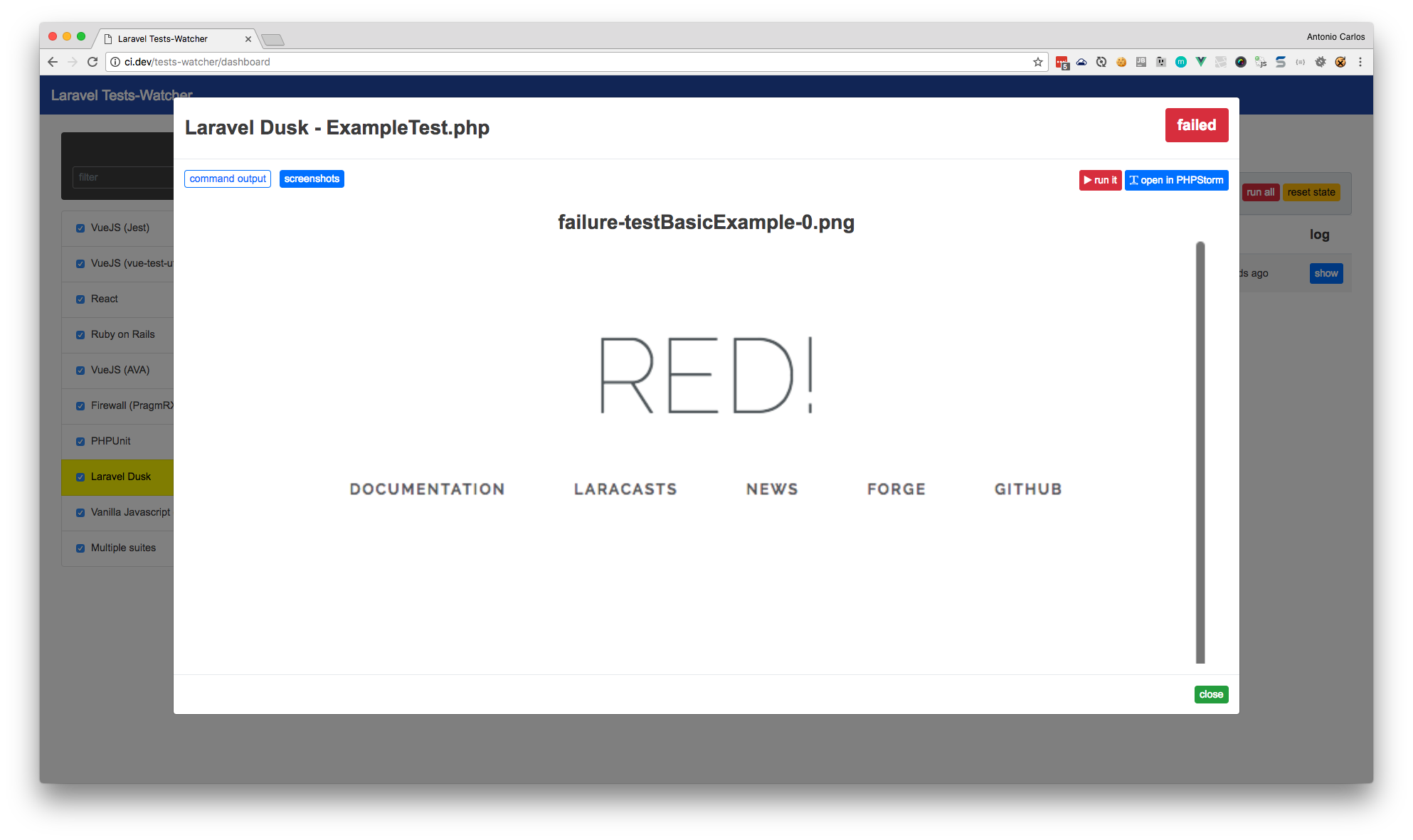
TDD Dashboard, is an app (built as a Laravel PHP package) to watch and run all your tests during development. It supports any test framework working on terminal, and comes with some testers (PHPUnit, phpspec, behat, Jest, AVA...) preconfigured, but you can easily add yours, just tell it where the executable is and it's done. It also shows the progress of your tests, let you run a single test or all of them, and open your favorite code editor (PHPStorm, VSCode, Sublime Text, etc.) going right to the failing line of your test. If your test framework generate screenshots, it is also able to show it in the log page, with all the reds and greens you are used to see in your terminal.
It uses Laravel as motor, but supports (and has been tested with) many languages, frameworks and testing frameworks:
- PHPUnit
- Laravel & Laravel Dusk
- Codeception
- phpspec
- Behat
- atoum
- Jest
- AVA
- React
- Ruby on Rails
- Nette Tester
- Symfony
Features
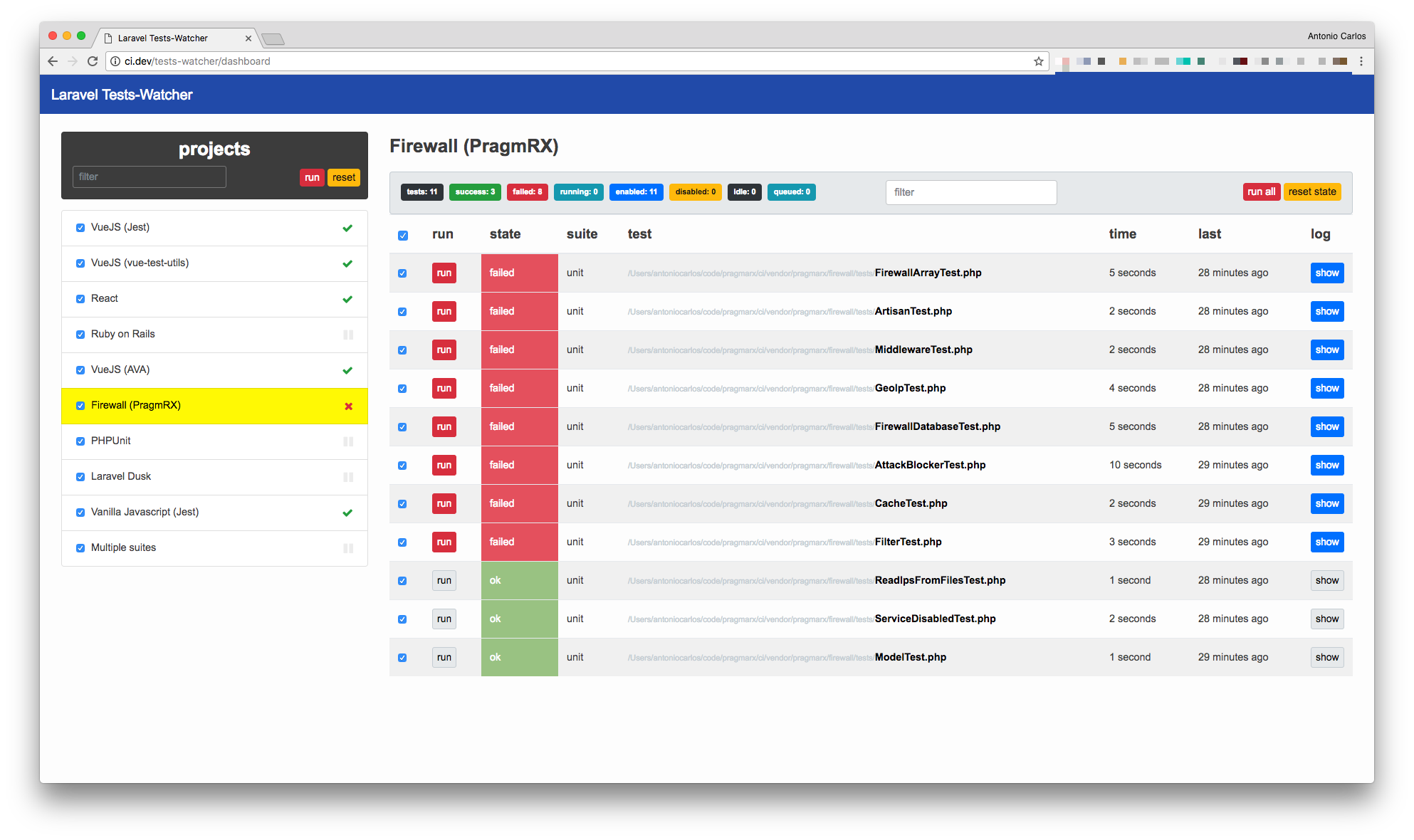
- Project List: click a project link to see all its tests.
- Open files directly in your source code editor (PHPStorm, Sublime Text...).
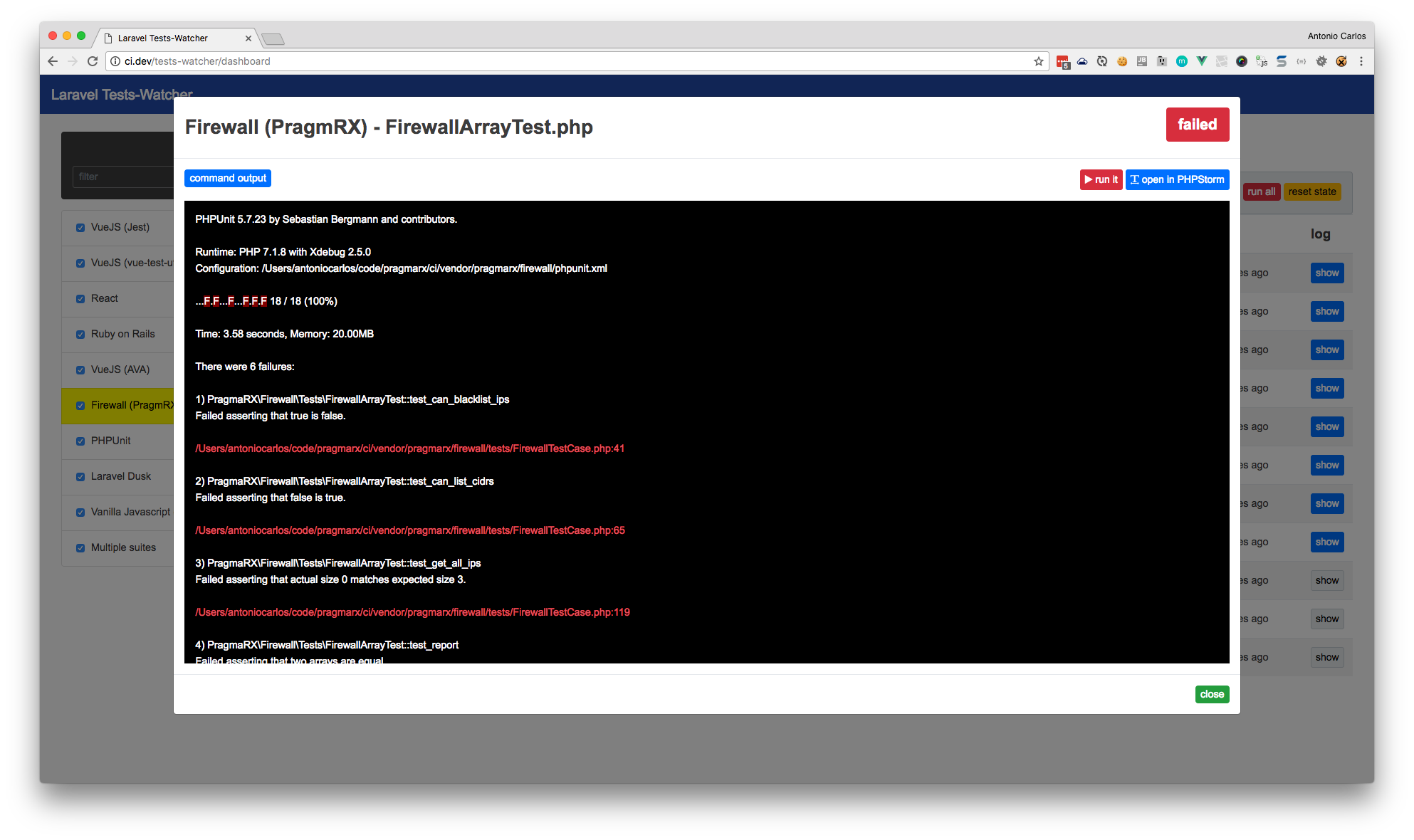
- Error log with source code linked, go strait to the error line in your source code.
- Enable/disable a test. Once disabled if the watcher catches a change in resources, that test will not fire.
- Real time test state: "idle", "running", "queued", "ok" and "failed".
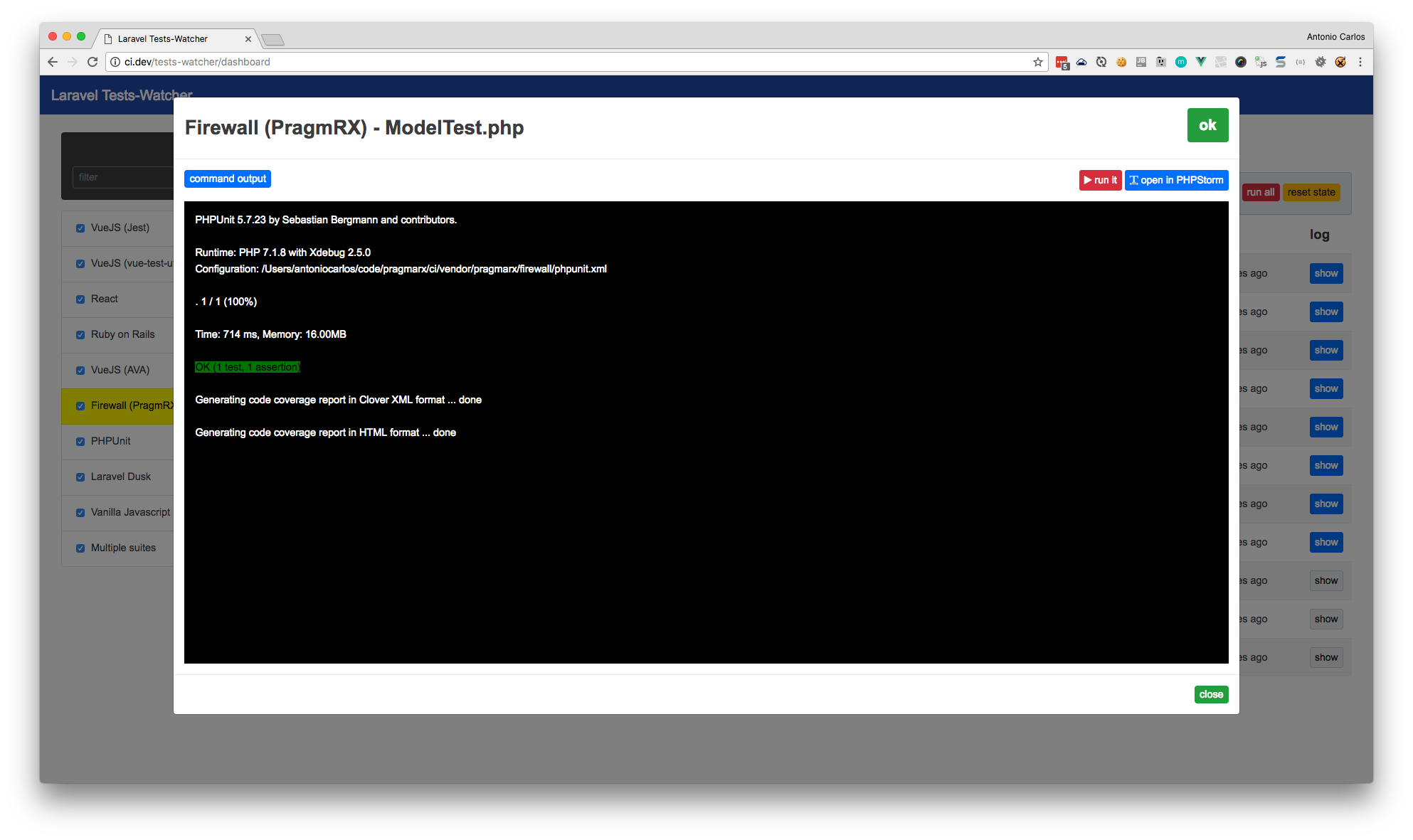
- "Show" button, to display the error log of failed tests.
- Highly configurable, watch anything and test everything!
Videos
Screenshots
Dashboard
Error Log
Command Line Interface
The Artisan commands Watcher and Tester are responsible for watching resources and firing tests, respectively:
Watcher
Keep track of your files and enqueue your tests every time a project or test file is changed. If a project file changes, it will enqueue all your tests, if a test file changes, it will enqueue only that particular test. This is how you run it:
php artisan tddd:watch
Tester
Responsible for taking tests from the run queue, execute it and log the results. Tester will only execute enabled tests. This is how you run it:
php artisan tddd:test
Notifications
It uses JoliNotif, so if it's not working on macOS, you can try installing terminal-notifier:
brew install terminal-notifier
Test Framework Compatibility
This package was tested and is known to be compatible with
Installing
TL;DR
laravel new tddd
cd tddd
composer require pragmarx/tddd
php artisan vendor:publish --provider="PragmaRX\Tddd\Package\ServiceProvider"
valet link tddd
# configure database on your .env
php artisan migrate
php artisan tddd:watch & php artisan tddd:work &
open http://tddd.dev/tests-watcher/dashboard
Examples & Starter App
For lots of examples, check this starter app, which will also help you create an independent dashboard for your tests.
The long version
Require it with Composer:
composer require pragmarx/tddd
Create a database, configure on your Laravel app and migrate it
php artisan migrate
Publish Ci configuration:
On Laravel 4.*
Add the service provider to your app/config/app.php:
'PragmaRX\Tddd\Package\ServiceProvider',
php artisan config:publish pragmarx/tddd
On Laravel 5.*
php artisan vendor:publish --provider="PragmaRX\Tddd\Package\ServiceProvider"
Example of projects
Laravel Dusk
'project bar (dusk)' => [
    'path' => $basePath,
    'watch_folders' => [
        'app',
        'tests/Browser'
    ],
    'exclude' => [
        'tests/Browser/console/',
        'tests/Browser/screenshots/',
    ],
    'depends' => [],
    'tests_path' => 'tests',
    'suites' => [
        'browser' => [
            'tester' => 'dusk',
            'tests_path' => 'Browser',
            'command_options' => '',
            'file_mask' => '*Test.php',
            'retries' => 0,
        ],
    ],
],
Troubleshooting
Tests are running fine in terminal but failing in the dashboard?
You have first to remember they are being executed in isolation, and, also, the environment is not exactly the same, so things like a cache and session may affect your results.
Requirements
- Laravel 4.1+ or 5
- PHP 5.3.7+
Author
License
Laravel Ci is licensed under the BSD 3-Clause License - see the LICENSE file for details
Contributing
Pull requests and issues are welcome.
pragmarx/ci 适用场景与选型建议
pragmarx/ci 是一款 基于 Vue 开发的 Composer 扩展包,目前已累计 1.44k 次下载、GitHub Stars 达 725, 最近一次更新时间为 2014 年 11 月 24 日, 在 PHP 生态内属于活跃度较高的组件。
它主要适用于以下技术方向: 「testing」 「phpunit」 「BDD」 「Behat」 「TDD」 「atoum」 等业务场景。在实际项目中,围绕这些方向常见需要落地的问题包括:接口对接、性能调优、并发安全、与既有框架(Laravel / ThinkPHP / Yii / Webman 等)的兼容适配,以及生产环境的日志埋点与稳定性保障。
我们在过去多个企业项目中使用过 pragmarx/ci 或与其功能相近的方案,如果你在选型或落地过程中遇到问题,例如 版本兼容、二次改造、私有化封装、与内部系统对接、生产 BUG 排查,欢迎联系我们协助评估。
基于 pragmarx/ci 在你已有业务上做功能扩展、字段裁剪、UI 适配、与内部账号 / 权限 / 日志系统的深度对接。
线上偶发问题、内存泄漏、慢查询、并发异常等排查修复;针对高流量场景做缓存、队列、索引层面的调优。
承接完整的项目从需求 → 设计 → 开发 → 上线 → 长期运维;也可按月提供技术保姆服务。
与 pragmarx/ci 相关的其它包
同方向 / 同关键字的高下载量 PHP Composer 包推荐,方便对比选型:
Helper that decorates any SUS with a phpspec lazy object wrapper
Behat Context for testing Symfony Api
Provides access to magento2 object manager from behat and allows to change magento config settings temporarly
HiDev plugin for PHPUnit
Testing Suite For Lumen like Laravel does.
A cli tool which generates unit tests.
统计信息
- 总下载量: 1.44k
- 月度下载量: 0
- 日度下载量: 0
- 收藏数: 727
- 点击次数: 23
- 依赖项目数: 0
- 推荐数: 0
其他信息
- 授权协议: MIT
- 更新时间: 2014-11-24