pushpanda/craft-pushpanda
最新稳定版本:1.0.2
Composer 安装命令:
composer require pushpanda/craft-pushpanda
包简介
Easly integrate PushPanda.io Web Push Notifications in your Craft CMS website.
README 文档
README
Easly integrate Web Push Notifications into your CRAFT CMS project.

Requirements
This plugin requires Craft CMS 4.0.0 or later.
Installation
To install the plugin, follow these instructions.
-
Open your terminal and go to your Craft project:
cd /path/to/project -
Then tell Composer to load the plugin:
composer require pushpanda/craft-pushpanda -
In the Control Panel, go to Settings → Plugins and click the “Install” button for PushPanda.io - Web Push Notifications.
Overview
No matter what content you want to distribute, with web push notifications, you will always reach your target group with pinpoint accuracy and no wasted coverage. Online marketing has never been easier.
Configuring PushPanda.io Plugin
To configure the plugin please follow these steps. If you already have an account skip the first two steps.
- Register a PushPanda.io Account
- Set up your PushPanda Project and add your website domain
- Copy your PushPanda Project-ID
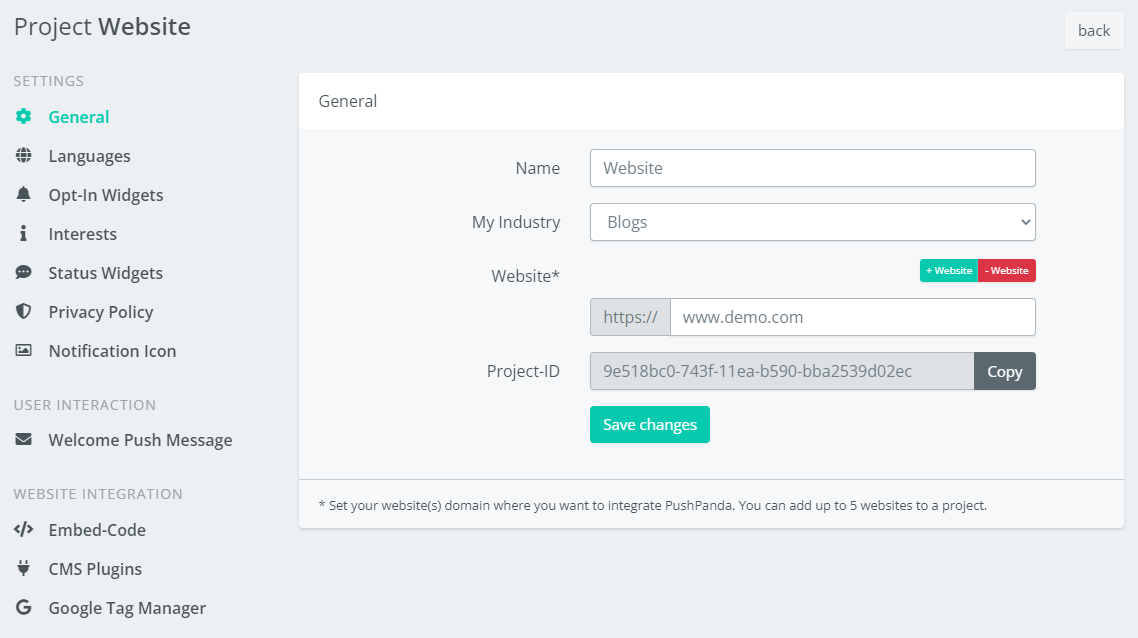
- Insert your Project-ID in the Plugin Settings
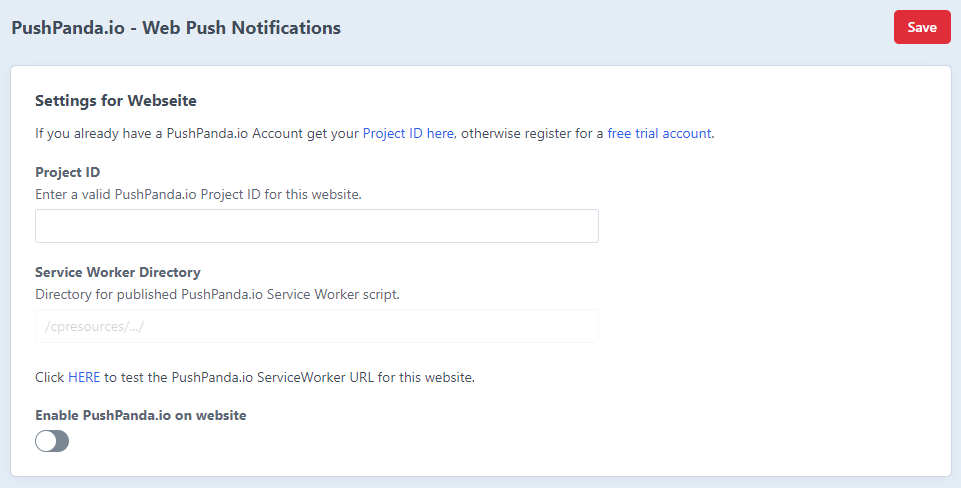
- Toogle Enable switch


And you're done integrating PushPanda.io in your Craft CMS website.
For Sending Campaigns and Configuring your Opt-In Widgets please use your PushPanda.io Backend.
Documentation & Support
Overview, configuration, how-to guides, support:
https://support.pushpanda.io/en/
Brought to you by PushPanda.io
统计信息
- 总下载量: 22
- 月度下载量: 0
- 日度下载量: 0
- 收藏数: 0
- 点击次数: 2
- 依赖项目数: 0
- 推荐数: 0
其他信息
- 授权协议: MIT
- 更新时间: 2022-12-16