rewaj56/flowsense
Composer 安装命令:
composer create-project rewaj56/flowsense
包简介
FlowSense - A Laravel package providing a floating debug toolbar with detailed route, query, view, performance, request, and log information.
README 文档
README
FlowSense is a Laravel package that provides a developer toolbar and detailed route information. With FlowSense, you can inspect your routes, queries, view data, request info, and performance metrics directly from your browser without leaving your application.
It’s designed for both new developers navigating a large Laravel codebase and experienced developers who want a quick debugging panel.
Features
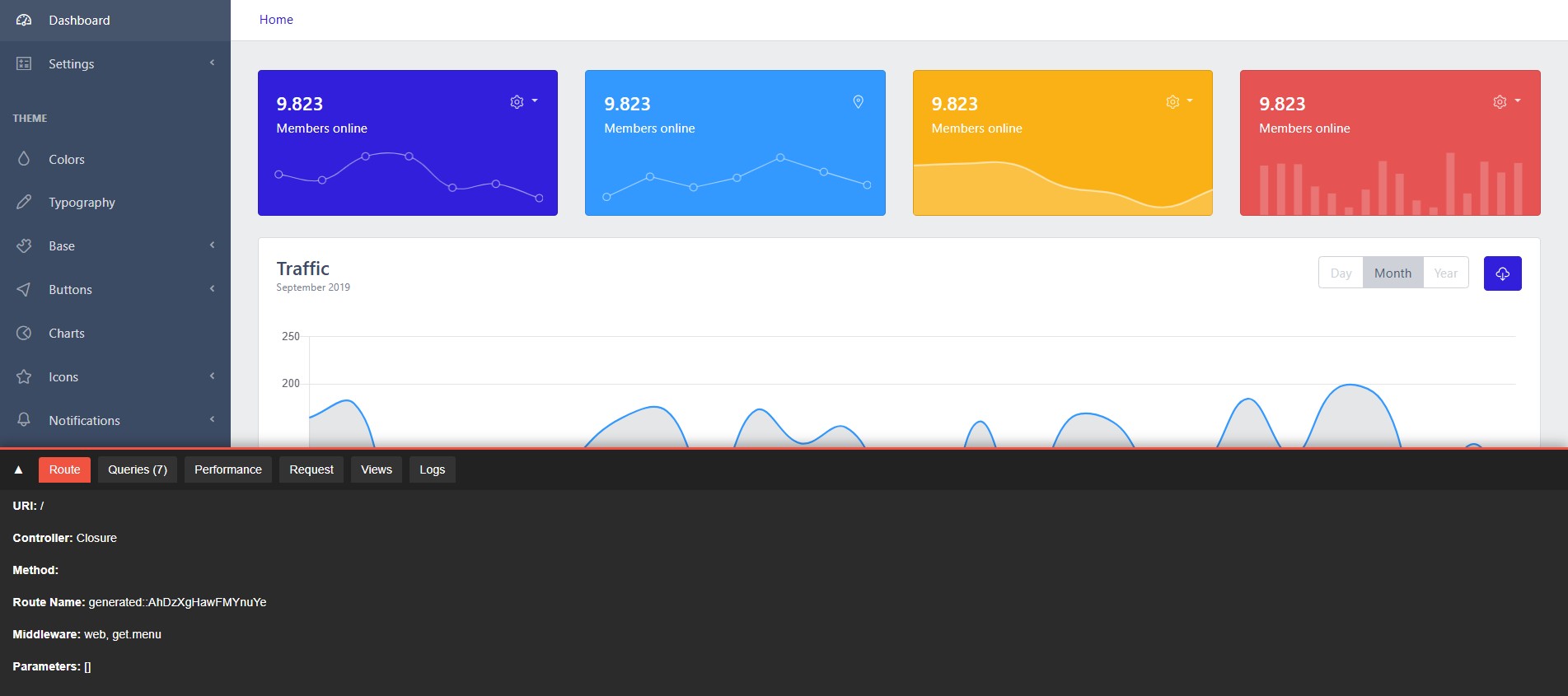
- Route Information: Displays the current route’s URI, controller, method, route name, middleware, and parameters.
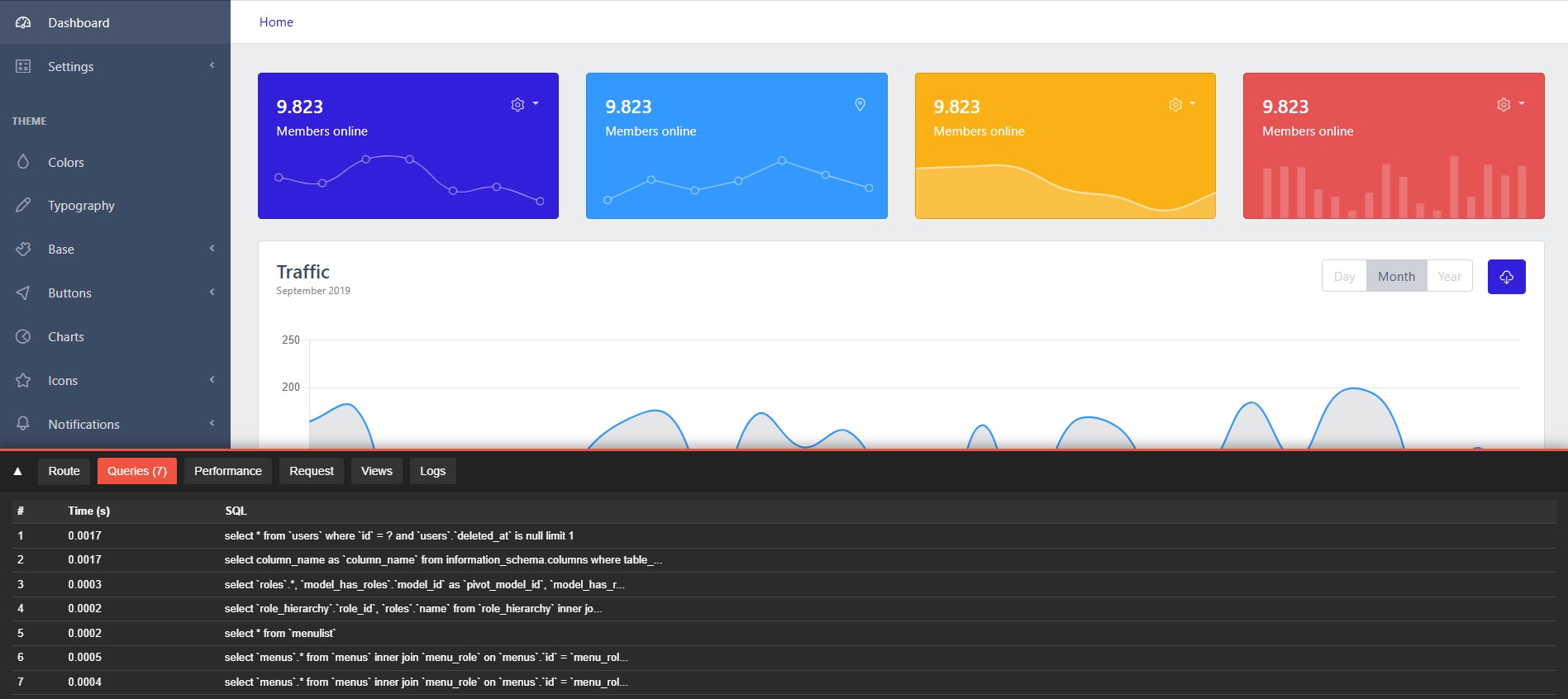
- Database Queries: Shows executed SQL queries, bindings, execution time, and highlights slow queries.
- Performance Metrics: Response time, total DB query time, memory usage, peak memory, PHP version, and Laravel version.
- Request Info: HTTP method, URL, query parameters, headers, and cookies.
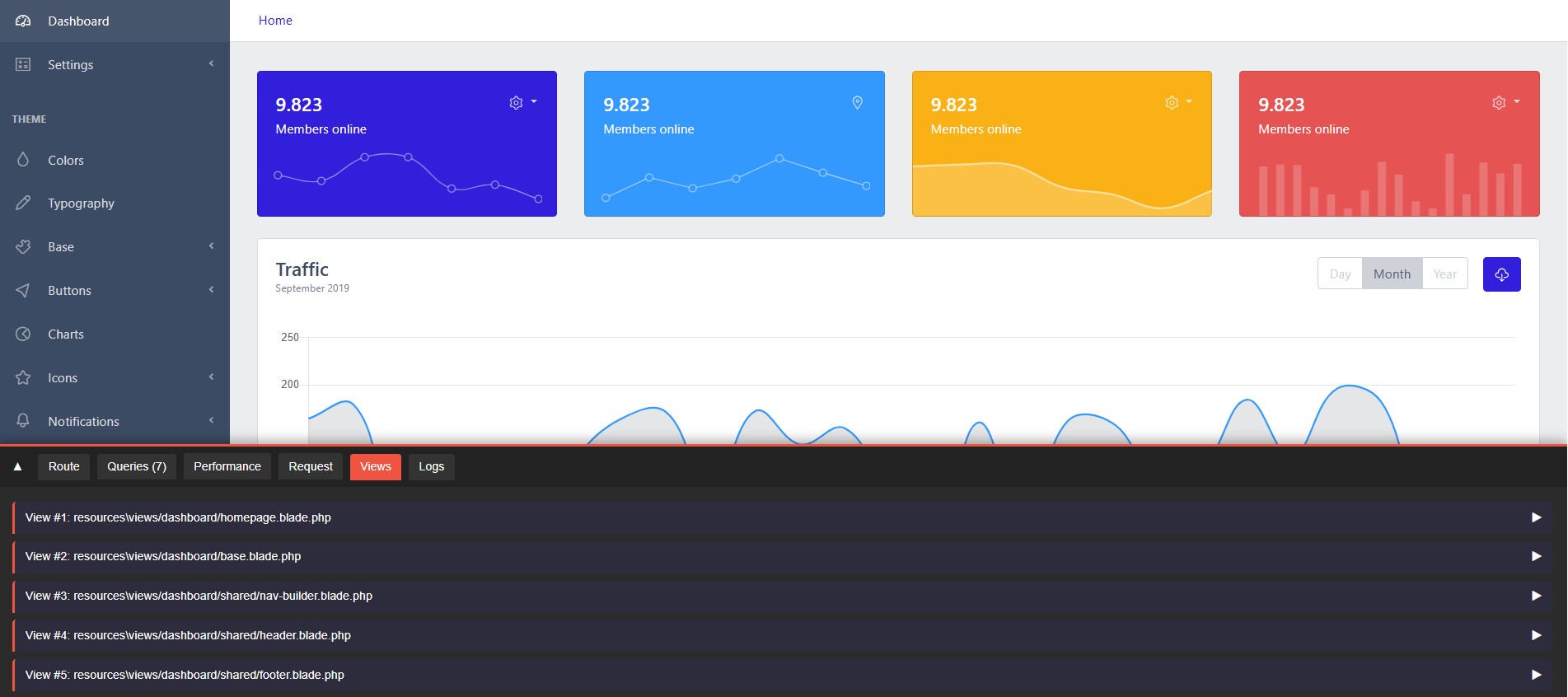
- Views Debugging: Lists views rendered during the request along with the variables passed to each view.
- Logs: Displays application logs for the current request.
- Collapsible Toolbar: Toolbar can be collapsed/expanded for minimal interference.
- Customizable UI: Easily style the toolbar using your application’s accent colors.
Screenshots
Toolbar
Queries
Views
Prerequisites
- PHP >= 7.4
- Composer
- Laravel >= 8.x
Installation
Using Composer
To install FlowSense, add it to your Laravel project via Composer:
composer require rewaj56/flowsense
Register Service Provider
In Laravel, the package’s service provider should be automatically discovered. If not, add it manually to your config/app.php providers array:
Rewaj56\Flowsense\Providers\FlowSenseServiceProvider::class,
Add Middleware
The middleware is automatically registered to the web middleware group. Ensure your Kernel.php includes:
protected $middlewareGroups = [
    'web' => [
        // Other middleware...
        \Rewaj56\Flowsense\Http\Middleware\FlowSenseMiddleware::class,
    ],
];
Usage
Once installed, the toolbar appears at the bottom of your application pages. Click the tabs to view:
- Route: Current route details
- Queries: Executed SQL queries and timings
- Performance: Memory, response time, and PHP/Laravel versions
- Request: Method, headers, cookies, query parameters
- Views: Rendered views with passed variables
- Logs: Application logs
You can collapse the toolbar by clicking the arrow on the top-left corner.
Common Issues & Notes
- Views Data Empty: If you don’t see variables in the Views tab, ensure you are using
View::composer('*', ...)in the ServiceProvider. - Query/SQL Data Missing: Queries are only tracked when
app.debugistrue. - Asset 404 Errors: If CSS/JS files fail to load, run
php artisan vendor:publish --tag=flowsense-assetsand ensurepublic/vendor/flowsenseexists. - JS Errors on Page Load: Wrap JS code inside
document.addEventListener("DOMContentLoaded", ...)to avoid errors when toolbar elements aren’t yet rendered. - Performance Impact: The toolbar collects queries, views, and logs, so use only in local or debug environments, not in production.
Customization
- Toolbar Colors: Update
resources/views/vendor/flowsense/css/flowsense-toolbar.cssor override styles in your app. - Tabs & Panels: Add/remove tabs by modifying
bar.blade.phpand the corresponding JS.
License
统计信息
- 总下载量: 0
- 月度下载量: 0
- 日度下载量: 0
- 收藏数: 0
- 点击次数: 5
- 依赖项目数: 0
- 推荐数: 0
其他信息
- 授权协议: MIT
- 更新时间: 2026-01-28