sgvcode/filament-kanban
Composer 安装命令:
composer require sgvcode/filament-kanban
包简介
Kanban boards for Filament PHP — maintained fork for Filament 5.x
README 文档
README
Important
Version 3.x is the current release for Filament 5.x and Laravel 11/12/13.
This is a community-maintained fork of mokhosh/filament-kanban, updated for Filament 5.x and Laravel 13. The original package is no longer actively maintained.
Note
For Filament 3.x (Laravel 9/10/11), use version 2.x from the original maintainer: composer require mokhosh/filament-kanban:^2.0
Requirements
- PHP 8.2+
- Filament 5.x
- Laravel 11.x / 12.x / 13.x
- Livewire 4.x (included with Filament 5.x)
Easily add Kanban board pages to your Filament panels.
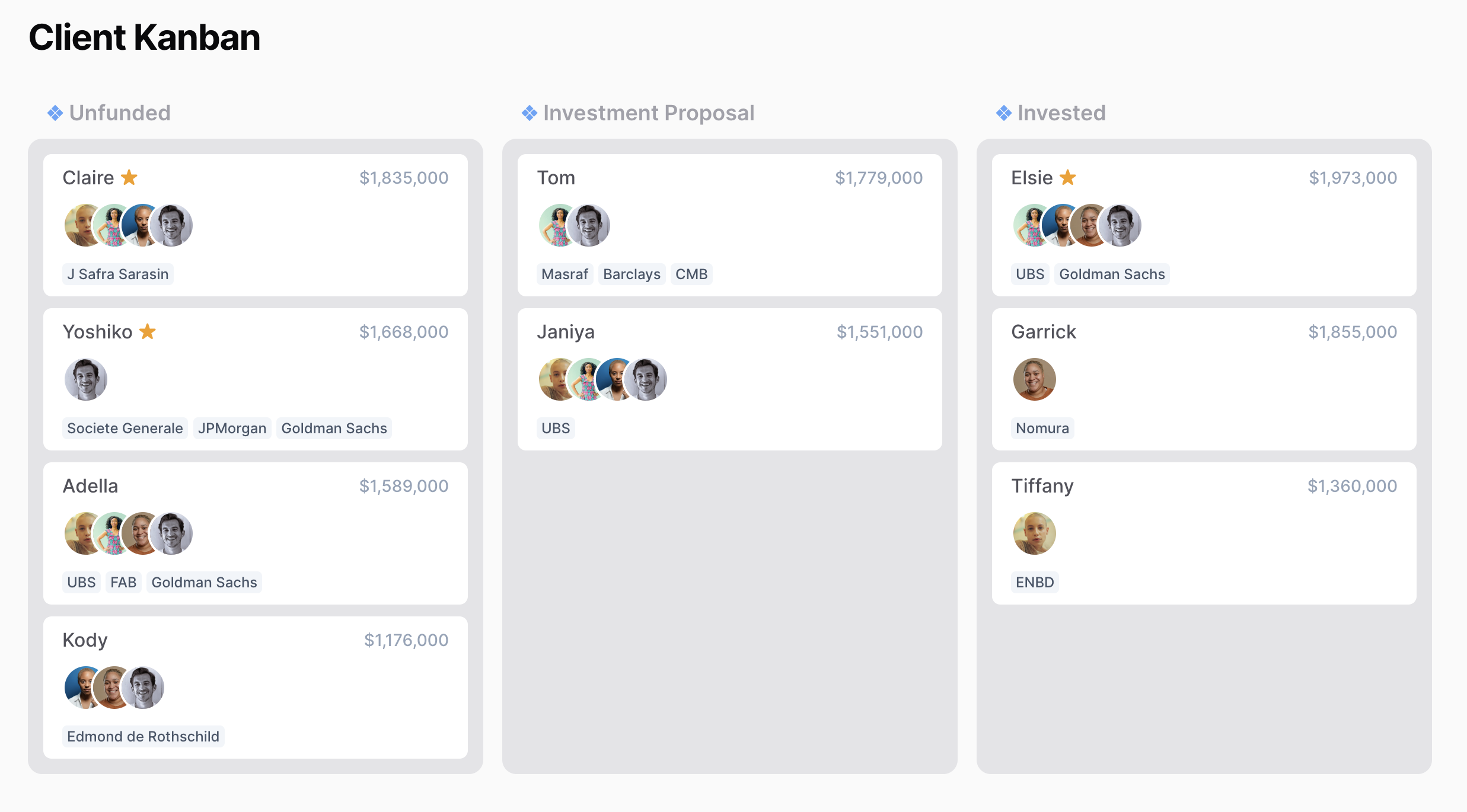
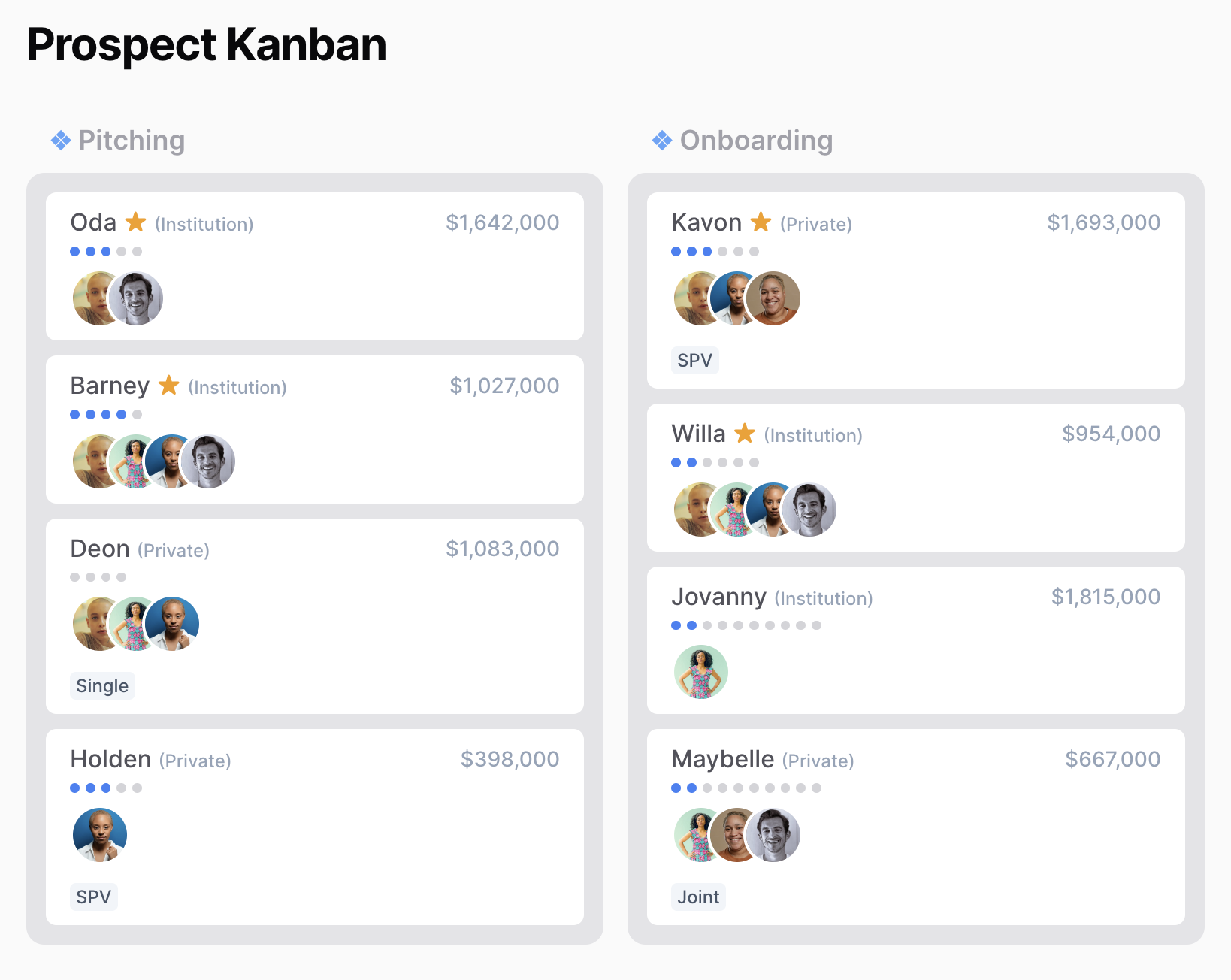
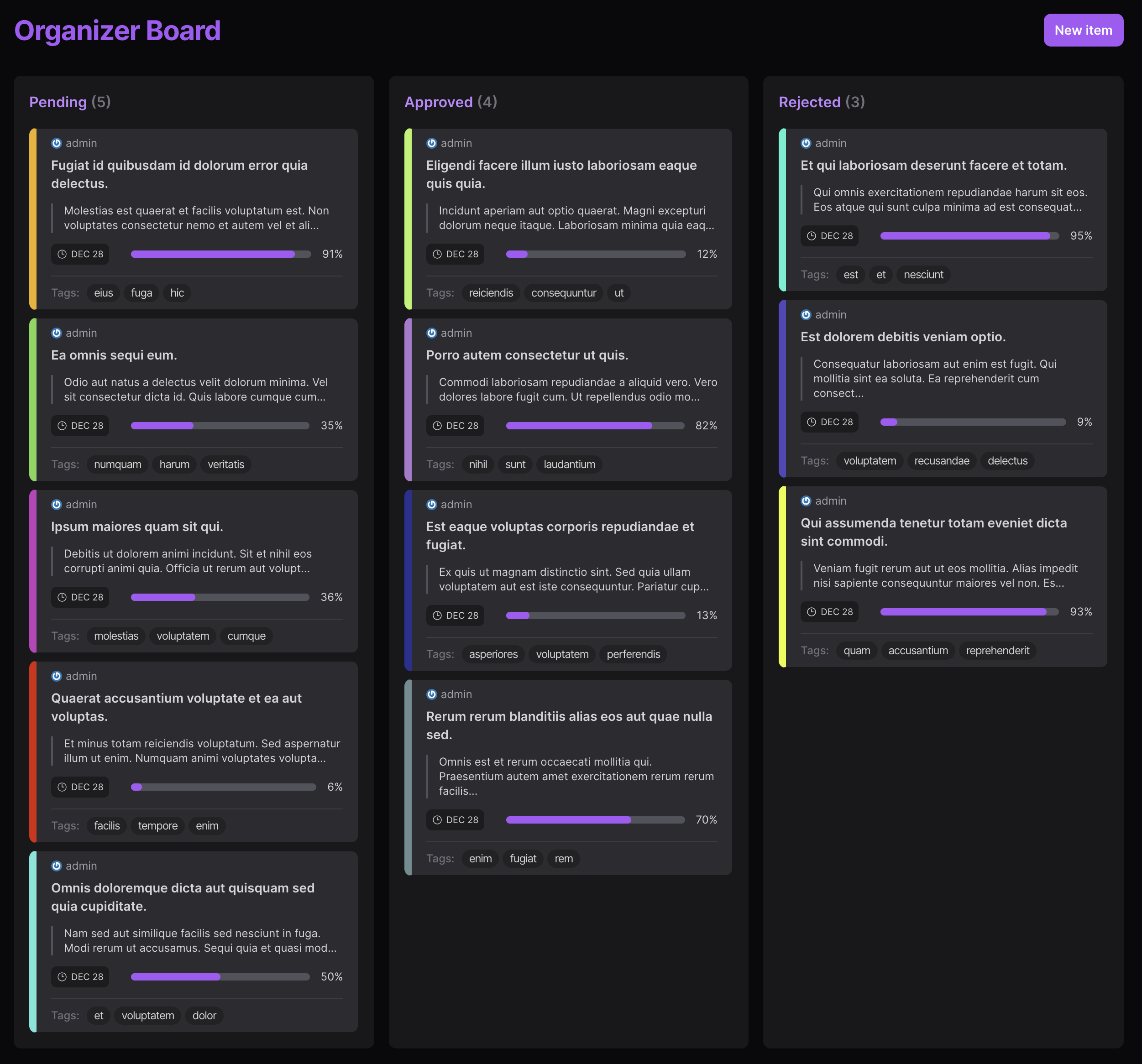
Installation
You can install the package via composer:
composer require sgvcode/filament-kanban
If the package is not available on Packagist, add the GitHub repository to your composer.json:
"repositories": [
    {
        "type": "vcs",
        "url": "https://github.com/sgvcode/filament-kanban"
    }
]
The package will auto-register with Filament. No additional installation steps required for Filament 5.x.
Before You Start
Important
You should have some Model with a status column. This column can be called status in the database or anything else.
I'm also assuming there's a title column on your model, but you can have name or any other column to represent a title.
I recommend you create a string backed Enum to define your statuses.
You can use our IsKanbanStatus trait, so you can easily transform your enum cases for the Kanban board using the statuses method on your enum.
use Mokhosh\FilamentKanban\Concerns\IsKanbanStatus;

enum UserStatus: string
{
    use IsKanbanStatus;

    case User = 'User';
    case Admin = 'Admin';
}
I recommend you cast the status attribute on your Model to the enum that you have created.
Tip
I also recommend you use the Spatie Eloquent Sortable package on your Model, and we will magically add sorting abilities to your Kanban boards.
Usage
You can create a new Kanban board called UsersKanbanBoard using this artisan command:
php artisan make:kanban UsersKanbanBoard
This creates a good starting point for your Kanban board. You can customize the Kanban board to your liking.
You should override the model property, so we can load your records.
protected static string $model = User::class;
You should also override the statusEnum property, which defines your statuses.
protected static string $statusEnum = UserStatus::class;
Upgrade Guide
From 1.x to 2.x (Filament 3.x)
If you're upgrading from version 1.x, here is your checklist:
- You need to override
$modeland$statusEnumas mentioned in the last part - If you have published
kanban-record.blade.phpview, you can use$recordas aModelinstance instead of anarray. - If you're overriding
KanbanBoardmethods just to do the default behaviour, you can safely remove them now.
From 2.x to 3.x (Filament 5.x / Laravel 11-13)
If you're upgrading from version 2.x to work with Filament 5.x and Laravel 11, 12, or 13:
-
Update your
composer.json:"filament/filament": "^5.0", "illuminate/contracts": "^11.0|^12.0|^13.0"
-
Run
composer update -
If you have custom implementations using
InteractsWithForms, change toInteractsWithSchemas:use Filament\Schemas\Concerns\InteractsWithSchemas; trait YourTrait { use InteractsWithSchemas; }
-
If you're using the
getListeners()method, it now requires explicit implementation. TheHasStatusChangetrait handles this automatically. -
If you're using the edit modal, ensure your blade files use
wire:submitinstead ofwire:submit.prevent -
If you're using Spatie Eloquent Sortable, no changes needed - it works out of the box
Advanced Usage
You can override the records method, to customize how the records or items that you want to see on your board are retrieved.
protected function records(): Collection
{
    return User::where('role', 'admin')->get();
}
If you don't want to define an Enum for your statuses, or you have a special logic for retrieving your statuses, you can override the statuses method:
protected function statuses(): Collection
{
     return collect([
         ['id' => 'user', 'title' => 'User'],
         ['id' => 'admin', 'title' => 'Admin'],
     ]);
}
You can also override these methods to change your board's behavior when records are dragged and dropped:
onStatusChangedwhich defines what happens when a record is moved between statuses.onSortChangedwhich defines what happens when a record is moved inside the same status.
public function onStatusChanged(int|string $recordId, string $status, array $fromOrderedIds, array $toOrderedIds): void
{
    User::find($recordId)->update(['status' => $status]);
    User::setNewOrder($toOrderedIds);
}

public function onSortChanged(int|string $recordId, string $status, array $orderedIds): void
{
    User::setNewOrder($orderedIds);
}
Customizing the Status Enum
If you add IsKanbanStatus to your status Enum, this trait adds a static statuses() method to your enum that will return the statuses defined in your enum in the appropriate format.
If you don't want all cases of your enum to be present on the board, you can override this method and return a subset of cases:
public static function kanbanCases(): array
{
    return [
        static::CaseOne,
        static::CaseThree,
    ];
}
IsKanbanStatus uses the value of your cases for the title of your statuses. You can customize how the title is retrieved as well:
public function getTitle(): string
{
    return __($this->label());
}
Edit modal
Disabling the modal
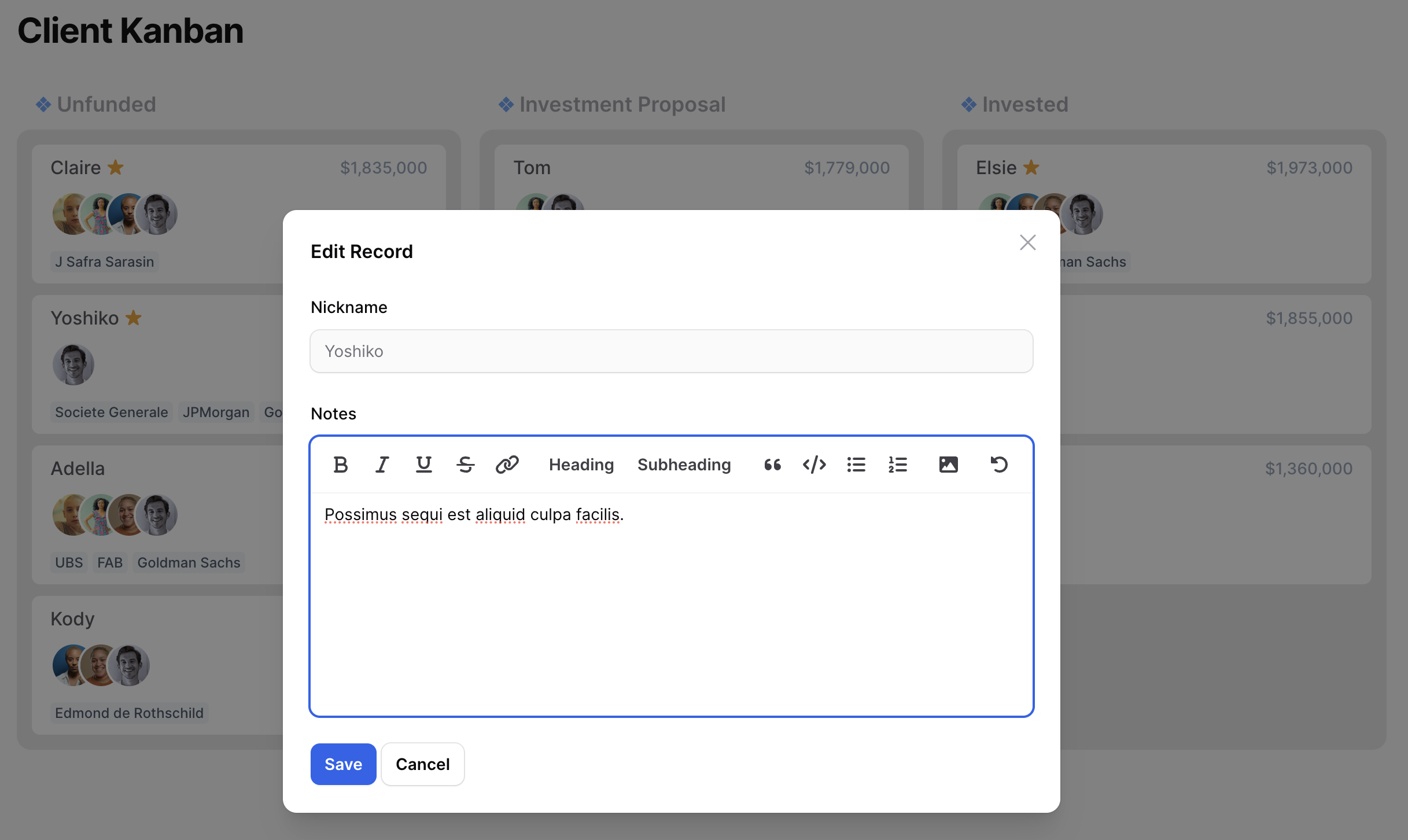
Edit modal is enabled by default, and you can show it by clicking on records.
If you need to disable the edit modal override this property:
public bool $disableEditModal = false;
Edit modal form schema
You can define the edit modal form schema by overriding this method:
protected function getEditModalFormSchema(int|string|null $recordId): array
{
    return [
        TextInput::make('title'),
    ];
}
As you can see you have access to the id of the record being edited, if that's helpful in building your schema.
Customizing edit form submit action
You can define what happens when the edit form is submitted by overriding this method:
protected function editRecord(int|string $recordId, array $data, array $state): void
{
    Model::find($recordId)->update([
        'phone' => $data['phone']
    ]);
}
The data array contains the form data, and the state array contains the full record data.
Customizing modal's appearance
You can customize modal's title, size and the labels for save and cancel buttons, or use Filament's slide-over instead of a modal:
protected string $editModalTitle = 'Edit Record';

protected string $editModalWidth = '2xl';

protected string $editModalSaveButtonLabel = 'Save';

protected string $editModalCancelButtonLabel = 'Cancel';

protected bool $editModalSlideOver = true;
Customization
Changing the navigation icon
protected static ?string $navigationIcon = 'heroicon-o-document-text';
Changing the model property that's used as the title
protected static string $recordTitleAttribute = 'title';
Changing the model property that's used as the status
protected static string $recordStatusAttribute = 'status';
Customizing views
You can publish the views using this artisan command:
php artisan vendor:publish --tag="filament-kanban-views"
I recommend you delete the files that you don't intend to customize and keep the ones you want to change. This way you will get any possible future updates for the original views.
The above method will replace the views for all Kanban boards in your applications.
Alternatively, you might want to change views for one of your boards. You can override each view by overriding these properties:
protected static string $view = 'filament-kanban::kanban-board';

protected static string $headerView = 'filament-kanban::kanban-header';

protected static string $recordView = 'filament-kanban::kanban-record';

protected static string $statusView = 'filament-kanban::kanban-status';

protected static string $scriptsView = 'filament-kanban::kanban-scripts';
Flashing Recently Updated Records
You get some visual feedback when a record has been just updated.
If you're also using Spatie Eloquent Sortable you might experience all records being flashed at the same time. This is because Eloquent Sortable updates the order_column of all models when the sort changes.
In order to fix that, publish their config and set ignore_timestamps to true.
Video Tutorial
Are you a visual learner? I have created some Youtube videos to get you started with the package:
Warning
These videos were recorded with version 1.x of the package. For version 2.x/3.x (Filament 5.x), the setup is much simpler and requires less code.
You can still learn the basics, but the implementation details have changed significantly.
Demos and Examples
Testing
composer test
Changelog
Please see CHANGELOG for more information on what has changed recently.
Contributing
Please see CONTRIBUTING for details.
Security Vulnerabilities
Please review our security policy on how to report security vulnerabilities.
Credits
- Mo Khosh
- All Contributors
- The original idea and structure of this package was inspired by David Vincent's filament-kanban-board (for Filament 2.x/3.x)
License
The MIT License (MIT). Please see License File for more information.
统计信息
- 总下载量: 0
- 月度下载量: 0
- 日度下载量: 0
- 收藏数: 1
- 点击次数: 2
- 依赖项目数: 0
- 推荐数: 0
其他信息
- 授权协议: MIT
- 更新时间: 2026-06-19