sherocommerce/module-featuredproduct
Composer 安装命令:
composer require sherocommerce/module-featuredproduct
包简介
Magento 2 Featured Product Module
README 文档
README
FeaturedProduct Module
This Magento 2 module adds a custom featured product block to the homepage, with configurable options for SKU and image placement.
Features
- Product SKU Configuration: Set the featured product SKU directly from the admin panel via the system configuration.
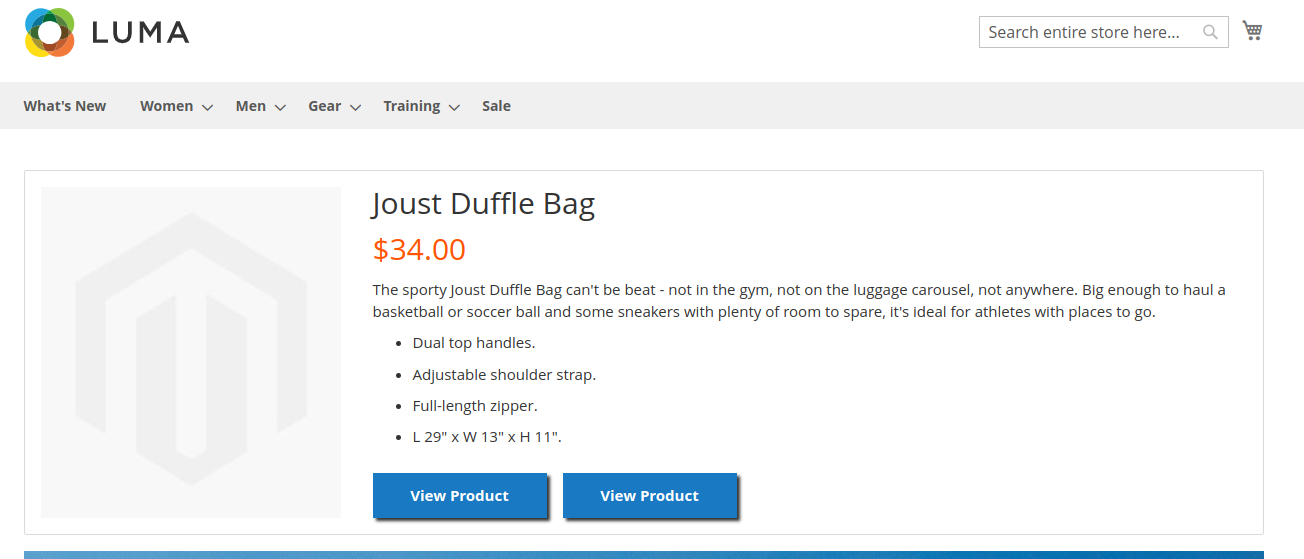
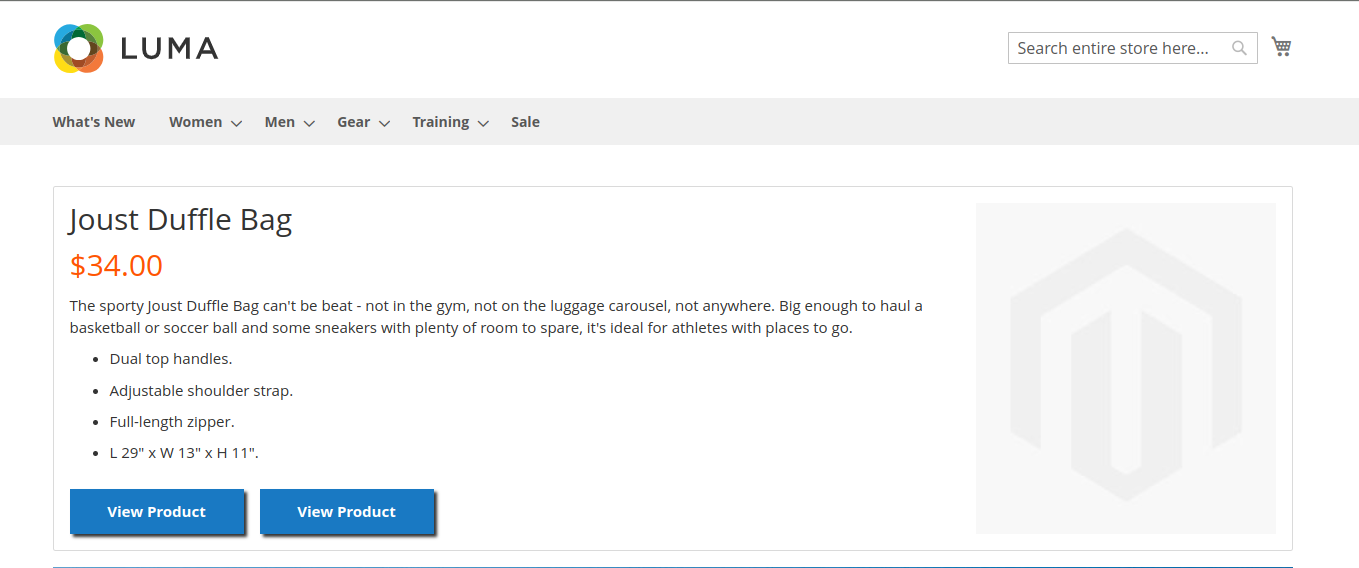
- Image Placement Option: Choose where the product image appears on desktop view — either on the left or the right of the product details.
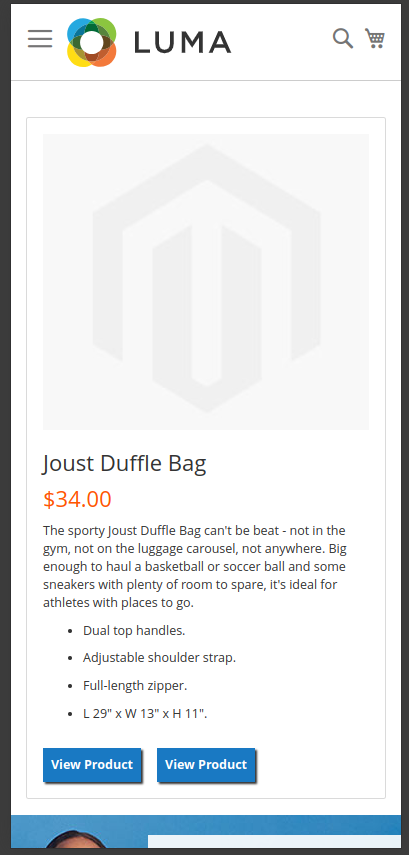
- Responsive Design: The block is fully responsive, with a two-column layout on desktop and a one-column layout on mobile.
- No SKU? No Block!: If no SKU is set in the configuration, the block will not be displayed.
Requirements
- Magento Version: Tested on Magento 2.4.6-p3.
- PHP Version: Compatible with PHP 8.0+ (tested on PHP 8.1).
Installation
Type 1: Zip file
- Unzip the zip file in
app/code/SheroCommerce - Enable the module by running
php bin/magento module:enable SheroCommerce_FeaturedProduct - Apply database updates by running
php bin/magento setup:upgrade* - Flush the cache by running
php bin/magento cache:flush
Type 2: Composer
- Install the module composer by running
composer require sherocommerce/module-featuredproduct:dev-main - Enable the module by running
php bin/magento module:enable SheroCommerce_FeaturedProduct - Apply database updates by running
php bin/magento setup:upgrade* - Flush the cache by running
php bin/magento cache:flush
Configuration
After installation, the module can be configured via the Magento admin panel:
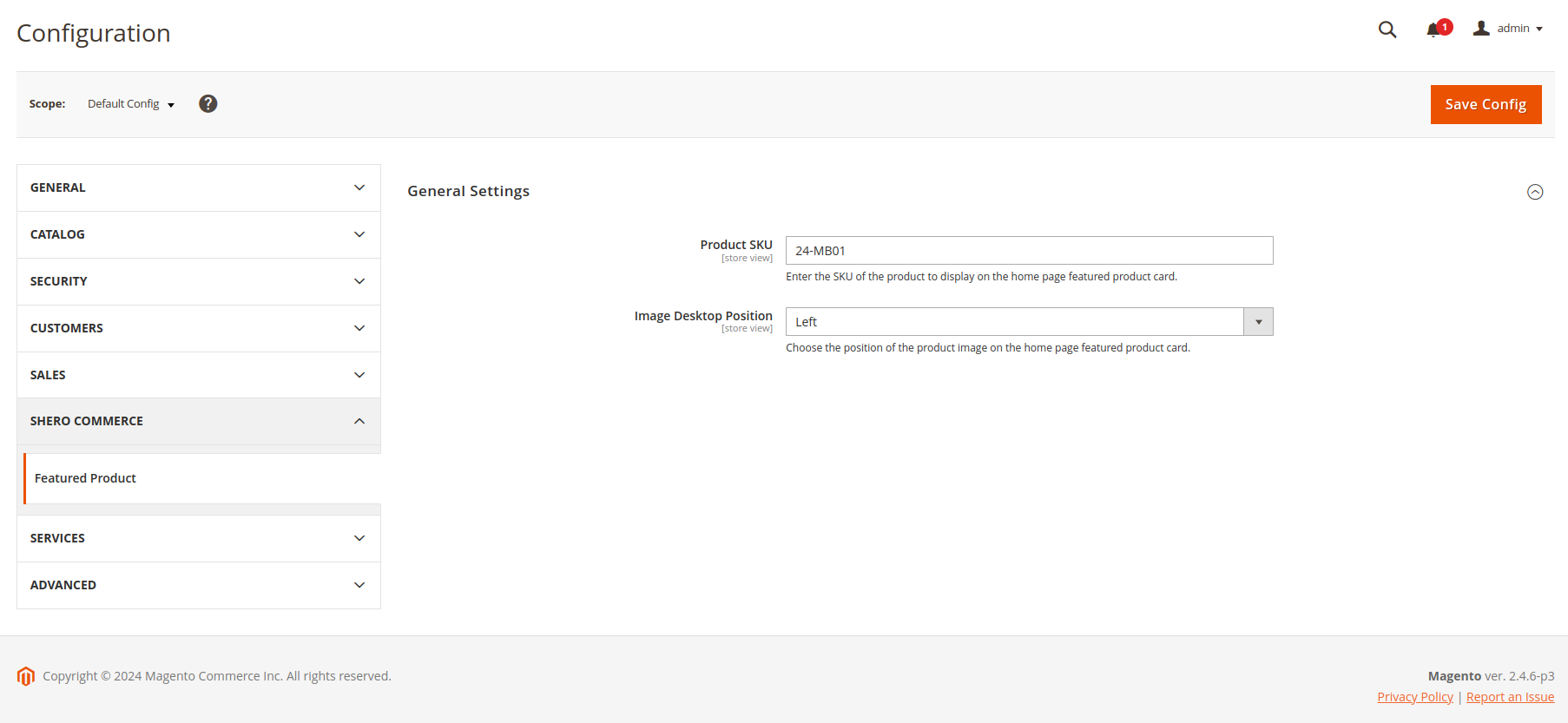
- Navigate to Stores > Configuration > Shero Commerce > Featured Product.
- Product SKU: Enter the SKU of the featured product you want to display.
- Image Placement: Select "Left" or "Right" to determine where the product image will appear relative to the details on the desktop version.
Notes
- CSS BEM Methodology: The LESS styles follow the BEM methodology for better structure and maintainability.
- PHPCS Standard: Applied Magento2 PHPCS coding standards.
- General vs Specific Classes: I intended to create more general classes, but those are better suited for theme-level scope.
Screenshots
-
Desktop Layout - Image on the Left:
-
Mobile Layout:
-
Desktop Layout - Image on the Right:
-
Product Configuration:


统计信息
- 总下载量: 1
- 月度下载量: 0
- 日度下载量: 0
- 收藏数: 0
- 点击次数: 1
- 依赖项目数: 0
- 推荐数: 0
其他信息
- 授权协议: proprietary
- 更新时间: 2024-10-18