tapp/filament-google-autocomplete-field
Composer 安装命令:
composer require tapp/filament-google-autocomplete-field
包简介
Filament plugin that provides a Google Autocomplete field
关键字:
README 文档
README


This plugin provides an address autocomplete using Google Place autocomplete API, with fully customizable address fields.
Note
The Google Places API package is used to make API requests to Google Places.
Version Compatibility
| Filament | Filament Google Autocomplete Field | Documentation |
|---|---|---|
| 4.x/5.x | 4.x | Current |
| 3.x | 1.x | Check the docs |
Installation
You can install the package via Composer:
composer require tapp/filament-google-autocomplete-field:"^4.0"
You can publish the config file with:
php artisan vendor:publish --tag="filament-google-autocomplete-field-config"
This is the contents of the published config file:
return [

    'api-key' => env('GOOGLE_PLACES_API_KEY', ''),
    'verify-ssl' => true,
    'throw-on-errors' => false,

];
Optionally, you can publish the translation files with:
php artisan vendor:publish --tag="filament-google-autocomplete-field-translations"
Setup
On Google console, create an application and enable the Places API.
- Click on "ENABLE APIS AND SERVICES"
- Search for "Places api"
- Click to enable it
- Get the API key
In your Laravel application, add the Google API key to GOOGLE_PLACES_API_KEY in your .env file:
GOOGLE_PLACES_API_KEY=your_google_place_api_key_here
Appareance
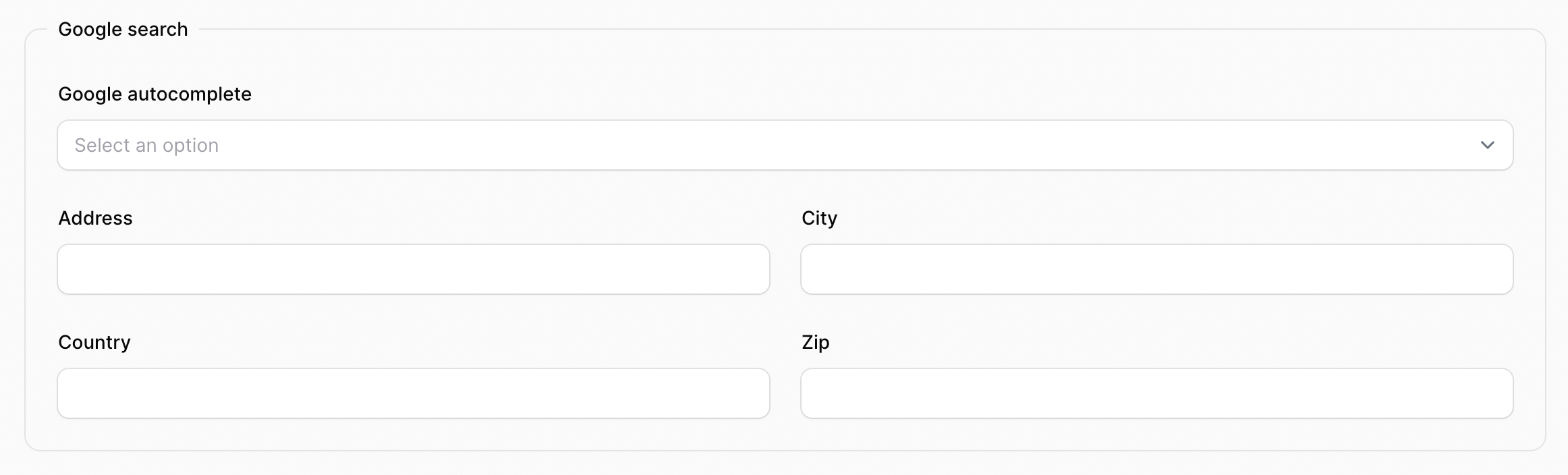
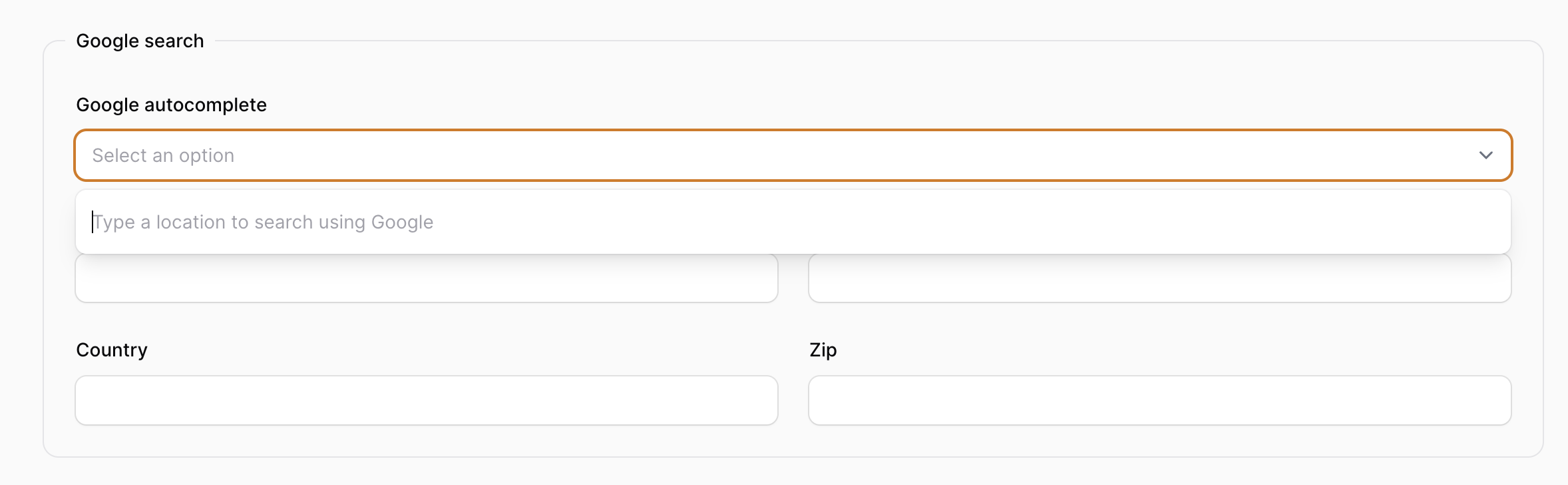
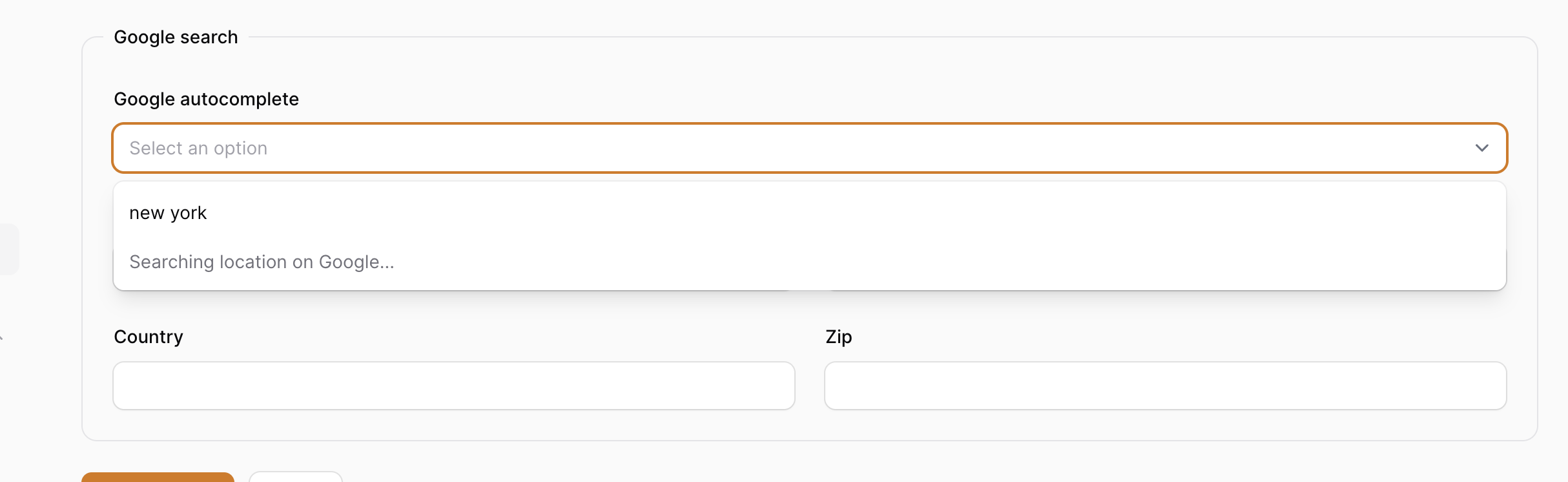
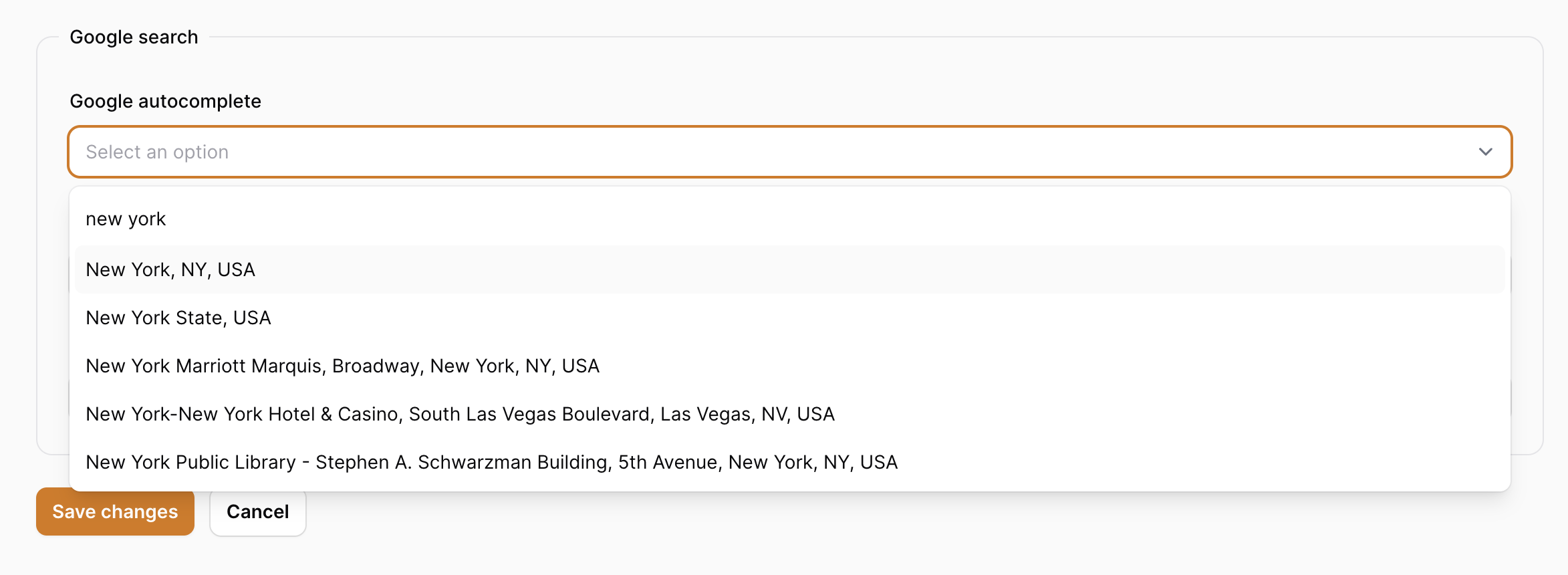
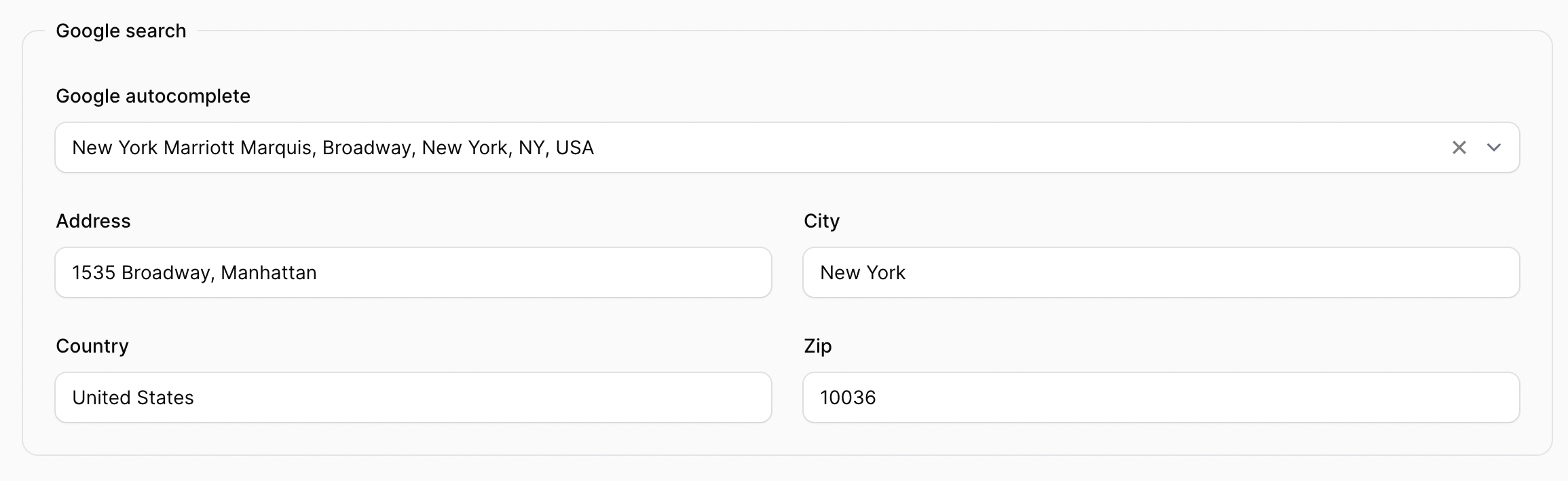
Usage
Add the GoogleAutocomplete field to your form:
use Tapp\FilamentGoogleAutocomplete\Forms\Components\GoogleAutocomplete;

GoogleAutocomplete::make('google_search'),
This will use the default address fields and Google API options. You can also customize the address fields and Google Place API options. See all the options available on Available options item below. For example:
use Tapp\FilamentGoogleAutocomplete\Forms\Components\GoogleAutocomplete;

GoogleAutocomplete::make('google_search')
    ->label('Google look-up')
    ->countries([
        'US',
        'AU',
    ])
    ->language('pt-BR')
    ->withFields([
        Forms\Components\TextInput::make('address')
            ->extraInputAttributes([
                'data-google-field' => '{street_number} {route}, {sublocality_level_1}',
            ]),
        Forms\Components\TextInput::make('country'),
        Forms\Components\TextInput::make('coordinates')
            ->extraInputAttributes([
                'data-google-field' => '{latitude}, {longitude}',
            ]),
    ]),
Using form layouts
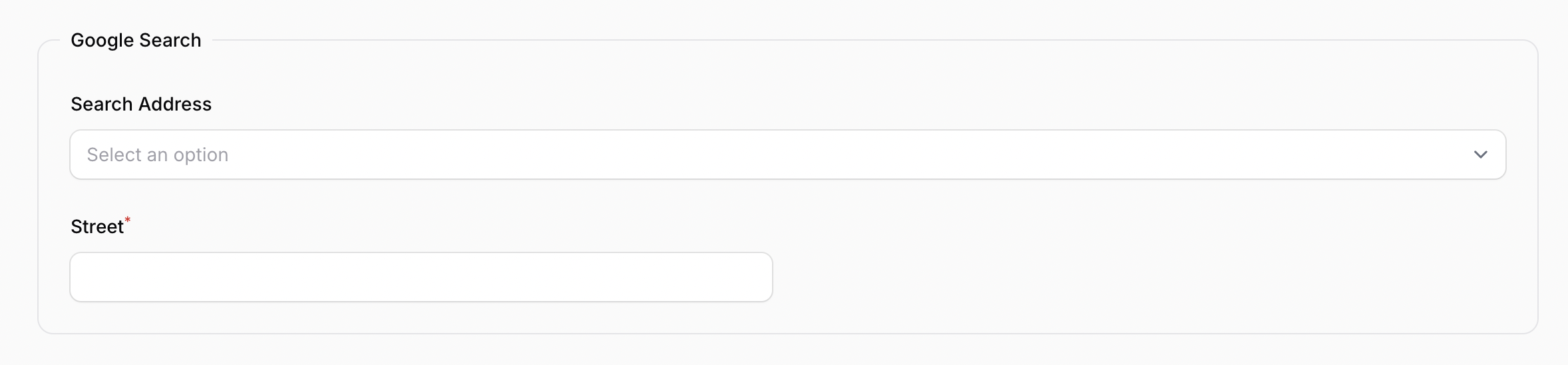
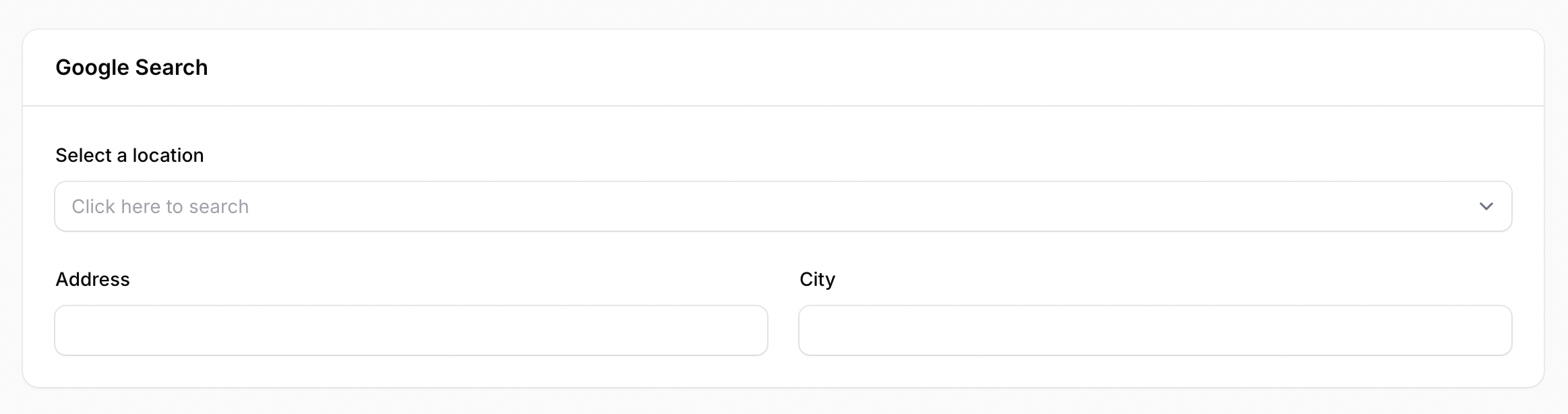
The Google autocomplete fields can be wrapped in a Form layout like Fieldset or Section:
Forms\Components\Fieldset::make('Google Search')
    ->schema([
        GoogleAutocomplete::make('google_search_field')
        // ...
    ]),
Forms\Components\Section::make('Google Search')
    ->schema([
        GoogleAutocomplete::make('google_search_field')
        // ...
    ]),
Places API (original) and Places API (New)
Both the Places API (original) and the Places API (New) are supported.
By default, the Places API (original) it's used. To use the Places API (New) instead, add the ->placesApiNew() method, like so:
GoogleAutocomplete::make('google_search')
    ->placesApiNew()
Available Options
Autocompleted Fields
You can use the withFields method to define the fields that will be autocompleted.
By default the following fields are set if this method isn't provided:
Forms\Components\TextInput::make('address')
    ->extraInputAttributes([
        'data-google-field' => '{street_number} {route}, {sublocality_level_1}',
    ]),
Forms\Components\TextInput::make('city')
    ->extraInputAttributes([
        'data-google-field' => 'locality',
    ]),
Forms\Components\TextInput::make('country'),
Forms\Components\TextInput::make('zip')
    ->extraInputAttributes([
        'data-google-field' => 'postal_code',
    ]),
You can override these default fields by passing an array of Filament form fields to withFields method:
GoogleAutocompleteFields::make('google_search')
    ->withFields([
        Forms\Components\TextInput::make('address')
            ->extraInputAttributes([
                'data-google-field' => '{street_number} {route}, {sublocality_level_1}',
            ]),
        Forms\Components\TextInput::make('city')
            ->extraInputAttributes([
                'data-google-field' => 'locality',
            ]),
    ]),
Combining Fields
You can combine multiple fields returned by Google API in one field using curly braces {} to wrap the fields in 'data-google-field' extra input attribute. For example, the address field below will contain the street_number, route, and sublocality_level_1 and the coordinates field will contain the latitude and longitude fields:
Forms\Components\TextInput::make('address')
    ->extraInputAttributes([
        'data-google-field' => '{street_number} {route}, {sublocality_level_1}',
    ]),
Forms\Components\TextInput::make('coordinates')
    ->extraInputAttributes([
        'data-google-field' => '{latitude},{longitude}',
    ]),
Field Name
If your database field have a different name than the Google field (for example you DB field is zip and you want to use the Google's postal_code value returned by API), you can tie the API field to the DB field by passing your DB field name to 'data-google-field' on extraInputAttributes method like so:
Forms\Components\TextInput::make('zip')
    ->extraInputAttributes([
        'data-google-field' => 'postal_code',
    ])
These are the names of the Google metadata fields available to use:
street_number,
route,
locality,
sublocality_level_1,
administrative_area_level_2,
administrative_area_level_1,
country,
postal_code,
place_id,
formatted_address,
formatted_phone_number,
international_phone_number,
name,
website,
latitude,
longitude,
long_name and short_name
Google's Places API returns long_name and short_name values for address fields. You can choose which one to display by passing it to the 'data-google-value' on extraInputAttributes method:
Forms\Components\TextInput::make('country')
    ->extraInputAttributes([
        'data-google-value' => 'short_name',
    ])
E.g. of long_name and short_name data returned by Google's API:
"street_number" => [
    "long_name" => "1535"
    "short_name" => "1535"
]
"route" => [
    "long_name" => "Broadway"
    "short_name" => "Broadway"
]
"locality" => [
    "long_name" => "New York"
    "short_name" => "New York"
]
"sublocality_level_1" => [
    "long_name" => "Manhattan"
    "short_name" => "Manhattan"
]
"administrative_area_level_2" => [
    "long_name" => "New York County"
    "short_name" => "New York County"
]
"administrative_area_level_1" => [
    "long_name" => "New York"
    "short_name" => "NY"
]
"country" => [
    "long_name" => "United States"
    "short_name" => "US"
]
"postal_code" => [
    "long_name" => "10036"
    "short_name" => "10036"
]
Autocomplete Field Column Span
The default column span for autcomplete select field is 'full'. You can define other value (same as supported by Filament's columnSpan()) using the autocompleteFieldColumnSpan method:
GoogleAutocomplete::make('google_search')
    ->autocompleteFieldColumnSpan(1)
Autocomplete Field Search Debounce
The default search debounce is 2 seconds to avoid too many requests to Google Places API. You can define other value using autocompleteSearchDebounce method:
GoogleAutocomplete::make('google_search')
    ->autocompleteSearchDebounce(1000) // 1 second
Autocomplete Label
The label of the autocomplete select field can be modified using the ->autocompleteLabel() method:
GoogleAutocomplete::make('google_search')
    ->autocompleteLabel('Select a location')
Autocomplete Placeholder
The placeholder can be modified using the ->autocompletePlaceholder() method:
GoogleAutocomplete::make('google_search')
    ->autocompletePlaceholder('Select a location')
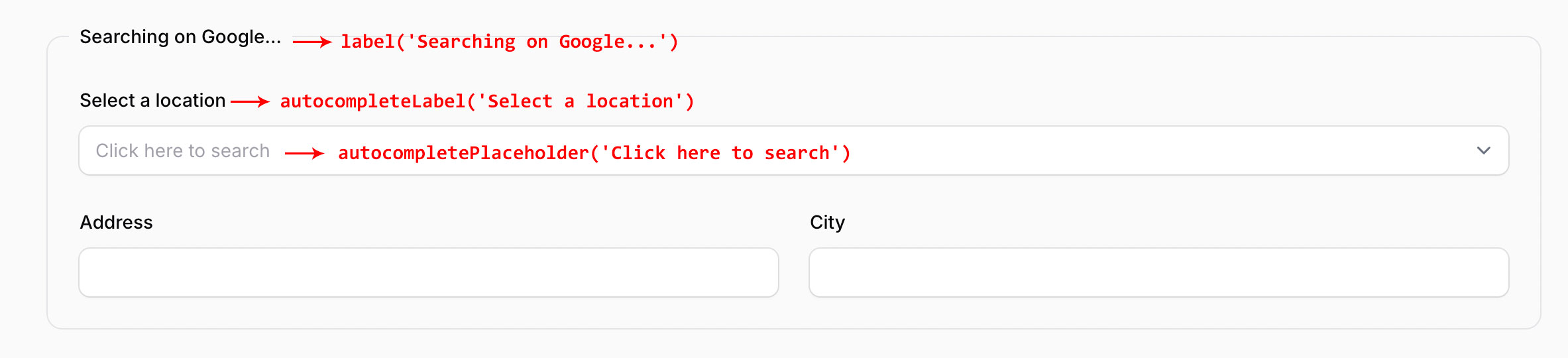
Example with modified label, autocompleteLabel, and autocompletePlaceholder:
GoogleAutocomplete::make('google_search')
    ->autocompleteLabel('Select a location')
    ->autocompletePlaceholder('Click here to search')
    ->label('Searching on Google...')
    ->countries([
        'us',
        'au',
    ])
    ->placeTypes([
        'book_store',
        'cafe',
    ])
    ->withFields([
        Forms\Components\TextInput::make('address')
            ->extraInputAttributes([
                'data-google-field' => '{street_number} {route}, {sublocality_level_1}',
            ]),
        Forms\Components\TextInput::make('city')
            ->extraInputAttributes([
                'data-google-field' => 'locality',
            ]),
    ]),
Google API Options
These following Google API options can be passed to the GoogleAutocomplete field:
OPTIONS FOR BOTH APIs
PlaceTypes
Restrict the results to be of a certain type. Pass the available types as an array:
GoogleAutocomplete::make('google_search')
    ->placeTypes([
        'lodging',
        'book_store',
        'florist',
    ])
Please refer to the Google Places API original documentation and Google Places API New documentation to a detailed description of this option.
Language
The language which results should be returned. These are the supported language codes.
GoogleAutocomplete::make('google_search')
    ->language('pt-BR')
Offset
The position, in the input term, of the last character that the service uses to match predictions. For example, if the input is Google and the offset is 3, the service will match on Goo.
GoogleAutocomplete::make('google_search')
    ->offset(5)
LocationBias
Prefer results in a specified area, by specifying either a radius plus lat/lng, or two lat/lng pairs representing the points of a rectangle. If this parameter is not specified, the API uses IP address biasing by default.
Please refer to the Google Places API original documentation and Google Places API New to a detailed description of this option.
GoogleAutocomplete::make('google_search')
    ->locationBias(
        [
            "circle" => [
                "center" => [
                    "latitude" => 37.7937,
                    "longitude" => -122.3965
                ],
                "radius" => 500.0
            ]
        ]
    )
LocationRestriction
Restrict results to a specified area, by specifying either a radius plus lat/lng, or two lat/lng pairs representing the points of a rectangle.
Please refer to the Google Places API original documentation and Google Places API New to a detailed description of this option.
Origin
The origin point as latitude,longitude from which to calculate straight-line distance to the destination specified.
Please refer to the Google documentation to a detailed description of this option.
GoogleAutocomplete::make('google_search')
    ->origin(40.7585862,-73.9858202)
Region
The region code used to format the response, specified as a country code top-level domain (ccTLD) two-character value.
GoogleAutocomplete::make('google_search')
    ->region('uk')
SessionToken
Random string which identifies an autocomplete session for billing purposes.
Please refer to the Google documentation to a detailed description of this option.
OPTIONS ONLY FOR PLACES API (ORIGINAL)
Countries
Add the countries method to restrict the countries that should be used for autocomplete search.
The countries must be passed as a two character ISO 3166-1 Alpha-2 compatible country code. You can find the country codes available at Wikipedia: List of ISO 3166 country codes.
GoogleAutocomplete::make('google_search')
    ->countries([
        'US',
        'AU',
    ])
Location
The point around which to retrieve place information as latitude,longitude.
Please refer to the Google documentation to a detailed description of this option.
GoogleAutocomplete::make('google_search')
    ->location(40.7585862,-73.9858202)
Radius
The distance in meters within which to return place results.
Please refer to the Google documentation to a detailed description of this option.
GoogleAutocomplete::make('google_search')
    ->radius(10)
OPTIONS ONLY FOR PLACES API (NEW)
IncludePureServiceAreaBusinesses
true - includes businesses that visit or deliver to customers directly, but don't have a physical business location.
false - returns only businesses with a physical business location.
GoogleAutocomplete::make('google_search')
    ->includePureServiceAreaBusinesses(true)
IncludedRegionCodes
Only include results from the list of specified regions, specified as an array of up to 15 ccTLD ("top-level domain") two-character values. When omitted, no restrictions are applied to the response.
GoogleAutocomplete::make('google_search')
    ->includedRegionCodes([
        "de",
        "fr",
    ])
Testing
composer test
Changelog
Please see CHANGELOG for more information on what has changed recently.
Contributing
Please see CONTRIBUTING for details.
Security Vulnerabilities
Please review our security policy on how to report security vulnerabilities.
Credits
License
The MIT License (MIT). Please see License File for more information.
tapp/filament-google-autocomplete-field 适用场景与选型建议
tapp/filament-google-autocomplete-field 是一款 基于 PHP 开发的 Composer 扩展包,目前已累计 131.44k 次下载、GitHub Stars 达 30, 最近一次更新时间为 2024 年 07 月 14 日, 在 PHP 生态内属于活跃度较高的组件。
它主要适用于以下技术方向: 「php」 「address」 「laravel」 「Google Places Api」 「filament」 「tapp network」 等业务场景。在实际项目中,围绕这些方向常见需要落地的问题包括:接口对接、性能调优、并发安全、与既有框架(Laravel / ThinkPHP / Yii / Webman 等)的兼容适配,以及生产环境的日志埋点与稳定性保障。
我们在过去多个企业项目中使用过 tapp/filament-google-autocomplete-field 或与其功能相近的方案,如果你在选型或落地过程中遇到问题,例如 版本兼容、二次改造、私有化封装、与内部系统对接、生产 BUG 排查,欢迎联系我们协助评估。
基于 tapp/filament-google-autocomplete-field 在你已有业务上做功能扩展、字段裁剪、UI 适配、与内部账号 / 权限 / 日志系统的深度对接。
线上偶发问题、内存泄漏、慢查询、并发异常等排查修复;针对高流量场景做缓存、队列、索引层面的调优。
承接完整的项目从需求 → 设计 → 开发 → 上线 → 长期运维;也可按月提供技术保姆服务。
与 tapp/filament-google-autocomplete-field 相关的其它包
同方向 / 同关键字的高下载量 PHP Composer 包推荐,方便对比选型:
Maps in minutes. Powered by the Google Maps API.
Redirects TYPO3 visitors automatic or with a suggestlink to another language and/or root page.
Module adding custom shipping attribute for what3words address
A modern, feature-rich Laravel package for managing addresses with geocoding, validation, caching, and spatial operations. Perfect for e-commerce, CRM systems, and any application requiring robust address management.
This package provides an Address Model, Migration and Factory. It also provides the traits HasBillingAddres and HasPublicAddress
Symfony Postcode bundle
统计信息
- 总下载量: 131.44k
- 月度下载量: 0
- 日度下载量: 0
- 收藏数: 30
- 点击次数: 25
- 依赖项目数: 0
- 推荐数: 0
其他信息
- 授权协议: MIT
- 更新时间: 2024-07-14