tapp/laravel-uppy-s3-multipart-upload
Composer 安装命令:
composer require tapp/laravel-uppy-s3-multipart-upload
包简介
Multipart Uploads using Laravel, AWS S3, and Uppy
README 文档
README

Upload large files directly to AWS S3 using Laravel (backend) and Uppy (frontend).
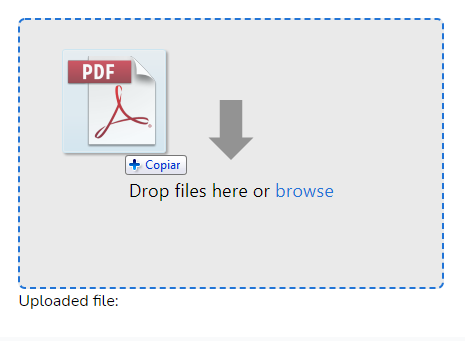
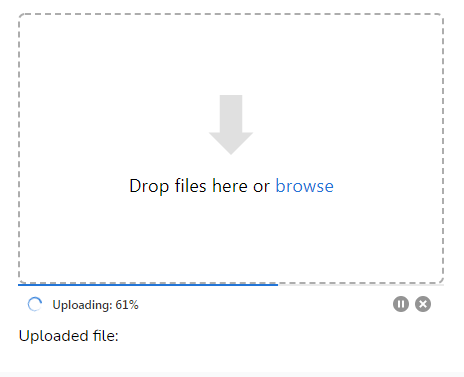
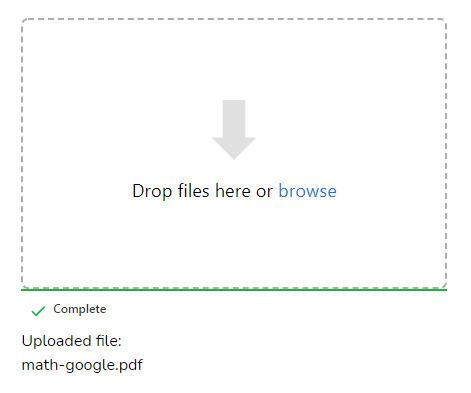
Appearance
Installation
Install the package via Composer
composer require tapp/laravel-uppy-s3-multipart-upload
Add required JS libraries
Add on your package.json file the Uppy JS libraries and AlpineJS library:
    ...
    "devDependencies": {
        "alpinejs": "^3.11.1",
        ...
    },
    "dependencies": {
        "@uppy/aws-s3-multipart": "^3.1.2",
        "@uppy/core": "^3.0.5",
        "@uppy/drag-drop": "^3.0.1",
        "@uppy/status-bar": "^3.0.1"
        ...
    }
    ...
Add in your resources/js/bootstrap.js file:
...

require('@uppy/core/dist/style.min.css')
require('@uppy/drag-drop/dist/style.min.css')
require('@uppy/status-bar/dist/style.min.css')

import Uppy from '@uppy/core'
import DragDrop from '@uppy/drag-drop'
import StatusBar from '@uppy/status-bar'
import AwsS3Multipart from '@uppy/aws-s3-multipart'

window.Uppy = Uppy
window.DragDrop = DragDrop
window.StatusBar = StatusBar
window.AwsS3Multipart = AwsS3Multipart
Add in your resources/js/app.js:
...
import Alpine from 'alpinejs';

window.Alpine = Alpine;

Alpine.start();
Install the JS libraries:
for Mix:
npm install
npm run dev
for Vite:
npm install
npm run build
Publish config file
Publish the config file with:
php artisan vendor:publish --tag=uppy-s3-multipart-upload-config
This is the contents of the published config file:
return [
    's3' => [
        'bucket' => [
            /*
             * Folder on bucket to save the file
             */
            'folder' => '',
        ],
        'presigned_url' => [
            /*
             * Expiration time of the presigned URLs
             */
            'expiry_time' => '+1 hour',
        ],
    ],
];
Publish view file
php artisan vendor:publish --tag=uppy-s3-multipart-upload-views
AWS S3 Setup
This package installs the AWS SDK for PHP and use Laravel's default s3 disk configuration from config/filesystems.php file.
You just have to add your S3 keys, region, and bucket using the following env vars in your .env file:
AWS_ACCESS_KEY_ID=
AWS_SECRET_ACCESS_KEY=
AWS_DEFAULT_REGION=
AWS_BUCKET=
Warning
The
AWS_URLorAWS_POST_END_POINTenv vars should only be set when using a custom, non-aws endpoint. For more details please refer to this issue: #14.
To allow direct multipart uploads to your S3 bucket, you need to add some extra configuration on bucket's CORS configuration.
On your AWS S3 console, select your bucket.
Click on "Permissions" tab.
On "CORS configuration" add the following configuration:
[
    {
        "AllowedHeaders": [
            "Authorization",
            "x-amz-date",
            "x-amz-content-sha256",
            "content-type"
        ],
        "AllowedMethods": [
            "PUT",
            "POST",
            "DELETE",
            "GET"
        ],
        "AllowedOrigins": [
            "*"
        ],
        "ExposeHeaders": [
            "ETag"
        ]
    }
]
On AllowedOrigins:
"AllowedOrigins": [
    "*"
]
You should list the URLs allowed, e.g.:
"AllowedOrigins": [
    "https://example.com"
]
https://uppy.io/docs/aws-s3-multipart/#S3-Bucket-Configuration
https://uppy.io/docs/aws-s3/#S3-Bucket-configuration
Add S3 Transfer Acceleration
To use S3 transfer acceleration,
enable it by adding a AWS_USE_ACCELERATE_ENDPOINT=true env var on your .env file,
and add 'use_accelerate_endpoint' => env('AWS_USE_ACCELERATE_ENDPOINT') in s3 options on your config/filesystems.php:
       's3' => [
            ...
            'use_accelerate_endpoint' => env('AWS_USE_ACCELERATE_ENDPOINT'),
        ],
Configuration
You can configure the folder to upload the files and the expiration of the presigned URLs used to upload the parts, with the config/uppy-s3-multipart-upload.php file:
return [
    's3' => [
        'bucket' => [
            /*
             * Folder on bucket to save the file
             */
            'folder' => 'videos',
        ],
        'presigned_url' => [
            /*
             * Expiration time of the presigned URLs
             */
            'expiry_time' => '+30 minutes',
        ],
    ],
];
Endpoints added
This package add the following routes:
POST    /s3/multipart
OPTIONS /s3/multipart
GET     /s3/multipart/{uploadId}
GET     /s3/multipart/{uploadId}/{partNumber}
POST    /s3/multipart/{uploadId}/complete
DELETE  /s3/multipart/{uploadId}
Usage
Add a hidden field for the uploaded file url
Add a hidden input form element on your blade template. When the upload is finished, it will receive the url of the uploaded file:
E.g.:
<input type="hidden" name="file" id="file" />
Add the uppy blade component to your blade view:
<x-input.uppy />
Passing data to the uppy blade component
Hidden field name
Use the hiddenField attribute to provide the name of the hidden field that will receive the url of uploaded file:
$hiddenField = 'image_url';
<x-input.uppy :hiddenField="$hiddenField" />
The file name will be used if none is provided.
Uppy Core Options
https://uppy.io/docs/uppy/#Options
You can pass any uppy options via options attribute:
<x-input.uppy :options="$uppyOptions" />
Uppy core options are in this format:
$uppyOptions = "{
    debug: true,
    autoProceed: true,
    allowMultipleUploads: false,
}";
Default core options if none is provided:
{
    debug: true,
    autoProceed: true,
    allowMultipleUploads: false,
}
Uppy Status Bar Options
https://uppy.io/docs/status-bar/#Options
You can pass any uppy status bar options via statusBarOptions attribute:
<x-input.uppy :statusBarOptions="$uppyStatusBarOptions" />
Uppy Status Bar options are in this format:
$uppyStatusBarOptions = "{
    target: '.upload .for-ProgressBar',
    hideAfterFinish: false,
}";
Default status bar options if none is provided:
{
    target: '.upload .for-ProgressBar',
    hideAfterFinish: false,
}
Uppy Drag & Drop Options
https://uppy.io/docs/drag-drop/#Options
You can pass any uppy drag & drop options via dragDropOptions attribute:
<x-input.uppy :dragDropOptions="$uppyDragDropOptions" />
Uppy Drag & Drop options are in this format:
$uppyDragDropOptions = "{
    target: '.upload .for-DragDrop',
}";
Default drag & drop options if none is informed:
{
    target: '.upload .for-DragDrop',
}
Upload Element Class
Use the uploadElementClass attribute to provide the class of the HTML element used for upload:
$imageClass = 'images';
<x-input.uppy :uploadElementClass="$imageClass" />
The upload class will be used if none is provided.
Multiple Uppy Instances
If you want to use multiple Uppy instances, add a different uploadElementClass attribute to each instance. E.g.:
<!-- First Uppy instance for image uploads -->
<div>
    <input type="hidden" name="images" id="images" />
    <x-input.uppy :options="$imageOptions" :hiddenField="$imageField" :uploadElementClass="$imageClass" />
</div>


<!-- Second Uppy instance for video uploads -->
<div>
    <input type="hidden" name="videos" id="videos" />
    <x-input.uppy :options="$videoOptions" :hiddenField="$videoField" :uploadElementClass="$videoClass" />
</div>
Note from Uppy docs: "If multiple Uppy instances are being used, for instance, on two different pages, an id should be specified. This allows Uppy to store information in localStorage without colliding with other Uppy instances." Learn more here.
Extra JavaScript to onUploadSuccess
If you need to add extra JavaScript code on onUploadSuccess function, use the extraJSForOnUploadSuccess attribute:
E.g.:
$extraJSForOnUploadSuccess = "
    document.getElementById('saveImageButton').removeAttribute('disabled');
    document.getElementById('saveImageButton').click();
"
<x-input.uppy :extraJSForOnUploadSuccess="$extraJSForOnUploadSuccess" />
Default extraJSForOnUploadSuccess value is empty string.
Clear caches
Run:
php artisan optimize
php artisan view:clear
Changelog
Please see CHANGELOG for more information on what has changed recently.
Contributing
Please see CONTRIBUTING for details.
Security Vulnerabilities
If you discover any security-related issues, please email security@tappnetwork.com.
Credits
Libraries used in this package:
License
The MIT License (MIT). Please see License File for more information.
tapp/laravel-uppy-s3-multipart-upload 适用场景与选型建议
tapp/laravel-uppy-s3-multipart-upload 是一款 基于 PHP 开发的 Composer 扩展包,目前已累计 123.01k 次下载、GitHub Stars 达 84, 最近一次更新时间为 2021 年 02 月 11 日, 在 PHP 生态内属于活跃度较高的组件。
它主要适用于以下技术方向: 「tapp network」 「laravel-uppy-s3-multipart-upload」 等业务场景。在实际项目中,围绕这些方向常见需要落地的问题包括:接口对接、性能调优、并发安全、与既有框架(Laravel / ThinkPHP / Yii / Webman 等)的兼容适配,以及生产环境的日志埋点与稳定性保障。
我们在过去多个企业项目中使用过 tapp/laravel-uppy-s3-multipart-upload 或与其功能相近的方案,如果你在选型或落地过程中遇到问题,例如 版本兼容、二次改造、私有化封装、与内部系统对接、生产 BUG 排查,欢迎联系我们协助评估。
基于 tapp/laravel-uppy-s3-multipart-upload 在你已有业务上做功能扩展、字段裁剪、UI 适配、与内部账号 / 权限 / 日志系统的深度对接。
线上偶发问题、内存泄漏、慢查询、并发异常等排查修复;针对高流量场景做缓存、队列、索引层面的调优。
承接完整的项目从需求 → 设计 → 开发 → 上线 → 长期运维;也可按月提供技术保姆服务。
与 tapp/laravel-uppy-s3-multipart-upload 相关的其它包
同方向 / 同关键字的高下载量 PHP Composer 包推荐,方便对比选型:
Add a Filament resource and a policy for Spatie Webhook client
Filament Laravel Survey plugin.
LinkedIn API PHP SDK with OAuth 2.0 & CSRF support. Can be used for social sign in or sharing on LinkedIn. Examples. Documentation.
LinkedIn API PHP SDK with OAuth 2.0 & CSRF support. Can be used for social sign in or sharing on LinkedIn. Examples. Documentation.
PHP SDK for Bands In Town API
Multipart Uploads using Laravel, AWS S3, and Uppy
统计信息
- 总下载量: 123.01k
- 月度下载量: 0
- 日度下载量: 0
- 收藏数: 84
- 点击次数: 39
- 依赖项目数: 0
- 推荐数: 0
其他信息
- 授权协议: MIT
- 更新时间: 2021-02-11