timkelty/craftcms-site-sync
Composer 安装命令:
composer require timkelty/craftcms-site-sync
包简介
Sync content to other sites on element save.
README 文档
README
Synchronize content between sites in a multi-site Craft CMS installation.
Motivation
In a multi-site configuration, translatable field content is propagated to other sites only on initial save. If you want to edit translatable content and propagate those changes to your other sites, you have to recreate the changes on each site. 🤢
Site-Sync allows you to propagate and sychronize changes on a per-field basis, whenever you save an element. In addition to any field content (including Matrix, et al.), it can also sync title and slug content, as those are always translatable in Craft.
Unlike the Craft 2 version and other similar plugins, this plugin is implemented as a field for a few key reasons:
- It works when saving an element in the HUD.
- Multiple fields can be created with different default settings.
Installation
$ composer require timkelty/craftcms-site-sync
Usage
Each field layout where you would like to perform syncing must contain a Site-Sync Settings field.
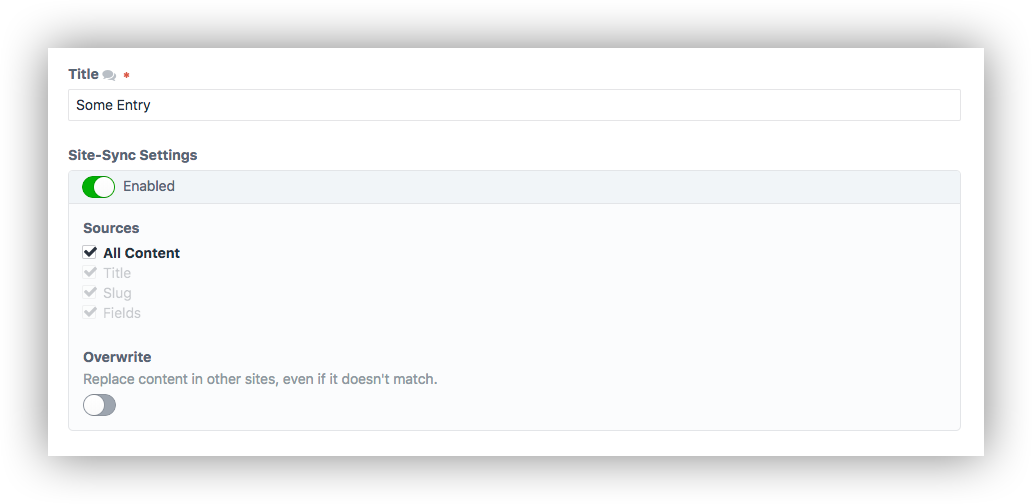
In the field settings you can configure the default state of the field. Note, that unlike most fields, changes to this field do not persist between element saves. They will always revert to the state configured in the field settings.
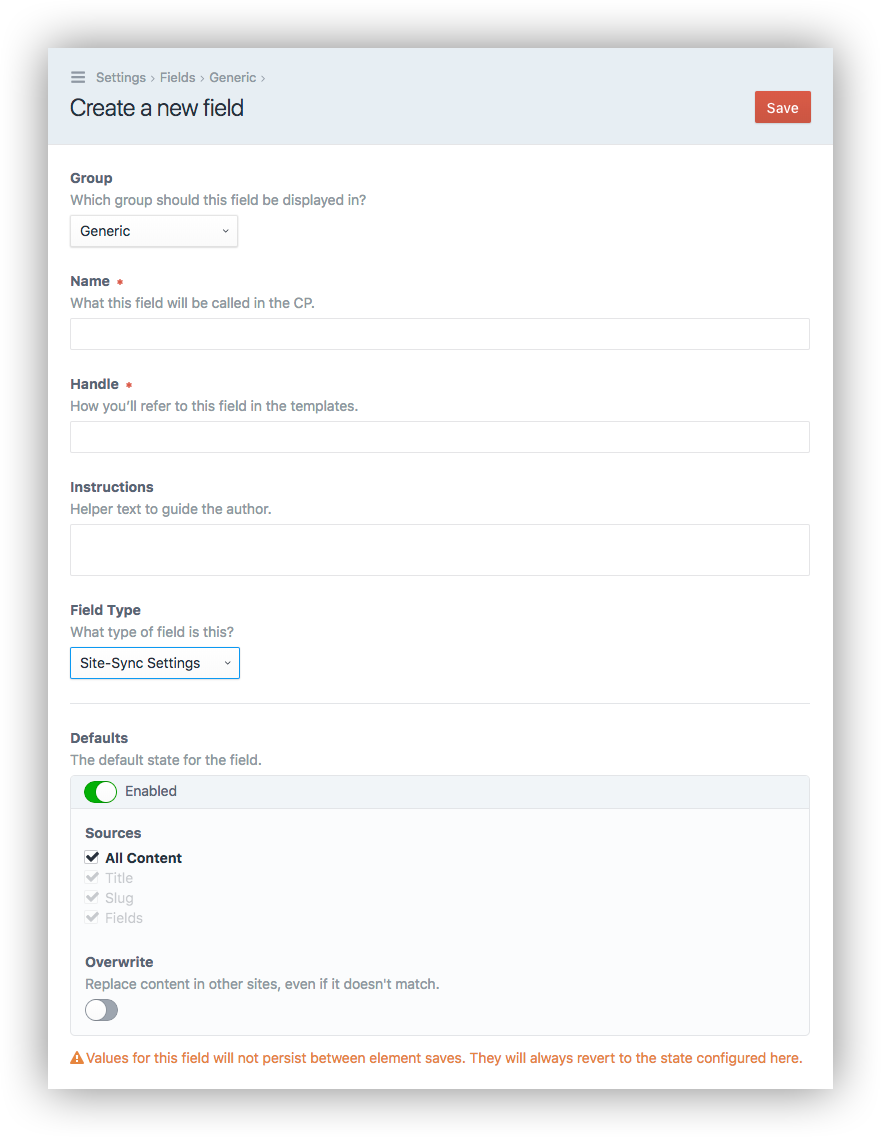
When you save an entry with a Site-Sync Settings field:
- If the Enabled toggle is on when you save an element, content that matched before saving will be propagated to the other sites.
- Only content from the selected Sources will be synchronized.
- Content will only be propagated to sites where the user has permission to save elements.
Nesting (Matrix, Neo, SuperTable, et al.)
If you want to sync nested content, the child fields with the actual content should be translatable, not the parent field (Matrix, etc.) Do not check "Manage blocks on a per-site basis". This setting treats each MatrixBlock as a unique element, and therefore will not sync.
Should you still wish to make Matrix field your translatable, there is explicit support for Matrix and SuperTable when using the "Overwrite" option. If these fields are translatable, they will sync to other sites _only when "overwrite" is enabled.
When any element (e.g. MatrixBlock, Entry) is saved, the plugin will traverse up its hierachy (via ElementInterface::getParent) until it finds a Site-Sync Settings field.
For example, this means you can have a single Site-Sync Settings field on your Entry layout, but a nested MatrixBlock will still find it and use those settings for syncing.
This also means (if you want to get crazy), that you could include a Site-Sync Settings field on a MatrixBlock to limit the scope of the syncing to that block only. Or, you could include one on the Entry layout and override it with another on a MatrixBlock layout. While this approach is supported, it can get exponentially confusing for the user and likely isn't practical for most uses.
Roadmap
- Support Overwrite + Neo
- Leverage deltas for better comparisons
- Plugin store
- Validate field layouts to only allow 1 of this field type
- Value/label usability improvements (
toggleLabelId) - Fix compatibility with CP Field Links
- Change "Title" name if there is a custom.
- Implement getElementValidationRules to add errors to the element
- Ensure elements are only saved when they have pending changes (performance)
统计信息
- 总下载量: 3.25k
- 月度下载量: 0
- 日度下载量: 0
- 收藏数: 39
- 点击次数: 0
- 依赖项目数: 0
- 推荐数: 0
其他信息
- 授权协议: MIT
- 更新时间: 2019-01-04