typo3/coding-standards
Composer 安装命令:
composer require --dev typo3/coding-standards
包简介
A set of coding guidelines for any TYPO3-related project or extension
README 文档
README


You know the feeling: You work on your own extension, and then contribute to TYPO3, and TYPO3 delivers all the nice things to check for proper coding standards.
Well, same happens to all of us! Luckily, TYPO3 has this configuration in Core, and it's now available separately - ready to plug-and-play for you!
It does not matter if you're an extension developer, or a TYPO3 contributor, or working on your TYPO3 project.
Installation
Since this is a Composer package, run composer require --dev typo3/coding-standards
in your Composer project, which of course includes TYPO3 project or extension or
any other Composer project.
What's in the package?
The coding guidelines that are used in TYPO3 Core development. Instead of putting this information in our main repository, it should be helpful to apply certain rules to other projects as well. TYPO3 is more than just TYPO3 Core!
PHP-CS-Fixer rules
Ensures that your PHP files are subject to the same rules.
.editorconfig
If you work on a team, and you use different IDE settings, .editorconfig
helps you to have the same settings across all editors. It does not matter if
it is VS-Code, vim or PhpStorm, almost every editor supports the .editorconfig
nowadays.
Setting up the TYPO3 rule sets as boilerplate
Our coding standards file can set this up for you. Run
composer exec typo3-coding-standards setup
or via the shortcut, which of course works for every command:
composer exec t3-cs s
The type project or extension is automatically detected. If the detection
does not work for you (please also tell us about your case at
https://github.com/TYPO3/coding-standards/issues), you can specify the
desired type as parameter like this:
composer exec typo3-coding-standards setup project
or
composer exec typo3-coding-standards setup extension
Have a look at the newly created files in your root folder:
- .php-cs-fixer.dist.php
- .editorconfig
For projects, the folder src is configured by default, but you can
accommodate where your extensions or PHP code resides in. For extensions,
PHP-CS-Fixer scans the whole base directory.
In addition, you can configure your PHP-CS-Fixer cache file folder and other configurations just like with PHP-CS-Fixer.
You can decide to commit them to your Git repository, which is the recommended way.
Updating the TYPO3 rule sets
To update the rule sets, run composer update typo3/coding-standards. An updated
PHP-CS-Fixer rule set is applied immediately, but changes to the .editorconfig
file must be applied manually by running composer exec typo3-coding-standards update.
This will overwrite your changes in the .editorconfig and reset it to the
TYPO3 default values. Please make sure that your file has been properly
committed to your repository before proceeding with the update.
You can also reset all files to the TYPO3 defaults by providing the --force
option to the setup command:
composer exec -- typo3-coding-standards setup --force
Don't forget to provide the two dashes after exec if you use options.
Advanced usage examples
Show a command specific help e.g. with composer exec typo3-coding-standards help setup.
It is possible to specify a destination folder for the files or to set up only a part of the TYPO3 coding standards, here are some examples.
Setup .editorconfig only:
composer exec -- typo3-coding-standards setup --rule-set=editorconfig
Setup .php-cs-fixer.dist.php in the Build folder:
composer exec -- typo3-coding-standards setup --target-dir=Build --rule-set=php-cs-fixer
Symfony comes with a great shortcut support for all commands e.g. this is the same like the last command above:
composer exec -- t3-cs s -d=Build -r=php-cs-fixer
Update the .editorconfig:
composer exec t3-cs u
Running the script directly not using Composer:
vendor/bin/typo3-coding-standards setup
Of course this assumes the binaries are installed by Composer at the default
location vendor/bin. That's why we recommend using composer exec in the
first place becaue Composer is aware of the correct location.
Executing the PHP-CS-Fixer
Once you've followed the step above, running PHP CS Fixer works like this:
composer exec php-cs-fixer
Have a look at our GitHub Actions Continuous Integration workflow to get an idea on how to automate your testing workflows using this package.
What's next?
We'd love to ship out license headers for all PHP files, however there are certain limitations (namespace must be underneath the license headers), which why this option is not enabled by default.
A note about our standards
PHP Coding Guidelines
TYPO3's coding guidelines have evolved over time. And we are happy to have PHP-FIG and PSR-1/PSR-2 and PSR-12. That's why we're committed to following these guidelines.
However, there are some more rules that we think are good:
- Remove leading slashes in use clauses.
- PHP single-line arrays should not have trailing comma.
- Single-line whitespace before closing semicolon are prohibited.
- Remove unused use statements in the PHP source code
- Ensure Concatenation to have at least one whitespace around
- Remove trailing whitespace at the end of blank lines.
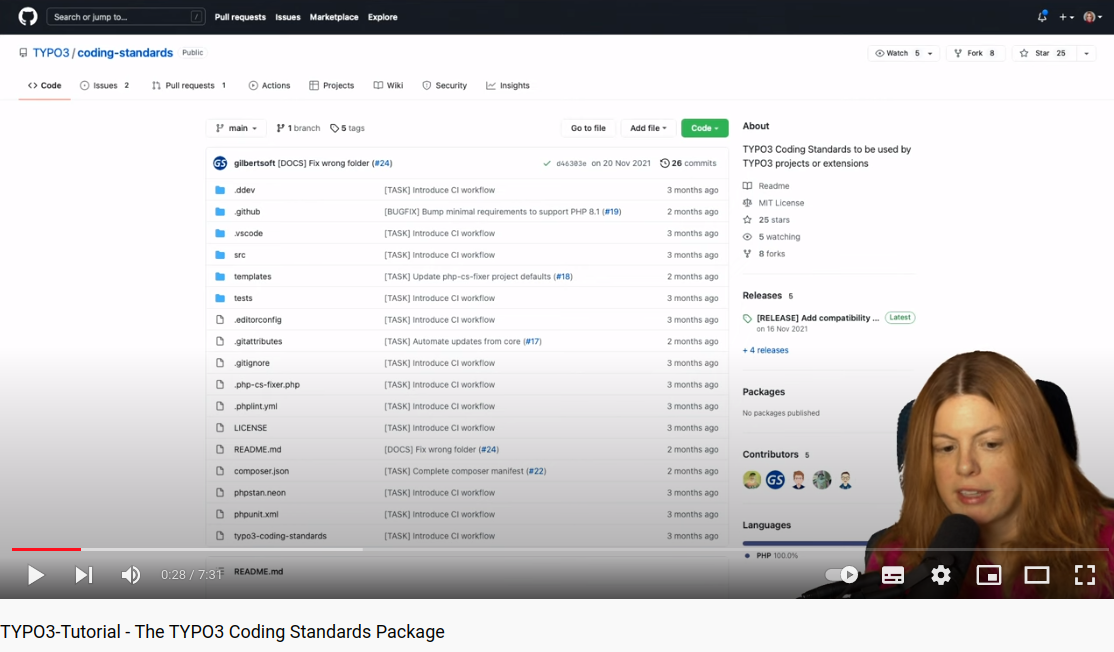
Video Tutorial
Maintaining and Development of this package
This package is not meant to be updated regularly, since talking about coding guidelines takes a lot of time, and is usual a matter of taste. Nonetheless, you can always open up an issue if you feel like we're missing out on something.
A GitHub action automatically synchronizes the files with the TYPO3 Core. Please do not open pull requests for these changes, but push your changes to the TYPO3 Core.
Development
The source code comes with a DDEV Local configuration that makes using Composer and switching PHP versions very easy. For more information about DDEV, see the documentation.
In the composer.json many scripts are predefined to run the CI locally before
you push erroneous changes. Additionally some fix commands are integrated.
Manually update the files from the core
The synchronization job is scheduled once per night. It can also be started
manually on the Actions tab on GitHub by selecting Core Synchronization and
running the workflow on the main branch.
License & Thanks
This package is available under the MIT license, since it relies heavily on the PHP-CS-Fixer code.
In addition, I would like to thank the TYPO3 Core Team that kickstarted this set of rules in 2015, and to the creators and maintainers of PHP-CS-Fixer package.
Benni Mack, TYPO3 Project Lead
typo3/coding-standards 适用场景与选型建议
typo3/coding-standards 是一款 基于 PHP 开发的 Composer 扩展包,目前已累计 3.13M 次下载、GitHub Stars 达 68, 最近一次更新时间为 2019 年 11 月 23 日, 在 PHP 生态内属于活跃度较高的组件。
它主要适用于以下技术方向: 「cms」 「typo3」 「Code style」 「editorconfig」 「php-cs-fixer」 等业务场景。在实际项目中,围绕这些方向常见需要落地的问题包括:接口对接、性能调优、并发安全、与既有框架(Laravel / ThinkPHP / Yii / Webman 等)的兼容适配,以及生产环境的日志埋点与稳定性保障。
我们在过去多个企业项目中使用过 typo3/coding-standards 或与其功能相近的方案,如果你在选型或落地过程中遇到问题,例如 版本兼容、二次改造、私有化封装、与内部系统对接、生产 BUG 排查,欢迎联系我们协助评估。
基于 typo3/coding-standards 在你已有业务上做功能扩展、字段裁剪、UI 适配、与内部账号 / 权限 / 日志系统的深度对接。
线上偶发问题、内存泄漏、慢查询、并发异常等排查修复;针对高流量场景做缓存、队列、索引层面的调优。
承接完整的项目从需求 → 设计 → 开发 → 上线 → 长期运维;也可按月提供技术保姆服务。
与 typo3/coding-standards 相关的其它包
同方向 / 同关键字的高下载量 PHP Composer 包推荐,方便对比选型:
Memio's PrettyPrinter, used to generate PHP code from given Model
GraphQL authentication for your headless Craft CMS applications.
Set Links with a specific language parameter
Supercharged text field validation.
TYPO3 CMS extension to create gallery content element with preset crop ratios and pagination
An interactive tour through the TYPO3 backend.
统计信息
- 总下载量: 3.13M
- 月度下载量: 0
- 日度下载量: 0
- 收藏数: 68
- 点击次数: 25
- 依赖项目数: 395
- 推荐数: 2
其他信息
- 授权协议: MIT
- 更新时间: 2019-11-23