uginroot/image-resize
Composer 安装命令:
composer require uginroot/image-resize
包简介
Image resizing in php
README 文档
README
composer require uginroot/image-resize:^1.0
Create
createFromString
$image = ImageResize::createFromString(file_get_content($path));
createFromPath
$image = ImageResize::createFromPath($path);
__constructor
$content = file_get_content($path);
$resource = imagecreatefromstring($content);
$image = new ImageCreate($resource, $content);
$image = new ImageCreate($resource); // $image->resetOrientation() not working
Save
formats
ImageCreate::FORMAT_JPEG;
ImageCreate::FORMAT_PNG;
ImageCreate::FORMAT_WEBP;
save
$image->save($path);
// save(string $path [, int $format = ImageCreate::FORMAT_JPEG [, bool $owerwrite = false [, int $mode = 0666]]])
Optimize image
See this package link
getContent
echo $image->getContent();
// getContent([int $format = ImageCreate::FORMAT_JPEG]);
$image->print();
// $image->print([int $format = ImageCreate::FORMAT_JPEG]);
__toString
(string)$image === $image->getContent(ImageCreate::FORMAT_JPEG); // true
copyResource
$image->copyResource();
Info
getWidth
$image->getWidth();
getHeight
$image->getHeight();
resetOrientation
Rotate photo if the set exif orientation tag
$image->resetOrientation();
Change image
scale
$image->scale(50);
// scale(int|float 50)
| original(600x300) | result(300x150) |
|---|---|
 |
 |
resize
$image->resize(100, 100);
// resize(int $width, int $heihht [, bool $increase = true])
| original(600x300) | result(100x100) |
|---|---|
|
 |
resizeToHeight
$image->resizeToHeight(100);
// resizeToHeight(int $height [, bool $increase = true])
| original(600x300) | result(100x200) |
|---|---|
|
 |
resizeToWidth
$image->resizeToWidth(100);
// resizeToWidth(int $width [, bool $increase = true])
| original(600x300) | result(100x50) |
|---|---|
|
 |
resizeToLongSide
$image->resizeToLongSide(100);
// resizeToLongSide(int $side [, $increase = true])
| original(600x300) | result(100x50) |
|---|---|
|
 |
resizeToShortSide
$image->resizeToShortSide(100);
// resizeToShortSide(int $side [, $increase = true])
| original(600x300) | result(100x200) |
|---|---|
|
 |
resizeToBestFit
$image->resizeToBestFit(100, 100);
// resizeToBestFit(int $width, int $height [, $increase = true])
| original(600x300) | result(100x50) |
|---|---|
|
 |
resizeToWorstFit
$image->resizeToWorstFit(100, 100);
// resizeToWorstFit(int $width, int $height [, $increase = true])
| original(600x300) | result(100x200) |
|---|---|
|
 |
crop
$image->crop(0, 0, 100, 100);
// crop(int $x, int $y, int $width, int $height)
| original(600x300) | result(100x100) |
|---|---|
|
 |
positions
ImageResize::POSITION_CENTER;
ImageResize::POSITION_TOP;
ImageResize::POSITION_RIGHT;
ImageResize::POSITION_BOTTOM;
ImageResize::POSITION_LEFT;
ImageResize::POSITION_TOP_LEFT;
ImageResize::POSITION_TOP_RIGHT;
ImageResize::POSITION_BOTTOM_LEFT;
ImageResize::POSITION_BOTTOM_RIGHT;
cropPosition
$image->cropPosition(100, 100);
// cropPosition(int $width, int $height [, int $position = ImageResize::POSITION_CENTER])
| original(600x300) | result(100x100) |
|---|---|
|
 |
resizeCover
$image->resizeCover(100, 100);
// resizeCover(int $width, int $height [, int $position = ImageResize::POSITION_CENTER])
| original(600x300) | result(100x100) |
|---|---|
|
 |
resizeContain
$image->resizeContain(100, 100);
// resizeContain(int $width, int $height [, int $position = ImageResize::POSITION_CENTER [, int $color = 0x000000]])
| original(600x300) | result(100x100) |
|---|---|
|
 |
sides
ImageResize::SIDE_TOP;
ImageResize::SIDE_RIGHT;
ImageResize::SIDE_BOTTOM;
ImageResize::SIDE_LEFT;
ImageResize::SIDE_ALL;
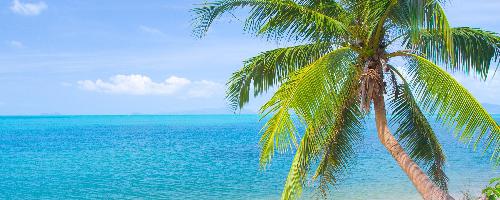
cropEdge
$image->cropEdge(50, ImageResize::SIDE_ALL);
// cropEdge(int $cutLength [, int $side = ImageResize::SIDE_ALL])
| original(600x300) | result(500x200) |
|---|---|
|
 |
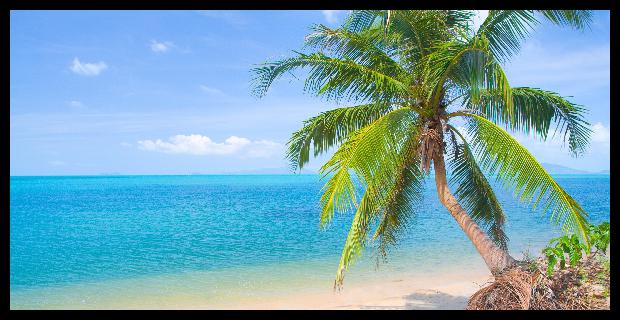
addBorder
$image->addBorder(10);
// addBorder(int $borderWidth [, int $side = ImageResize::SIDE_ALL [, int $color = 0x000000]])
| original(600x300) | result(620x220) |
|---|---|
|
 |
Watermark
Fits:
ImageResize::FIT_CANCEL; // cancel if wathermark size grate then $image
ImageResize::FIT_RESIZE; // resize wathermak
ImageResize::FIT_AS_IS; // crop if watermark out of bounds
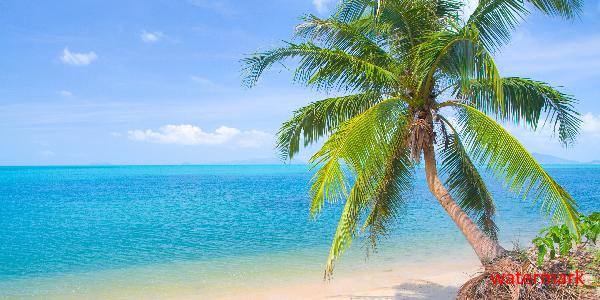
$watermark = ImageResize::createFromPath($path);
$image->setWatermark($watermark);
// setWatermark(ImageResize $watermark [, int $position = ImageResize::POSITION_BOTTOM_RIGHT [, int $padding = 16 [, int $fit = ImageResize::FIT_AS_IS]]]);
| original(600x300) | result(600x300) |
|---|---|
|
 |
change
$image->change(function(&$resource){
    $resource = imagerotate($resource, 90, 0x000000);
});
// change(callable(&$resource) $callback)
| original(600x300) | result(300x600) |
|---|---|
|
 |
uginroot/image-resize 适用场景与选型建议
uginroot/image-resize 是一款 基于 PHP 开发的 Composer 扩展包,目前已累计 53 次下载、GitHub Stars 达 2, 最近一次更新时间为 2019 年 07 月 22 日, 在 PHP 生态内属于活跃度较高的组件。
它主要适用于以下技术方向: 「php」 「image」 「resize」 「watermark」 「crop」 「orientation」 等业务场景。在实际项目中,围绕这些方向常见需要落地的问题包括:接口对接、性能调优、并发安全、与既有框架(Laravel / ThinkPHP / Yii / Webman 等)的兼容适配,以及生产环境的日志埋点与稳定性保障。
我们在过去多个企业项目中使用过 uginroot/image-resize 或与其功能相近的方案,如果你在选型或落地过程中遇到问题,例如 版本兼容、二次改造、私有化封装、与内部系统对接、生产 BUG 排查,欢迎联系我们协助评估。
基于 uginroot/image-resize 在你已有业务上做功能扩展、字段裁剪、UI 适配、与内部账号 / 权限 / 日志系统的深度对接。
线上偶发问题、内存泄漏、慢查询、并发异常等排查修复;针对高流量场景做缓存、队列、索引层面的调优。
承接完整的项目从需求 → 设计 → 开发 → 上线 → 长期运维;也可按月提供技术保姆服务。
与 uginroot/image-resize 相关的其它包
同方向 / 同关键字的高下载量 PHP Composer 包推荐,方便对比选型:
Yii2 LightBox image galary widget uses Lightbox v2.10.0 by Lokesh Dhakar
The Yii2 extension uses jQuery jquery.carousel-1.1.min.js and makes image carousel from php array of structure defined.
Image cache
The lireincore/imgcache integration for the Yii2 framework
The Yii2 extension uses jQuery PrettyPhoto and OwlCarousel js and makes image galary from php array of structure defined.
Yii2 prettyPhoto image galary widget uses Lightbox view control jquery.prettyphoto.js
统计信息
- 总下载量: 53
- 月度下载量: 0
- 日度下载量: 0
- 收藏数: 2
- 点击次数: 10
- 依赖项目数: 1
- 推荐数: 0
其他信息
- 授权协议: MIT
- 更新时间: 2019-07-22