unclecheese/dropzone
Composer 安装命令:
composer require unclecheese/dropzone
包简介
An HTML5 upload field for the CMS and frontend forms.
README 文档
README
Upload with sanity.
Introduction
The Dropzone module provides FileAttachmentField, a robust HTML5 uploading interfaces for SilverStripe, allowing forms to save file uploads to DataObject instances.
Features
- Upload on the frontend, or in the CMS, with one consistent interface
- Drag-and-drop uploading
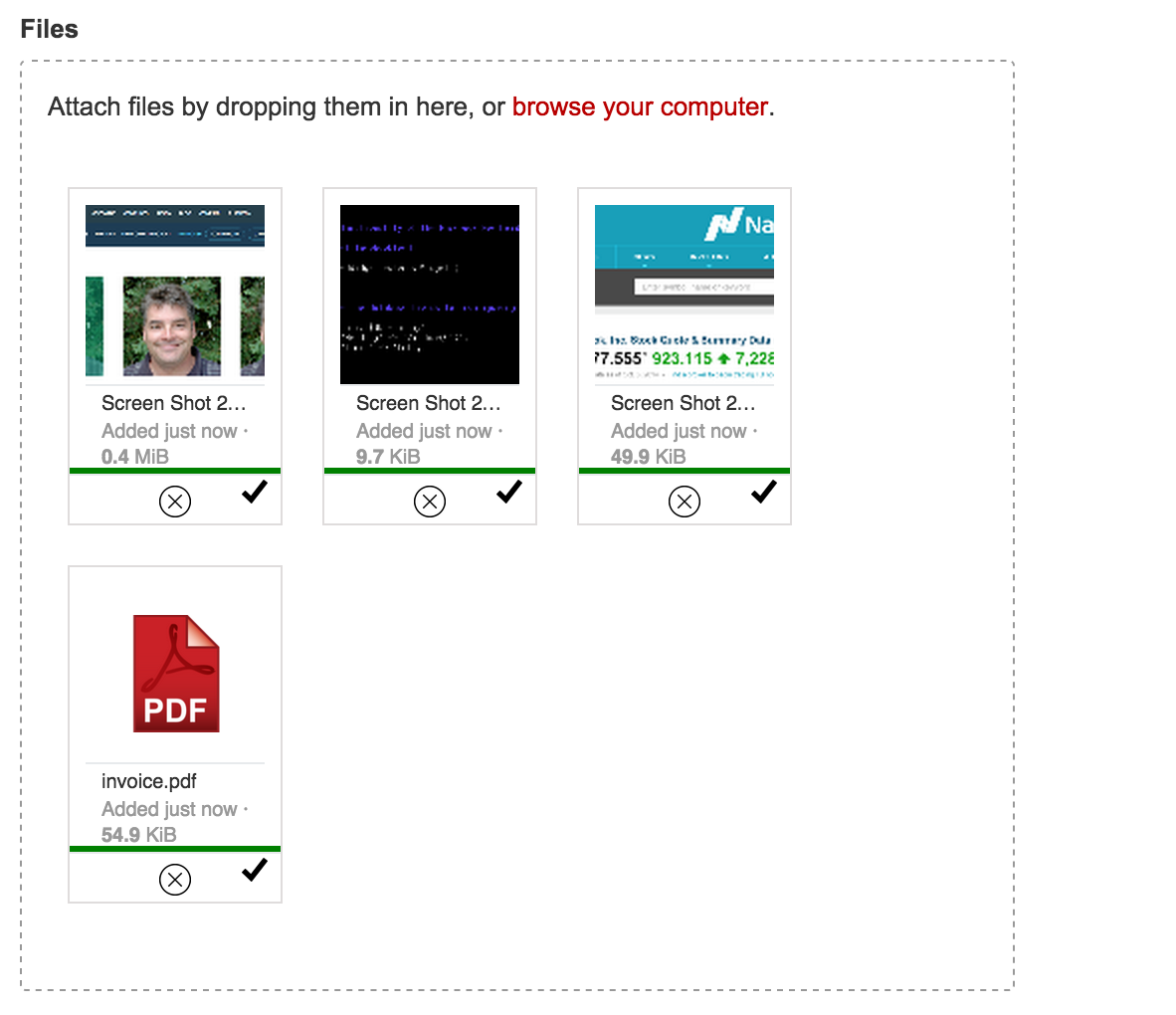
- Automatic client-side thumbnailing
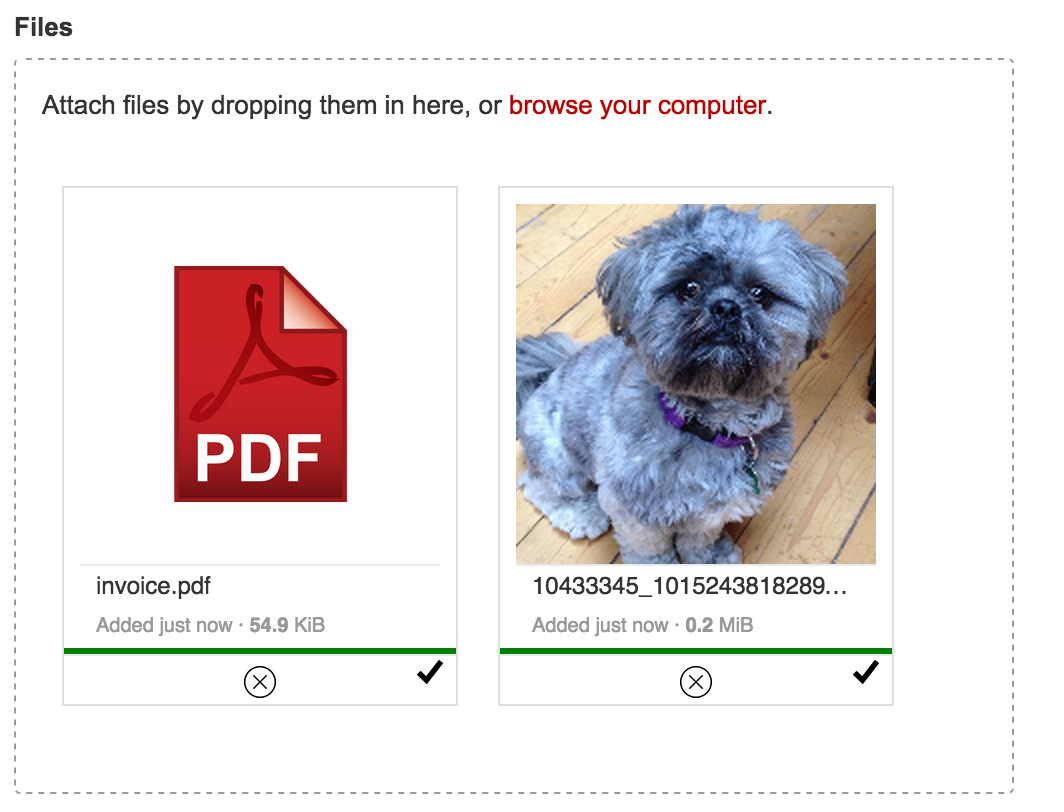
- Grid view / List view
- Upload progress
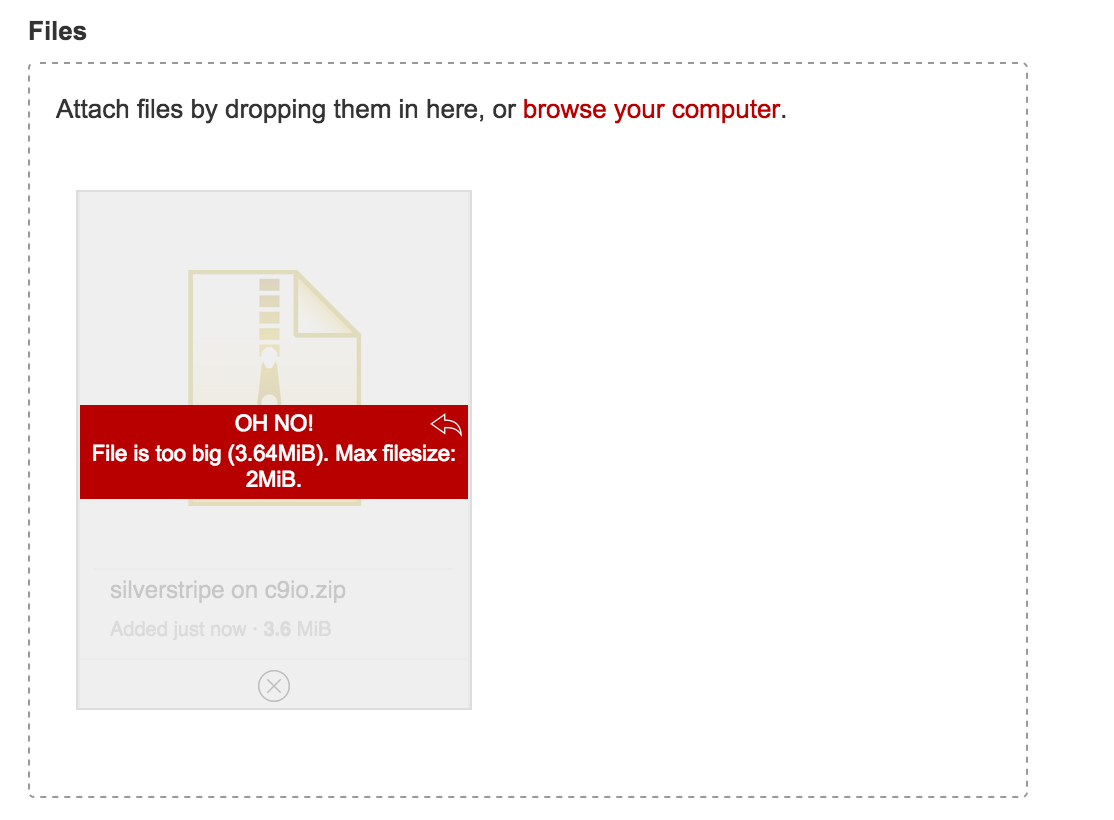
- Limit file count, file size, file type
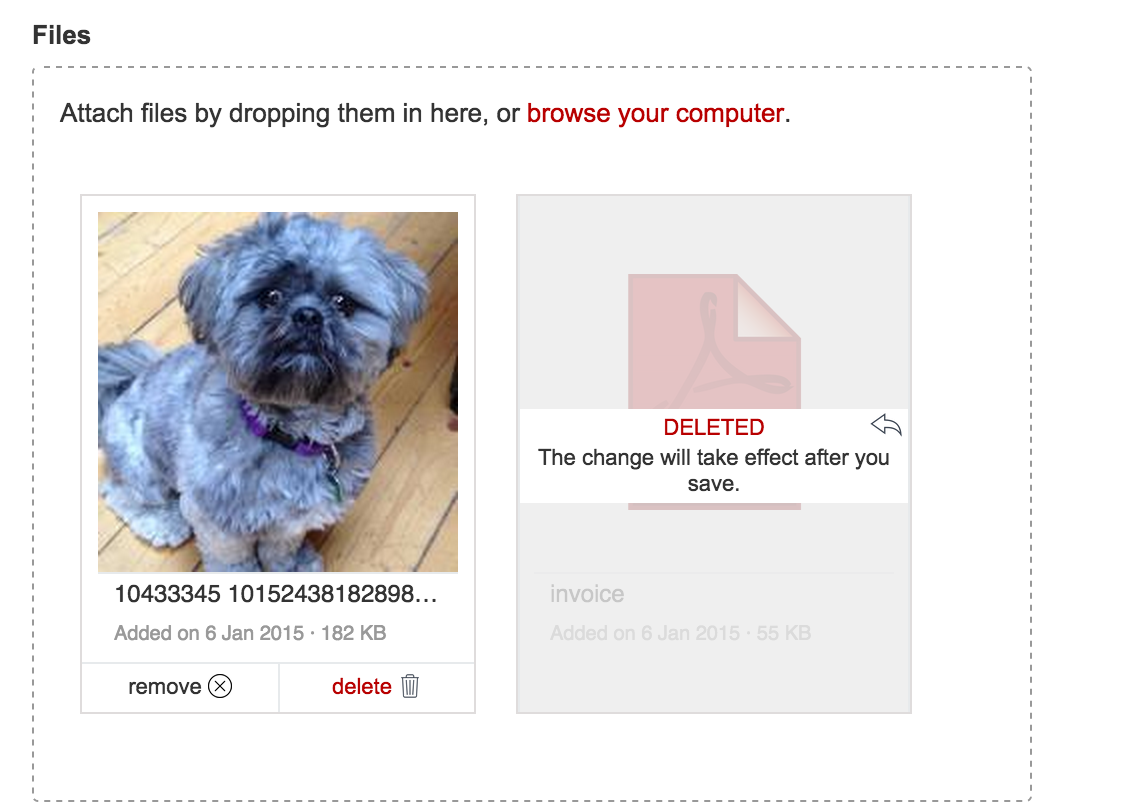
- Permissions for removing/deleting files
- Tracking files (remove uploaded files that aren't attached to anything)
- No jQuery dependency
Screenshots
Grid view
List view

Remove/delete files
Beautiful error handling
Any thumbnail size you like
Usage
The field instantiates similarly to UploadField, taking the name of the file relationship and a label, as the first two arguments. Once instantiated, there are many ways to configure the UI.
FileAttachmentField::create('MyFile', 'Upload a file')
  ->setView('grid')
If the form holding the upload field is bound to a record, (i.e. with loadDataFrom()), the upload field will automatically allow multiple files if the relation is a has_many or many_many. If the form is not bound to a record, you can use setMultiple(true).
Image-only uploads can be forced using the imagesOnly() method. If the form is bound to a record, and the relation points to an Image class, this will be automatically set.
More advanced options
FileAttachmentField::create('MyFiles', 'Upload some  files')
  ->setThumbnailHeight(180)
  ->setThumbnailWidth(180)
  ->setAutoProcessQueue(false) // do not upload files until user clicks an upload button
  ->setMaxFilesize(10) // 10 megabytes. Defaults to PHP's upload_max_filesize ini setting
  ->setAcceptedFiles(array('.pdf','.doc','.docx'))
  ->setPermissions(array(
    'delete' => false,
    'detach' => function () {
      return Member::currentUser() && Member::currentUser()->inGroup('editors');
    }
  ));
Image uploads get a few extra options.
FileAttachmentField::create('MyImage','Upload an image')
    ->imagesOnly() // If bound to a record, with a relation to 'Image', this isn't necessary.
    ->setMaxResolution(50000000); // Do not accept images over 5 megapixels
Default settings
Default values for most settings can be found in the config.yml file included with the module.
Usage in the CMS
FileAttachmentField can be used as a replacement for UploadField in the CMS.
Interacting with the Dropzone interface programatically
For custom integrations, you may want to access the UploadInterface object that manages the upload UI (see file_attachment_field.js). You can do that one of two ways:
- If you have jQuery installed, simply access the
dropzoneInterfacedata property of the.dropzoneelement
$('#MyFileDropzone').data('dropzoneInterface').clear();
- If you are not using jQuery, the
UploadInterfaceobject is injected into the browser globalwindow.dropzones, indexed by the id of your.dropzoneelement.
window.dropzones.MyFileDropzone.clear();
NB: The ID of the actual .dropzone element by default is the name of the form input, with 'Dropzone' appended to it, so FileAttachmentField::create('MyFile') creates a dropzone with an ID of 'MyFileDropzone'
Tracking / removing unused file uploads
FileAttachmentField::create('MyImage','Upload an image')
    ->setTrackFiles(true)
or:
FileAttachmentField:
  track_files: true
To stop users from uploading lots of files and filling the servers hard-drive via the frontend, you can track each file upload in a record, which is then removed when a form saves using Form::saveInto($record).
If you do not use Form::saveInto, you will need to manually untrack the file IDs with:
FileAttachmentFieldTrack::untrack($data['MyImageID']);
To action the deletion of all the tracked files, you can run the FileAttachmentFieldCleanTask.
Troubleshooting
- When using
FileAttachmentFieldwithBootstrapFormbe sure to ignore it from the bootstrap transformation.
Ring Uncle Cheese.
unclecheese/dropzone 适用场景与选型建议
unclecheese/dropzone 是一款 基于 JavaScript 开发的 Composer 扩展包,目前已累计 131.59k 次下载、GitHub Stars 达 45, 最近一次更新时间为 2014 年 12 月 22 日, 在 PHP 生态内属于活跃度较高的组件。
它主要适用于以下技术方向: 「cms」 「upload」 「Forms」 「files」 「uploader」 「silverstripe」 等业务场景。在实际项目中,围绕这些方向常见需要落地的问题包括:接口对接、性能调优、并发安全、与既有框架(Laravel / ThinkPHP / Yii / Webman 等)的兼容适配,以及生产环境的日志埋点与稳定性保障。
我们在过去多个企业项目中使用过 unclecheese/dropzone 或与其功能相近的方案,如果你在选型或落地过程中遇到问题,例如 版本兼容、二次改造、私有化封装、与内部系统对接、生产 BUG 排查,欢迎联系我们协助评估。
基于 unclecheese/dropzone 在你已有业务上做功能扩展、字段裁剪、UI 适配、与内部账号 / 权限 / 日志系统的深度对接。
线上偶发问题、内存泄漏、慢查询、并发异常等排查修复;针对高流量场景做缓存、队列、索引层面的调优。
承接完整的项目从需求 → 设计 → 开发 → 上线 → 长期运维;也可按月提供技术保姆服务。
与 unclecheese/dropzone 相关的其它包
同方向 / 同关键字的高下载量 PHP Composer 包推荐,方便对比选型:
ConfirmationField is a form field for Atk14 applications. It's like the BooleanField (checkbox) but the ConfirmationField must be ticked.
Field for number with restricted count of digits and decimal places
The file manager intended for using Laravel with CKEditor / TinyMCE / Colorbox
GraphQL authentication for your headless Craft CMS applications.
Set Links with a specific language parameter
Supercharged text field validation.
统计信息
- 总下载量: 131.59k
- 月度下载量: 0
- 日度下载量: 0
- 收藏数: 47
- 点击次数: 8
- 依赖项目数: 8
- 推荐数: 0
其他信息
- 授权协议: BSD-3-Clause
- 更新时间: 2014-12-22