zao-web/wp-api-connect-ui
Composer 安装命令:
composer require zao-web/wp-api-connect-ui
包简介
Provides UI for connecting from one WordPress installation to another via the WordPress REST AP over OAuth1. This plugin is a UI wrapper for WP API Connect.
关键字:
README 文档
README
Contributors: Zao
Donate link: http://zao.is
Tags:
Requires at least: 4.7.0
Tested up to: 4.7.3
Stable tag: 0.2.6
License: GPLv2
License URI: http://www.gnu.org/licenses/gpl-2.0.html
Description
Provides UI for connecting from one WordPress installation to another via the WordPress REST API over OAuth1. This plugin is a UI wrapper for WP API Connect.
Caveats:
- To use this plugin, you will need to run
composer installfrom the root of the plugin to pull in the required dependencies, or download this zip. - Both the WP REST API plugin and the OAuth plugin are required to be on the server you are connecting to.
- You'll need to create a 'Client Application' on the server. You'll be given instructions from this plugin's settings page after you save the server URL.
Usage:
Once you've created a successful API connection via the Settings screen, you can use the the plugin's API helper function/filter. If the connection is successful, The helper function and filter both return a Zao\WP_API\OAuth1\Connect object (example usage here), which you can use to make your API requests.
The filter is an alternative to the helper function provided so that you can use in other plugins or themes without having to check if function_exists. To do that, simply use $api = apply_filters( 'wp_api_connect_ui_api_object', false );. If the wp_api_connect_ui_api_object function isn't available, you're original value, false will be returned. Whether using the function or the filter, you'll want to check if the $api object returned is a WP_Error object (is_wp_error) or a Zao\WP_API_Connect object (is_a( $api, 'Zao\WP_API\OAuth1\Connect' )) before proceeding with making requests.
// Get API object
$api = apply_filters( 'wp_api_connect_ui_api_object', false );

// If WP_Error, find out what happened.
if ( is_wp_error( $api ) ) {
	echo '<xmp>'. print_r( $api->get_error_message(), true ) .'</xmp>';
}

// If a Zao\WP_API\OAuth1\Connect object is returned, you're good to go.
if ( is_a( $api, 'Zao\WP_API\OAuth1\Connect' ) ) {

	$schema = $api->get_api_description();

	// Let's take a look at the API schema
	echo '<xmp>$schema: '. print_r( $schema, true ) .'</xmp>';
}
Installation
Manual Installation
- Upload the entire
/wp-api-connect-uidirectory to the/wp-content/plugins/directory. - Run
composer installinside the/wp-content/plugins/wp-api-connect-uidirectory. - Activate WP API Connect UI through the 'Plugins' menu in WordPress.
- Update the connection settings.
To avoid step 2, download this zip, unzip the file and follow steps 1, 3, and 4.
Frequently Asked Questions
Screenshots (a bit out of date since 0.2.0)
-
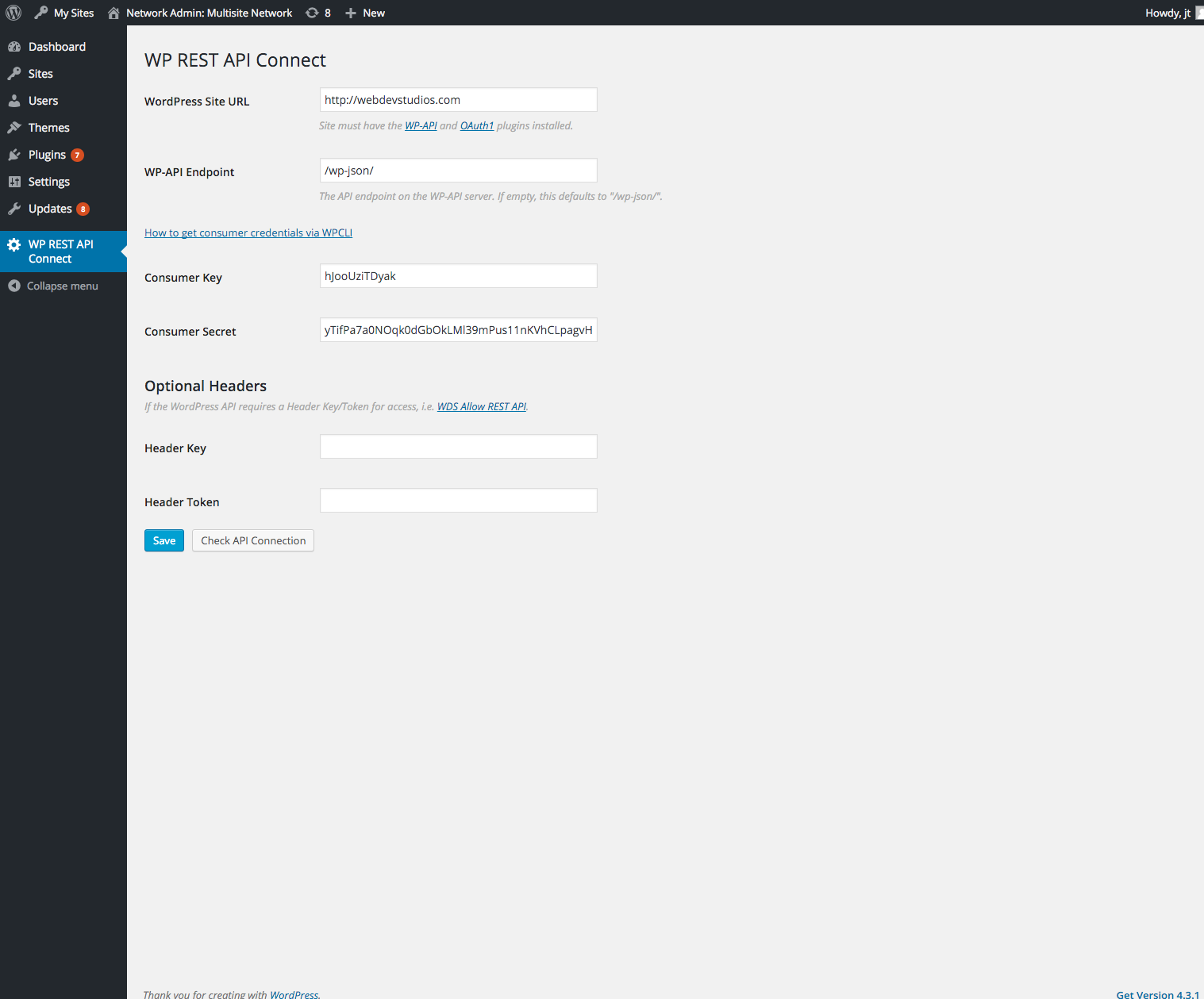
Settings
-
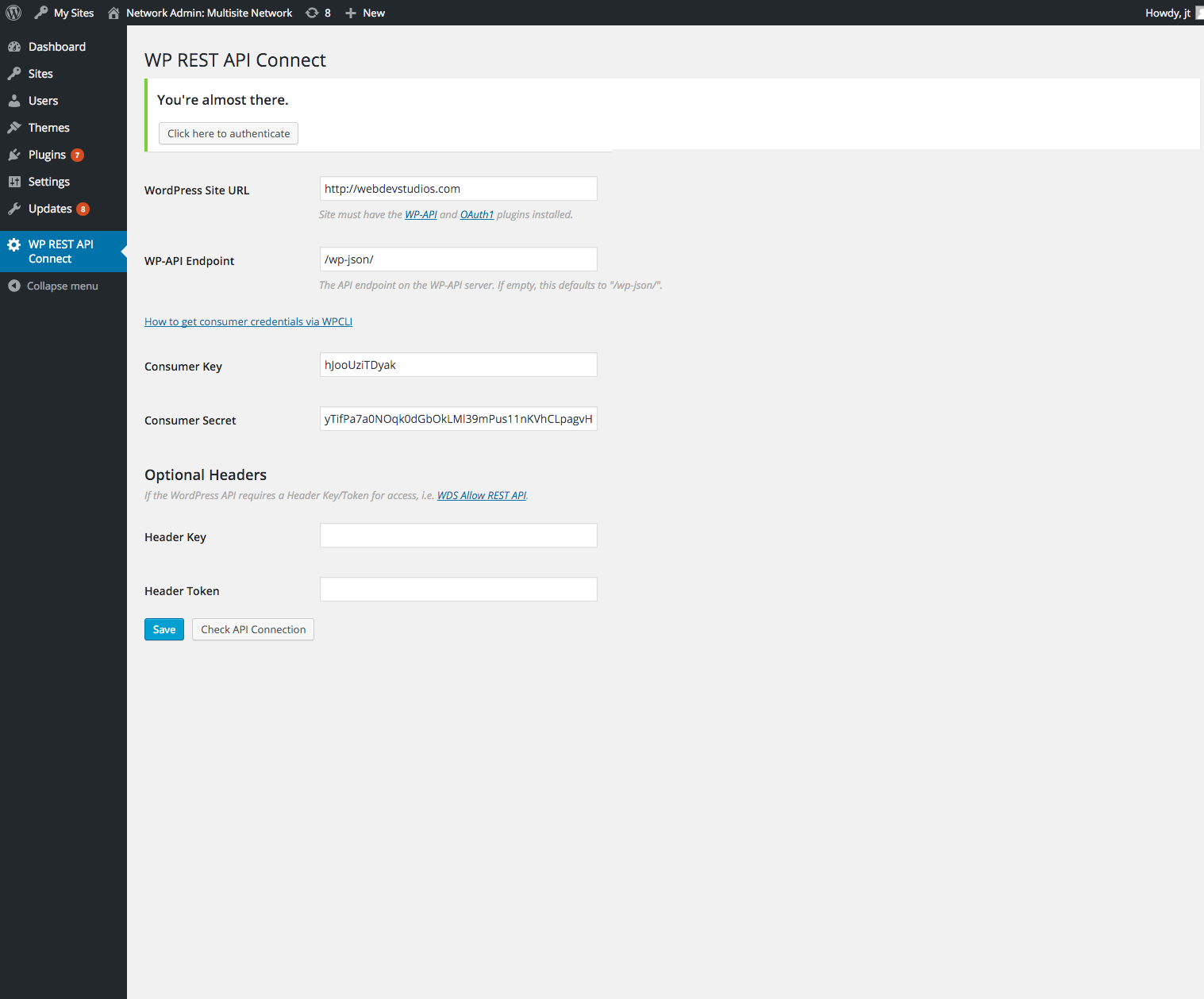
After settings are saved, authentication is required.
-
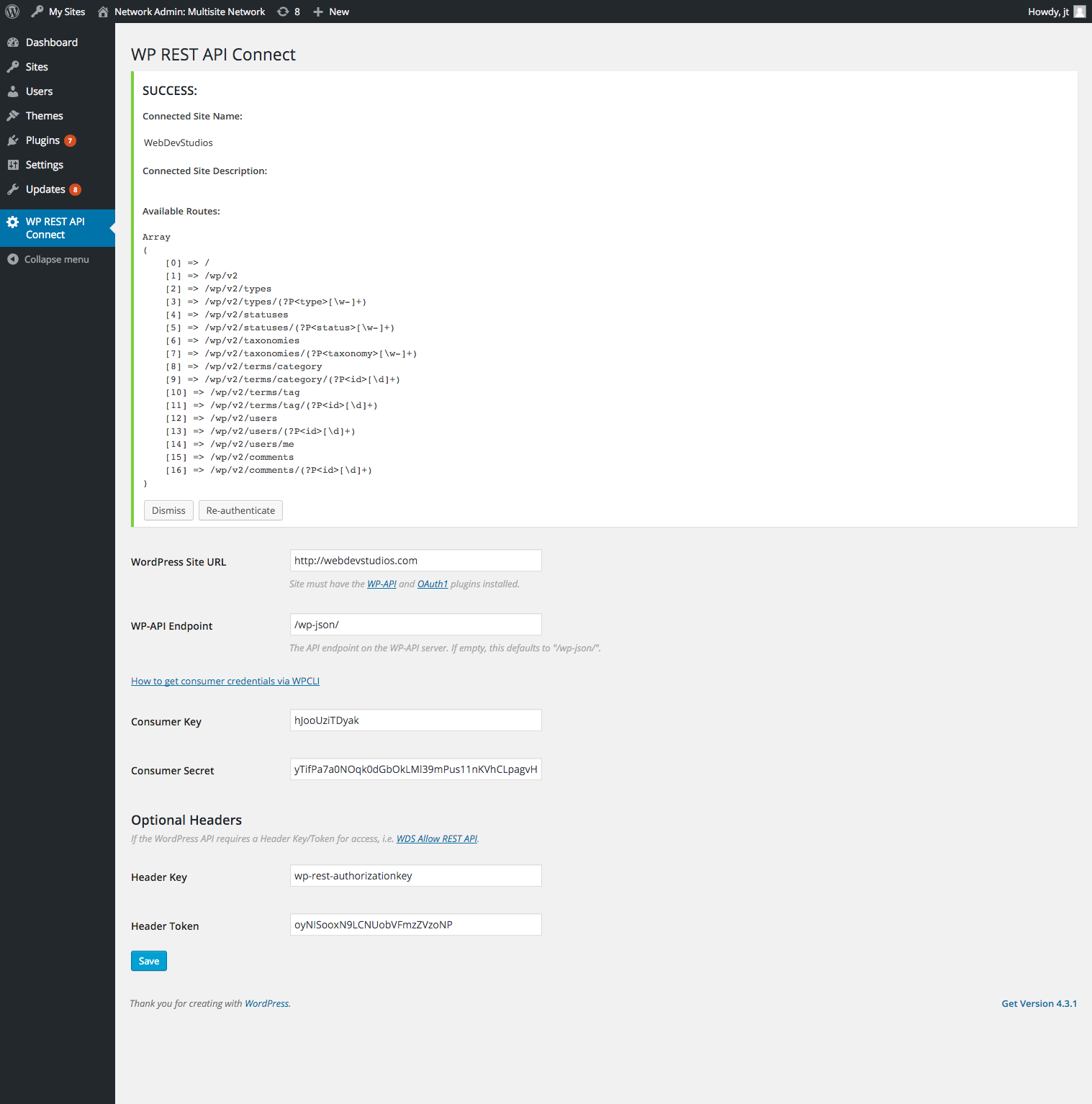
Successful authentication notice which demonstrates available routes.
Changelog
0.2.6
- Update the wp-api-connect dependency to Remove Ryan McCue's Requests library from composer since it now exists in WP core.
- Rename plugin
- Add a toggle for the "Optional Headers" section.
0.2.5
- Update the wp-api-connect dependency to fix a typo from a variable which should be using an object property (for legacy mode).
0.2.4
- Update the wp-api-connect dependency to fix some bugs and in the
auth_requestmethod.
0.2.3
- Fix some authentication step logic, and ensure discovery is not called too often.
- Update the wp-api-connect dependency to fix some bugs and add filters to request args.
0.2.2
- The Optional Headers fields are now available for all steps, to ensure proper headers are sent during discovery.
- Update the wp-api-connect dependency, so that we use our own API Discovery library to use the WP http API, and to correctly pass any headers if they exist.
0.2.1
- Update composer files to point to correct packagist repo for WP API Connect.
0.2.0
- Update to fix some security issues and work with the new version of the OAuth plugin.
0.1.0
- First release
统计信息
- 总下载量: 8
- 月度下载量: 0
- 日度下载量: 0
- 收藏数: 0
- 点击次数: 2
- 依赖项目数: 0
- 推荐数: 0
其他信息
- 授权协议: GPL-2.0
- 更新时间: 2017-08-11